
Visual Studio 2022 versions 17.0 through 17.11 are out of support as of January 2026.
Installing Visual Studio 2022
The GDK supports development with either the Professional edition or the Enterprise edition of Visual Studio 2022. The Community edition isn’t supported.GDK Visual Studio extension (VSIX) components aren’t supported on ARM-based devices. To use GDK Visual Studio project templates, property pages, and debugging extensions, install the GDK on an x64-based development PC.
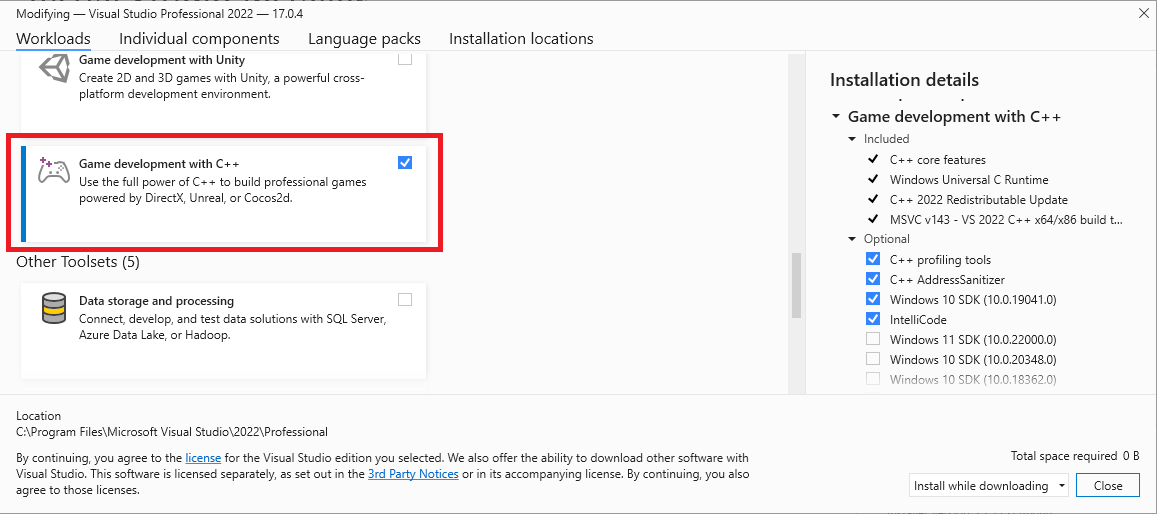
Installing optional toolsets
The Game development with C++ workload installs the Visual Studio 2022 version of the MSVC build tools (version v143). In addition to the v143 toolset, the GDK also supports building with the following toolsets:- v142 (the Visual Studio 2019 toolset)
- the C++ Clang tools for windows
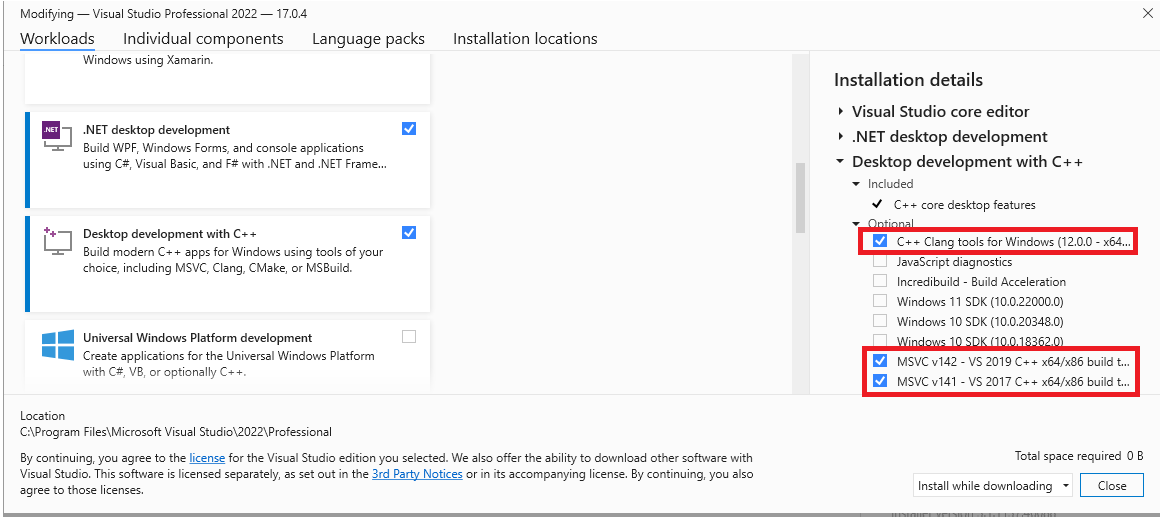
Selecting a toolset for a project
Specify the toolset to use for a project by using the Platform Toolset property from the project’s property page.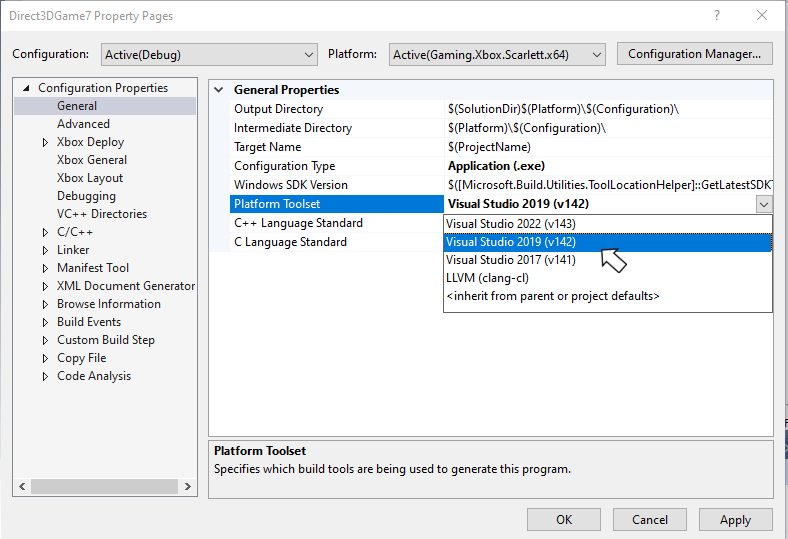
Debugging XBOX projects by using Visual Studio 2022
To debug by using Visual Studio 2022, build the title you’re debugging by using the March 2022 (or newer) GDK. This dependency exists because the Game OS that ships in those versions of the GDK contains binaries that are required for debugging by using Visual Studio 2022. If you attempt to debug by using Visual Studio 2022 against an older Game OS, you see the following error message.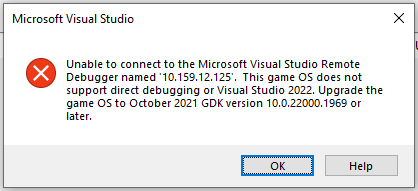
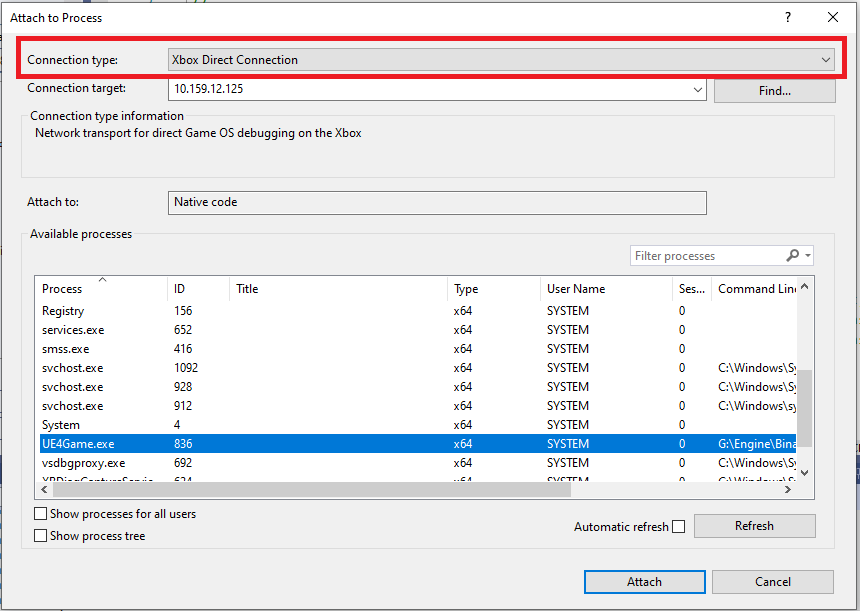
These values are different from the values you enter when attaching by using Visual Studio 2019. When you use Visual Studio 2019, the connection type is Remote no authentication and the IP address is the console’s System IP address.
Visual Studio 2022 servicing model
Visual Studio 2022 includes a new servicing model that you can use to select a servicing baseline, and then only get updates for that baseline. This new model replaces the servicing models from previous versions of Visual Studio, which strongly encouraged the use of the latest available version. For more details, see Visual Studio Product Lifecycle and Servicing.Reporting bugs
Report bug reports for the Visual C++ compiler (if possible) via Visual Studio Report a Problem…. For more information, see Microsoft Docs and the Developer Community website. Be sure to read this page for details on creating a good bug report for the compiler.You can add a comment to a public report issue marked as “Microsoft only” if private information is required to reproduce the issue.
Known issues
- The Game OS doesn’t support the
std:chronotime zone functionality added in C++20 P0355R7 <chrono> Calendars And Time Zones because it doesn’t includeicu.dll,icuin.dll,icuuc.dll, or the associated data files in the XVD image. If you use these functions, your app throws a C++ exception at runtime. The calendars functionality in PR0355R7 is supported.