Checking the state of the Title OS in a script
Details about Connect diagnostic tests
xbconnect /dx (diagnostics) runs a variety of tests, both locally on the development PC and on the development console, to determine what might be causing connection issues. These tests are separated into four groups, with categories of tests run in each group. Failures are displayed in red along with an error code and some text that describes the error code in more detail. In addition, some tests display more data that might be useful for troubleshooting.Local PC tests
Local PC tests run on your development PC and are independent of the development console. Process running: test for processes that should be running to enable working with an XBOX development console. The processes tested include the following:- XbtpLinkSvc.exe
- XrfsSvc.exe
[!NOTE] This specific process might not be started, and this isn’t necessarily a true failure.
PC to console tests
PC to console tests originate on the development PC and try to connect to the development console in various ways.- XbtpLink: Tests that the XBTP protocol is working between the PC and console, either via Transmission Control Protocol (TCP) or by using an XBOX Transfer Device (XTD).
- Query IP: Asks the console to return its known IP addresses.
- Ping: Attempts to ping the target console on the IP address that’s provided by using standard Internet Control Message Protocol (ICMP).
- Port connections: Attempts to connect to an open port that’s running a service on the development console. These services and ports include the following:
- XTF (XBOX Tools Framework): Port 4201/4211/4221
- VS Debugger (Visual Studio Remote Debugger): Ports 4024/4022/4020/4016
- Video Server (remote video server that’s used by XBOX Manager): Port 11442
- WDP (Windows Device Portal for XBOX): Port 11443
Console tests
Console tests run on the remote console and are independent of the development PC.- Debug NIC: Determines if the debug network port on the console is being used in addition to the retail network port.
- Process running: Tests for processes that should be running on the development console. These processes include Xtfhost.exe.
Console to PC tests
Console to PC tests originate on the development console and try to connect to the development PC in various ways.- Ping: Attempts to ping the target development PC by using the IP addresses that are provided by the PC.
[!NOTE] Every routable address on the PC is attempted, but not all addresses would be routable from the XBOX development console. Failures of specific addresses of this test aren’t uncommon.
- XbtpLink: Tests that the XBTP protocol is working between the development PC and development console, either via TCP or by using an XTD.
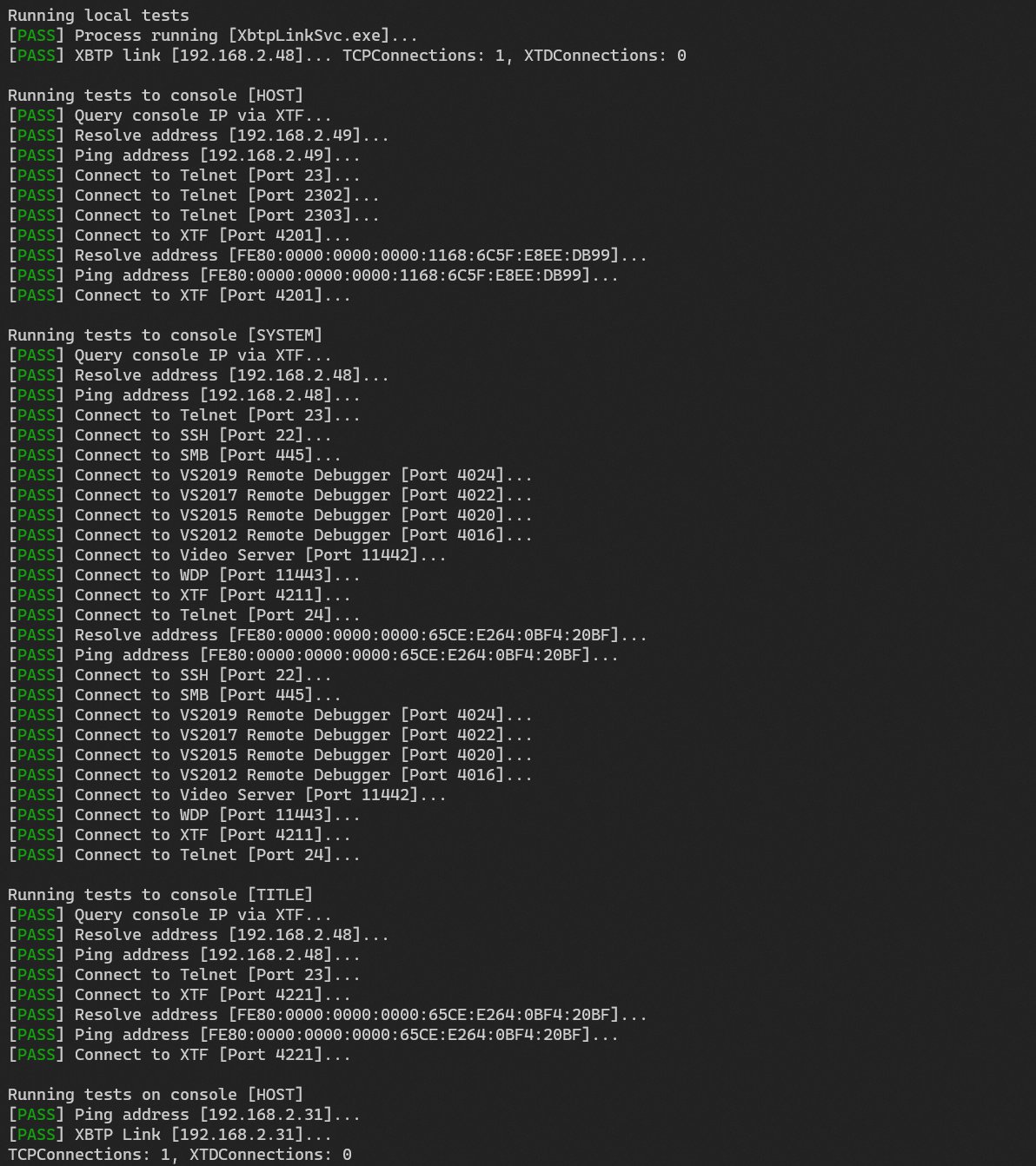
Diagnostic output example
An example of diagnostic output is shown in the following screenshot.