To access the XBOX property pages
- In Solution Explorer, right-click the project name, and then select Properties.
- Expand Configuration Properties.
- Observe the XBOX General, XBOX Deploy, XBOX Layout and Debugging property pages.
XBOX General
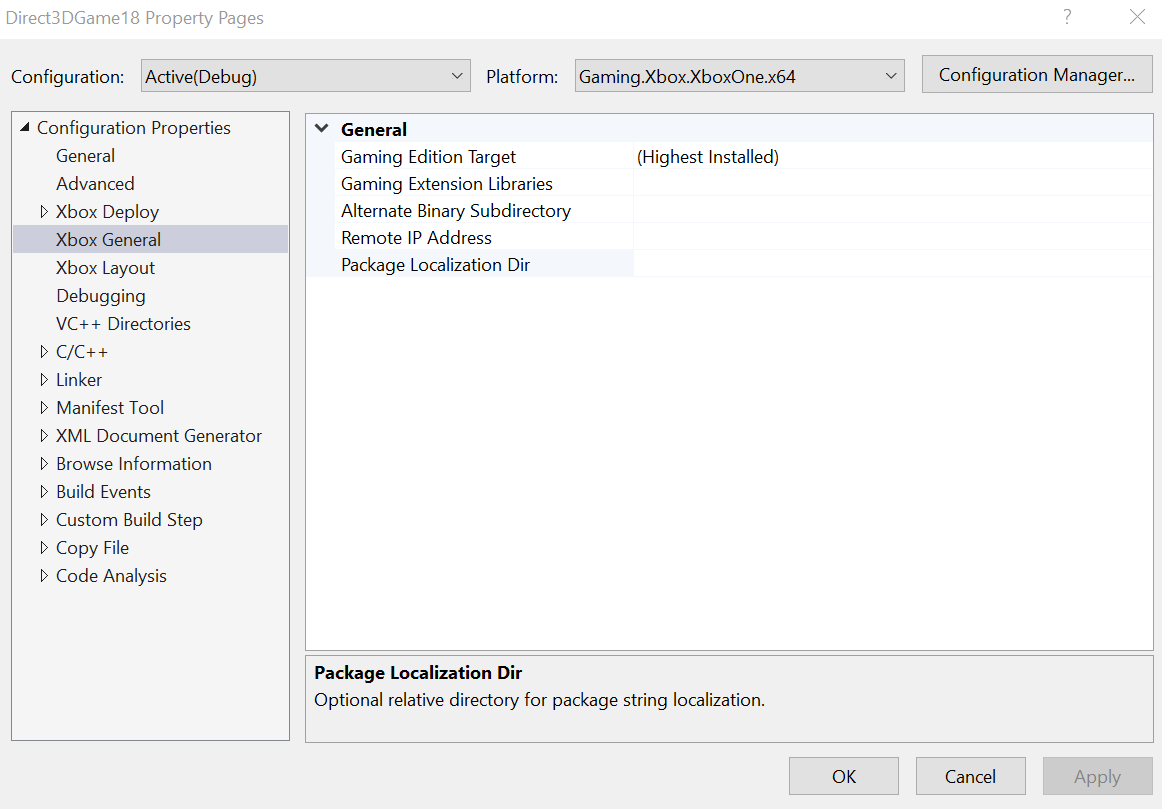
The XBOX General property page contains the following properties.- Gaming Edition Target. Specifies the GDK edition the project will be built with. Defaults to highest version of the GDK installed on your development PC.
- Gaming Extension Libraries. Specifies the set of Gaming Extension libraries to use (such as Xbox.Services.API.C).
- Alternate Binary Subdirectory This optional property is used to specify a subdirectory for binary and CRT dependencies under the game root. This is used to mirror the structure in the Layout folder and will be utilized by the Debugger to find the executable when debugging. When specifying a subdirectory, the MicrosoftGame.config should live in the root of the title still. Any changes to pathing in the MicrosoftGame.config for executable location should be updated as well.
- Remote IP Address. Specifies the remote console name or IP address. This is the console on which built projects are deployed, run, and debugged. If this property is left blank, or is set to blank, the default remote console specified by Connect (xbconnect.exe), XBOX Manager, or Windows Device Portal is used.
- Package Localization Dir. Specifies an optional directory relative to the project directory for use when creating localized shell resources. See MicrosoftGame.config localization for additional information on adding localized resources to your project.
It’s also possible to specify the remote IP within a project.vcxproj.user file, stored with project.vcxproj in the project’s directory. That file should have the following format.
XBOX Deploy
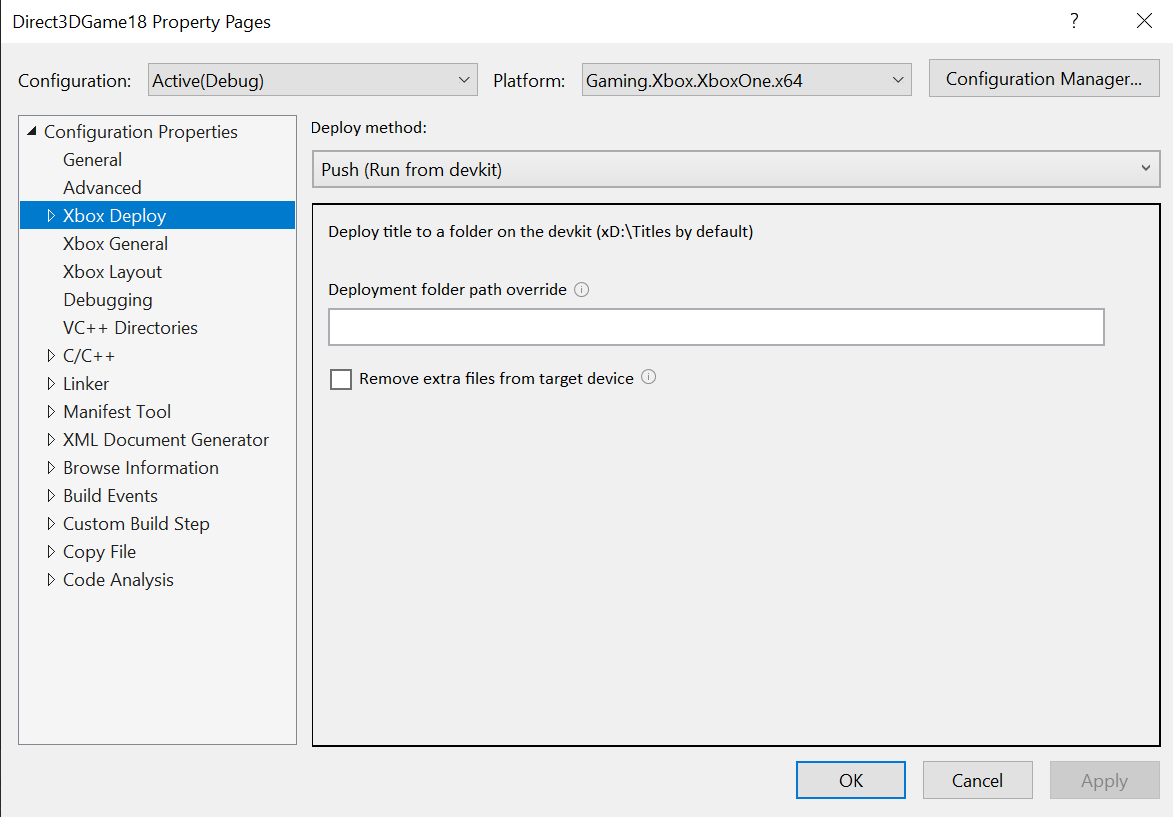
The XBOX Deploy property page allows for selection of each Deploy method. Based on the selection, the property page will include different options. For more information on deployment, see Deploying your title to your XBOX dev kit.XBOX Deploy Method: Push (Run from devkit)
This Deploy method deploys the title to a folder on the devkit (xD:\Titles by default). This Deploy method contains the following properties.- Deployment folder path override. Optional property used to override the default deployment path on the devkit.
- Remove extra files from target device. Optional property that, when checked, removes files found on the console that are not part of the project build output (orphan files).
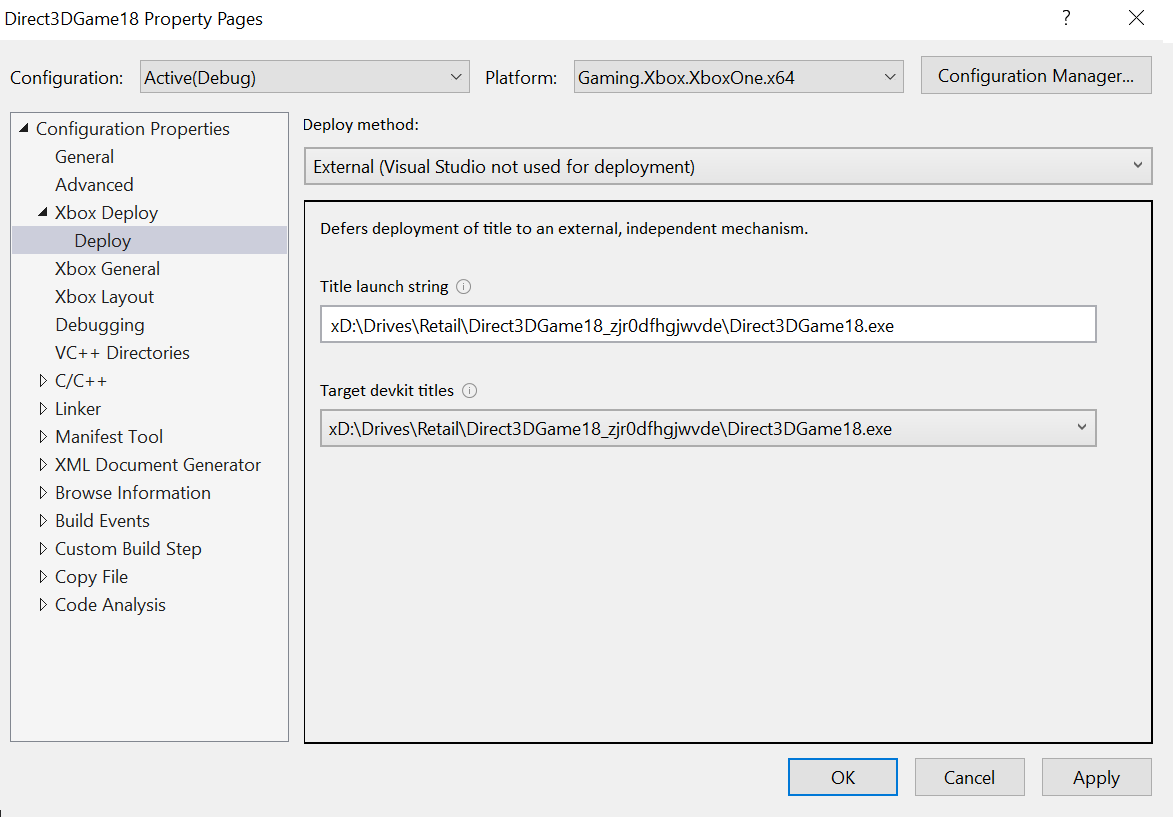
XBOX Deploy Method: External (Visual Studio is not used for deployment)
This Deploy method defers deployment to an external, independent mechanism. This Deploy method contains the following properties.- Title launch string. Launch string that is used to launch the title when debugging is started (F5).
- Target devkit titles. Select from a list of titles matching the current project on the target devkit to populate the title launch string.
XBOX Deploy Method: Run from PC (Register network share)
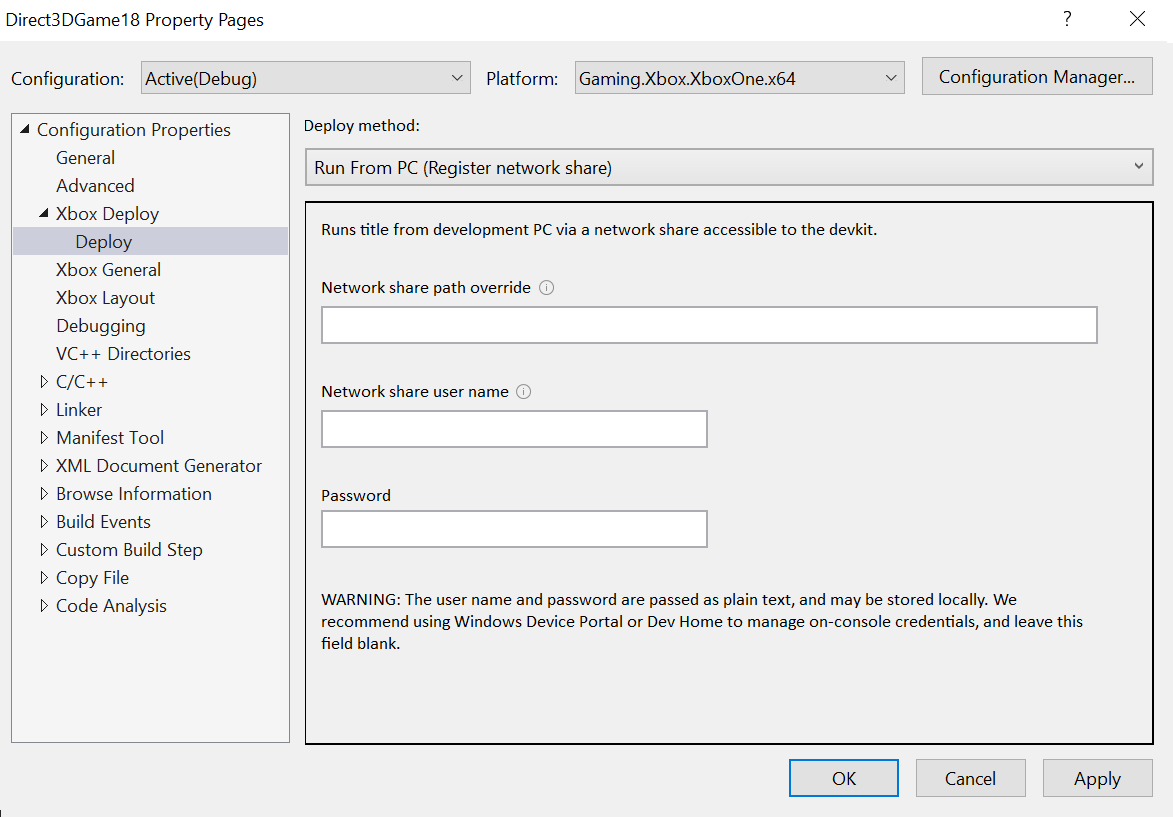
This Deploy method runs the title from the development PC via a network share accessible to the devkit.- Network share path override. Optional property used to override the default network share path for Run From PC deployment.
- Network share username. Optional property used to access network share location that require credentials (SMB network share).
- Network share password. Optional property used to access network share location that require credentials (SMB network share).
Figure 2. The XBOX Deploy property pages based on Deploy methodCAUTION: This username and password is passed as plain text and is stored locally in plain text. For added security, leave this field blank and manage your credentials as shown in XBOX Device Portal (Windows Device Portal on XBOX) or Developer Home on the Console (Dev Home).

XBOX Layout
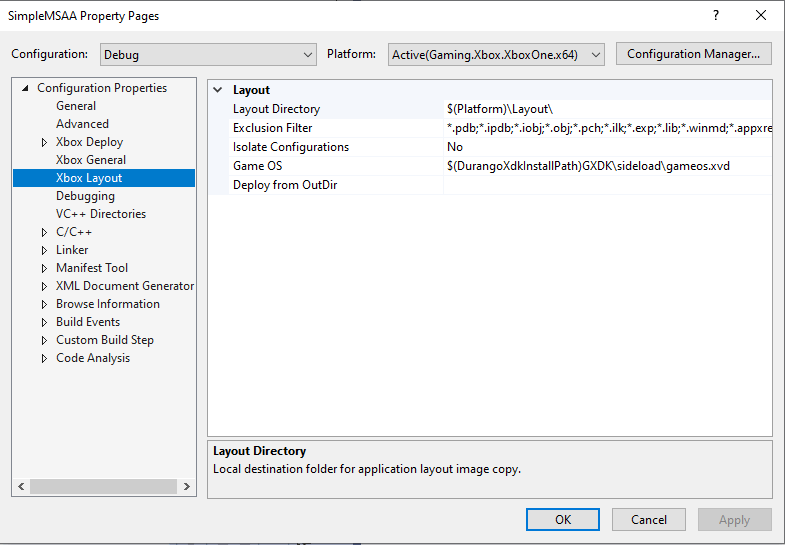
The XBOX Layout property page contains the following properties.- Layout Directory. Specifies the local directory where build results are laid out. It’s from this directory that the application is deployed to the remote console.
- Exclusion Filter. Specifies files and file types that won’t be copied from the build output directory to the layout directory. Note that this property cannot be used to exclude files that reside outside of the build output directory.
- Isolate Configurations. When set to Yes, Visual Studio treats each build configuration as a separate output for determining the list of files copied to the layout directory. The default is No.
- Game OS. Specifies the path to the Game OS to be provided with the loose file layout of a title.
- Deploy from Outdir. When set to Yes, Visual Studio will deploy the contents of the build output directory rather than copying files to the layout directory before deployment. The values of the Layout Directory, Exclusion Filter, and Isolate Configurations properties will be ignored.
Debugging
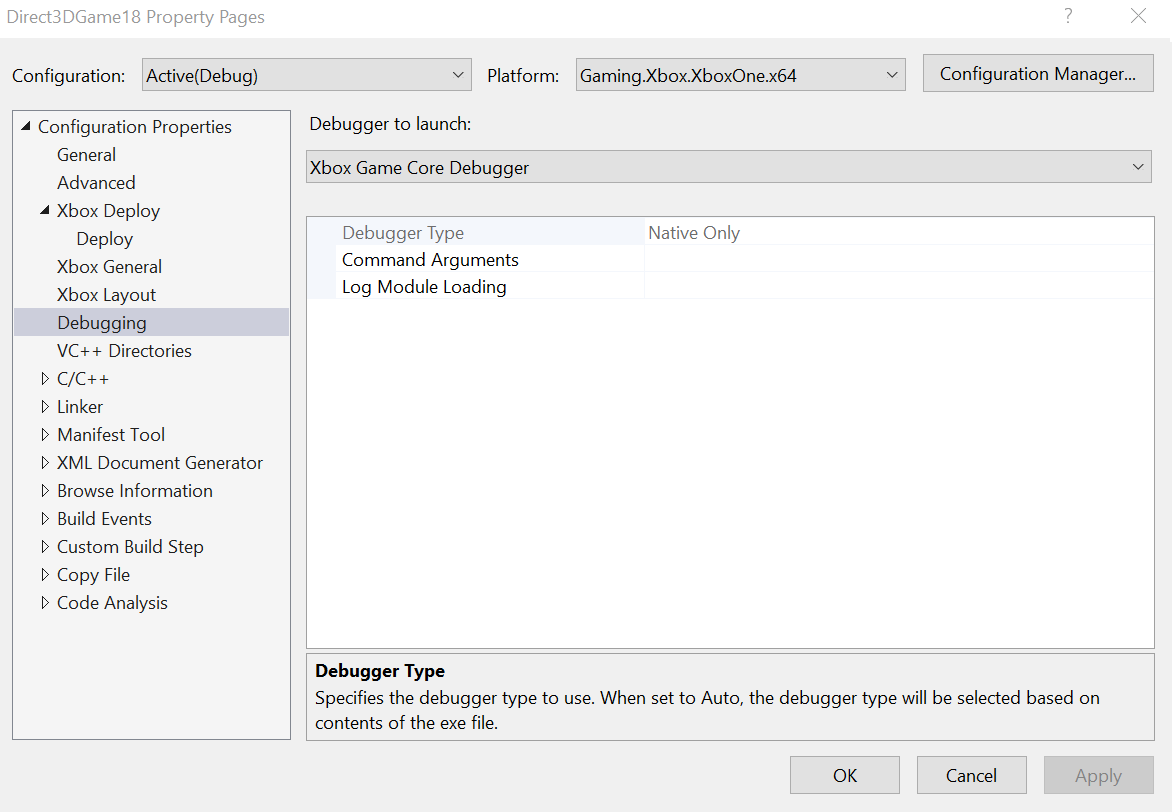
The Debugging property page contains the following properties.- Debugger to launch: For XBOX projects, select XBOX Game Core Debugger.
- Debugger Type. Specifies the debugger type to use. When set to Auto, the debugger type is selected based on contents of the .exe file.
- Command Arguments. The command-line arguments to pass to the application.
- Log Module Loading. Enable verbose debug output, which includes module loading information. The Log Module Loading option is useful for debugging “dependent dll was not found” issues.