
Installing Visual Studio 2026
The GDK supports development with either the Professional edition or the Enterprise edition of Visual Studio 2026. The Community edition isn’t supported.GDK Visual Studio extension (VSIX) components aren’t supported on ARM-based devices. To use GDK Visual Studio project templates, property pages, and debugging extensions, install the GDK on an x64-based development PC.
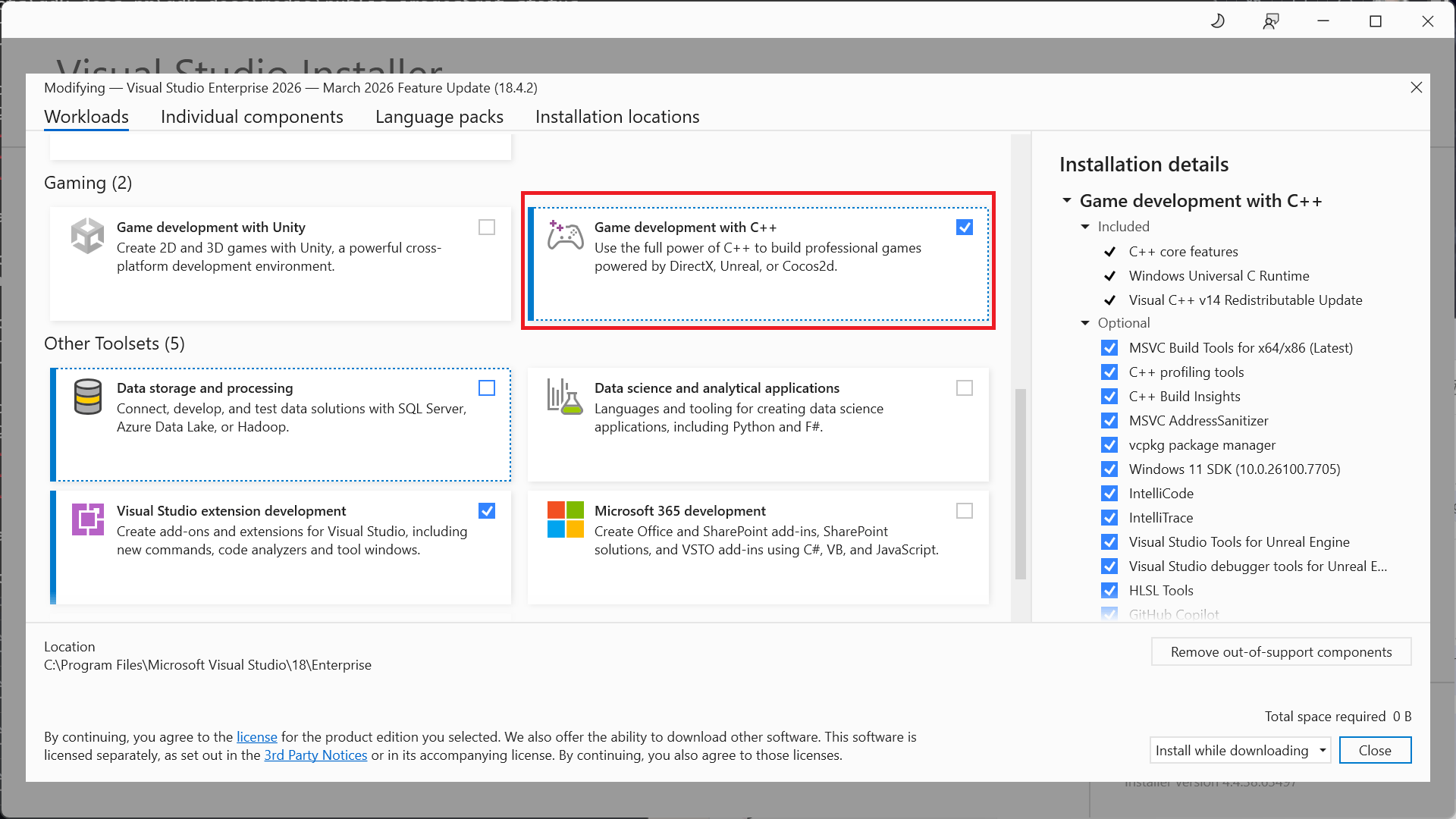
Installing optional toolsets
The Game development with C++ workload installs the Visual Studio 2026 version of the MSVC build tools (version v145). In addition to the v145 toolset, the GDK also supports building with the following toolsets:- v143 (the Visual Studio 2019 toolset)
- v142 (the Visual Studio 2019 toolset)
- the C++ Clang tools for windows
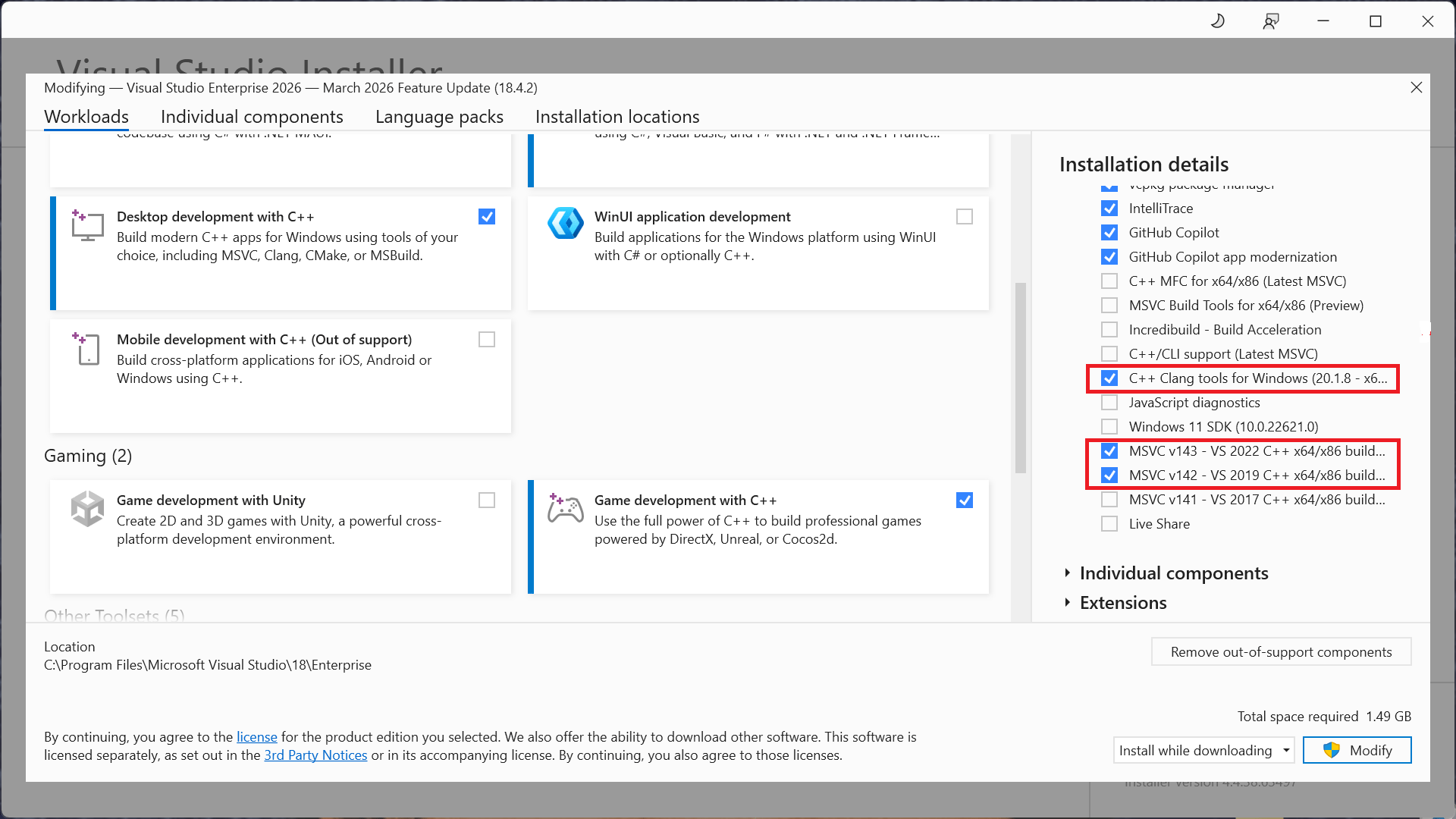
Selecting a toolset for a project
Specify the toolset to use for a project by using the Platform Toolset property from the project’s property page.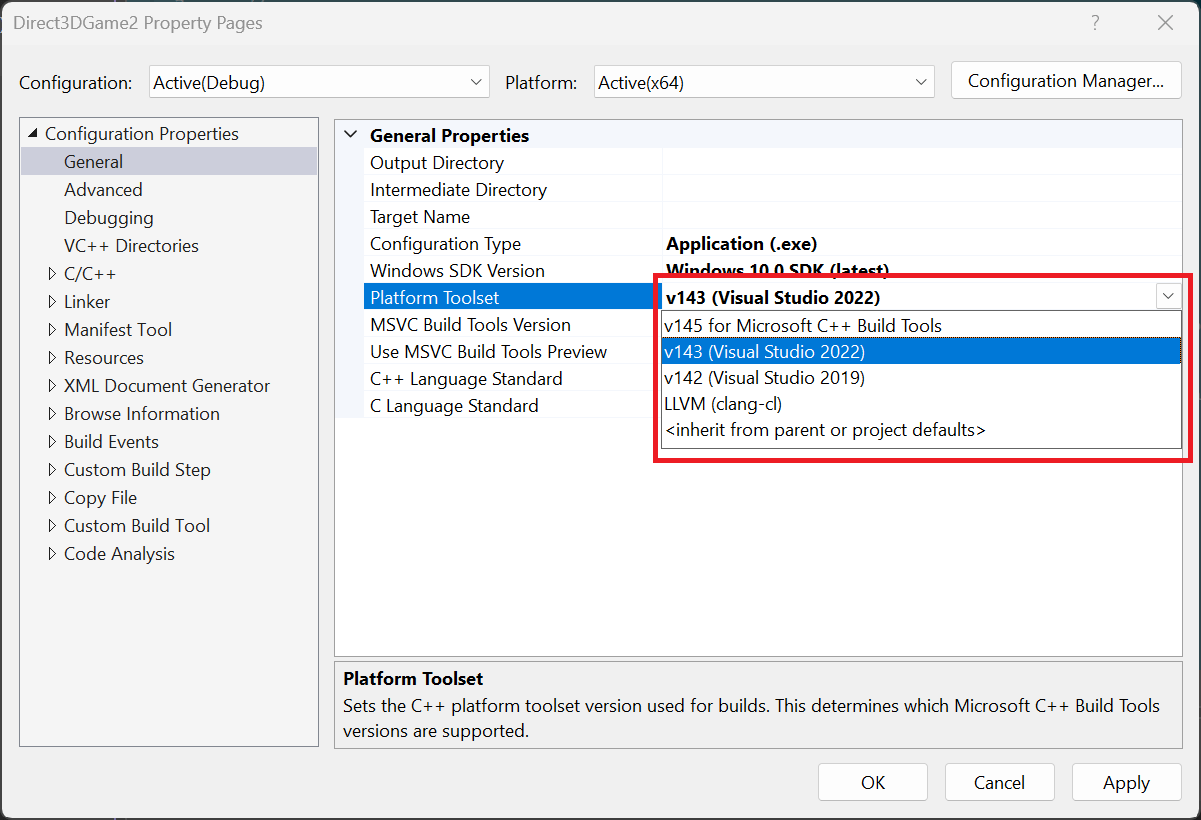
Visual Studio 2026 Servicing Model
Visual Studio 2026 includes a new servicing model that includes both an Insiders and Stable Channel. For more information, see Visual Studio Product Lifecycle and Servicing.Reporting bugs
Report bugs for the Visual C++ compiler (if possible) through Visual Studio Report a Problem…. See Microsoft Docs and the Developer Community website. For details on creating a good bug report for the compiler, see this page.You can add a comment to a public report issue marked as “Microsoft only” if private information is required to reproduce the issue.