
Prerequisites
- Installed Node.JS
Installing HTTP server using npm
Run the command line/terminal on your system (it doesn’t matter which directory you’re currently in). Executenpm install -g http-server. Once npm finishes, you have the tiny HTTP-server installed. That’s it.
Serving files
Create a new folder on your system from where you want to serve your static files. There are no specific restrictions for path on Windows. On macOS, you may want to check for access on the folder. Inside of the newly created folder, create a file called index.html. Fill the file with the content provided below.- Execute http-server.
- HTTP-server will start serving files from your current directory.
- It will also print all the IP endpoints that the server is listening for.
- Use one of them to reach your web-server through the browser.
- Observe your page being loaded.
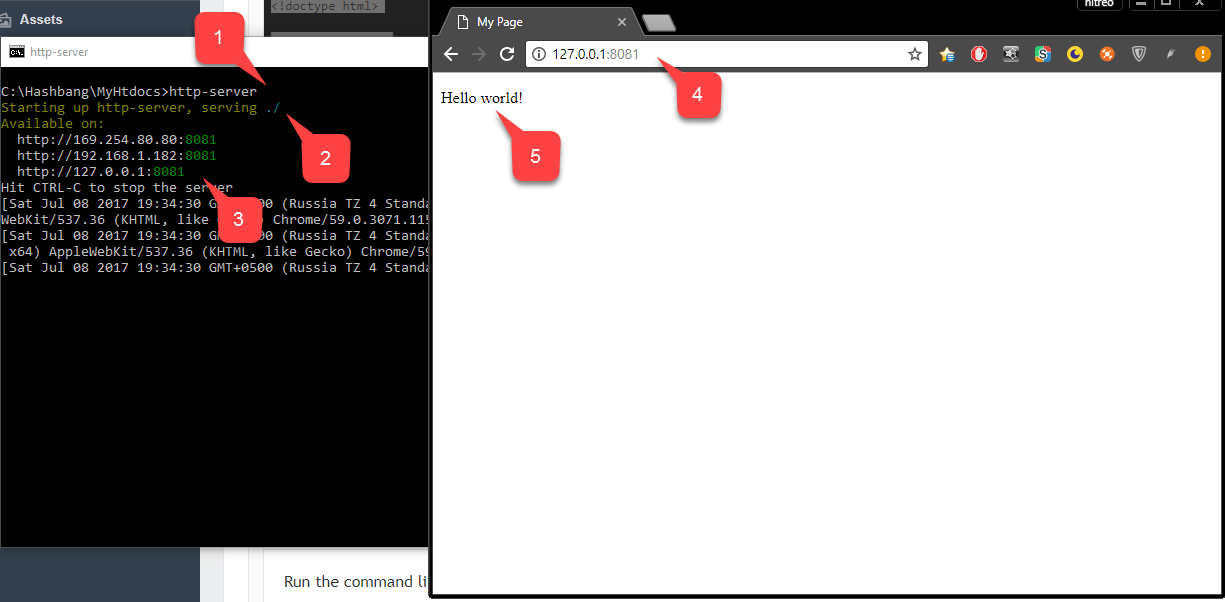
- Example: Execute
http-server -p 80to run your server on port 80. If a port is occupied, you’ll have to find what application is using this port and shut it down before you attempt to run the HTTP server again.
Serving files with a custom domain name
When testing different SDKs, for example, Google or Facebook, you’ll notice that some services can only be configured with a certain valid domain name. For instance, they don’t accept a plain IP address + port. Certain services use such a configuration to ensure that your browser fetches your code from a specific, secure domain. They also often use this configuration to ensure that a user can only log into your application from your domain, and that nobody else can fake it and steal user data.While this is an important and useful security restriction, it may produce complications when trying to locally test your code.
DOMAIN_NAME_1, your browser directs your request to IP_ADDRESS_1.
The same applies for each entry in the HOSTS file. In the preceding example, entry number 4 starts with #. This is a syntax for comment.
By commenting out certain entries you may disable them, without necessarily removing them from the HOSTS file.
playfab.example is a valid domain name, but it’s unlikely that your browser will reach any website with it. By adding the following entry to your HOSTS file, you’ll be able to reach your local HTTP server with that domain name.
If you are using a port other than 80, you will need to add the port that was created when the local server started (such as port 8080) to the end of the URL (
<playfab.example:8080>)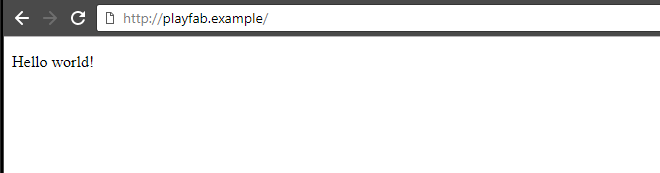
C:\Windows\System32\drivers\etc\hosts.
On macOS, the HOSTS file is normally located at:
/private/etc/hosts.