
- Determining what users can purchase
- Evaluating what products the user owns or is entitled to
- Purchasing eligible products
Preparing to call XStore APIs
AllXStore APIs operate over an XStoreContextHandle created by using XStoreCreateContext.
This context enables you to perform store operations in the context of the specified user on console and the default user available on a PC. On console, a Suspend or Quick Resume event invalidates the context. To safely handle these conditions, close the XStoreContextHandle and recreate it whenever the game resumes from a suspended state.
1. Determining what users can purchase
What a game usually offers for purchase is their add-ons. The following code demonstrates the basic XStoreQueryAssociatedProductsAsync API call needed for the game to know what products are available. This query automatically returns only purchasable add-ons associated with the game. Unrelated products associated with the same publisher (that is, configured with the same Partner Center account) can also be made to return in this call so long as the game is set with a “can sell” relationship to this product in the Product relationship setup section in Partner Center. To learn more about configuring product relationships, see Configure product relationships for a game.Things to note
- Only purchasable products are returned with
XStoreQueryAssociatedProductsAsync; products that are only granted in bundles or otherwise not set to be independently purchasable don’t return. For the latter, useXStoreQueryProductsAsync. - There’s no upfront knowledge of the number of products that return, therefore the count must be accumulated.
Paging
Handling paging isn’t optional when querying associated products or entitlements. The number of pages returned by the service, and the number of items returned per page, can vary between environments and service load. For an example of how to handle paging, see XStoreQueryAssociatedProductsAsync.Other options
XStoreQueryProductsAsync can be used to query specific products, if thestoreId is known or if other actionFilters are desired. “Actions” are usage scenarios that apply to a product, which include verbs like Purchase, License, Gift, and Redeem.
XStoreQueryAssociatedProductsForStoreIdAsync can be used to query associated products for other games, which can be useful to cross-sell a different title’s add-ons.
XStoreQueryProductForCurrentGameAsync is to query just the product for the currently running game.
XStoreShowAssociatedProductsUIAsync transitions the user to the Microsoft Store app to a view of associated products, filtered by product kind. This API is an alternative to having to enumerate available products to present in an in-game interface.
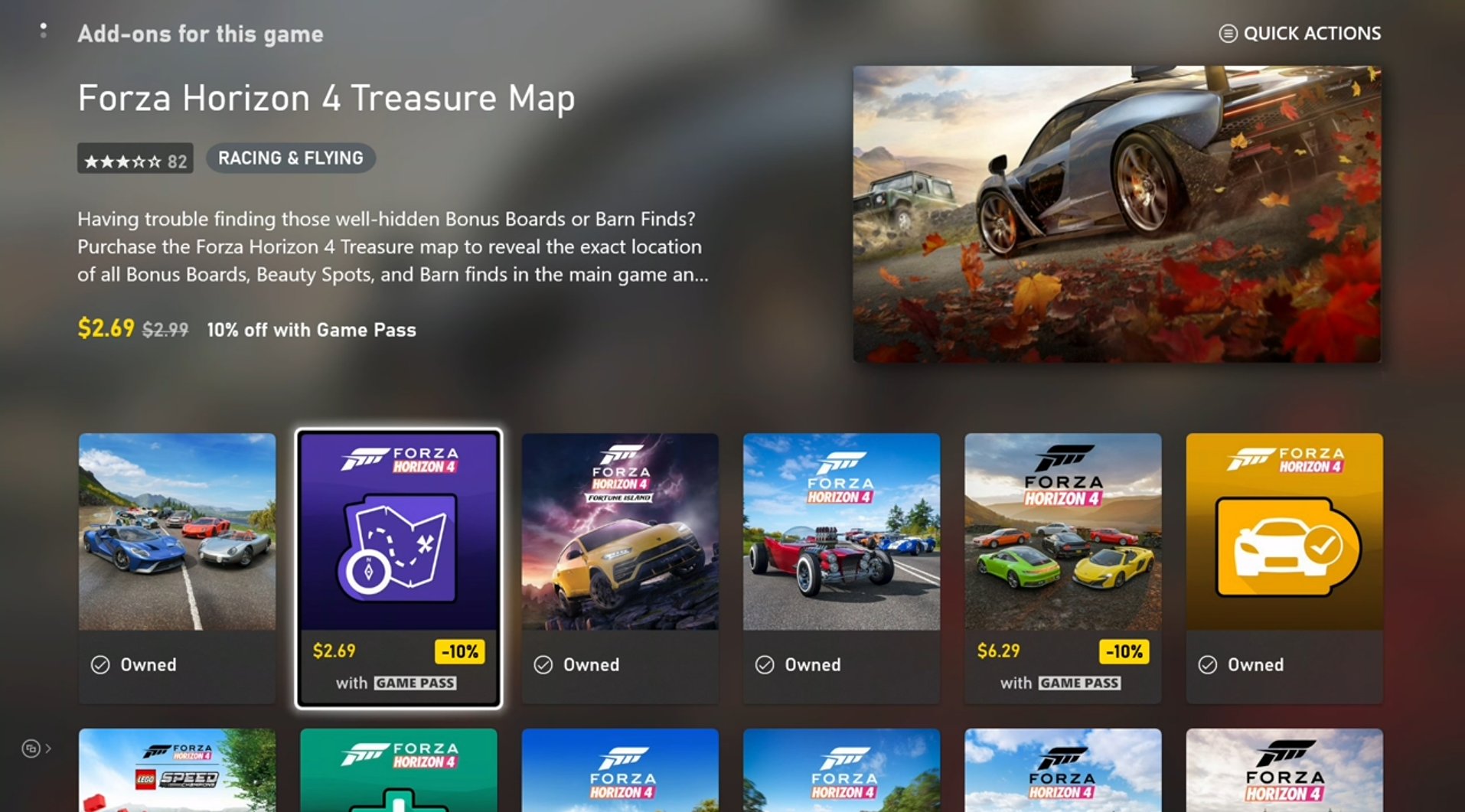
2. Evaluating what products the user owns or is entitled to
This step involves much of the same code shown earlier, but with these replacements:- XStoreQueryAssociatedProductsAsync → XStoreQueryEntitledProductsAsync
- XStoreQueryAssociatedProductsResult → XStoreQueryEntitledProductsResult
QueryEntitledProducts APIs return the products entitled to the user. Entitled means the user either directly owns the product, satisfies the entitlement through other products (such as bundles and subscriptions), or gains entitlement through a shared entitlement from another user.
Additionally, the results of XStoreQueryAssociatedProductsAsync (and related functions) determine entitlement. The XStoreProduct struct contains an isInUserCollection field that’s set to true when the user is entitled.
Consumable ownership
The consumable quantity is noted inXStoreProduct.skus[i].collectionData.quantity. Typically, there’s only one SKU for a consumable product.
You can also use XStoreQueryConsumableBalanceRemainingAsync to inquire about quantity, but avoid using it for a large number of consumables individually as each call incurs a service call.
To maintain the integrity of consumable-based ecosystems, use service-side validation and redemption of consumables. For more information, see Consumable-based ecosystems.
Durable ownership
It’s not enough to check if the account owns the product to determine that they should be entitled to use the product in-game. Durable products must adhere to the content sharing policy that is described in Product sharing model for games. Use XStoreAcquireLicenseForPackageAsync for a durable with a package to determine if it’s licensable according to the rules of content sharing. Use XStoreAcquireLicenseForDurablesAsync for a durable without a package to do the same. Use XStoreQueryAddOnLicensesAsync for a digitally licensed game to return the list of licensable durable without package products. For more information, see Manage and license downloadable content and How to use a durable without a package.3. Purchasing eligible products
To show the purchase flow for a purchasable product, pass thestoreId into the XStoreShowPurchaseUIAsync API:
Reference API documentation
- XStore (API contents)
- Functions
- XStoreCreateContext
- XStoreQueryAssociatedProductsAsync
- XStoreQueryProductsAsync
- XStoreQueryAssociatedProductsForStoreIdAsync
- XStoreQueryProductForCurrentGameAsync
- XStoreShowAssociatedProductsUIAsync
- XStoreQueryEntitledProductsAsync
- XStoreQueryAssociatedProductsResult
- XStoreQueryEntitledProductsResult
- XStoreQueryConsumableBalanceRemainingAsync
- XStoreAcquireLicenseForPackageAsync
- XStoreAcquireLicenseForDurablesAsync
- XStoreQueryAddOnLicensesAsync
- XStoreShowPurchaseUIAsync
- Structures
- Functions