Text
This is a list of required and optional text information that you need to provide for your title.Art assets reference list
This reference list helps you identify which art assets are required in a Store listing when you submit a game to the Store. Note that there are still text requirements that aren’t included in the list below.Required art assets
Game submissions require the following images: DLC submissions require these images:Optional art assets
- Trailers (but highly recommended)
No longer required
The Branded Key Art format has been removed from use. Don’t submit it for XBOX submissions.Title placement
The only placement requirement enforced as part of the certification process is that your title, when applicable, must be located within the upper two-thirds of the image. To ensure your marketing images look their best, please refer to the following images, which display all clear space limitations for both the square and rectangular formats. In the example images, red areas indicate zones where the storefront may apply text or gradient overlays. Avoid placing important content there.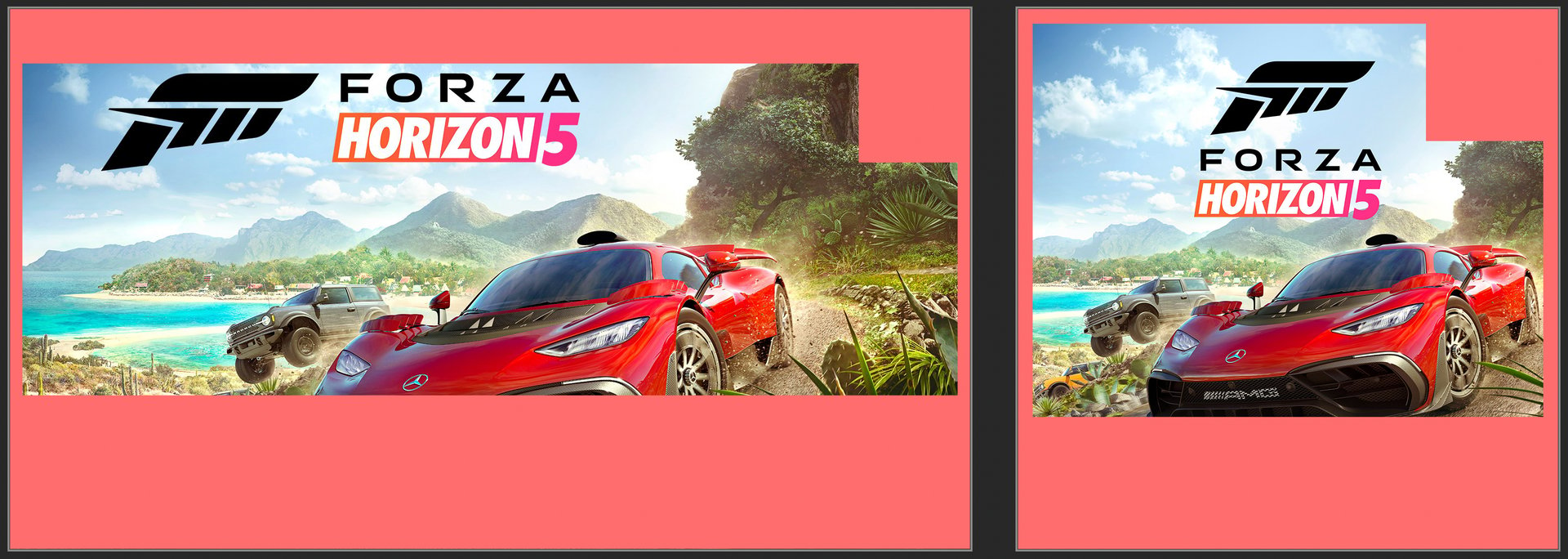
Store logos
Store logos create a more customized display in the Microsoft Store. We recommend that you provide these images so that your game’s listing appears optimally on all of the devices and OS versions that your game supports. The image files can’t be larger than 50 MB and should follow the guidelines below.- Poster art - Highly recommended
- Box art - Highly recommended
Poster art
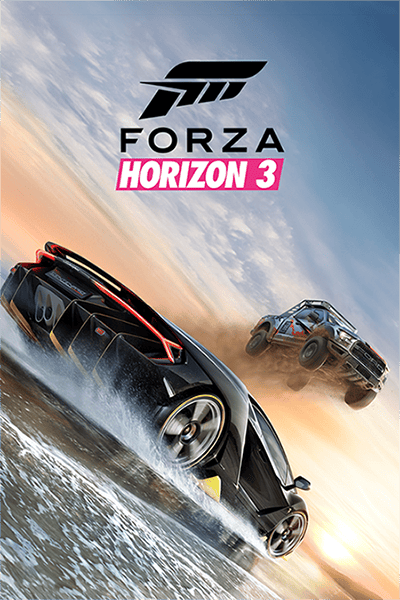
Poster art is used as the main logo image for customers on Windows 10, Windows 11, and XBOX devices. This image can be used in search results or in editorially curated collections. Requirements:- It’s highly recommended that you provide this image to ensure your game’s proper display in your Microsoft Store listing.
- Poster art isn’t age-gated so must be acceptable for general audiences.
- The game’s title is required in this image format. DLC can include game title, DLC title, or both. Make sure the product title is positioned within the upper two-thirds of the image, as the storefront may place text and/or a gradient overlay on the lower third.
- File format: PNG
- Dimensions:
- 720x1080 pixels or
- 1440x2160 pixels (preferred)
- DON’T include:
- Transparent layers in your image.
- Titles in the lower third of your image, as the system may automatically apply text or gradient overlays in that area.
- Publisher logos, developer logos, or age rating icons.
- Game award icons or marketing-related imagery or messaging.
Poster art example
Box art
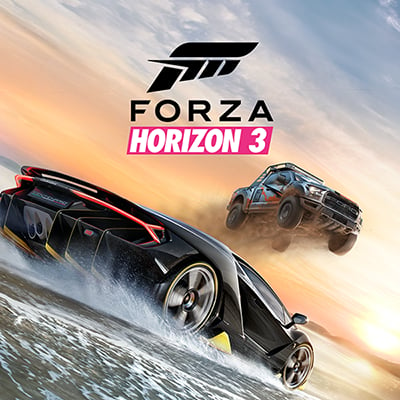
Box art can appear on various Microsoft Store pages for Windows 10, Windows 11, and XBOX devices. If you don’t provide a poster art image, the box art image serves as your main logo. Requirements:- The game’s title is required in this image format. DLC can include game title, DLC title, or both. Make sure the product title is positioned within the upper two-thirds of the image, as the storefront may place text and/or a gradient overlay on the lower third.
- Box art isn’t age-gated so must be acceptable for general audiences.
- File format: PNG
- Dimensions:
- 1080x1080 pixels or
- 2160x2160 pixels (preferred)
- DON’T include:
- Transparent layers in your image.
- Titles in the lower third of your image, as the system may automatically apply text or gradient overlays in that area.
- Publisher logos, developer logos, or age rating icons.
- Game award icons or marketing-related imagery or messaging.
Box art example
Windows 10 and XBOX image
This is a 16:9 art asset, known as Super Hero Art, that appears at the top of your Store listing (or after any trailers finish playing) for customers on Windows 10, version 1607 or later (which includes XBOX). This is required if you want one of your trailers to appear at the top of the Store listing.Super Hero Art
- File format: PNG
- Artwork only NO game title or text (apps and DLC content can include title and/or DLC title).
- Super Hero Art isn’t age-gated so must be acceptable for general audiences.
- Less than 50 MB
- Dimensions:
- 1920x1080 pixels or
- 3840x2160 pixels (preferred)
- Don’t:
- Include transparent layers in your image.
- Include publisher logos, developer logos, or age rating icons.
- Include game award icons or marketing-related imagery or messaging.
Super Hero Art example

XBOX images
There are two different image formats that are required if you publish your game to XBOX.Titled hero art
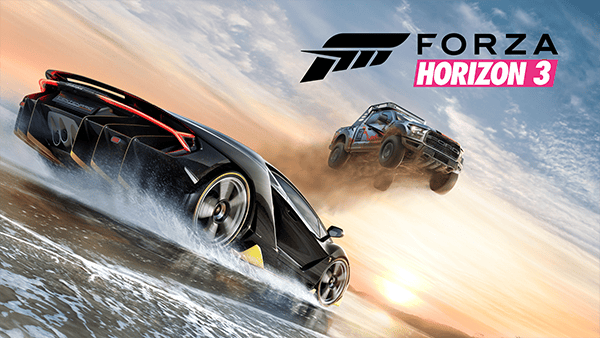
Requirements:- The game’s title is required. DLC can include game title, DLC title, or both. Make sure the product title is positioned within the upper two-thirds of the image, as the storefront may place text and/or a gradient overlay on the lower third.
- Titled hero art isn’t age-gated so must be acceptable for general audiences.
- Less than 50 MB
- File format: PNG
- Dimensions:
- 1920x1080 pixels
- 4K isn’t supported.
- DON’T include:
- Transparent layers in your image.
- Titles in the lower third of your image, as the system may automatically apply text or gradient overlays in that area.
- Publisher logos, developer logos, or age rating icons.
- Game award icons or marketing-related imagery or messaging.
Titled hero art example
Featured Promotional Square Art
Requirements:- Featured promotional art is required for physical discs.
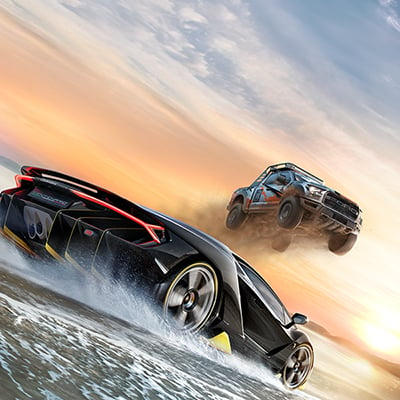
- Artwork only. NO game title or text (apps and DLC content can include title and/or DLC title).
- Featured promotional square art isn’t age-gated so must be acceptable for general audiences.
- Less than 50 MB
- File format: PNG
- Dimensions:
- 1080x1080 pixels
- 4K isn’t supported
- Don’t:
- Include transparent layers in your image.
- Include publisher logos, developer logos, or age rating icons.
- Include game award icons or marketing-related imagery or messaging.
Featured Promotional Square Art example
Screenshots
One screenshot is required in order to submit your title. We recommend providing at least four screenshots for each device type that your title supports so that people can see how it will look on their device type. If your title is on both desktop and XBOX, at least four of each type is recommended.Desktop screenshot requirements
Screenshots should be screen captures taken when your game is running on the PC or game artwork that visually communicate the content of your game. Requirements:- At least one screenshot is required, up to eight (8) are supported; at least four screenshots are strongly recommended
- File format: PNG
- Dimensions:
- 3840x2160 pixels (preferred)
- 1366x768 pixels or larger
- DON’T include:
- Game titles unless part of the game UI
- Imagery or elements that aren’t appropriate for the game’s rating (for example, alcohol references on an E-rated title)
- Publisher or Developer logos
- Age rating icons
- Button glyphs from other platforms
XBOX screenshot requirements
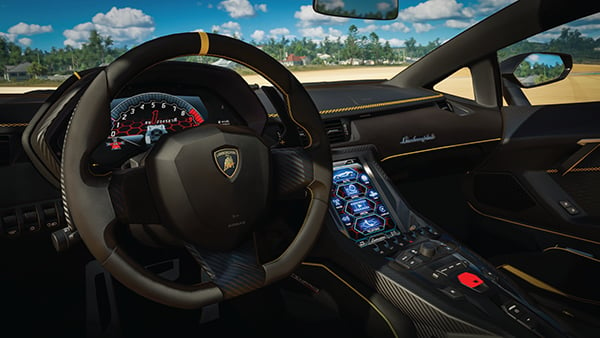
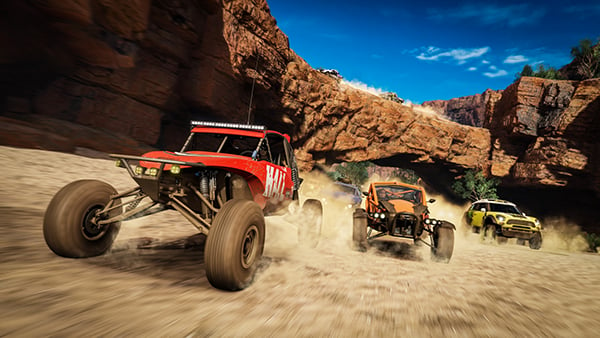
Screenshots should be screen captures (running on XBOX) or game artwork that visually communicate the content of your game or app. This format is primarily intended for in-game images shown in your game’s Microsoft Store listing. You can also use the screenshot image format for images that include text that explains gameplay, outlines what’s included in a specific edition or DLC, or highlights accolades and awards the game has received (note that competitor references aren’t allowed in publication names). Requirements:- At least one screenshot is required, up to eight (8) are supported; at least four screenshots are strongly recommended
- File format: PNG
- Dimensions:
- 3840x2160 pixels (preferred) or
- 1920x1080 pixels
- DON’T include:
- Game titles unless part of the game UI
- Imagery or elements that aren’t appropriate for the game’s rating (for example, alcohol references on an E-rated title)
- Publisher or Developer logos
- Age rating icons
- Button glyphs from PC or other platforms
Mobile screenshot requirements
Screenshots should be screen captures (running on mobile devices) or game artwork that visually communicate the content of your game or app. They’re images of your game that appear to customers in your game’s Microsoft Store listing. They can include text that educates customers about the gameplay itself, statements about the specific product offering, or images dedicated to outlining what’s included in an edition or DLC. Requirements:- At least one screenshot is required, up to eight (8) are supported; at least four screenshots are strongly recommended
- File format: PNG
- Dimensions:
- 1080 x 1920 or 1920 x 1080 pixels
- 768 x 1280 or 1280 x 768 pixels
- 720 x 1280 or 1280 x 720 pixels
- 800 x 480 or 480 x 800 pixels
- DON’T include:
- Game titles unless part of the game UI
- Publisher or Developer logos
- Age rating icons
- Button glyphs from PC or other platforms
Alt text
This feature is optionally available for screenshots and XBOX screenshots for managed gaming products. Alt text should describe the image and convey its purpose to the customer in 1-2 sentences. This text isn’t visible to customers, but screen reader software uses it. Consider what is important about an image. For example, important context might be the setting, the emotions on people’s faces, the colors, or the relative sizes.Screenshots examples
Trailers
Trailers give customers a way to see your product in action, helping them understand what it’s like and whether it’s something they’d want to spend their money on. Trailers appear on the product’s Store listing and are your chance to show off your product and let everyone see how awesome it is. Trailers are supported for apps, games, bundles, and durables with packages. To make trailers more accessible for customers with disabilities, you can upload closed captions and audio descriptions.- Closed captions provide text alternatives for audio for individuals who are deaf or have a hearing disability.
- Audio descriptions provide audio alternatives for visual elements for individuals who are blind or have low vision.
If your product uses sandboxes, you won’t be able to see your trailers on the product’s Store listing until you upload them to RETAIL. You can still upload trailers to development sandboxes, but they won’t show up in the Microsoft Store.
General requirements for trailers
- Video file resolution: 1920x1080 pixels.
- The video format must be MOV or MP4.
- A product can have up to 15 trailers.
- The video’s duration must be less than 30 minutes.
- The thumbnail must be a PNG file with a resolution of 1920 x 1080 pixels.
- The title can’t exceed 255 characters.
- The file size of the trailer can’t exceed 10 GB.
- All trailers submitted to Partner Center must include both intro and end mnemonics.
- The closed caption file must be in Web VTT (.vtt) format and the file size must be less than 50 MB
- The audio description file must be in MP3 (.mp3) format and the file size must be less than 500 MB
- Don’t include controller button glyphs (for example, R1, R2, ZL, ZR), platform branding, or references to competing platforms or services within the body of your trailer.
- Don’t include imagery or elements that aren’t appropriate for the game’s rating. (for example, alcohol references on an E-rated title)
Age ratings in trailers
Trailers submitted to Partner Center must be unrated (including pack shots and end slates).Requirements specific to the trailer file on the Store listing page
Recommendations for H.264 mezzanine files
- Container: MP4
- No Edit Lists; otherwise, you might lose AV sync
- moov atom at the front of the file (Fast Start)
Recommendations for making your trailers even better
- Trailers should be of good quality.
- Frame rate and resolution should match the source material. For example, content shot at 1080p30 should be encoded and uploaded at 1080p30. See Requirements specific to the trailer file on the Store listing page section above for full encoding specifics.
- Each trailer should have a different thumbnail, to help customers distinguish it. Customers won’t select thumbnails that look like duplicates.
- To make trailers more accessible for customers with disabilities, include closed captions and audio descriptions.
XBOX mnemonics
Trailers hosted on the XBOX Store must begin with the Branded Intro mnemonic and conclude with the XBOX mnemonic. The mnemonic timings are as follows: Branded Intro:- The 1s intro mnemonic is required regardless of trailer length.
- For trailers 15s and shorter, the Mini Mnemonic should be displayed at the end for .5 seconds.
- For trailers 16s and longer, the 2.25s End Mnemonic should be shown.
- Trailers shorter than 6 seconds don’t require mnemonics.
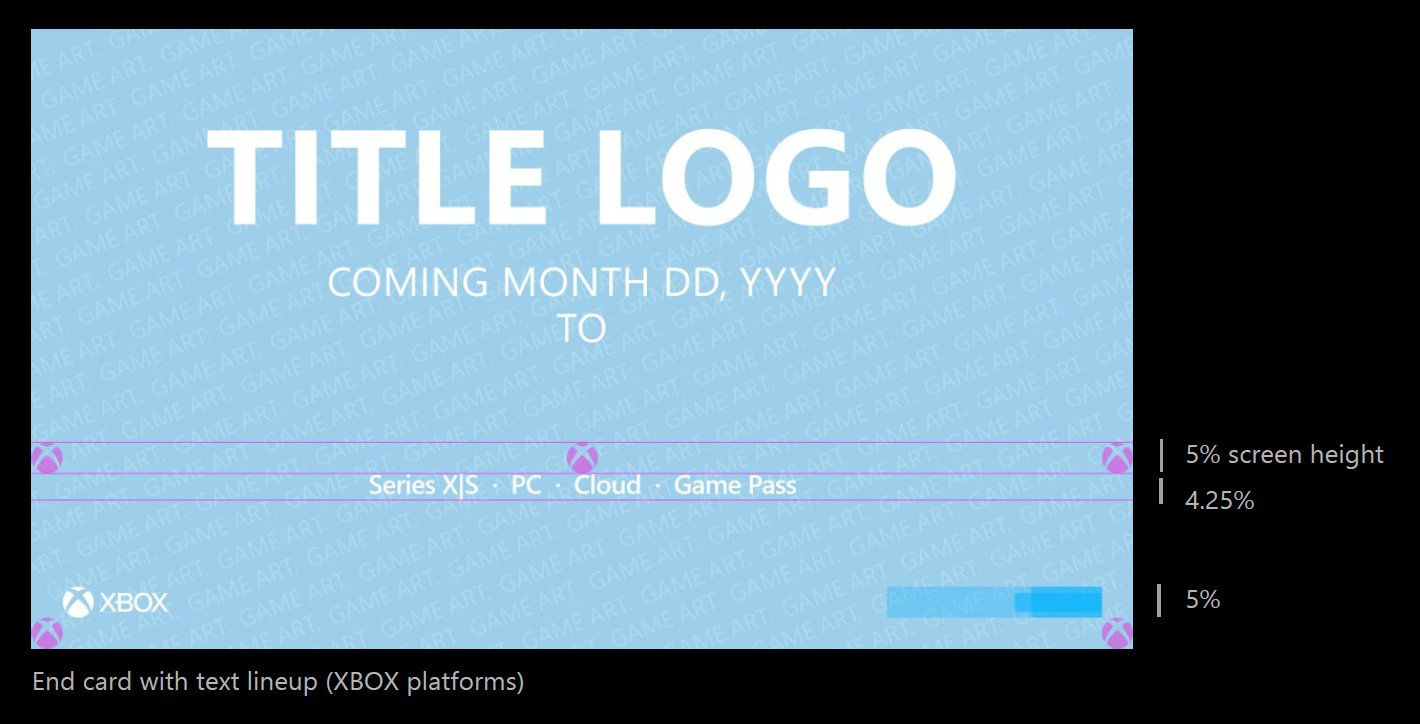
- Series X|S
- PC
- Cloud
- Game Pass
Text should be 4.25% of the screen height. (example, 4K (3840x2160): font size is 92 px) For full details on text formatting and placement, please refer to the XBOX Games Partner Advertising Guidelines Display the XBOX platform text if your game has already been released.
Display the XBOX platform text if your game is unreleased and you have displayed a release date on your end card.
Display of the XBOX platform text is optional if you do not have a specified release date.
Display the XBOX logo in the bottom left on all end cards. Don’t display any non-XBOX platform logos on the end card.