
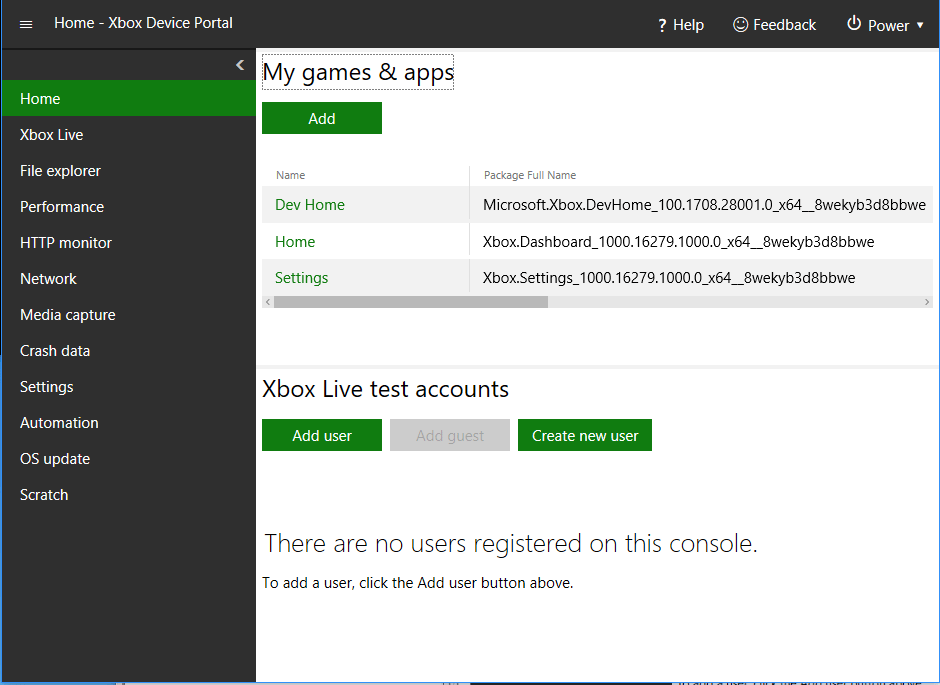
My games & apps pane
Use the My games & apps pane to perform the following actions.- View the list of games and apps that are installed on the development console.
- Quickly launch games and apps.
- View the process lifetime management (PLM) state of games and apps. .
- Change PLM states.
- Register and run a title from a remote network share. For more information, see Deploying your title to your XBOX Development Kit.
- Configure an overlay folder for a game. For more information, see Managing overlay folders (XBOX Device Portal).
XBOX services test accounts pane
Use the XBOX services test accounts pane to perform the following actions.- View the list of users who are registered on the console.
- Sign a user in or out with a single click.
- Add users and guest accounts.
- View details of users and guest accounts.