- the title’s age rating;
- XBOX family, privacy, and safety settings;
- supported regions where the title or feature is offered;
- applicable local or regional laws; and
- feature-specific privacy, safety, or moderation requirements.
- A standard publisher account that supports the user’s age group and region.
- A child or teen publisher account with age-appropriate defaults.
- A parental-consent or parent-authorized account creation flow.
- A cabined, limited, or privacy-preserving publisher account.
- A Microsoft or XBOX-authenticated access path that avoids unnecessary publisher account creation.
- A feature-specific fallback that lets eligible users access the feature without full publisher account linking.
Certain features of the game, including online multiplayer, communication, user-generated content, cross-network features, or other online features, may not be accessible by XBOX child or teen accounts, or by users who don’t meet the publisher account requirements. Age and regional restrictions may apply.Use title-specific wording when a known restriction applies. Example:
A [Publisher Account] age [X]+ is required for [feature]. Age restrictions apply.Publisher account and Microsoft account linking Authentication using the XBOX Secure Token Service (XSTS) XSTS tokens must be used to provide identity information for authentication when linking a user’s publisher account to the user’s Microsoft account. For more information about XSTS token authentication, see XBOX services authentication for title services. Titles must authenticate both the Microsoft account and the publisher account before establishing the link, and must not link accounts using unauthenticated identifiers such as Gamertag alone. Use the Partner XUID (PXUID) or pairwise identifier for account linking. Don’t use the XUID for account-linking storage unless it’s explicitly required for an approved service-to-service scenario. Gain consent and provide choice Users must be notified when their publisher account is linked to their Microsoft account, and must be given a choice to opt out when account linking is optional. Users must have the ability to de-link accounts. Account unlinking can be provided in title, on the web, in a companion app, or through another dedicated account-management experience. Accommodate eligible users for linking If publisher account linking is required for gameplay or game features, linking must support eligible user types, ages, and regions where the title is offered and where those features are allowed by law. If a linked publisher account is required but the publisher can’t support a user’s age group, region, or account type, the title must provide an approved alternative access path or request an exception. Age and account handling Before offering account creation or linking features to a Microsoft account user, titles must validate the user’s age group by calling
XUserGetAgeGroup. Titles must handle the following account categories correctly:
- When a user’s Microsoft account age and publisher account age differ, the title or service should apply the more protective treatment, unless another legally compliant approach (such as an approved age verification platform) is used.
- For child accounts, publishers must obtain parental consent before creating an account where required by law. Parental consent, including acceptance of publisher terms and privacy statements where required, must be provided through the publisher’s compliant account flow, not assumed from XBOX network participation alone.
- For teen accounts, publishers must provide clear information about social, UGC, communication, data-sharing, and privacy-impacting features. Where appropriate, publishers should ask teens to notify a parent or guardian that the account has been created.
- If the publisher collects age during account setup and determines that the user doesn’t meet the publisher account requirements, the publisher should stop account creation before collecting unnecessary personal information, inform the user that they can’t continue, prevent immediate re-entry of different age information where appropriate, destroy personal information already collected that isn’t necessary to retain, and avoid repeated failed sign-up or linking attempts.
- voice or text chat;
- friend systems or social graph features;
- cross-network communication;
- UGC upload or publication;
- public profiles;
- external forums or community features;
- purchases, premium currency, or monetization; and
- behavioral advertising, profiling, or optional data sharing.
[!NOTE] Publishers can implement additional fraud-prevention mechanisms, such as two-factor authentication when a linked account signs in from a new device for the first time. This behavior isn’t a violation of this XR.Exceptions If a publisher can’t provide an age-appropriate access path for rating-eligible users, the publisher must request a title-specific exception. Approval for one title doesn’t create blanket approval for future titles. The exception request must include:
- The affected title, rating, platforms, regions, features, and user groups.
- Whether core gameplay remains available without a publisher account.
- Which features are blocked or limited, and why.
- The legal, privacy, safety, technical, or moderation basis for the restriction.
- The proposed Store, packaging, and in-title disclosure language.
- The user experience for blocked or limited users.
- The test plan for child, teen, adult, family-managed, and region-specific account cases.
- Any mitigation plan or roadmap to support age-appropriate access in the future.
Certification test cases
013-01 Linking Microsoft accounts with publisher accounts
Test steps- Verify whether the title supports or requires non-XBOX accounts, publisher accounts, or publisher login for services or functionality.
- Using a newly created XBOX profile, link or create the publisher account during initial setup.
- Verify that the title allows the user to view terms of use and privacy information, or clearly informs the user how to view them, before completing account linking.
- Verify that the user isn’t prompted to re-enter non-XBOX account credentials after initial setup.
- Sign out and sign back in while the title is running.
- Verify that single sign-on still works.
- Terminate and reactivate the title using the same profile.
- Verify that single sign-on still works.
- Launch the title on a different console using the same profile.
- Verify that single sign-on still works.
- Verify that the title doesn’t store non-XBOX account credentials locally by deleting any saved files the title may have created.
- Verify that the user can unlink their XBOX profile from the non-XBOX account.
- Repeat the applicable steps with XBOX child and teen accounts that fall within the title’s age rating.
- Repeat the applicable steps with family settings that allow or block multiplayer, communication, UGC, purchases, and cross-network play.
- Repeat the applicable steps with mismatched Microsoft account and publisher account ages.
- Repeat the applicable steps for supported regions with different age-of-consent thresholds, where applicable.
- If the publisher doesn’t support a child, teen, region, or account type, verify that the title provides an approved alternative access path, graceful messaging, or an approved exception-backed restriction.
Titles must provide secure publisher account sign-in, account creation, linking, unlinking, and single sign-on wherever publisher accounts are used. If publisher account sign-in or linking is required for gameplay or game features, titles must provide an age-appropriate access path for all users who are eligible to access the title or feature under the title rating, XBOX family settings, regional law, and feature-specific safety or privacy requirements. Users must be able to view applicable terms and privacy information before linking, and must be able to unlink their XBOX profile from the publisher account. Pass examples
- The title authenticates both accounts, links by PXUID or pairwise identifier, and never asks the user to re-enter publisher credentials after initial linking.
- The title provides terms, privacy information, consent, unlinking, and single sign-on.
- The title supports child and teen users through a compliant child or teen publisher account, parental-consent flow, cabined account, XBOX-authenticated path, or approved feature-specific fallback.
- The title limits higher-risk features such as chat, UGC upload, purchases, or cross-network communication while preserving access to appropriately rated gameplay where legally permitted.
- The title clearly discloses publisher account requirements and any feature limitations in the Store, packaging, and in-title messaging.
- The title requires publisher credentials every time the title is launched.
- The title requires publisher credentials again when running on another console.
- The title doesn’t provide terms or privacy information during account creation or linking.
- The title doesn’t provide a method to unlink the publisher account from the Microsoft account.
- The title requires a publisher account for gameplay or advertised features but doesn’t provide an age-appropriate access path for eligible child or teen users.
- The title blocks rating-eligible users from core gameplay or advertised features solely because the publisher’s standard account system doesn’t support their age group, region, or account type.
- The title relies only on Store disclosure to block eligible users from required gameplay or advertised features without an approved exception.
- The title fails to handle mismatched Microsoft account and publisher account ages safely.
Implementation guidance and best practices
Account linking best practices
XBOX users have come to expect much more than just games from their entertainment systems. But even with content providers offering dozens of services across a diverse range of categories, no single provider can effectively serve every user’s needs. Account linking, which allows XBOX users to use their Microsoft account to sign in to all of their interactive services, is an ideal solution to this problem. This document provides an overview of how account linking works on XBOX, and it explains the best practices and requirements for including this feature in your title.Account linking fundamentals
The term account linking refers to establishing a relationship between a user’s Microsoft account (what used to be known as an XBOX Live account) and his or her account on another service. With account linking, data is shared between the two accounts. Although the value and purpose of the linked account will vary greatly from title to title, account linking typically enables account holders to use XBOX consoles to access services offered by the linked account. This feature eliminates the need for users to remember different logins, a convenience that can greatly enhance the user experience and add significant value to your title.Potential risks associated with account linking
The convenience offered by account linking comes with a price. Although the value of having linked accounts is unquestionably high, not taking proper precautions when creating and linking accounts can lead to abuse, fraud, privacy violations, and other potentially harmful risks to user safety.Fraud
Perhaps the biggest risk associated with account linking is the potential for fraud. It can lead directly to financial loss for users, your title, or your community, especially in the case of links to accounts with paid subscriptions or services. Fraud typically involves an attacker finding a way to link a victim’s account to one that the attacker owns. After the accounts are linked, the attacker can gain access to the services or information available in the victim’s account, such as a credit card number or other personally identifiable information (PII). The following is an example of how careless account-linking implementation could lead to fraud.- Allowing users to link their movie-rental service account to their Microsoft account by entering their Gamertag on the movie-rental service website.* Enabling the website to link accounts by requesting a user’s Gamertag without requiring any account authentication would make it possible for attackers to link to any Gamertag. This could result in attackers gaining access to valid users’ paid service or exposing PII that could be used later for other attacks.
Violation of privacy
Potential violation of users’ privacy is also a major risk factor associated with account linking. Title publishers that manage users’ PII poorly, or that collect and share data from a linked account without user consent, can be subject to significant fines from the Federal Trade Commission (FTC). In addition to FTC penalties, privacy-violation blunders can result in major public relations disasters for publishers---which can also result in financial loss. Examples of account-linking practices that pose privacy risks include:- Collecting and sharing PII from a linked account without user consent.
- Gathering data from a user’s account to create PII (such as time or location data).
- Sharing a user’s protected data (such as height, weight, age, or gender) without proper consent.
Safety risks
Poor implementation of account linking can also create risks to user safety. For example, the Children’s Online Privacy Protection Act (COPPA) requires web sites and online services to obtain parental consent before attempting to gather any data from a user who is under age 13 in the United States. If the way a title links accounts is in violation of COPPA---that is, results in improper collection of data from a user under age 13---and the data is not kept secure, the child’s personal safety could be at risk. User safety can also be put at risk when data or content within the linked account is used inappropriately or is used to cause abuse. If your title collects or displays PII, you should talk to your account manager about setting up a review with an XBOX Privacy Manager.Requirements for account linking
To help promote a consistent and positive user experience, mitigate the potential risks associated with account linking, and ensure that account linking is both easy and safe to implement, Microsoft has established some requirements and policies around this increasingly popular feature. All XBOX console titles that will enable account linking must meet the XBOX Requirement (XR) entitled Linking Microsoft Accounts with Publisher Accounts. This requirement includes four main points: account authentication, account age, unlinking, and single sign-on.Account-link authentication
Titles must authenticate both the Microsoft account and the publisher account being linked before establishing an account link between the services, and they must follow secure authentication procedures. The intent of this requirement is to ensure that user account information is protected from unauthorized exposure during account creation and linking. Practicing good authentication methods is one of the best ways to mitigate the risk of fraud in your account-linking flow. Ensuring that a user authenticates both accounts before the link is completed will make it much more difficult for attackers to access user accounts. Making sure that authentication is well-executed is key to keeping XBOX Live and your title safe from fraud.Accommodate account linking for all users if a linked account is required for gameplay
Titles must accommodate account linking for all users if a linked account is required for gameplay. Publishers are responsible for ensuring that the link to their service is handled in a manner that is COPPA-compliant for titles shipping in the United States. A scenario in which this requirement would apply could be a title that is created for all audiences, carries an ESRB rating of E, and requires a linked account to play. To play the title, users would need to create an account on the title service and link that account to their Microsoft account. Where your title might run into a problem is when a child wants to play the game but is blocked by the account-linking age requirement. Because the child expects the title to accommodate him or her because of the E rating, the child might feel cheated after having paid for the title but being unable to access it. This scenario might also encourage users to play the title using a different account or even to falsify their age. The intent of this requirement is to ensure that all users who fall within a title rating can play the title they purchased.Validate the user’s age prior to creating accounts
Before offering account creation features to a Microsoft account user, titles must validate the user’s age prior to creating an account. Titles must validate the user’s age prior to creating an account.[!TIP] Titles must check a user’s age group by calling the XUserGetAgeGroup function, which does not require an exception to use.At Microsoft, a child account is defined as any Microsoft account that’s affiliated with an adult Microsoft account when the age of the child or teen is less than the age of majority for their country or region. When this is the case, the child must be linked to an adult’s Microsoft account to participate in XBOX services. When managing a family group member’s privacy and online safety, the XBOX console breaks the definition of child into two categories: Child and Teen. The actual ages that apply to these categories depend upon the country or region indicated in the child account. The category that will be assigned to the account is based upon the ranges set by the country or region and the date of birth provided during account creation.
Unlinking
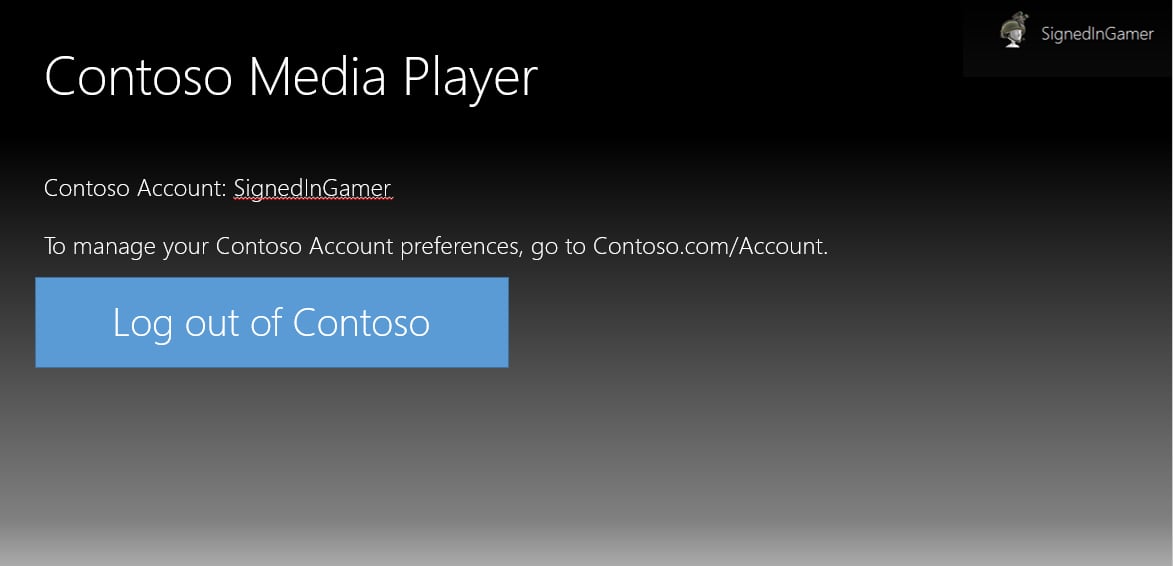
Users must have the ability to unlink publisher or service accounts from their Microsoft account. Title can choose to handle the unlinking process within the title, within a web experience, or within a hub app. There is not an explicit requirement to facilitate unlinking within the title, only that players do have a method to unlink their account should they want to. The intent of this requirement is to ensure that users can change and manage the accounts they have linked to their Microsoft account. As more data is being saved in the cloud, users trust services to make the right decisions with how their data is treated. Users are more likely to share data with an account when they know they have control over the data that is being captured. Should something happen to a service where user trust is broken, or a user becomes uncertain of the safety of their data, users must be able to easily break the connection between the linked accounts.Single sign-on experience
Titles must implement single sign-on after an account link has been made. The intent of this requirement is to give users a consistent and seamless experience on XBOX consoles without requiring them to remember multiple logins and passwords. XBOX users expect experiences to “just work.” When users link their Microsoft account with another service, they expect that link to persist beyond the initial session and setup. Single sign-on means that the title automatically signs the user in to his or her linked account when using the title. In order to keep sensitive or private information from being stored locally on the console, titles should use the XBOX Secure Token Service (XSTS) to facilitate a single sign-on experience.Do’s and don’ts
Authentication
Do- Link accounts by using the user’s Partner XUID (PXUID) instead of his or her Gamertag, because although users might change their Gamertags, their PXUID will remain the same.
-
Validate ownership of the Gamertag to link accounts (a relationship is created between the user’s PXUID and the publisher’s internal ID number).
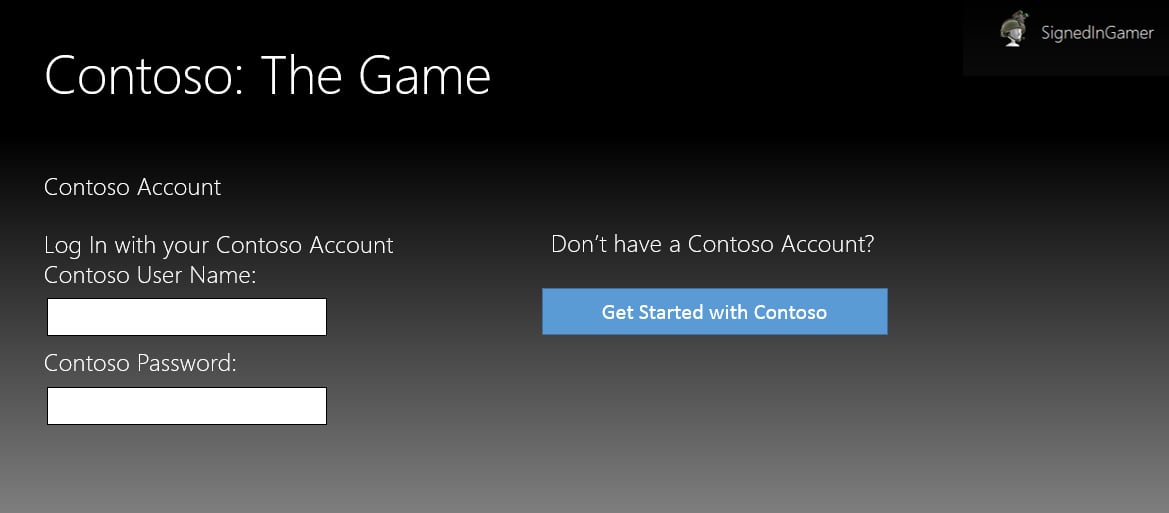
- Example 1: A user signs in to his or her Microsoft account on the console and launches the title for the first time. The title verifies that the user meets the age requirements and provides an option for the user to link to an existing publisher account or create a new publisher account. To link to an existing publisher account, the user enters his or her username and password for the publisher account; this links the signed-in user’s PXUID to the publisher account. If the user does not have an existing publisher account, he or she is prompted by the title to create a new account by choosing a username and password. After the user has entered a username and password, his or her PXUID is linked to the publisher account.
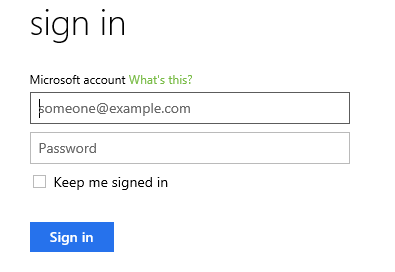
- Example 2: A user signs in to the publisher or service site using the publisher’s account-authentication mechanism, with account ABC. Following the site’s prompt, “Sign in with your Microsoft account associated with your Gamertag,” the user signs in to the website with his or her Microsoft account ID. The publisher takes the user’s access token to retrieve an X-token for the publisher’s Relying Party and extracts the PXUID from the X-token to identify the user. The publisher or service then creates the relationship between the publisher account or service and the PXUID associated with the user.
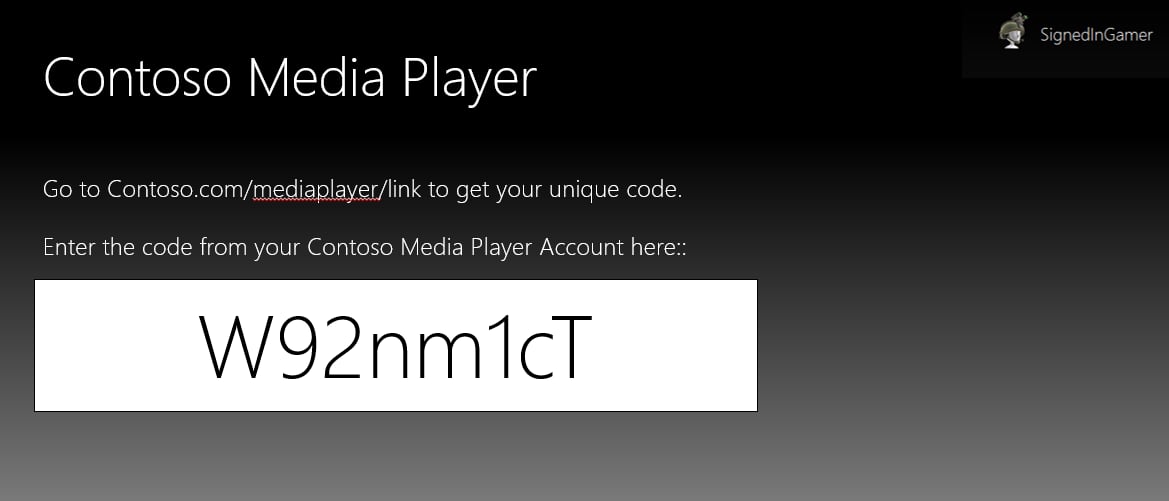
- Example 3: A user signs in to the publisher site using the publisher’s account-authentication mechanism, with account ABC. The website displays a unique code, such as 123, to the user and instructs the user to sign in to his or her console and enter the code. The user signs in to the console with his or her Gamertag and enters the code 123. The code is then transmitted back to the publisher site, creating the relationship between the publisher account or service and the PXUID associated with the user.
- Give users the option to read the publisher or service’s TOU and Privacy Statement while the account linking is taking place and the account-linking screens are displayed.
[!Note] PXUIDs are scoped to the Business Partner selected when creating your Relying Party in Partner Center. If you are working with x-tokens for more than one Relying Party, they must share the same Business Partner for the PXUID values to match. For more information on Business Partner and Relying Party configuration, see Setting up web services at Partner Center.Don’t
- Use a user’s XBOX User ID (XUID) for account linking. It is considered PII and should not be stored for account-linking purposes. The Pairwise ID should be used instead.
- Allow the user to sign in to the publisher account site using an authentication mechanism that is based on the user’s Gamertag. In other words, don’t enable account linking in which the user enters his or her Gamertag on the publisher or service website and the publisher activates the relationship between the publisher or service account and the XUID associated with the user’s Gamertag. With this kind of mechanism, it would be possible for a user to log in using someone else’s Gamertag and thus link his or her own publisher account with someone else’s Microsoft account.
[!Note] The user’s XUID might be needed for making service-to-service calls between a publisher’s server and XBOX services. For these scenarios the XUID can be temporarily stored while it is needed. Reach out to your Microsoft contacts if you are using service-to-service calls.
Account linking for child and teen accounts
Do-
For child accounts:
- Require parental consent before creating an account for a user who is classified as a Child in their country or region.
- Provide explicit notice about the content ratings for the title, website, or service, as well as complete information about the capability of the title or site to integrate with social media.
[!Note] Publishers are responsible for complying with all laws and regulations applicable to child accounts in all countries and regions in which their products and services are sold and made available.
-
For teen accounts:
- Provide customers whose Age Group is Teen who create a linked account with complete information about the title or site’s capabilities for integrating with social media.
- Ask teens to notify their parents about having created the account. This includes the ability to accept the TOU and Privacy Statement for the teen. We recommend that the teen be required to accept the TOU and Privacy Statement on the publisher’s website and not through the title.
User age
Do-
Enforce all applicable legal and regulatory requirements regarding
child online privacy and safety for all regions and services in
which the title or service is available.
- Example Children’s Online Privacy Protection Act (COPPA) in the United States (https://www.ftc.gov/business-guidance/resources/complying-coppa-frequently-asked-questions).
-
Block younger users from creating accounts on websites or services
that are clearly aimed at mature or adult audiences. Although
this is not an explicit requirement, we strongly encourage it as a
best practice.
- Example: Using the XUserGetAgeGroup function, a publisher prevents a user with a Microsoft account age of 13 from creating a website account for a popular M-rated title.
-
Separate by title rating any content that is accessible through
publisher-managed accounts. Although this is not an explicit
requirement, it can create a safer and more positive customer
experience for younger users.
- Example: A parent might be amenable to linking to a community site for an E‑rated title but not an M-rated title because of the nature of the content as well as the general age and maturity of each community.
-
Use the lower of the two user ages if the age on the user’s
Microsoft account is different from the age on his or her publisher
account.
- Example: If the user’s age on the publisher account is 15 and the user’s age on his or her Microsoft account is 13, the title or service treats the user as being 13.
-
If the publisher’s site gathers a user’s age when setting up an
account, and the user’s age is under 13, the site should:
- Inform the user that he or she does not meet the site’s age requirements and therefore is not permitted to create an account at that time.
- Drop a session cookie so that the user cannot refresh the page and provide a different age.
- Destroy any personally identifiable information (PII) already gathered for the user.
Unlinking
Do- Give users the ability to break the association between their PXUID and the account ID on the publisher site.
-
(1) Inform users about how their PII or Gamertag can be associated with the social service, (2) provide users with options regarding how their information will be used on the site, and (3) require explicit user action and notification to associate and/or display the user’s Gamertag with his or her account on the site.
- Example: If a link is made to a title’s site, the site can display the user’s Gamertag but should not show the user’s real name or other identifiers to others. Users can create a profile and choose to link their Gamertag with their personal information, but this option should be explicitly presented.
- Give users the ability to disassociate their PXUID and their publisher ID from the console as well as the publisher’s web portal.
- Provide users with full control of their account linking either through the title, website, or dedicated hub app. This should include settings for parental consent (if applicable), account linking and unlinking, single sign-on, and review of the applicable TOU and policies.
Single sign-on
Do- Ask users for their log-in information when they launch the application for the first time on the console. An example of this exploit could be if application A, an instant messaging application, asks a user for their publisher A account login. If application B, a file storage application, provides automatic sign-in and used the same publisher A login from application A, then an attacker could use the cached credentials from application B to download and access the file storage in application B without needing the publisher A login.
- Store any PII on the console.
Examples of great account linking
The following examples provide a high-level look at some of the account-linking best practices discussed earlier.Authentication
The following three examples are illustrative of the authentication best practices discussed previously.Example 1: A user signs in to his or her Microsoft account on the console and launches the title for the first time. The title verifies that the user meets the age requirements and provides an option for the user to link to an existing publisher account or create a new publisher account.To link to an existing publisher account, the user enters his or her username and password for the publisher account; this links the signed-in user’s PXUID to the publisher account. If the user does not have an existing publisher account, he or she is prompted by the title to create a new account by choosing a username and password. After the user has entered a username and password, his or her PXUID is linked to the new publisher account.
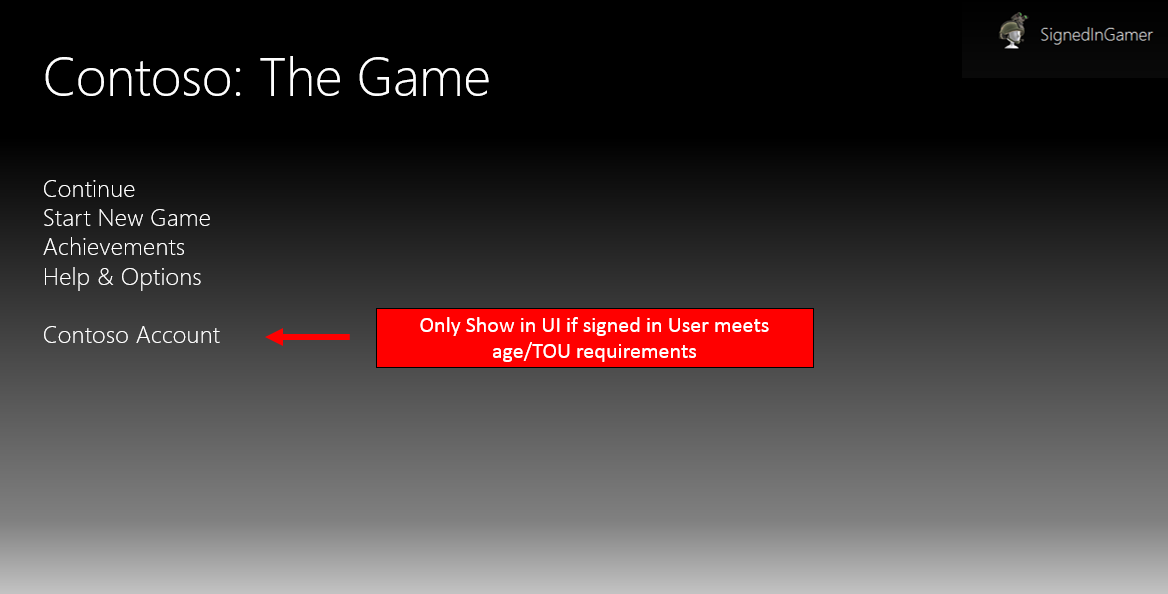
Example 2: A user signs in to the publisher or service site using the publisher account-authentication mechanism, with account ABC.Following the site’s prompt, “Sign in with your Microsoft account associated with your Gamertag,” the user signs in to the website with his or her Microsoft account ID. The publisher takes the user’s access token to retrieve an X-token for the publisher’s Relying Party and extracts the PXUID from the X-token to identify the user. The publisher or service then creates the relationship between the publisher account or service and the PXUID associated with the user. For more information on how to enable Microsoft account sign-in, see the MSDN topic, Single sign-on for apps and websites.

Example 3: A user signs in to the publisher site using the publisher’s account-authentication mechanism, with account ABC.The website displays a unique code, such as 123, to the user and instructs the user to sign in to his or her console and enter the code. The user signs in to the console with his or her Gamertag and enters the code 123. The code is then transmitted back to the publisher site, creating the relationship between the publisher account or service and the PXUID associated with the user’s Gamertag.
User age and publisher TOU
The following flowchart depicts a good example of age/TOU validation: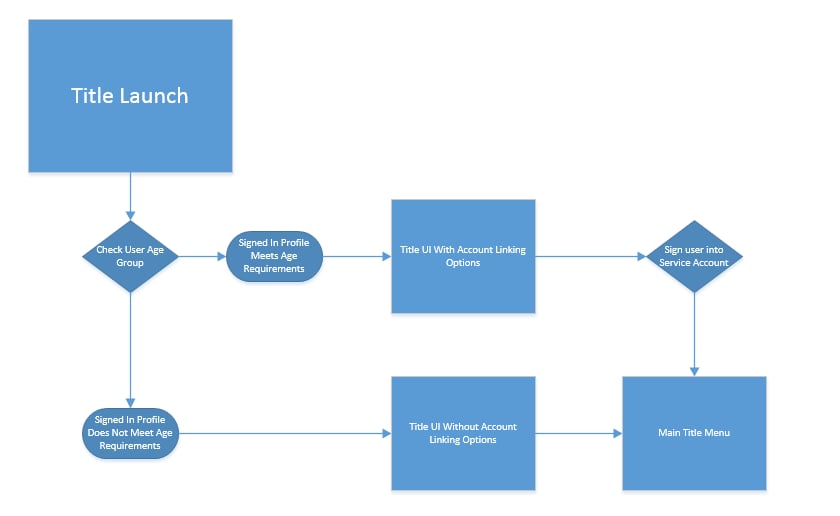
Unlinking
Create a simple UI to allow users to unlink their XBOX profile from a linked service. We do not recommend either hiding unlinking options deep in the UI or requiring users to call technical support to unlink accounts.