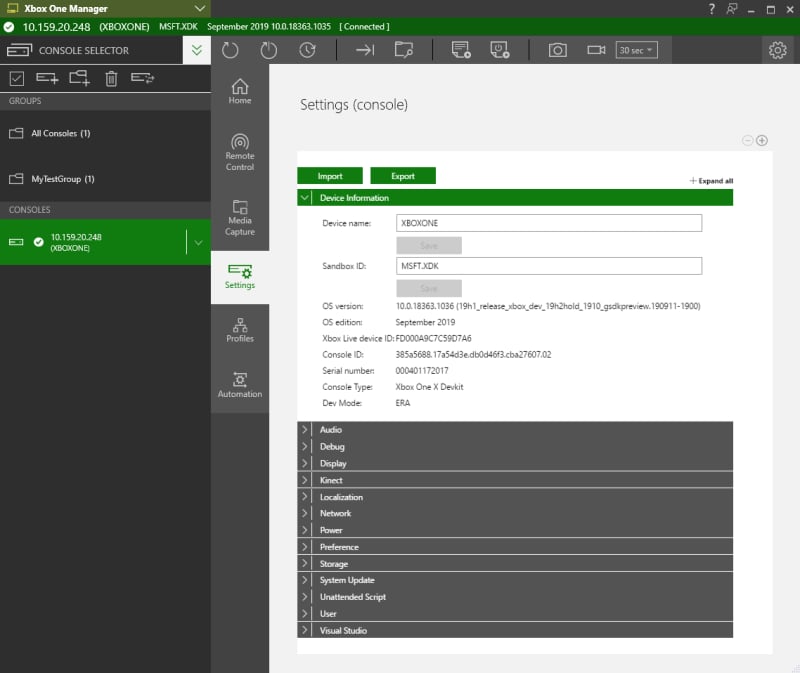
If you’ve enabled XBOX Device Portal on your console, the 1706 Dev Preview 1 (or later) build of XBOX Manager recognizes that and replaces the Settings tab with an entirely new version that’s provided by XBOX Device Portal on the console. Also, XBOX Manager adds an Automation tab that hosts the XBOX Device Portal UI for unattended scripts (and for XBOX One X Development Kits, front panel scripts). If you set a username and password for XBOX Device Portal on your console, XBOX Manager prompts you for credentials when you connect to the console.
Frequently used settings
To change the Device Name (aka Hostname), go to Device Information/Device Name. A console reboot will be required for the change to take effect. To change the Sandbox, go to Device Information/Sandbox. A console reboot will be required for the change to take effect. To change Console Modes, go to Debug/Console Modes. The possible modes are discussed in detail in Using console modes to test your game . A console reboot will be required for the change to take effect.Settings available with XBOX Device Portal enabled (Default)
The Settings tab has specific categories when XBOX Device Portal is enabled as shown in the following table.
See also data-caching.
The XBOX Device Portal Settings tab, with enabled settings, is shown in the following screenshot.