
使用自訂屬性進行進階區段 (公開預覽)
使用自訂屬性進行進階區段功能目前為私人預覽版。隨著我們持續收集意見反應並針對客戶使用情況進行最佳化,預期此功能會持續變更。
使用玩家自訂屬性建立區段
您可以透過 API 或 Game Manager 使用玩家自訂屬性建立區段。透過 API
- 使用 Create Segment API 建立區段。
- 使用 Update Segment API 新增自訂屬性述詞。
透過 Game Manager
- 登入 Game Manager。
- 前往 Players 頁面。
- 前往 Segments 索引標籤。
- 建立或更新區段。
- 在 Player 下選取 Add filter,以新增自訂屬性述詞。
- 儲存區段。
從具有自訂屬性的區段匯出玩家
- 建立參考自訂屬性述詞的區段。
- 使用 ExportPlayersInSegment API 匯出玩家設定檔
已排程的工作
- 使用自訂屬性述詞在區段上執行已排程的工作。
快速入門情境
設定 Economy V2 目錄和庫存
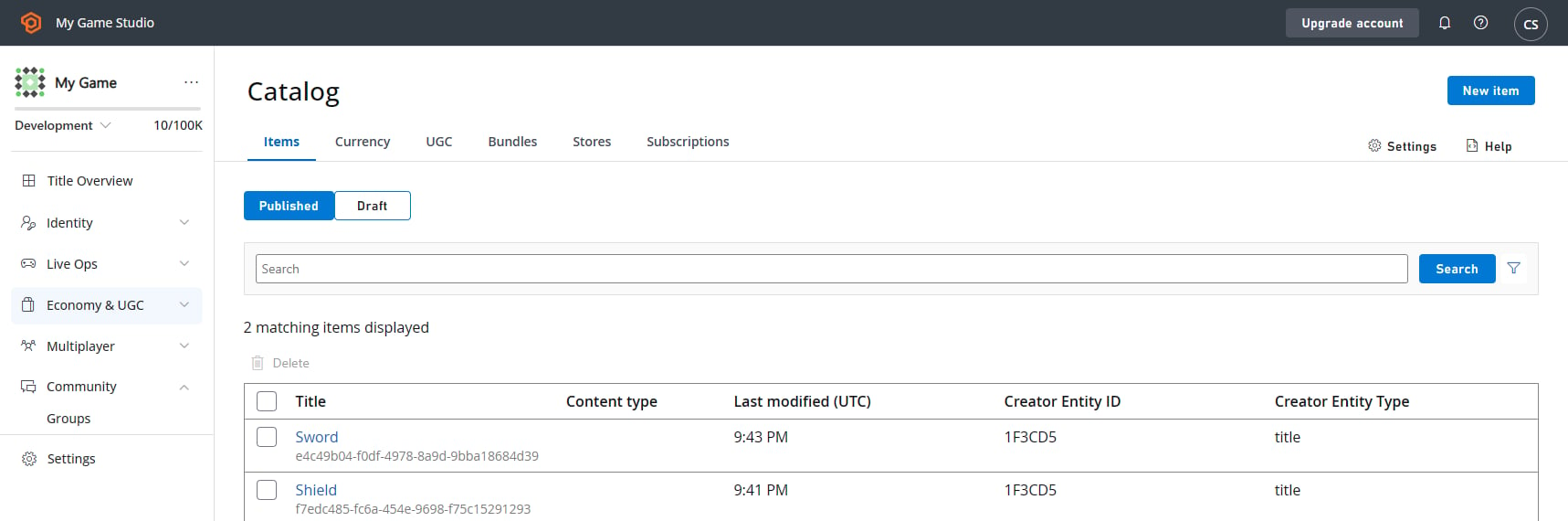
- 建立 Gold Bar 貨幣作為項目。
-
建立 Chocolate Bar 貨幣作為項目。
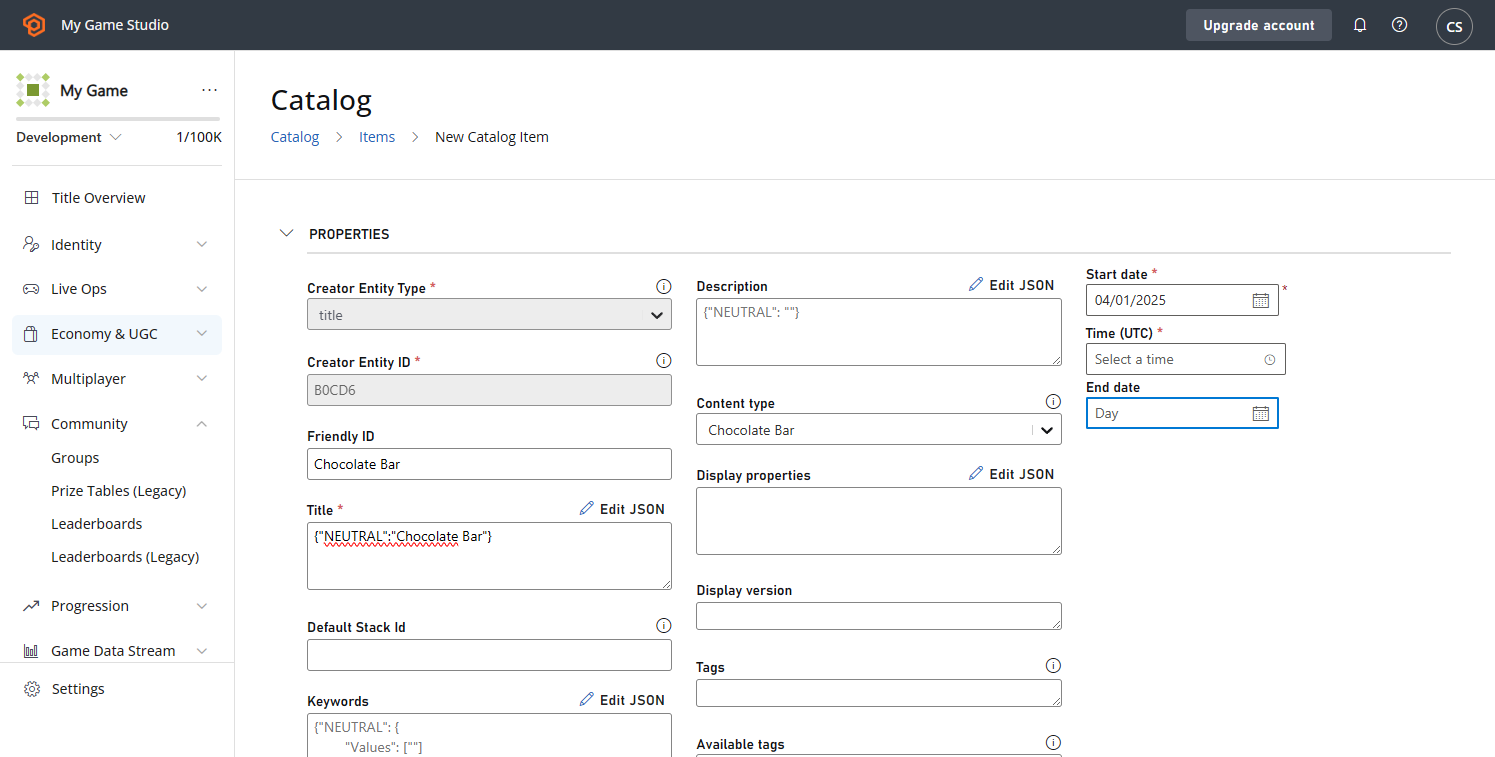
- **必要參數:**Friendly ID、Title 和 Start Date (3 月 1 日)\
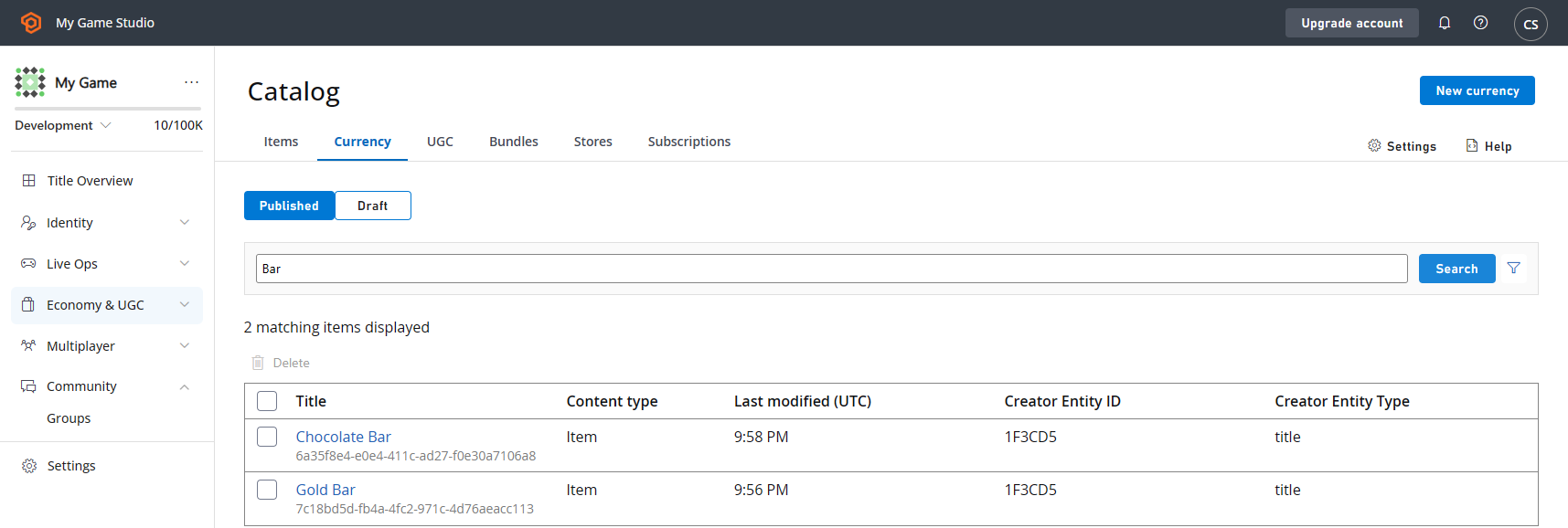
- **必要參數:**Friendly ID、Title 和 Start Date (3 月 1 日)\
-
建立目錄項目 Chocolate Bar:
3a. 瀏覽至 Settings -> Economy (V2) -> Catalog (V2)。
3b. 在 Catalog Settings 下,新增一個 Content Type - Chocolate Bar,然後選取 Save。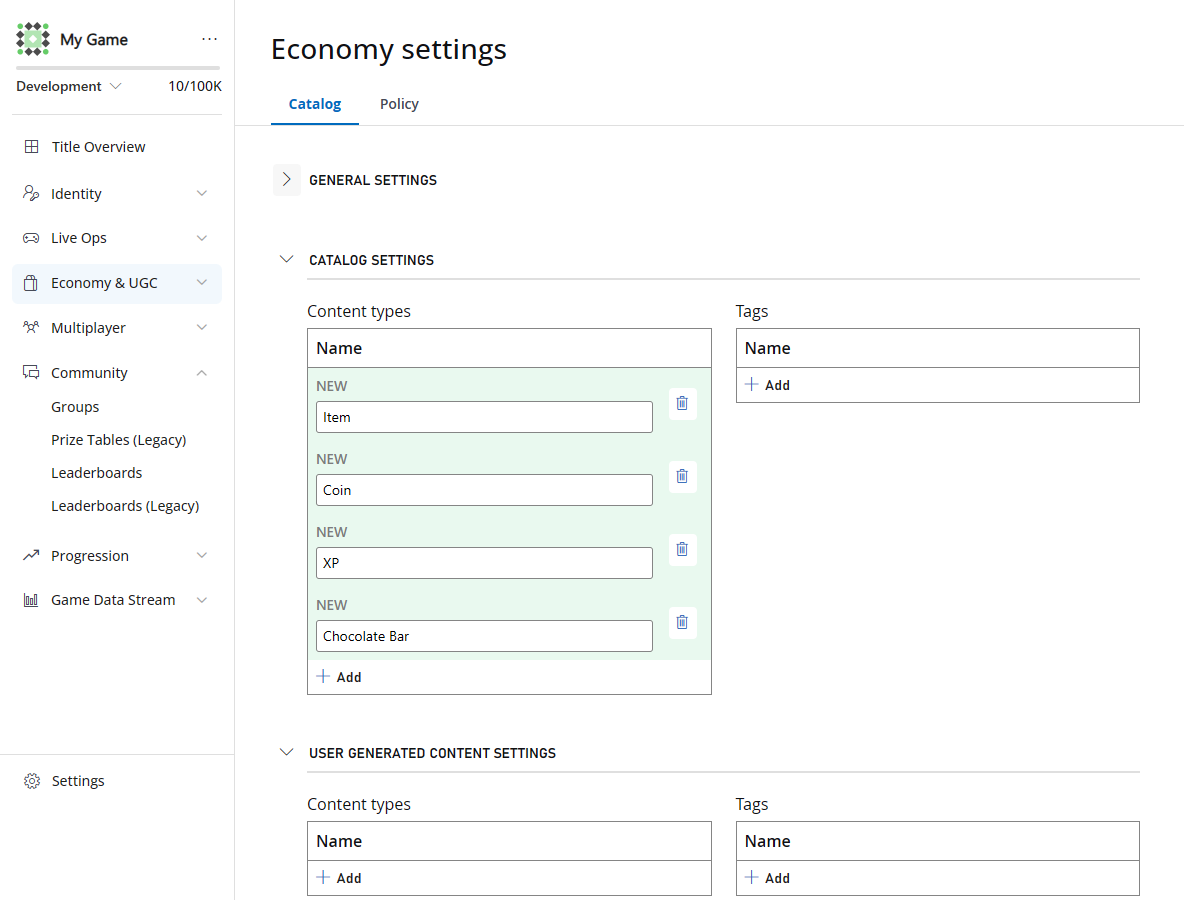
1. 為花費 25 到 50 個 Gold Bar 的使用者建立區段 (已花費的虛擬貨幣)
- 瀏覽至 Automation -> Rules 下的 PlayStream Rules 頁面。
-
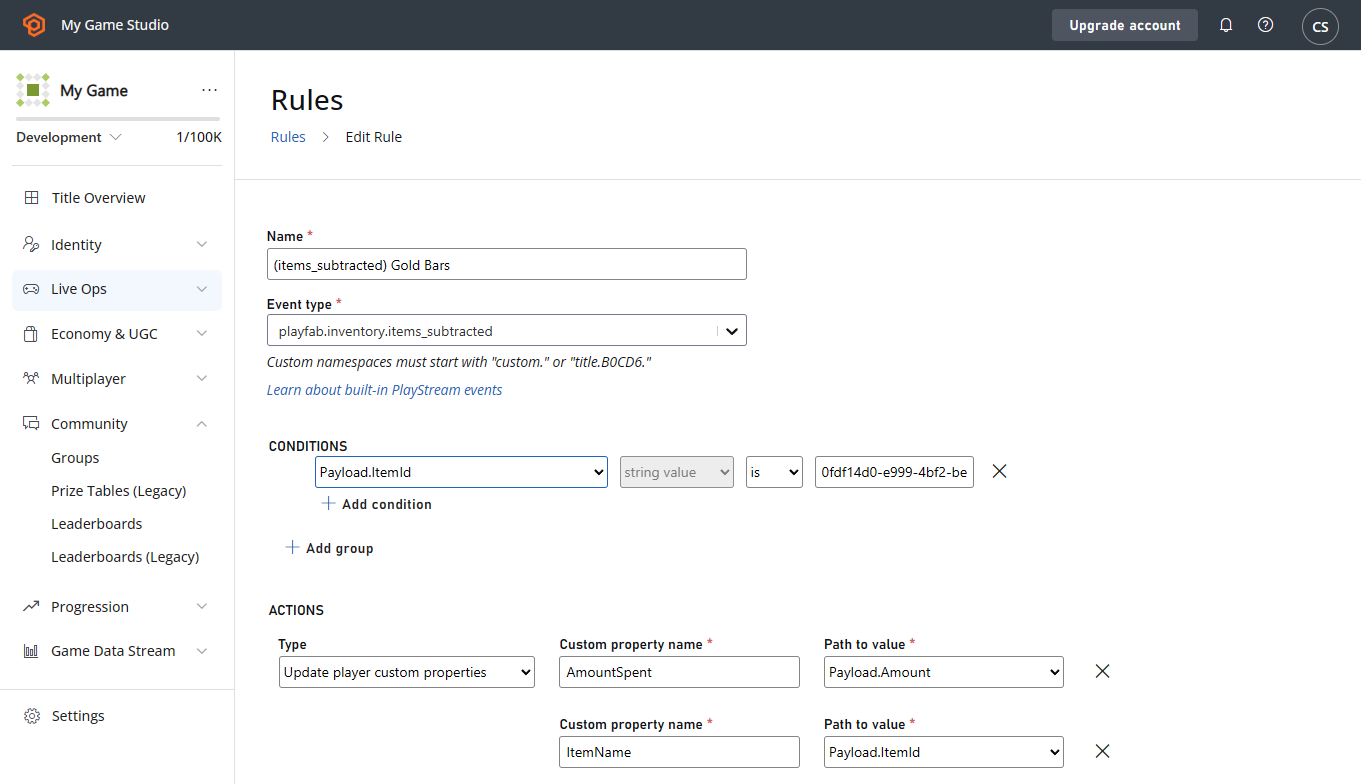
為
items_subtracted事件建立具有下列設定的規則: 條件:Payload.ItemId == <id of Gold Bar currency>- 選用:
Payload.Amount介於 25 和 50 之間,以避免覆寫其他金額
- 更新自訂屬性
AmountSpent = Payload.AmountItemName = Payload.ItemId
- 瀏覽至 Players -> Segments 下的 Segments 頁面。
-
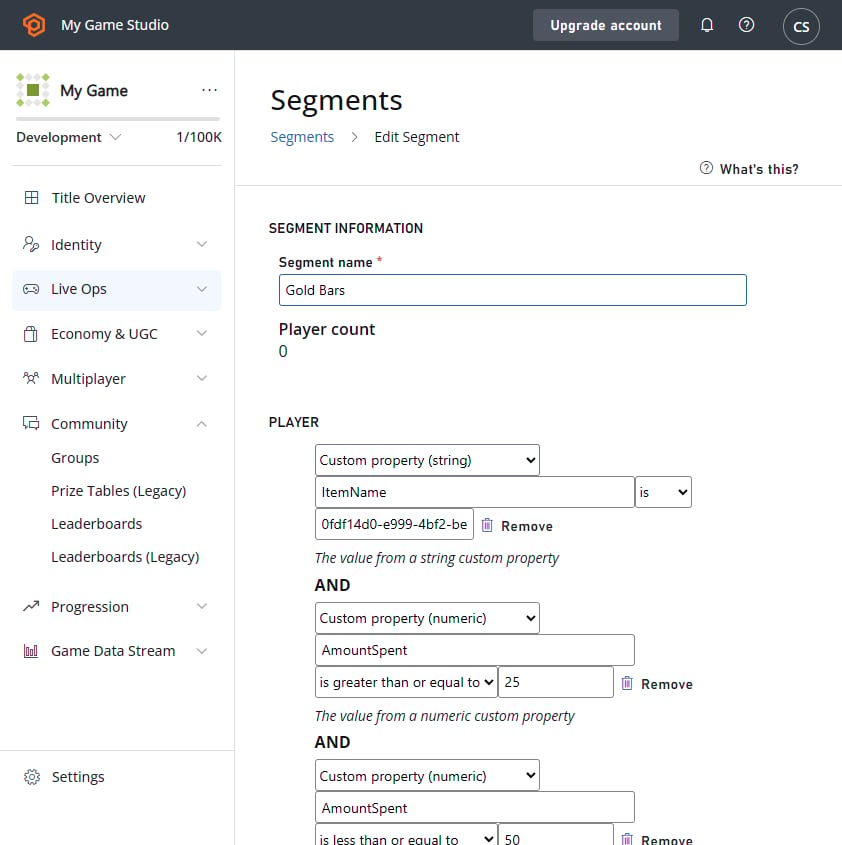
建立具有下列設定的新區段:
- 自訂屬性 (string)
ItemName為<Gold Bar id> - 自訂屬性 (numeric)
AmountSpent為>= 25 - 自訂屬性 (numeric)
AmountSpent為<= 50
- 自訂屬性 (string)
2. 為在 2025 年 4 月 1 日之後獲得 Chocolate Bar 並全部使用 (10 個) 的使用者建立區段 (已授與的庫存)
- 瀏覽至 Automation -> Rules 下的 PlayStream Rules 頁面。
-
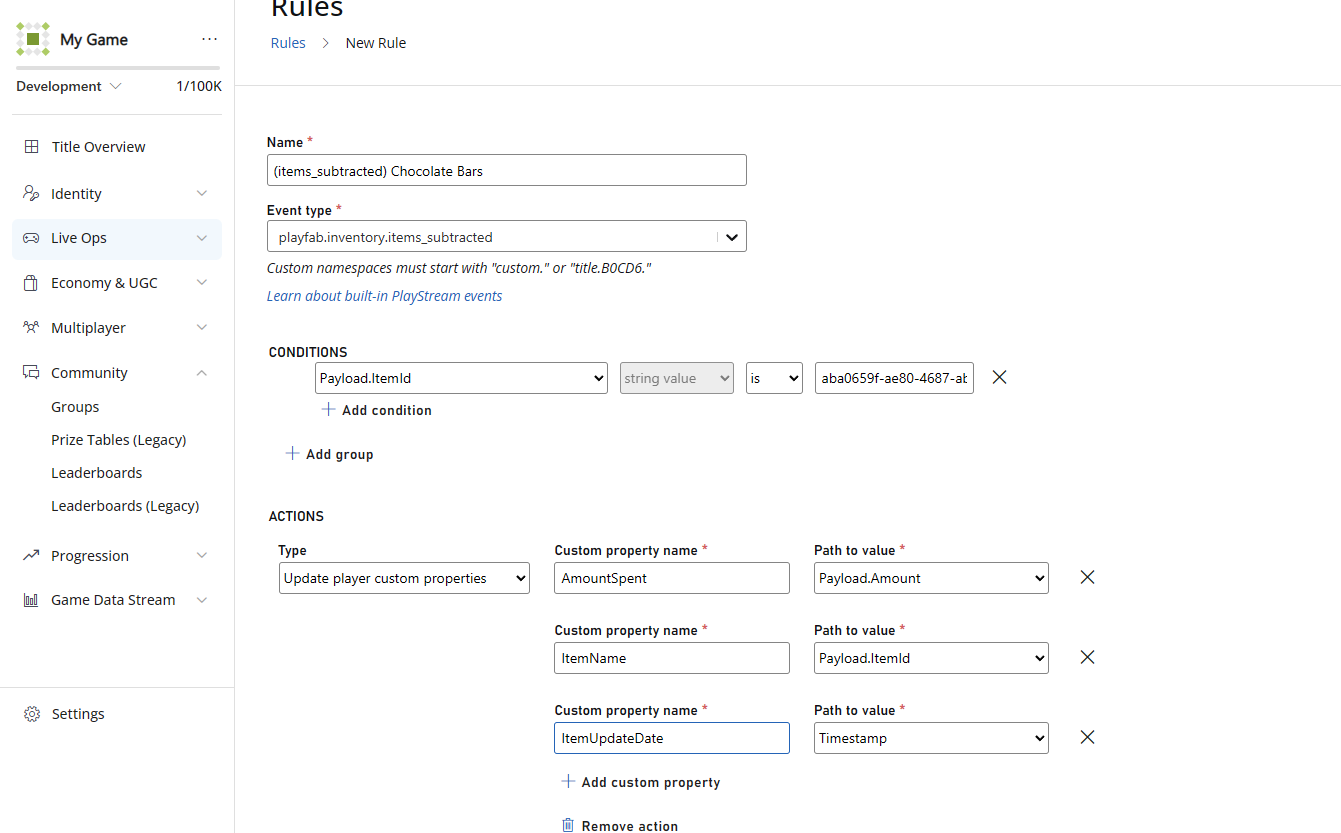
為
playfab.inventory.items_granted事件建立具有下列設定的規則: 條件:Payload.ItemId == <Chocolate Bars id>
- 更新玩家自訂屬性
AmountSpent = Payload.AmountItemUpdateDate = Timestamp
- 瀏覽至 Players -> Segments 下的 Segments 頁面。
-
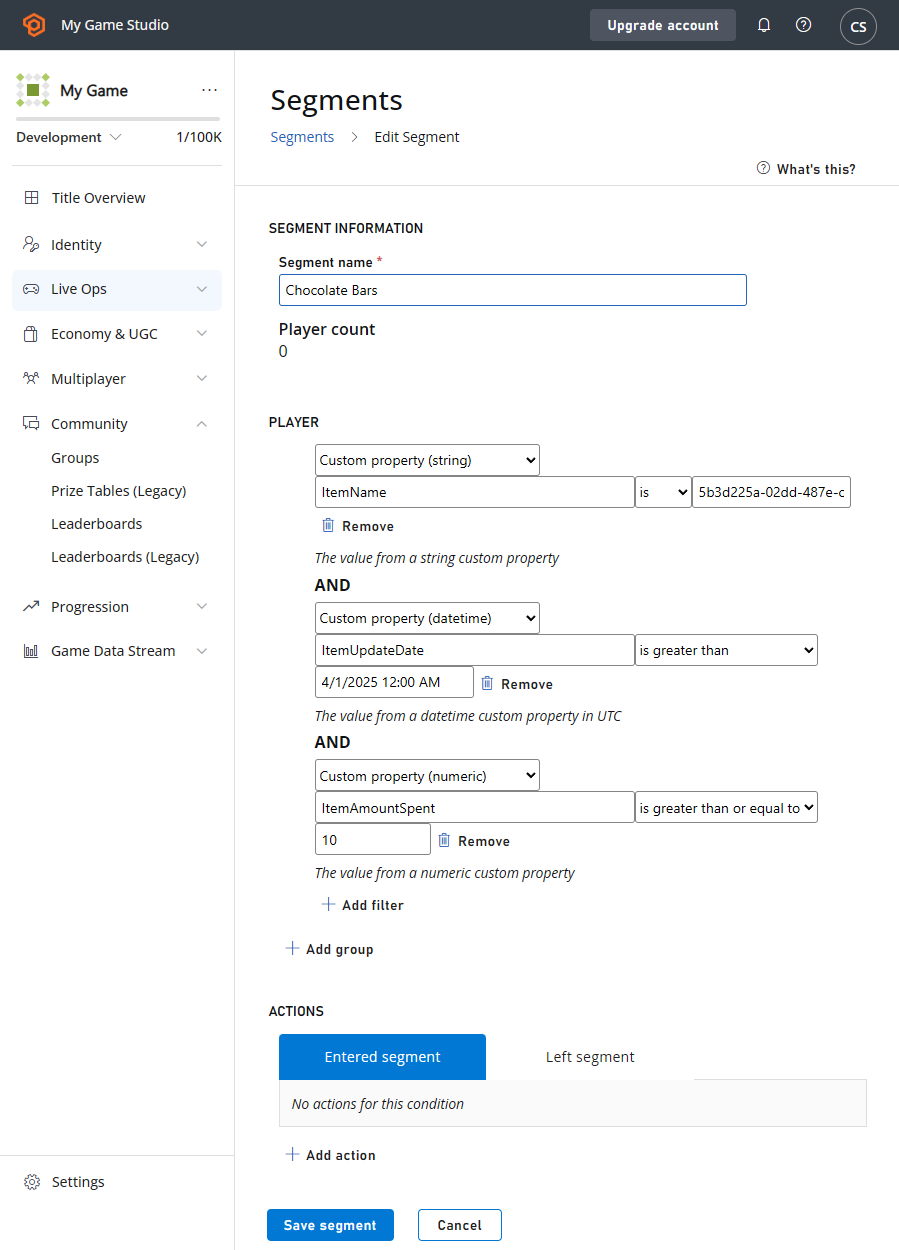
建立具有下列設定的區段:
- 自訂屬性 (string)
ItemName = <Chocolate Bars id> - 自訂屬性 (datetime)
ItemUpdateDate > 4/1/2025 - 自訂屬性 (numeric)
ItemAmountSpent >= 10
- 自訂屬性 (string)
-
運作方式:規則會以每個個別事件的值更新玩家自訂屬性,它不會隨時間累積或加總值。例如,如果玩家分十次各花費 1 個 Chocolate Bar,
ItemAmountSpent屬性每次都會設定為1,而不是10。因此,該玩家不會被納入篩選ItemAmountSpent >= 10的區段中。如果您需要追蹤累計或彙總值 (例如在多個事件中花費的項目總數),建議使用 Azure Function 或 CloudScript 實作自訂邏輯來計算和更新總數。 -
**注意:**情境 1 中的 Gold Bar 和情境 2 中的 Chocolate Bar 都會寫入同一個屬性
ItemName。如果您想追蹤多個值,則需要使用多個屬性名稱,以避免玩家在 2 個區段之間反覆切換。
3. 為單次購買 1 個 Chocolate Bar 的使用者建立區段 (目錄購買)
- 瀏覽至 Automation -> Rules 下的 PlayStream Rules 頁面。
-
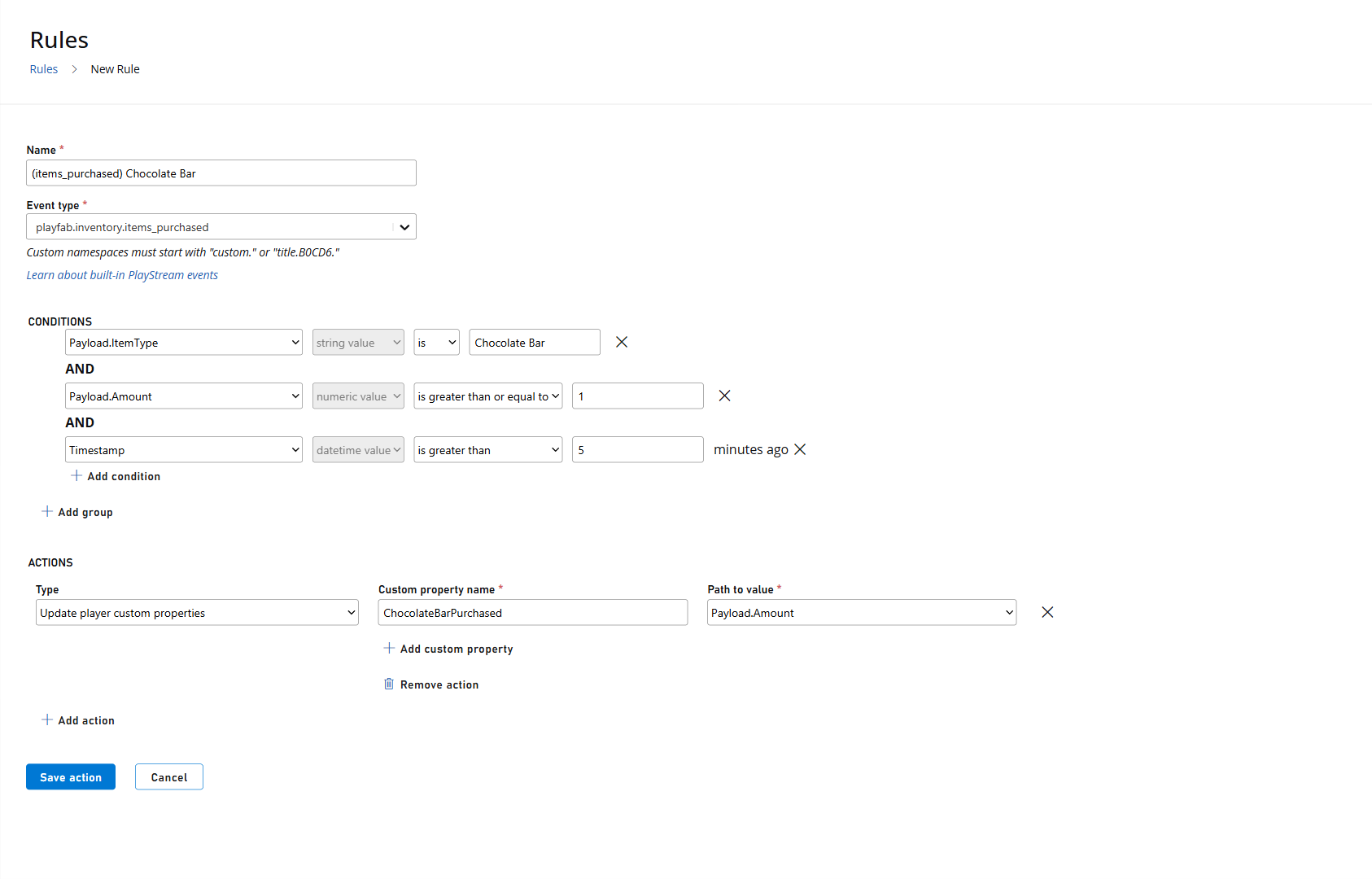
為
playfab.inventory.items_purchased事件建立具有下列設定的規則: 條件:Payload.ItemType == ChocolateBarPayload.Amount >= 1Timestamp >= 5 minutes ago
- 更新自訂屬性
ChocolateBarPurchased = Payload.Amount
- 瀏覽至 Players -> Segments 下的 Segments 頁面。
-
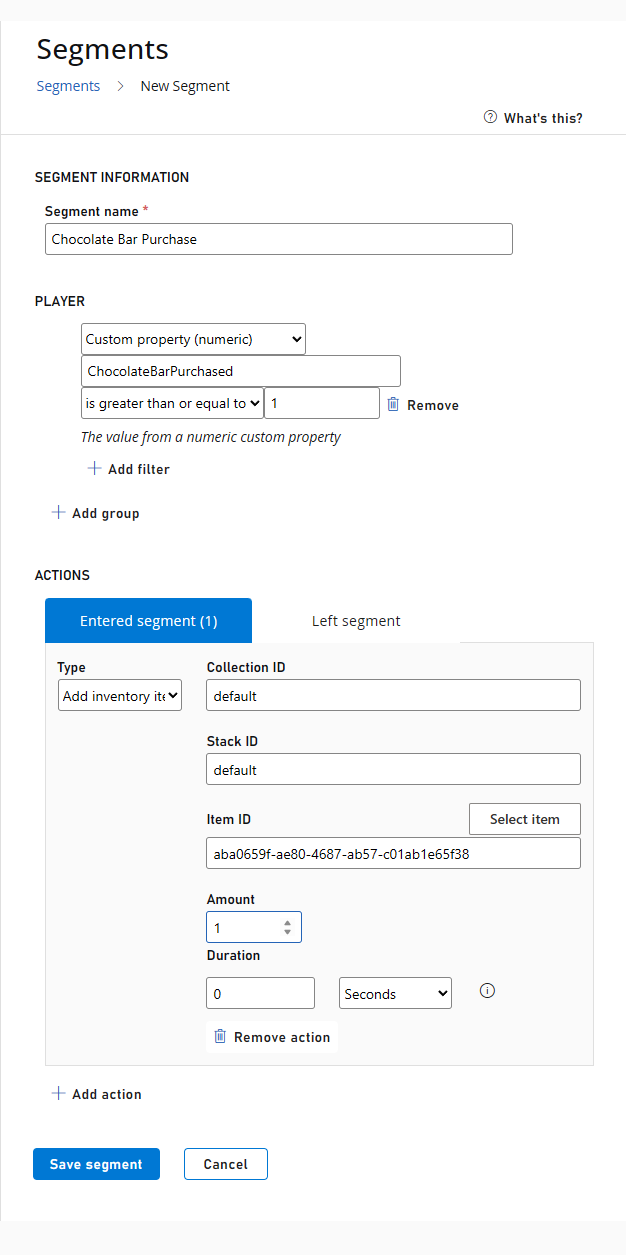
建立具有下列設定的區段:
- 自訂屬性 (numeric)
ChocolateBarPurchased >= 1
- 自訂屬性 (numeric)
- **運作方式:**每當玩家購買 Chocolate Bar 時,就會觸發規則條件,執行新增自訂屬性的動作。接著玩家會進入區段,並可收到設定的獎勵或通知。