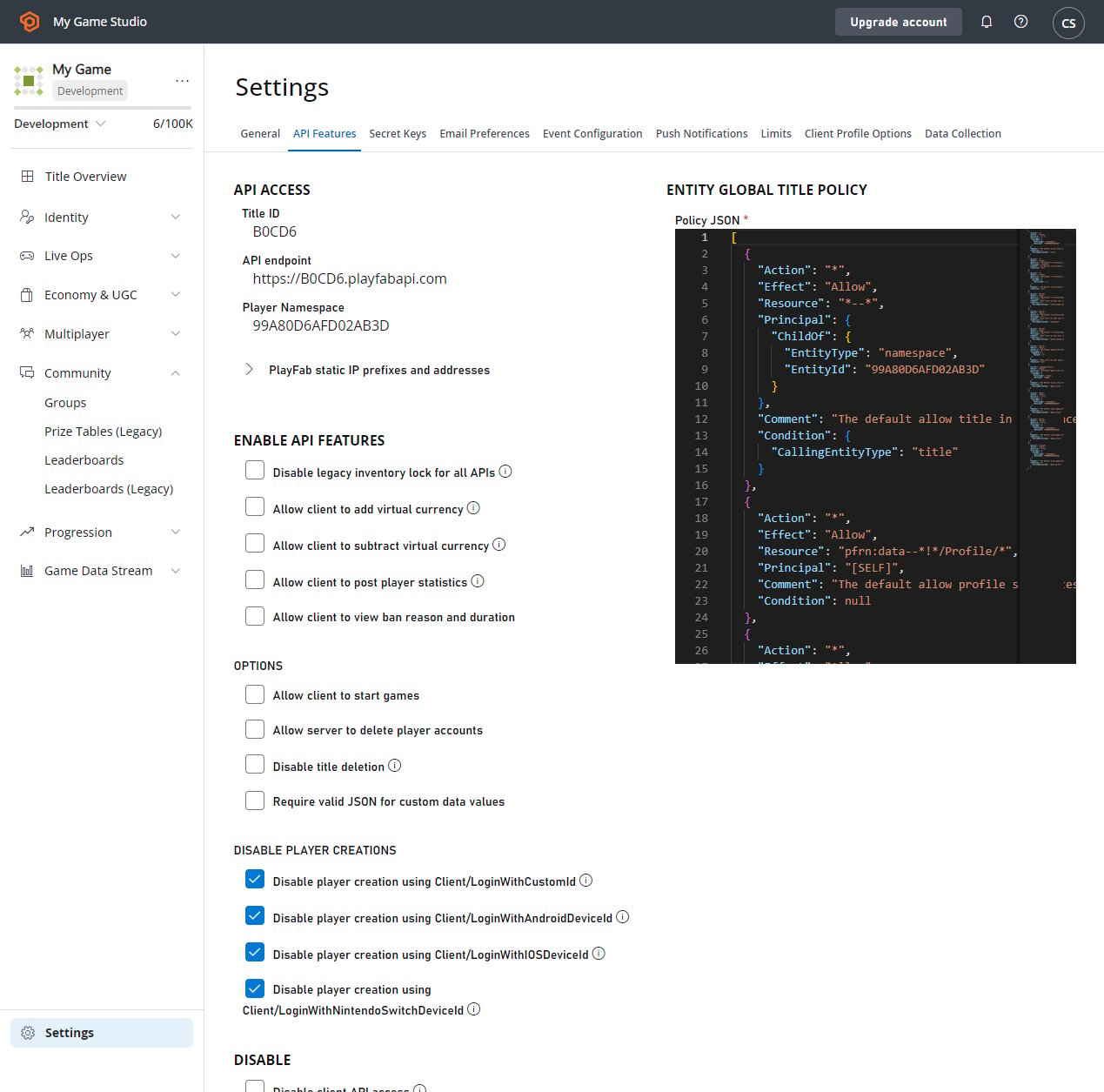
- Go to the Game Manager.
- Select Settings from the menu to your left.
- Select the API Features tab.
Several screenshots and demonstrations in this tutorial utilize Postman.
Requiring valid JSON for custom data values
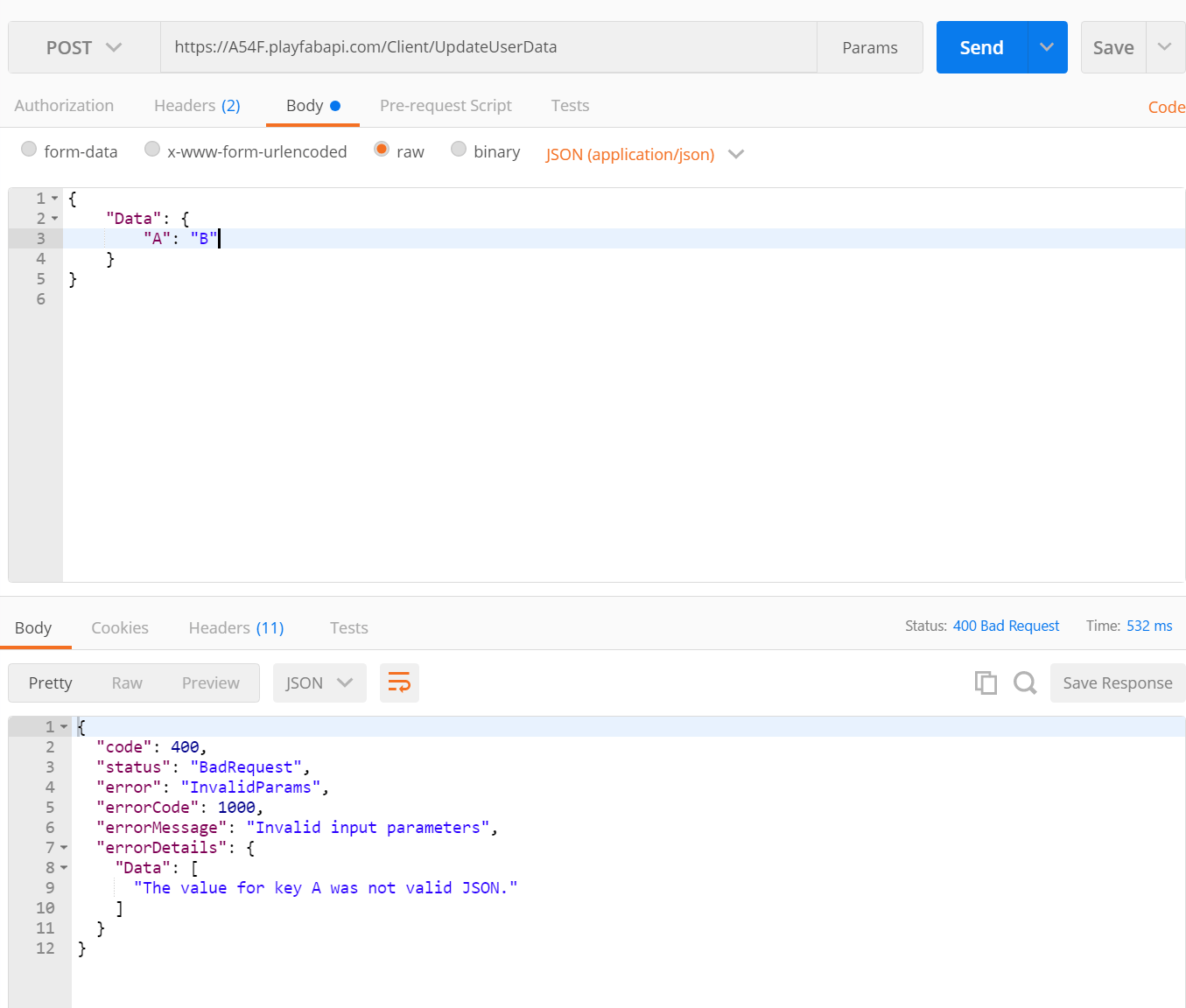
Hacked clients can cause some serious problems for games. Rogue API callers posting badly formatted data can produce noise, bugs, and issues for developers. Players who have poorly formatted data will often require manual intervention for clean up. Requiring valid JSON for custom data values will perform basic content type validation before data is saved to the database. Catching these problems early prevents these issues from lingering on, and stops hackers from interfering with normal development. When this flag is set, it forces clients to pass in valid JSON for each key of their custom data. Simple JSON validation by itself won’t prevent all issues - but can help weed out some bad behavior. Checking this option will require that each key saved across all custom data, including player, publisher, character, title, and item data must be valid JSON.This flag can be toggled on or off at any time. But, it’s not retroactive. So existing values will not be affected. Only newly written values will be validated.
HTTP Status Code 400 "Bad Request".
Disabling all API request access
Surprisingly, it can be useful to disable all API access to your titles. If, for example, you are performing a sensitive migration with downtime, stray API requests could cause serious interruptions. If you are retiring your game, this will guarantee your game really is off. Once you have decided you need to turn API access off, and you check the box, all API requests will begin to fail within a few minutes. PlayFab will return anHTTP Status Code 400 "Bad Request", indicating that the title has disabled such usage.
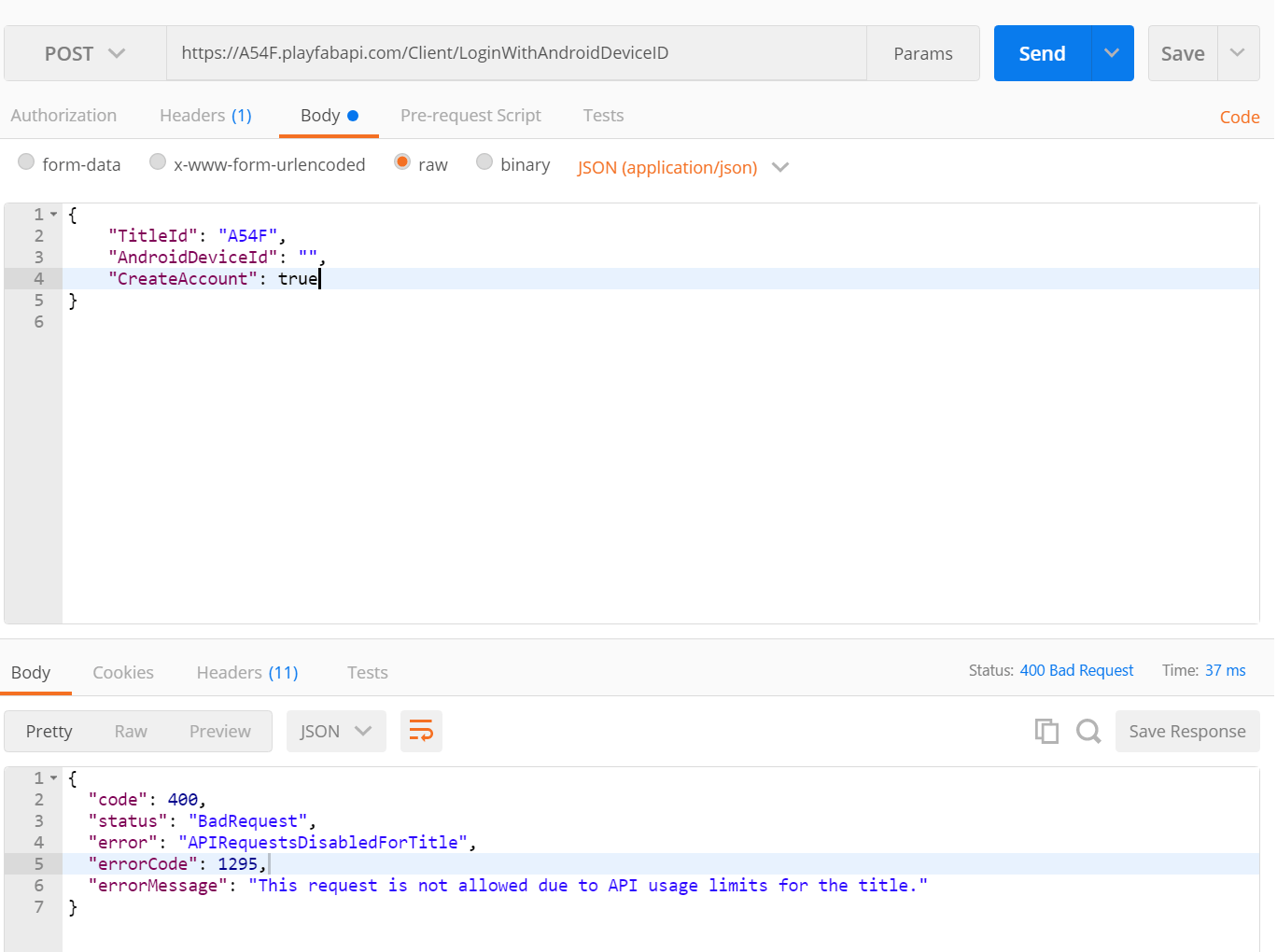
HTTP Status Code 400 responses will persist until you un-check the box. Again, un-checking may take a few minutes to have effect.
Enabling player IP address obfuscation
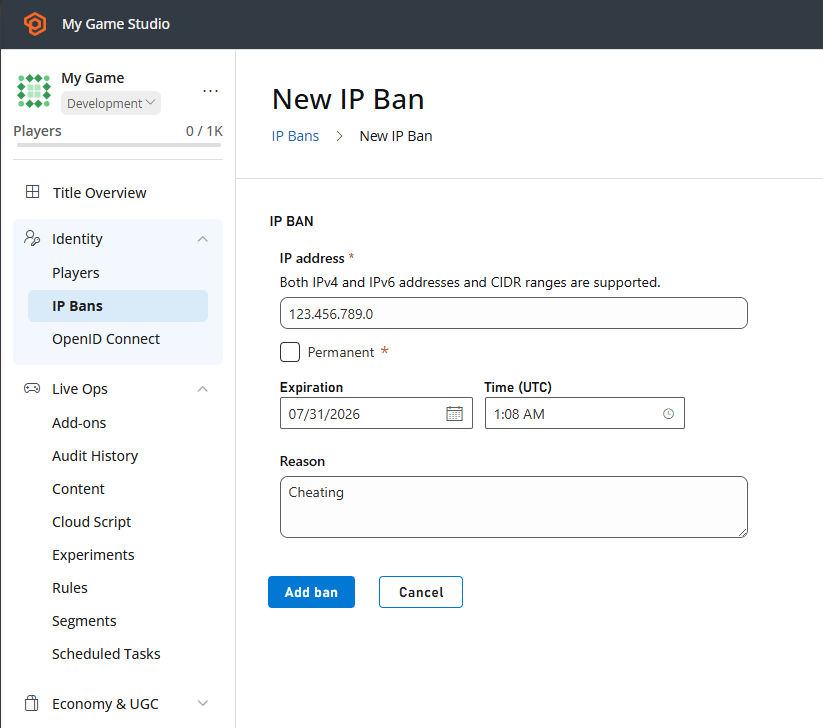
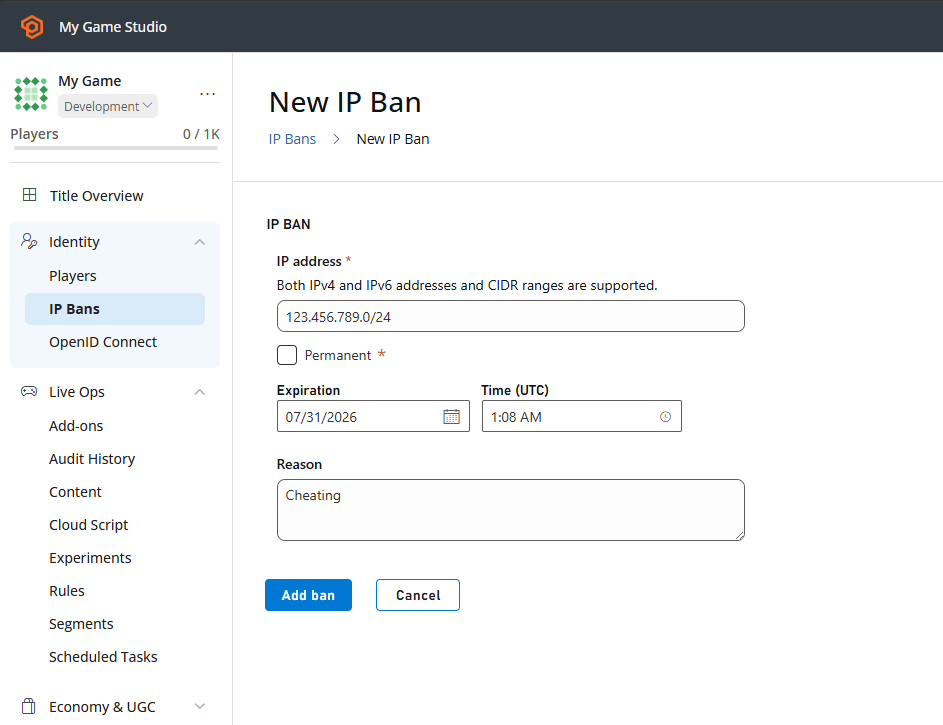
For many studios, owning Personally Identifiable Information (PII) is a liability best avoided. One common (and useful) form of PII is IP Address. IP Address is useful for a handful of reasons, including geo-location. However, the full accuracy of the IP is often considered PII. PlayFab can help limit this is by obfuscating parts of the IP addresses. Now, by checking a box, you can stop gathering this sensitive data. After you check this box, PlayFab will always record 0 for the last octet of a player’s IP. You can verify this is working by checking the login history for players in the Players tab. You should see that every IP ends in .0. Any IPs that were recorded before IP address obfuscation was enabled will retain their full detail. So if your game is PII-sensitive, set this checkbox before you launch.Enabling obfuscation affects other features that use IP addresses. The three most directly affected are IP-based geolocation, IP bans, and player bans that specify an IP address.