Quickstart: Win32
Get started with the PlayFab Services SDK for Win32. Follow these steps to include the libraries in your project and try out the sample code for basic PlayFab functionality. This quickstart helps you make your first PlayFab API call using the Win32 SDK. Before continuing, make sure you’ve completed the steps in Quickstart: Game Manager, which ensure you have a PlayFab account and are familiar with the PlayFab Game Manager.Requirements
- A PlayFab developer account.
- Visual Studio 2022 installed.
Project setup
Download the PlayFab SDK to your project from the PlayFab SDK Release Page. Import PlayFabServicesSDK.Win32.props to your project. You can do this manually in the project file or by opening the Property Manager window in Visual Studio, right clicking on the project, and choosing Add Existing Property Sheet.Troubleshooting
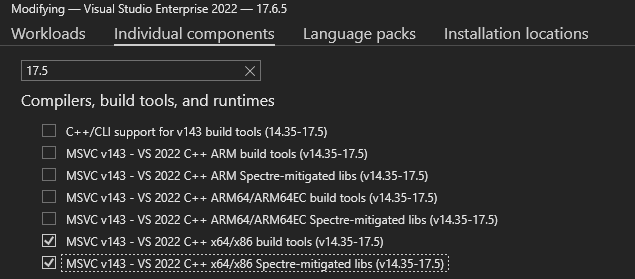
If you have issues linking the SDK in your project, you may need to install 17.5 build tools and libs via the Visual Studio Installer. Click Modify for VS2022, and install these two components.