
Daily, Monthly, and Rolling Thirty Day Overview and Totals reports
Introduction
PlayFab offers a set of daily and monthly Key Performance Indicator (KPI) reports, including:- Total Logins
- Unique Logins: Daily reports (DAU) or Monthly and Rolling Thirty Day Reports (MAU)
- New Users
- Unique Paying Users
- Transaction Revenue
- Purchases
- Total API Calls
- Total Successful API Calls
- Total API Call Errors
- Average Revenue Per User (ARPU)
- Average Revenue Per Paying User (ARPPU)
- Average Purchase Price
Totals reports
Totals reports include a table, which contains the 12 Key Performance metrics described in the introduction.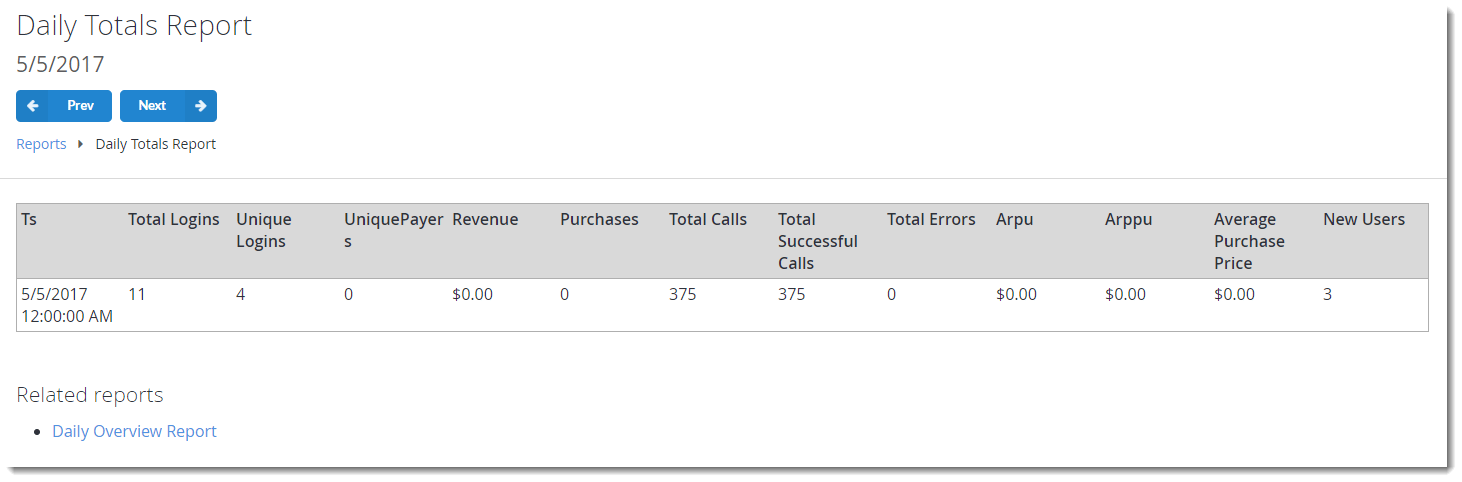
Overview reports
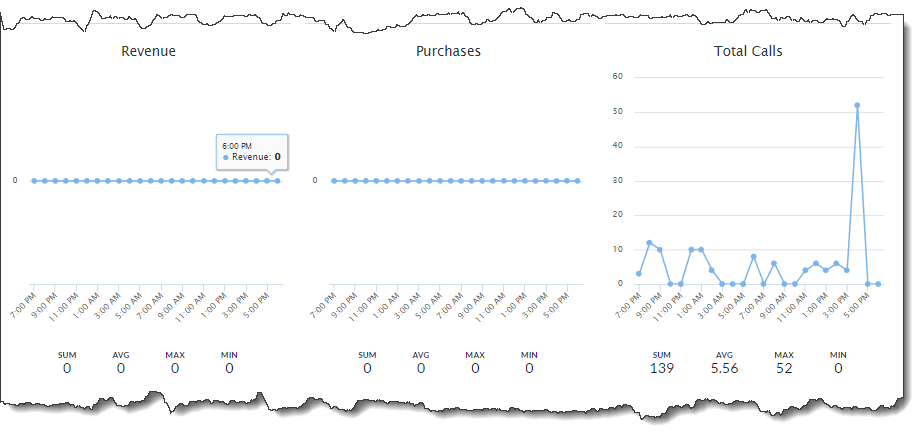
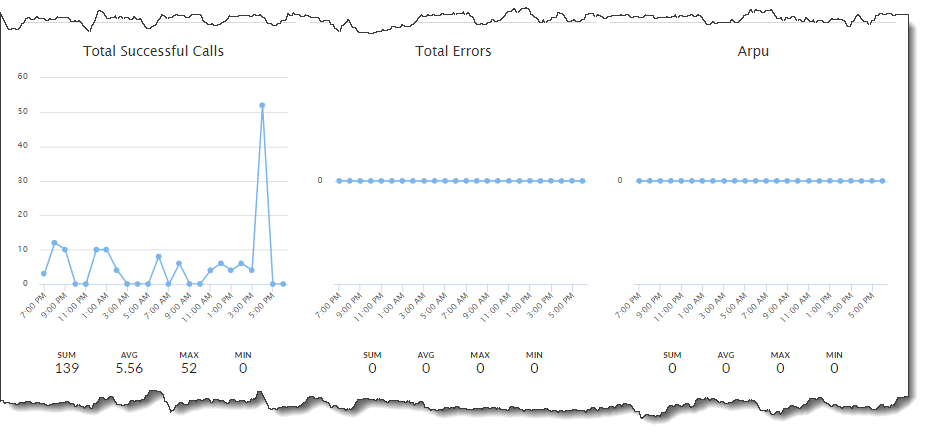
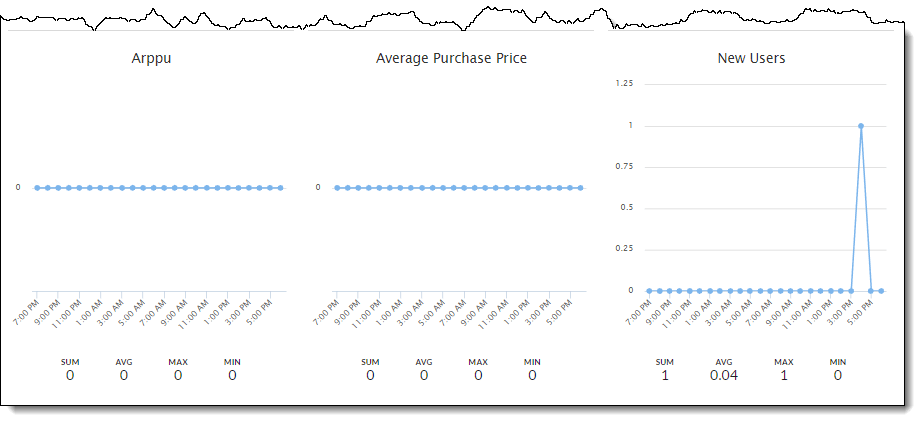
Overview reports consist of 12 trend charts - one for each metric described in the introduction. Working with charts is described later in this tutorial.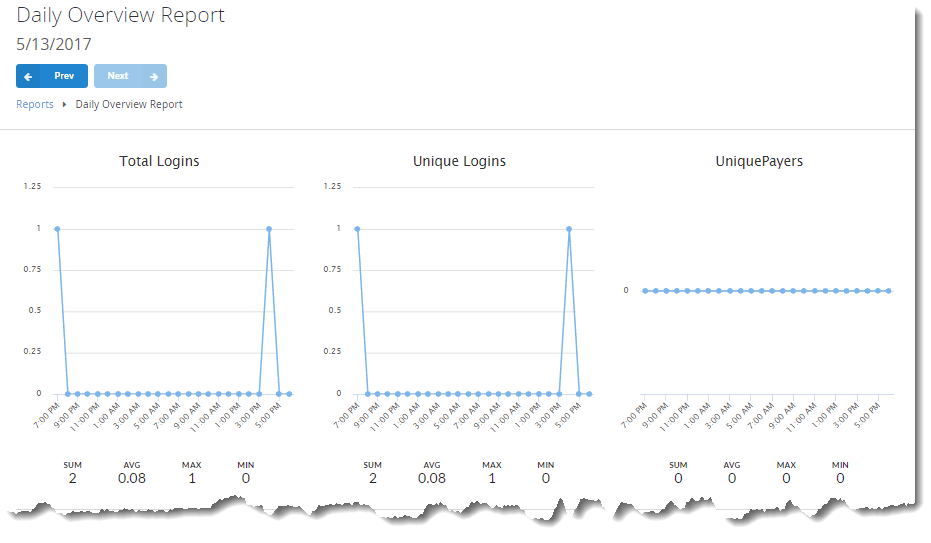
Populating the reports
Any API call may introduce new data for total API calls, total successful API calls, and total API call errors.- Once executed, an API call will be added to total API calls.
- If there is an error that is introduced, it will be recorded to total API call errors.
- If no error is introduced, it will belong to total successful API calls.
- LoginWithAndroidDeviceID
- LoginWithCustomID
- LoginWithEmailAddress
- LoginWithFacebook
- LoginWithGameCenter
- LoginWithGoogleAccount
- LoginWithIOSDeviceID
- LoginWithKongregate
- LoginWithPlayFab
- LoginWithSteam
- LoginWithTwitch
LoginWithWindowsHello<!— LoginWithWindowsHello —>
- RegisterPlayFabUser
RegisterWithWindowsHello<!— RegisterWithWindowsHello —>
- LoginWithAndroidDeviceID
- LoginWithCustomID
- LoginWithFacebook
- LoginWithGameCenter
- LoginWithGoogleAccount
- LoginWithIOSDeviceID
- LoginWithKongregate
- LoginWithSteam
- LoginWithTwitch
How to work with report charts
PlayFab report charts all follow the same model: In the top space of the page, view the report name, time period, and Prev/Next buttons to switch between the time periods. Move your cursor along the timeline in the chart to view the associated interactive data.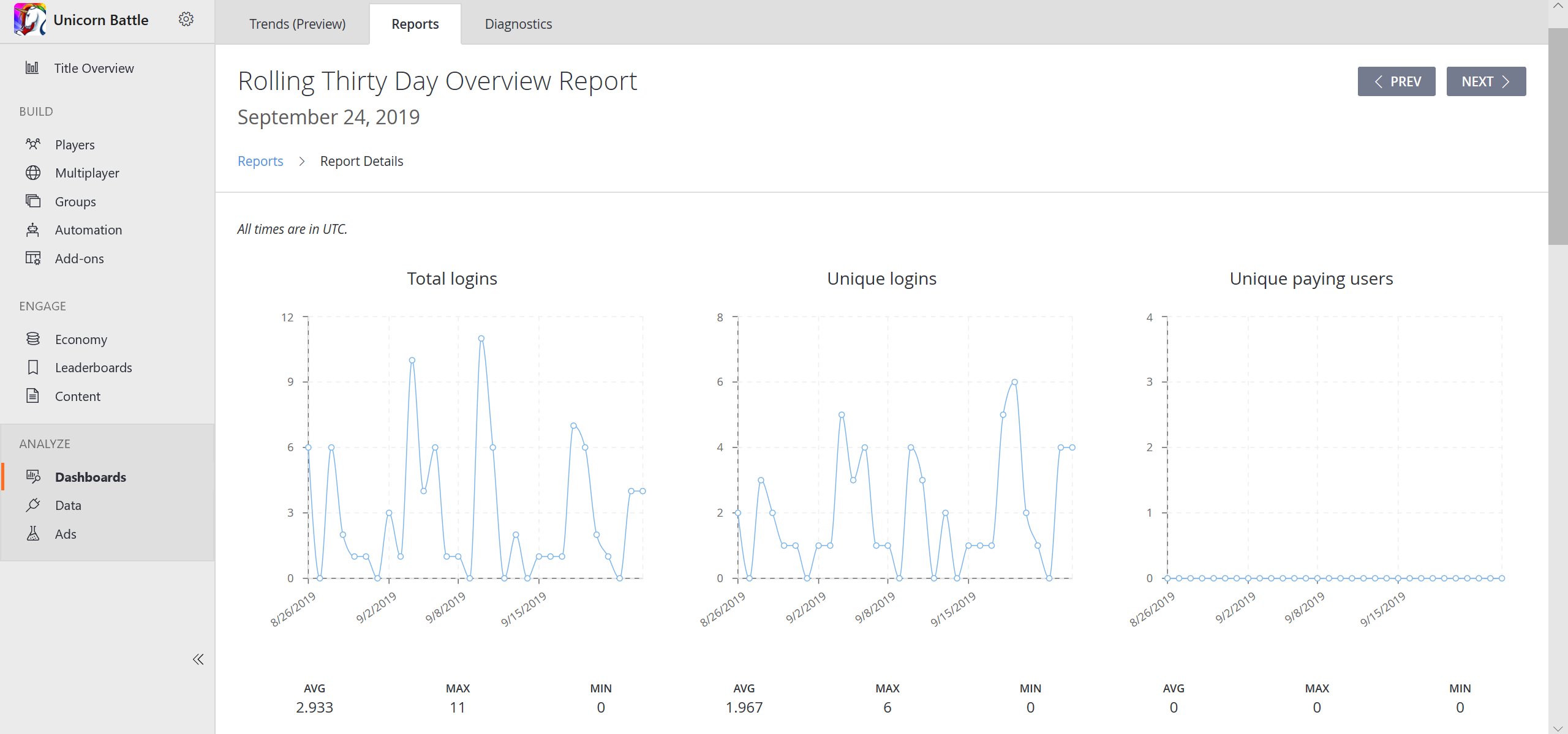
- The average number of instances through all the timestamps (AVG).
- The peak value (MAX).
- The lowest value (MIN).