
In some documentation and API calls, you may find the term UserStatistics. For the purposes of this discussion, the terms user and player are identical and interchangeable. In the Game Manager page, the Players tab provides access to the Users/Players for your title, and within that, their statistics. Player statistics refers specifically to information bound to a player, not analytics information about player.
Client API
The client has access to read player statistics, but to prevent cheating, the client isn’t able to update statistics by default. To enable this:- Log into PlayFab
- Select your Title.
- Select Settings from the left-menu.
- Select the API Features tab.
- Find and activate Allow client to post player statistics.
Doing this disables a security layer for your title, allowing players to post arbitrary scores to all of their statistics. If your game has any competitive play aspect, we would recommend that you never post statistics from the client.
Statistics are public information
There are no private or server-only statistics. A player can always read all of their own statistics via GetPlayerStatistics, and can read all other players’ statistics via leaderboard API calls. This is true even if you don’t display a statistic in-game, or use leaderboards. The only exception to this would be if you disable client features through our API Access Policy. Refer to that link for more information on how to use the policy settings for titles, as that is an advanced topic, which isn’t covered by this tutorial.Setting statistics
The following Unity/C# code creates (or updates if it already exists) a strength statistic value for a player.Getting statistics
The following Unity/C# code retrieves all current statistic values for a player.Aggregation method
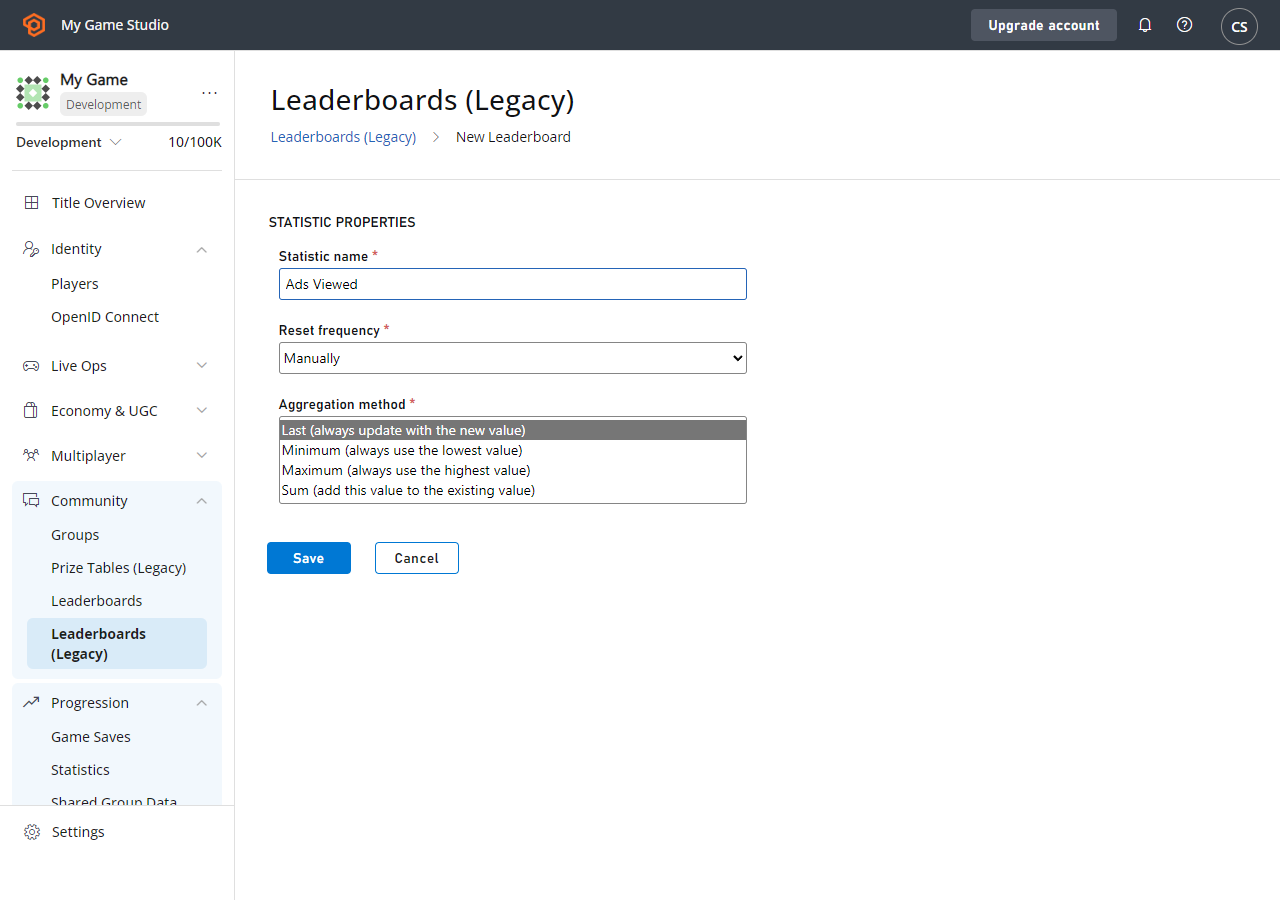
PlayFab supports some convenience options for Statistic Aggregation. The four options include:- Last
- Min
- Max
- Sum
- Log into PlayFab
- Select your Title.
- Select Leaderboards from the menu on the left (Statistics and Leaderboards are closely related).
- Select the existing statistic you want to modify, or -
-
Select the New Leaderboard button.
- For an existing statistic, you’ll have another page, with an Edit Leaderboard button.
-
At this point you should see the page shown below.
-
Max and Min can be used to save best/worst scores such as Headshots or Accuracy:
- In short, they apply the rule of: if this is higher (or lower) than the existing score, update the score.
- Post the statistic for the session ending, and the Min/Max Aggregation takes care of whether or not to update.
- These can be very useful for resettable leaderboards, as well as a PlayStream Rule that grants achievements.
-
Sum could be used to save experience points:
- You post the experience gained this battle, and it’s added to the existing statistic value for the player.
-
Last allows you to manage the stat yourself:
- Each time you post a statistic, the most recent value is used.