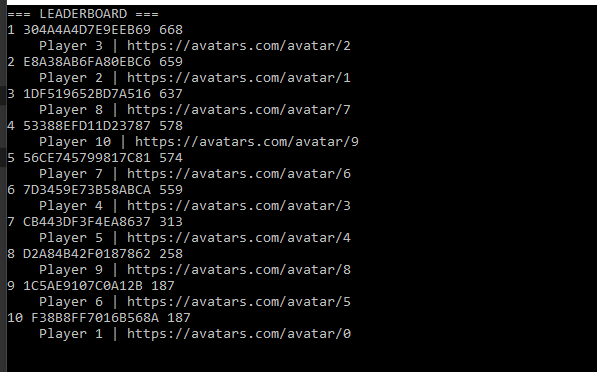
This example assumes you already have some leaderboard data to play with. Please refer to our Accessing Archived Tournament Results tutorial, for a method to generate some test data.
Configuring player profile view constraints
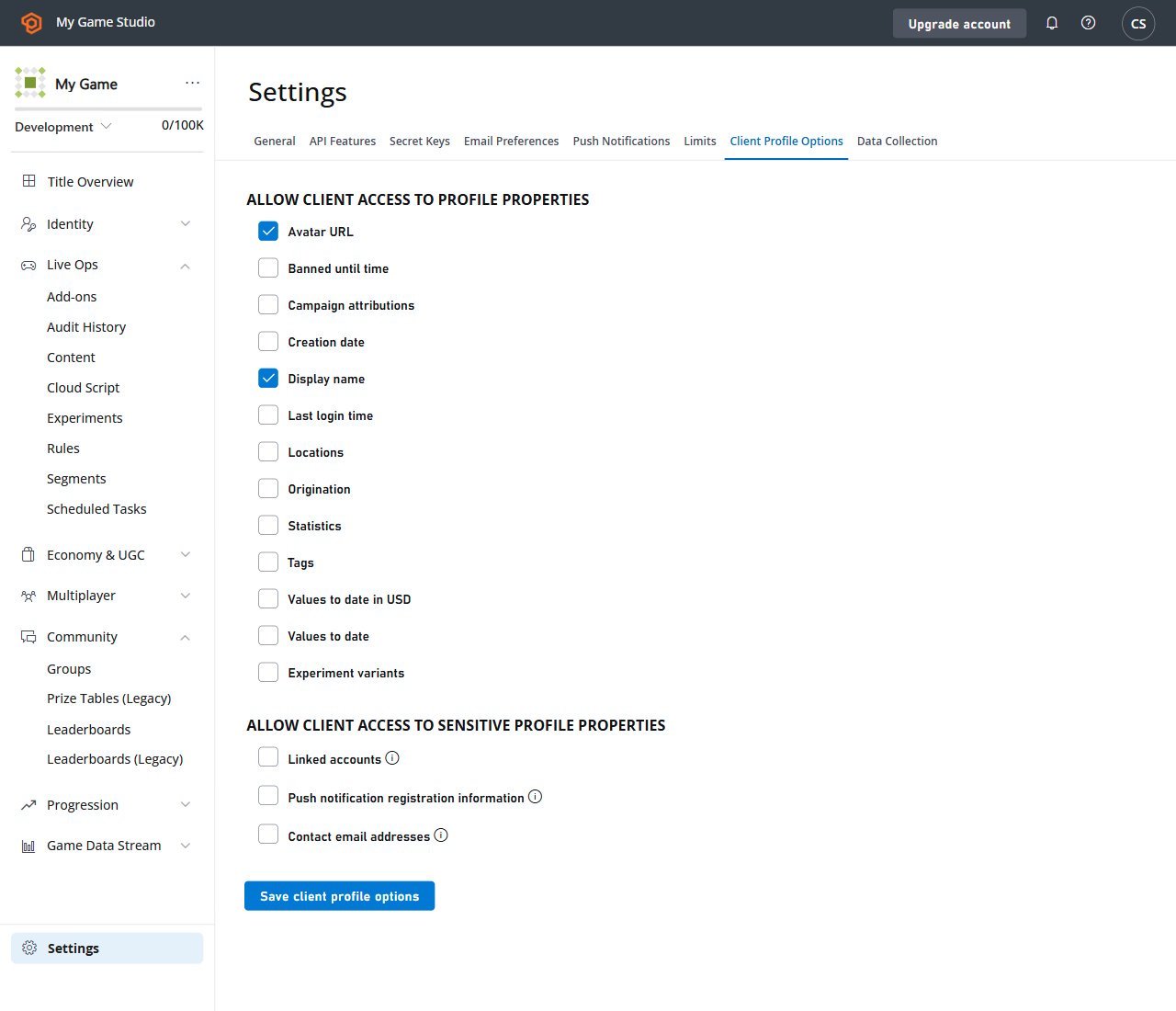
By default, the Client API may only fetch the display name from another player profile. In this example, we will allow all players to access additional information about other players in the leaderboard. Navigate to your title Game Manager:- Select the Settings icon in the menu to the left.
- Select Title settings
- Then select the Client Profile Options tab.
- Verify that the DisplayName is selected.
- Make sure that the Avatar URL is selected.
- Submit your changes by selecting the Save Client Profile Options button.
Testing
The previous step allows client code to useDisplayName and AvatarUrl profile constraints.
The following sample shows how to fetch and print a leaderboard using any mentioned Profile data. Please refer to the code comments for further information.
The individual Profile fields are only available if the client explicitly asks for them using Profile Constraints. Also be aware that if certain profile constraint are not allowed in the Game Manager - and your client requests them - the API call will fail with a corresponding error. The result will look similar to the example provided below.