
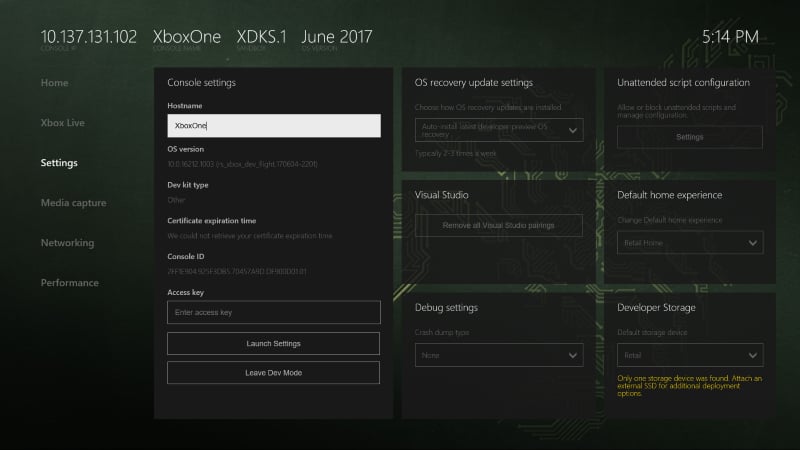
- Console settings
- OS recovery update settings
- Visual Studio
- Debug settings
- Unattended script configuration
- Default home experience
- Developer storage
Console settings
Use the Console settings pane to get an overview of console settings and information. This pane has tools to view and edit the host name, access key, and other console settings. You can also switch back to retail mode by selecting Leave Dev Mode.OS recovery update settings
Use the OS recovery update settings pane to configure the auto-update settings of the console.Changes to these settings typically take up to 15 minutes to take effect.