
Access players segments
To access player segments:- Navigate to Players (1) in the menu.
- Select the Segments tab (2).
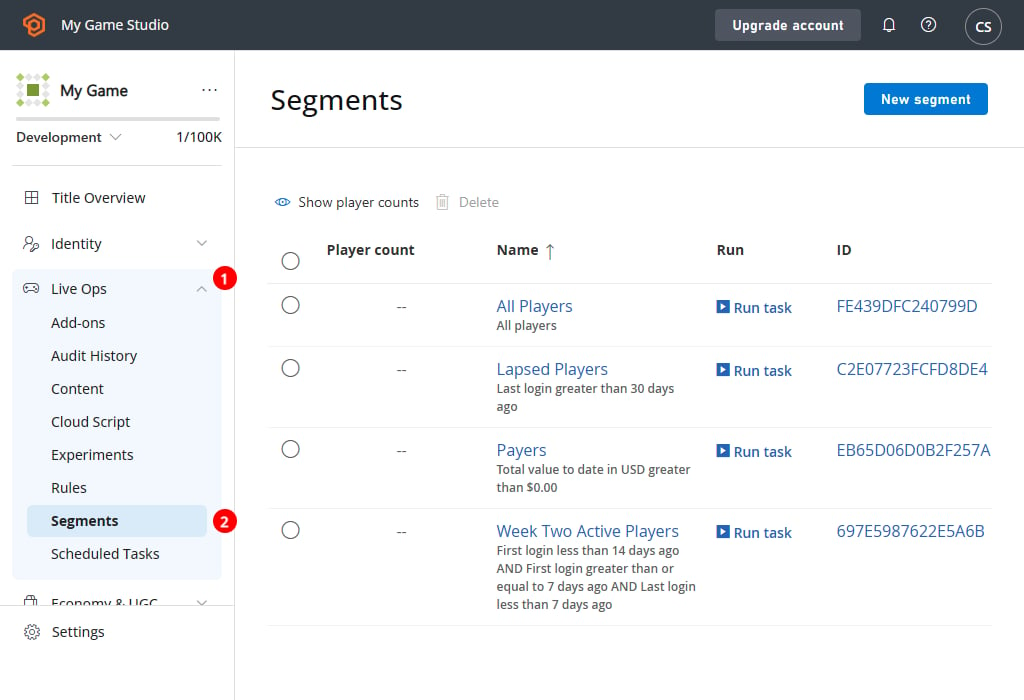
Overview
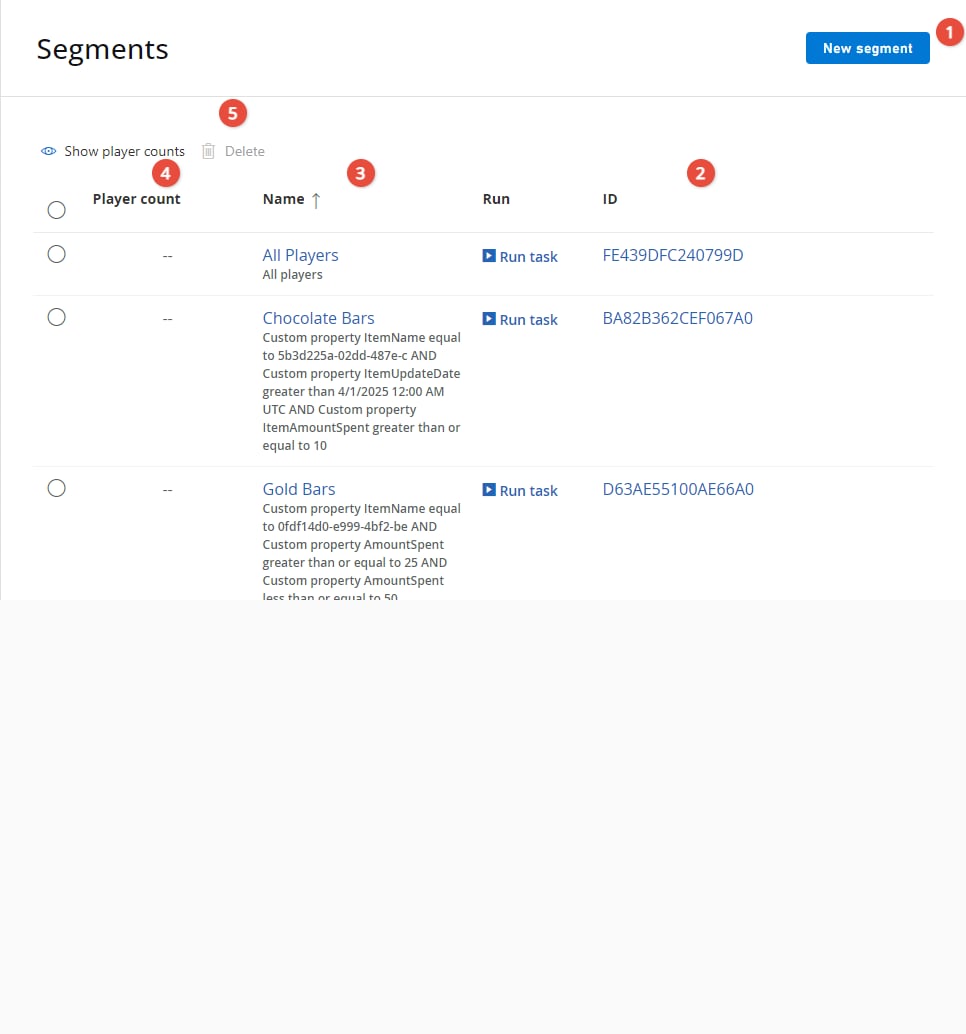
The Segments page displays the segments that you currently have defined, and offers basic management capabilities.- Use the NEW SEGMENT (1) button to create a new segment.
- The segment ID (2) uniquely identifies the segment.
- The segment Name (3) identifies the player(s).
- The Matching players (4) area displays the total number of players matching the segment filter.
- Using the check boxes (5) to the left of the screen, you can select certain segments, and X Delete or > Run Task… custom actions on the chosen segments.
- For more information about defining segments and the filtering criteria, see our tutorial on Player Segment configuration.
- For more information about executing custom code for all players in a segment (as a one-time event, or on a regular schedule), see our tutorial on Bulk Actions for an Entire Player Segment.