- Session ID (only if currently active)
- Host ID
- Session state
- Number of players connected
- Latest Activity


Search servers
When searching for servers, you can search based on any of the following criteria:- VM ID
- Server Host ID
- Server Session ID
- Server IPv4/IPv6 Address
- Server FQDN
- Connected players
Server details
Once a server becomes active, you can select on the Session ID to navigate to the Server Details page. On the servers details page, you can see more information about that specific server. Including but not limited to connected players and region. You can also shut down your server or connect to the VM by selecting the buttons in the top-right corner.
Archived servers
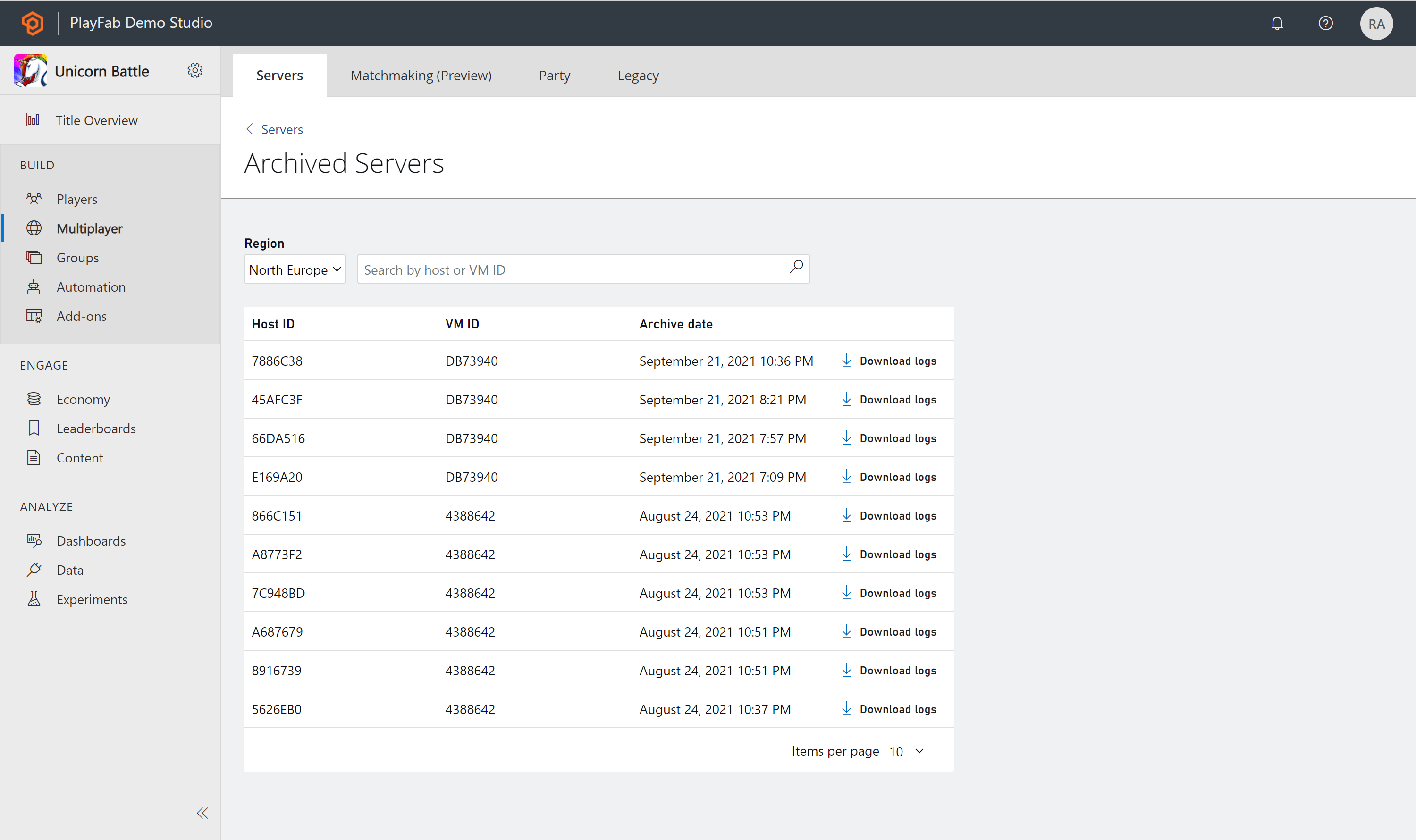
Once a server has been shut down, the state will be terminated and be moved to the Archived servers page. If you would like to see an archived server, select the link at the bottom of the servers page called Archived Servers. The list of archived servers will show you the last 30 days of servers that have been archived.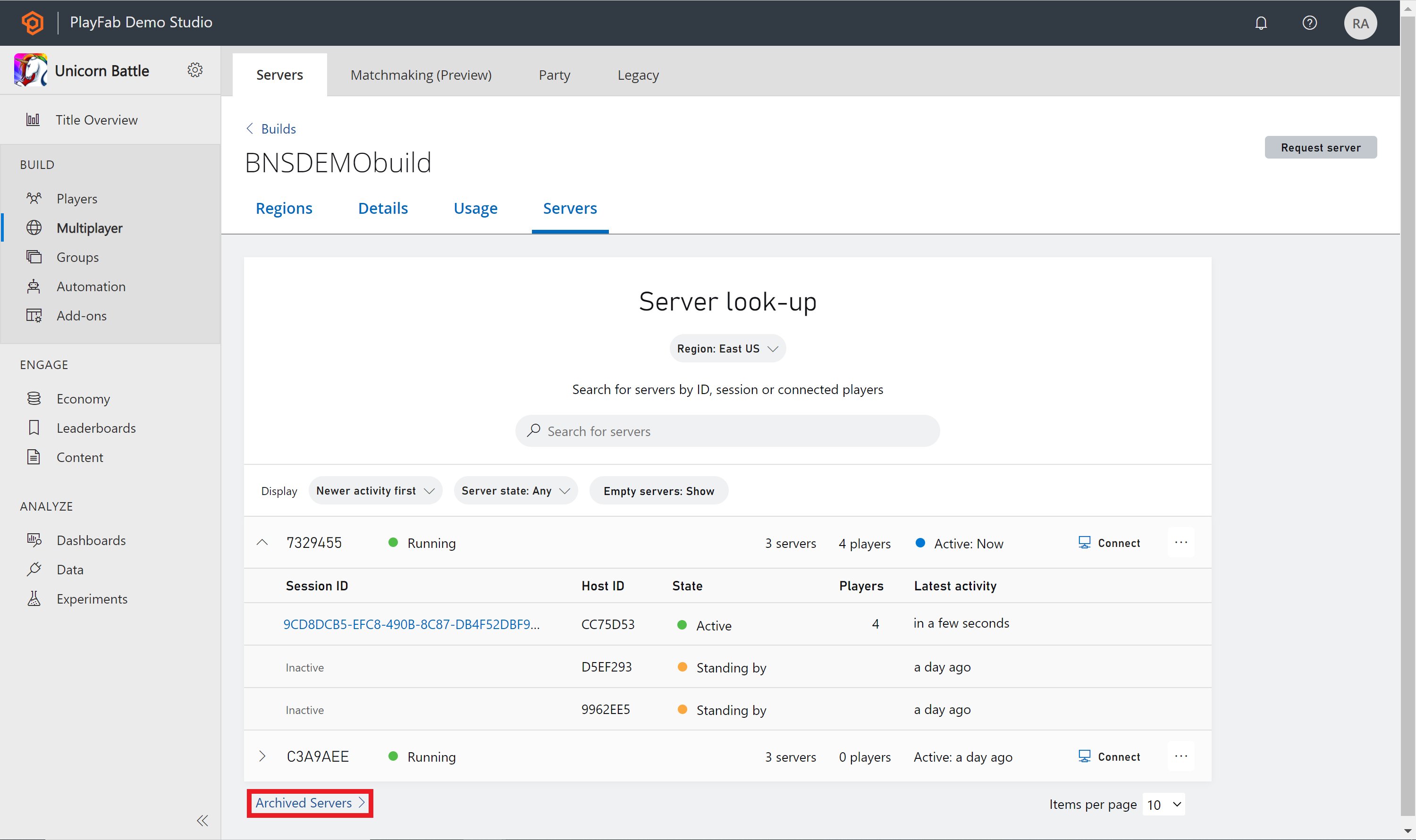
Server logs
If you find that you would like to learn more about your archived servers, you can download the logs found under Archived Servers. Next to each server is a Download logs button if you select that it will download a zip file of your logs from that file.