
Prerequisites
To setup your dev kit for streaming, ensure that it’s running an OS of November 2019 or later and connected to the network.XBOX Game Streaming isn’t available on XBOX One S Dev Kit dev kits. The XBOX Series X Dev Kit hardware isn’t equivalent to the hardware that’s running the XBOX Game Streaming server, but it provides the best approximation for CPU performance when accessing XBOX Game Streaming servers.
Enable Developer Mode
Enable Developer Mode on your XBOX Development Kit with the following steps.- Open Settings and select System > Console Info > Developer Settings.
- Enable Developer Mode.
- Restart the XBOX Development Kit.
If Developer Settings isn’t available, with your controller quickly select LB > RB > LT > RT to enable Developer Settings in the UI.
Enable the streaming service
You can control the streaming service from the Streaming tab of Dev Home, or via the xbgamestream (NDA topic) command line tool.Only one remote stream is allowed at a time from the development console. In other words, you can’t utilize the remote view capabilities of XBOX Manager (NDA topic) while also using a game streaming client. Whichever client connects most recently will be the one that receives audio and video.
After each restart of the XBOX Development Kit, return to the Streaming tab of Dev Home to connect to the streaming service again as shown in the following screenshot.
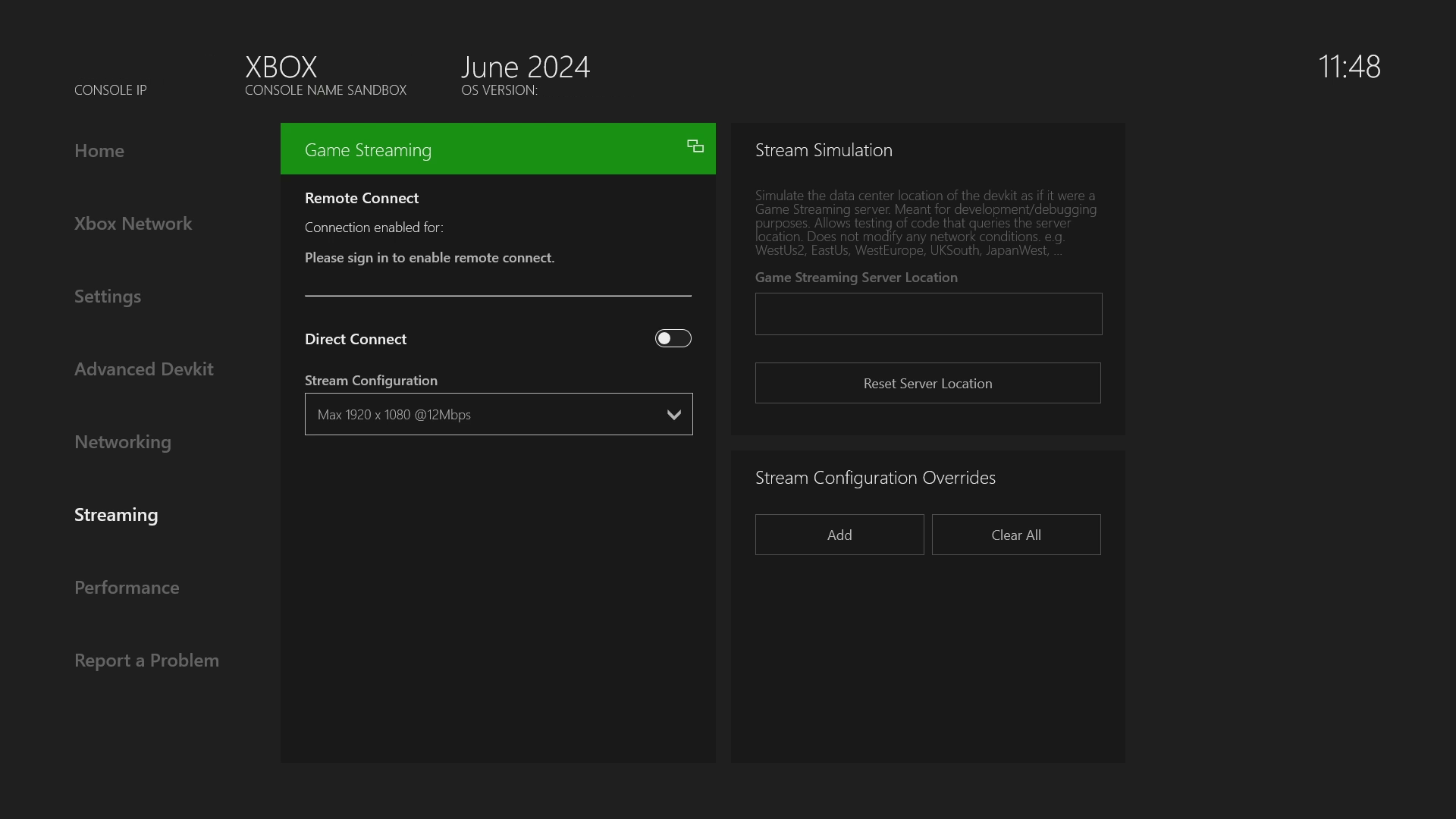
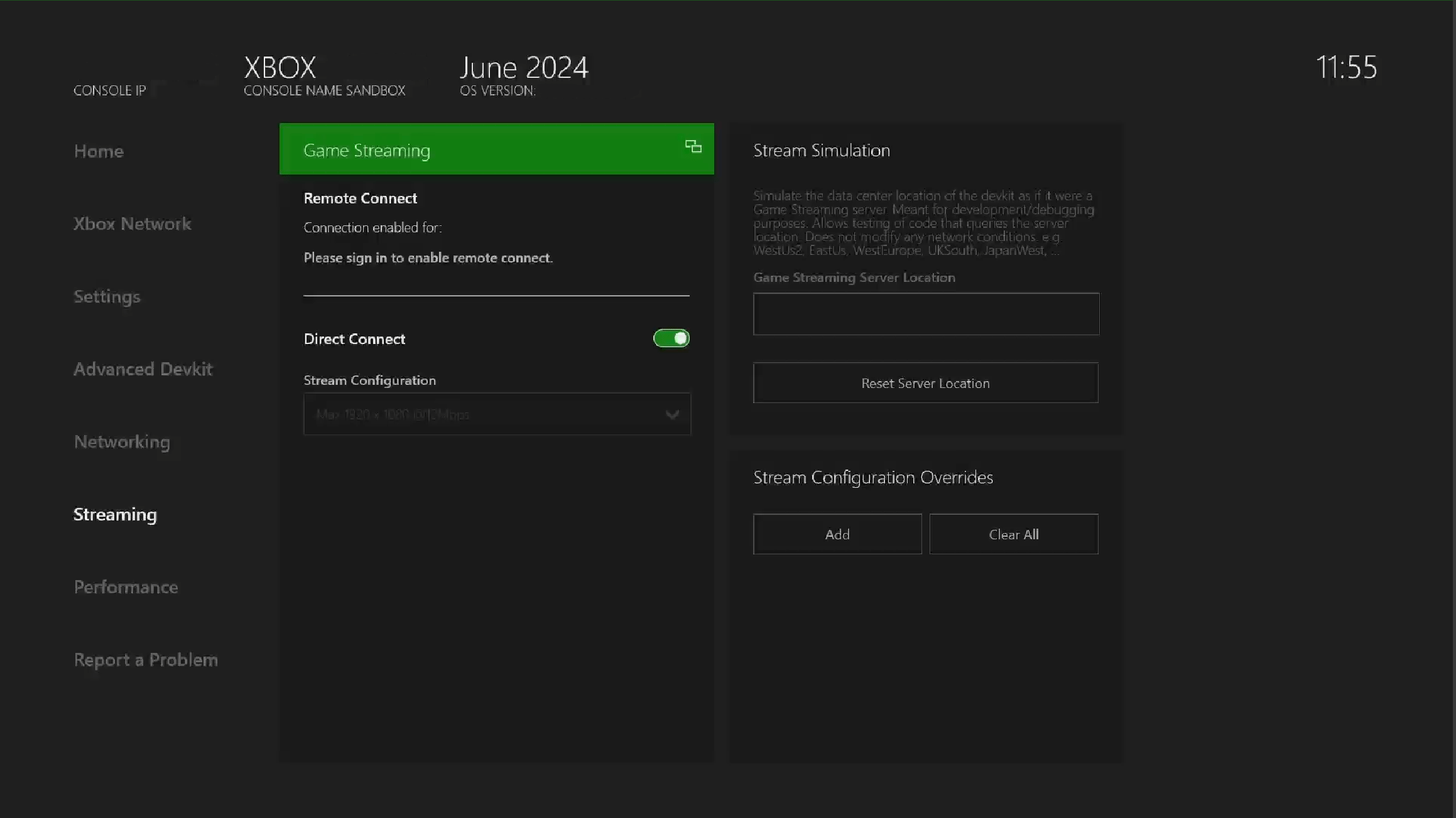
It isn’t necessary to stop and restart this service unless there are connectivity problems.
Stream Configuration
The streaming configuration controls various aspects of the stream such as the resolution or bitrate. The streaming configuration for direct connect can be modified via the Streaming Configuration dropdown menu which contains a couple base configurations.Overrides
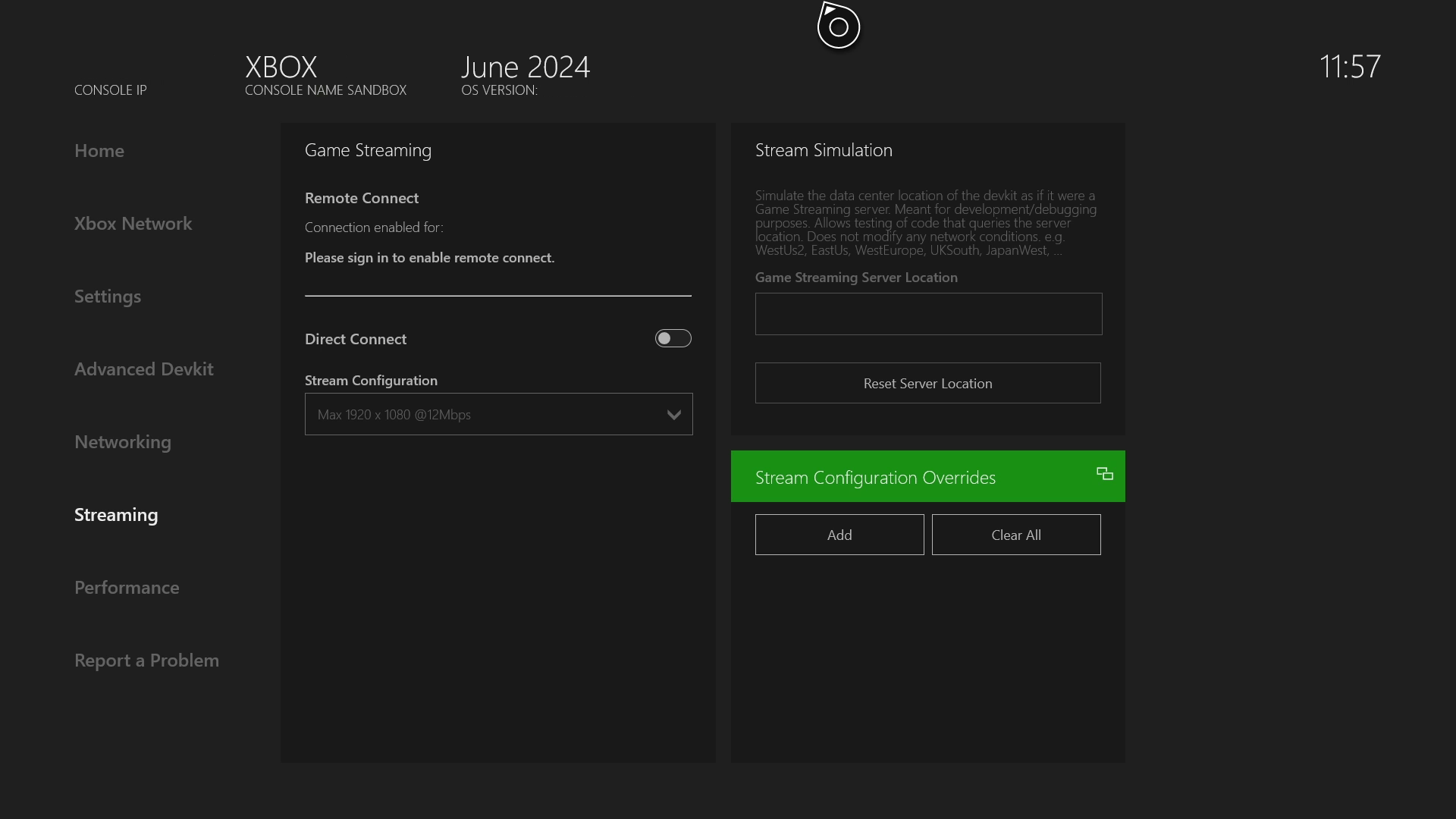
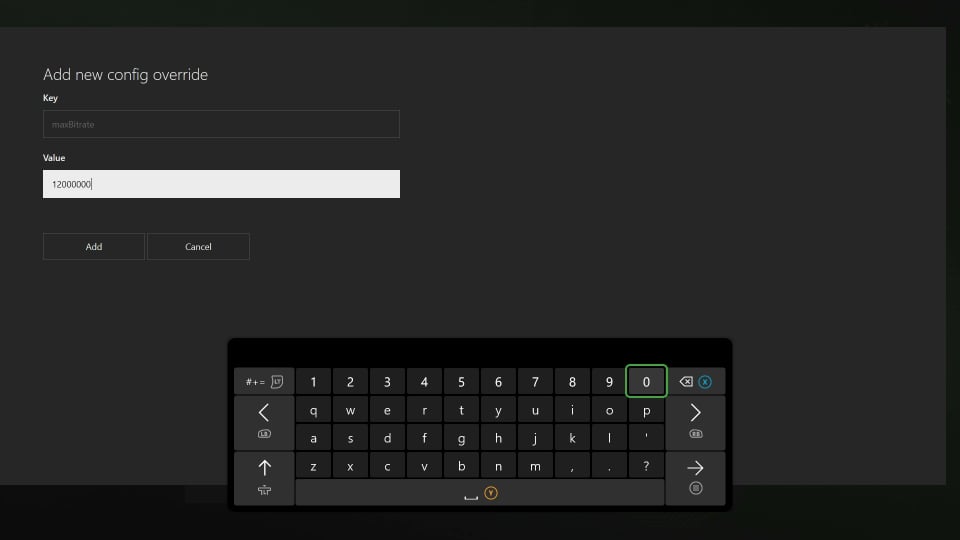
In more advanced scenarios, you can override specific settings of the base stream configuration for both direct connect and remote connect.Overrides do not perist between reboots so they must be reset if desired.
Overrides are only applied to direct connect when it restarts “listening for connections” and on new connections for remote connect.
Troubleshooting
Use the following sections to resolve issues you experience while setting up your XBOX Development Kit for XBOX Game Streaming.Network configuration to allow access to XBOX Development Kit streaming
To connect by using the CTA, enable UDP Port 9002 for communication and streaming between the CTA and the XBOX Development Kit.CTA can’t connect to XBOX Development Kit
Use the following steps to resolve connectivity issues between the CTA and dev kit.- Ensure that the IP address of the console that’s used by the client is correct.
- Ensure that the streaming service is running by checking the Streaming tab of Dev Home.
- Stop and start the streaming service on the Streaming tab of Dev Home.
- Ensure that the streaming protocol version that’s used by the client matches the selected streaming protocol version on the XBOX Development Kit.