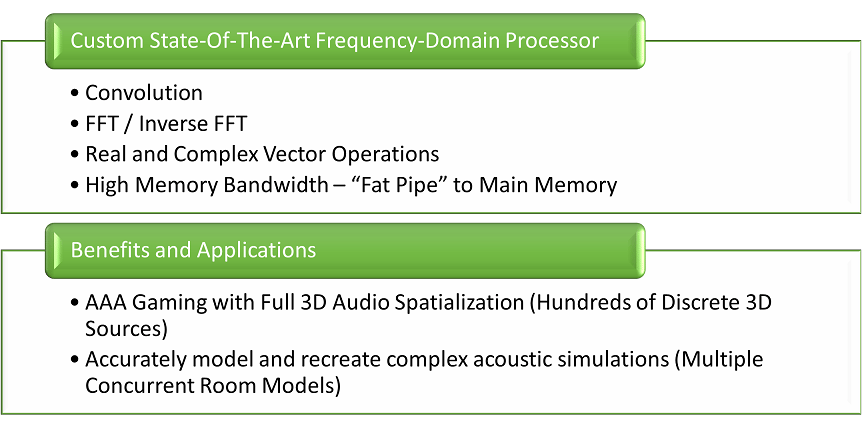
Decoding audio
Audio decoding improves the pitch, quality, and sampling of a title’s audio as shown in the following screenshot. Figure 2. Audio Decoder Features that are available for XBOX Series X|S consoles.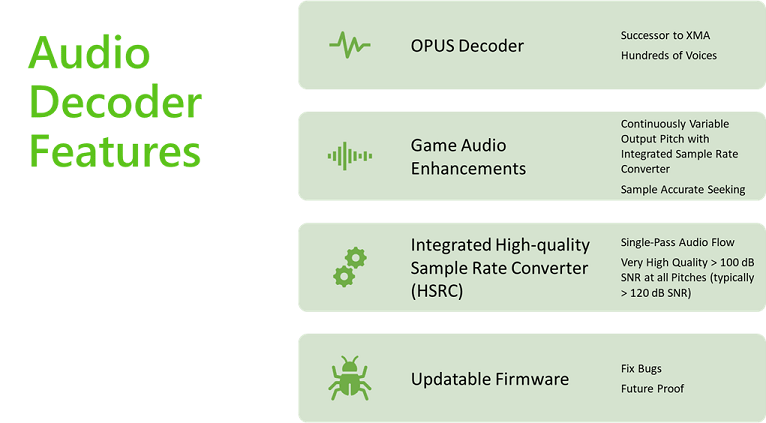
Opus Codec
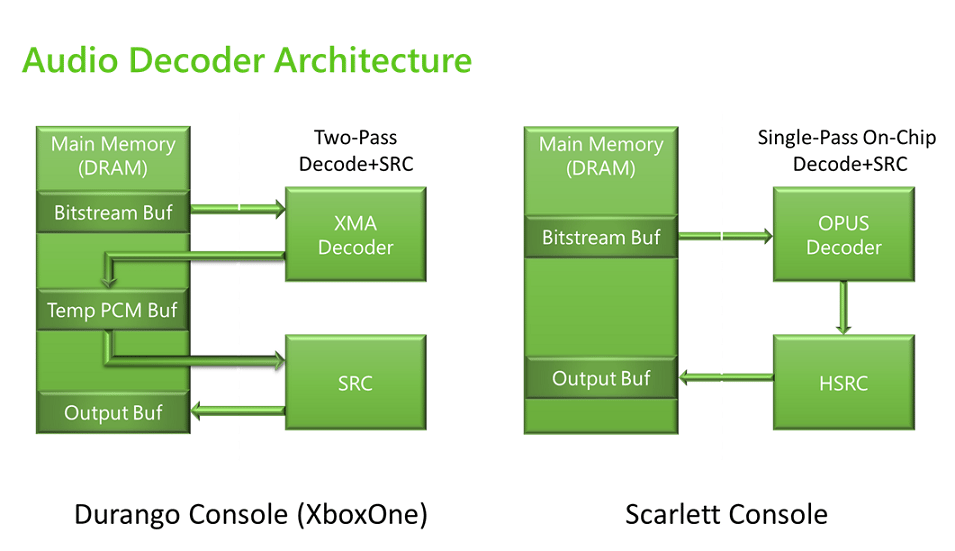
The XBOX One family of consoles used XMA for hardware offload decoding. The XBOX Series X|S generation of consoles uses Opus hardware offload decoding by using the XBOX Audio Processing Unit (XAPU) API. For more information, see XAPU. Opus is a royalty-free, audio compression codec that’s designed to efficiently code speech and general audio into a single format. Opus is low-latency. In internal evaluations, Opus surpasses XMA in quality and file-size compression ratio. Opus incorporates Skype’s SILK codec and Xiph.Org’s CELT codec as shown in the following screenshot. Figure 3. A breakdown of Opus Compression Format Basics, which includes the CELT codec, SILK codec, and a hybrid of the two.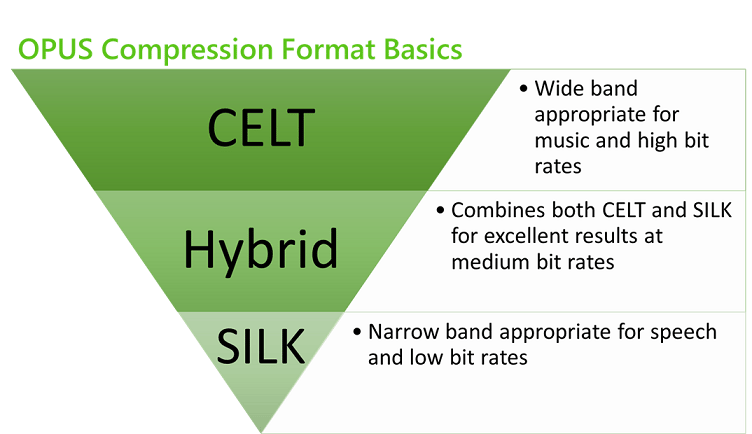
Comparing noise reduction between Opus and XMA
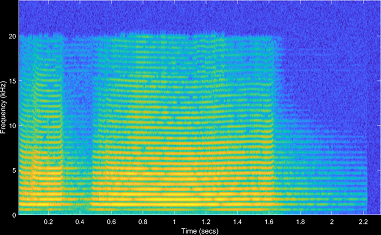
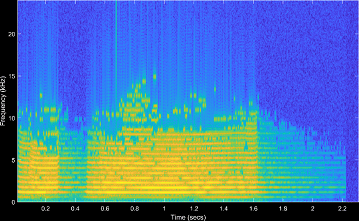
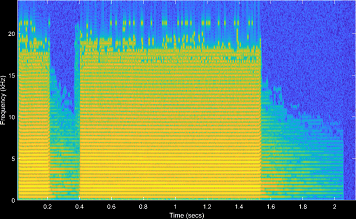
A file is encoded and decoded by using Opus set at 64-bit as shown in the following screenshot. The same sound is encoded and decoded by using XMA at 64-bit and 128-bit as shown in the following screenshots. At 64-bit, XMA’s quality and noise degrades.To achieve the same quality of noise reduction of Opus when set at 64-bit, set XMA quality settings to 128-bit.
Improving the sample rate converter
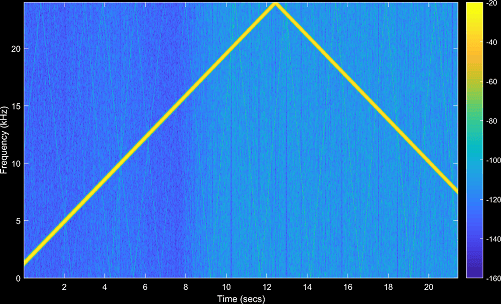
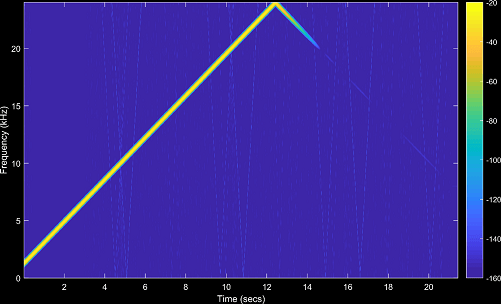
A High-Quality Sample Rate Convertor (HSRC) works with the hardware decoding functionality (Opus). Opus hardware offloads decoding with the HSRC feature to change pitch as shown in the following screenshot. You can see improved output quality compared to SHAPE.SHAPE is still supported in XBOX Series X|S consoles for backward compatibility titles.
Acoustics
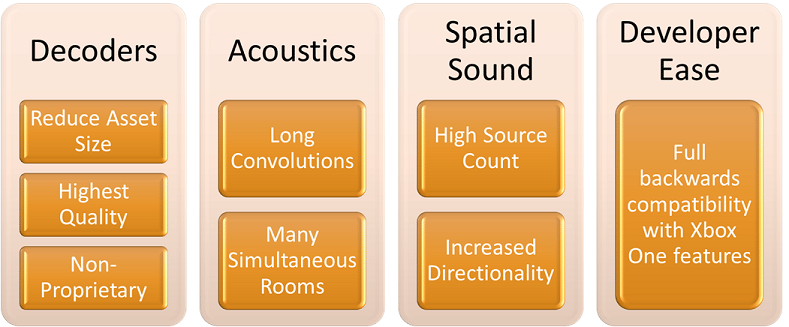
Future releases will support new features to enhance the quality of sound encoding and decoding on XBOX Series X|S consoles, such as the overview shown in the following screenshot. Figure 10. Features that will be available in future releases to enhance audio acoustics.