
Game DVR 字串
Game DVR 字串會顯示為您遊戲中任何由開發人員建立之 Game DVR 短片的標題。 在服務中設定字串,可確保在展示該短片的任何應用程式中,都會顯示該字串正確的當地語系化版本。 例如,如果您想要在使用者擊敗遊戲的最終頭目時建立短片,可以先設定名為 ‘Boss Battle’ 的字串。 在遊戲程式碼中進行呼叫以建立短片時,您會參考該識別碼。 若要設定與您遊戲相關聯的 Game DVR 字串,您可以使用 Partner Center。 新增 Game DVR 字串:- 前往 Partner Center,然後選取您的遊戲。
- 在左側瀏覽窗格中選取 XBOX services > Gameplay settings。Gameplay Setting 頁面隨即出現。
- 選取 Game DVR 或 Game Clips。“Gameplay Setting” 頁面會重新整理,並顯示 Game Clips 資訊。
-
選取 Create new string 按鈕。“New game dvr string” 對話方塊隨即出現。
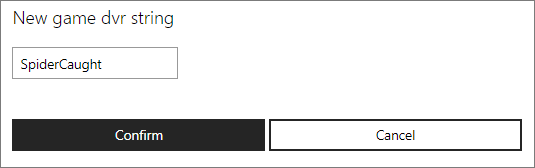
- 輸入 Game DVR 字串,然後按一下 Confirm 按鈕。