
Game DVR 字符串
Game DVR 字符串将作为游戏中任何开发者创建的 Game DVR 片段的标题显示。 在服务中配置字符串将确保该字符串的正确本地化版本出现在任何显示该片段的应用中。 例如,如果你希望在用户击败游戏最终 Boss 时创建一个片段,你可以先配置一个名为 “Boss Battle” 的字符串。 在游戏代码中调用以创建片段时,你将引用该 ID。 要配置与游戏关联的 Game DVR 字符串,可以使用Partner Center。 添加 Game DVR 字符串:- 转到 Partner Center 并选择你的游戏。
- 在左侧导航窗格中选择 XBOX services > Gameplay settings。Gameplay Setting 页面出现。
- 选择 Game DVR 或 Game Clips。“Gameplay Setting” 页面刷新,Game Clips 信息出现。
-
选择 Create new string 按钮。“New game dvr string” 对话框出现。
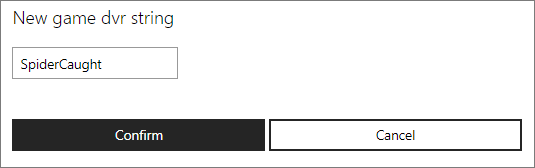
- 输入 Game DVR 字符串,然后单击 Confirm 按钮。