
- In Solution Explorer, right-click the project name, and then select Properties.
- Expand Configuration Properties.
- Select Gaming Desktop.
Gaming Extension Libraries
The Gaming Extension Libraries property page is used to select the set of extension libraries that your project will reference as shown in the following screenshot.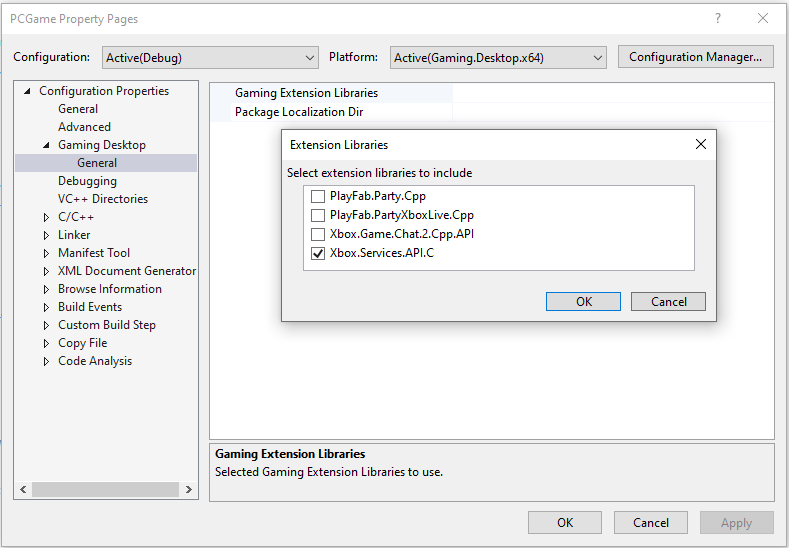
Package Localization Dir
The Package Localization Dir property page specifies an optional directory relative to the project directory for use when creating localized shell resources. The Package Localization Dir property page is the equivalent of the/resw flag to makepkg. For more information about adding localized resources to your project, see MicrosoftGame.config localization.