
Visual Studio 2022 version 17.0 - 17.7 are out of support as of January 2025.
Visual Studio 2022 version 17.0 - 17.4 are out of support as of July 2024.
Installing Visual Studio 2022
The Microsoft Game Development Kit (GDK) supports development with either the Professional edition or the Enterprise edition of Visual Studio 2022. The Community edition isn’t supported.GDK Visual Studio extension (VSIX) components aren’t supported on ARM-based devices. To use GDK Visual Studio project templates, property pages, and debugging extensions, install the GDK on an x64-based development PC.
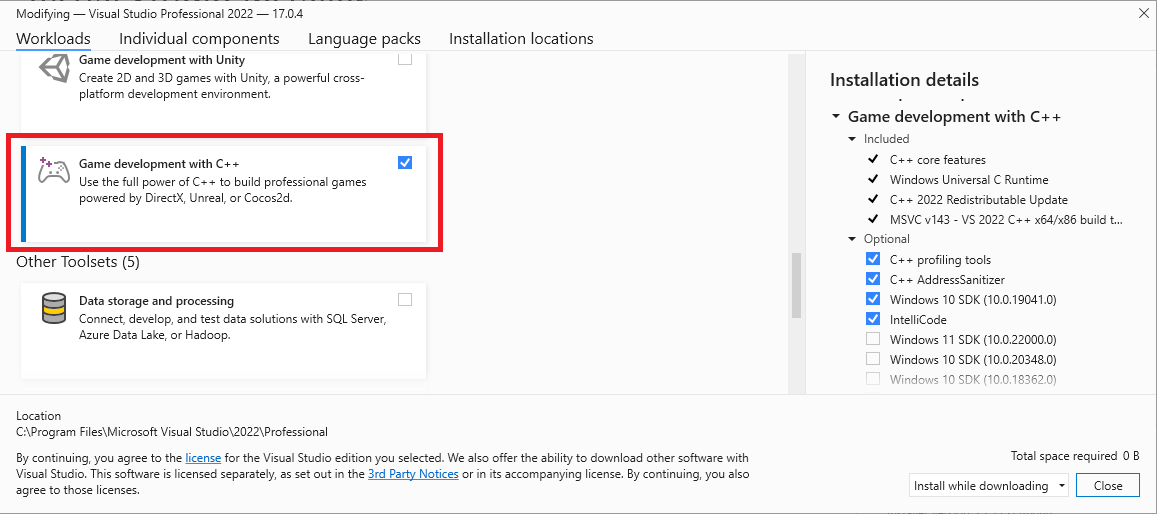
Windows 10 SDK (20348), Windows SDK for Windows 11 (10.0.22000), or Windows SDK for Windows 11, Version 22H2 (10.0.22621) can also be used, but isn’t required. For the October 2023 release, use of Windows 11 SDK or later is strongly recommended for PC development.While not required, installing the Desktop development with C++ workload provides more tools and samples that you might find helpful. For example, Desktop development with C++ is required if you’re building with the Clang/LLVM toolset. If you’re building a game that uses Unity, install the Game Development with Unity workload.
Installing optional toolsets
The Visual Studio 2022 version of the MVSC build tools (version v143) is installed with the Game development with C++ workload. In addition to the v143 toolset, the Microsoft Game Development Kit (GDK) also supports building with the following toolsets:- v142 (the Visual Studio 2019 toolset)
- the C++ Clang tools for windows
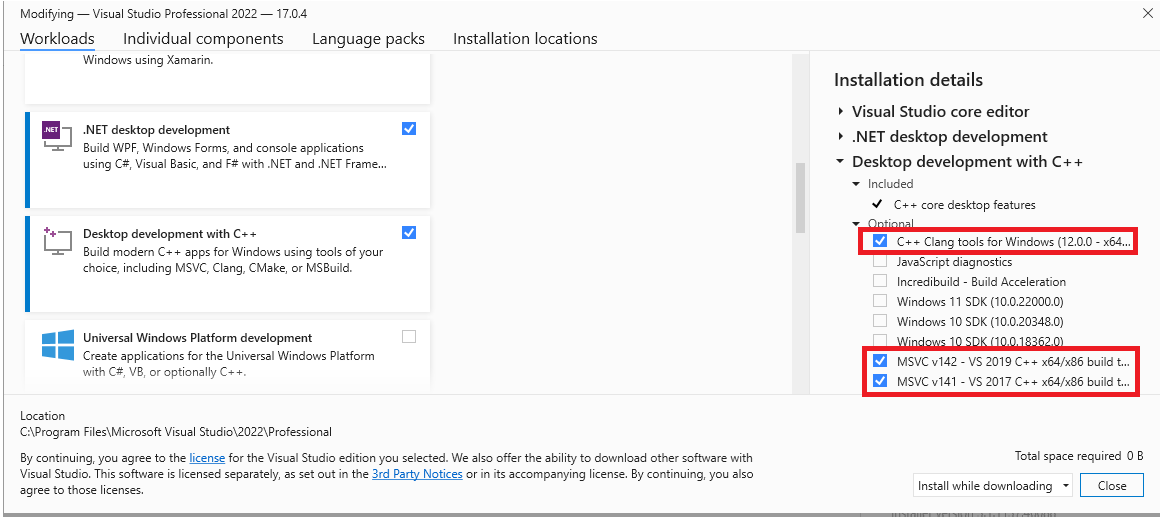
The Visual Studio 2017 toolset v141 no longer supported as of the October 2024 release.
Selecting a toolset for a project
The toolset to use for a project is specified using the Platform Toolset property from the project’s property page.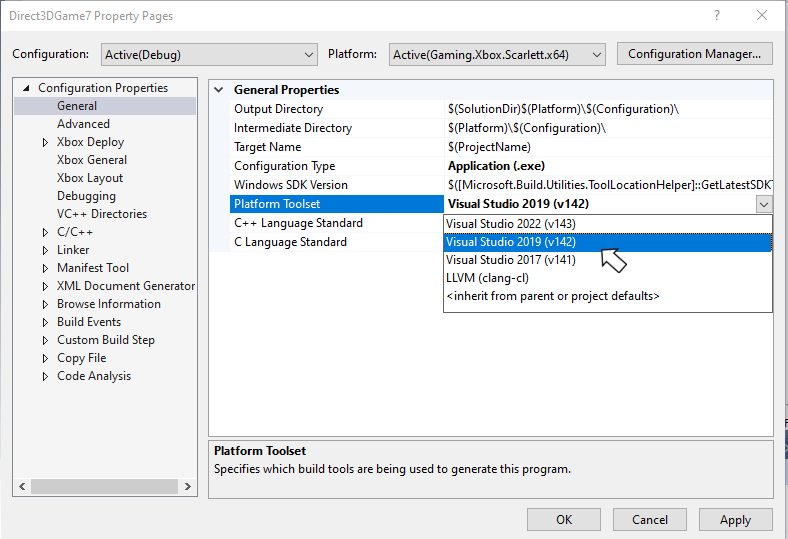
Visual Studio 2022 Servicing Model
Visual Studio 2022 includes a new servicing model that allows you to select a servicing baseline, and then only get updates for that baseline. This new model replaces the servicing models from previous versions of Visual Studio, which strongly encouraged the use of the latest available version. See Visual Studio Product Lifecycle and Servicing for more details on the Visual Studio 2022 servicing model.Report bugs
Bug reports for the Visual C++ compiler should be reported (if possible) via Visual Studio Report a Problem…. See Microsoft Docs and the Developer Community website. Be sure to read this page for details on creating a good bug report for the compiler.You can add a comment to a public report issue marked as “Microsoft only” if private information is required to reproduce the issue.