
Timed Consumables (Legacy Economy)
Economy v1 APIs are in maintenance mode and will not be receiving any new features, only bug fixes. The v1 APIs will be maintained for the foreseeable future. See the Economy v2 Overview to learn more about the next version of PlayFab Economy!
Requirements
- We assume that you’re already familiar with Catalogs, Inventory, and the PlayFab Game Manager.
- You must have a primary catalog.
Create a Stackable Timed Consumable
Let’s create a small stamina potion that boosts your player’s stamina for five minutes when granted, and increases the time range by five minutes. In Game Manager:- Navigate to your Title.
- Select Economy from the menu on the left.
-
Go to the Catalogs tab and choose your primary catalog - your screen should look similar to this example:
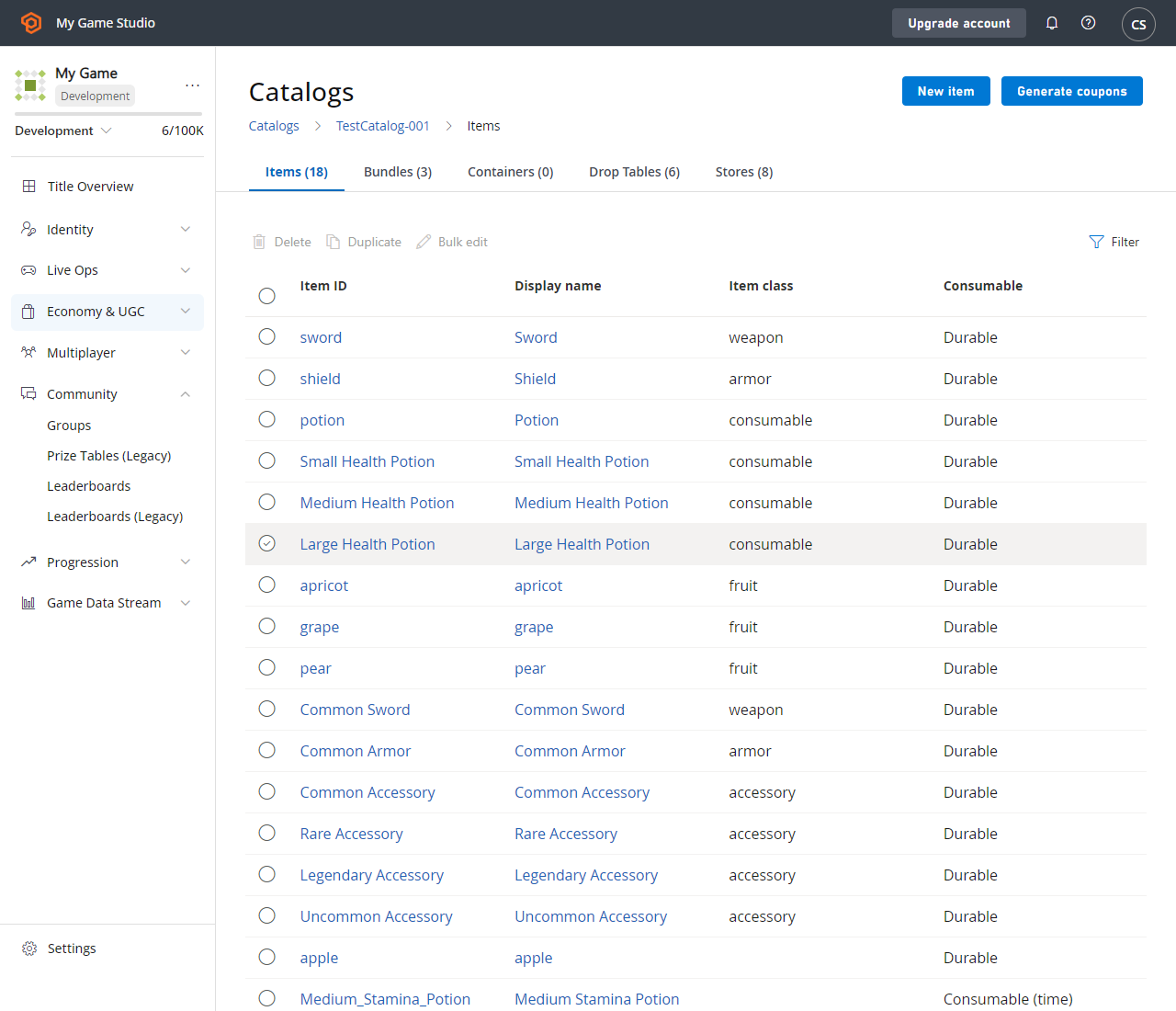
- Select New item in the top right corner.
-
Fill out the following fields:
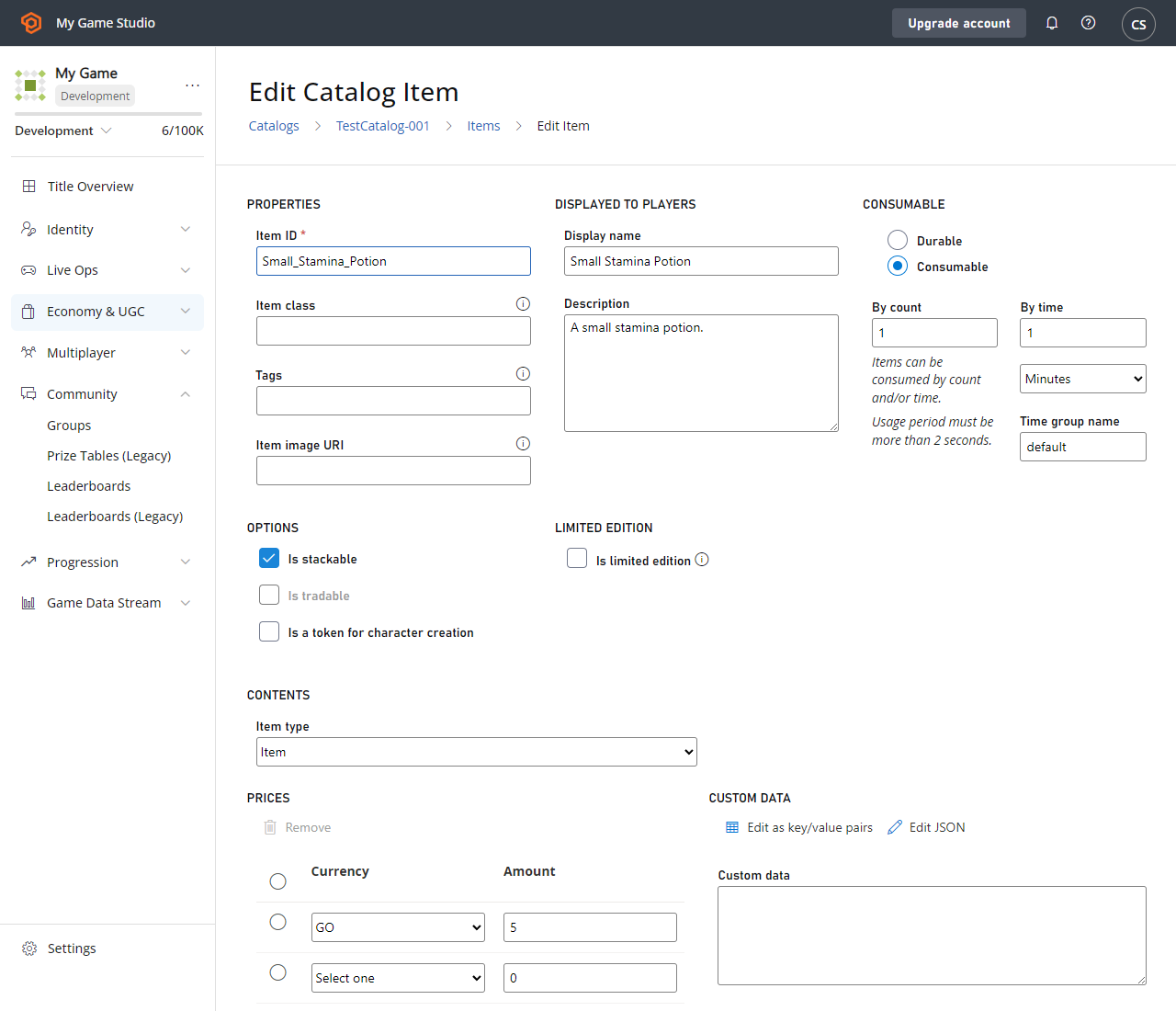
- Select Save item.
If you don’t specify a time group name for a stackable timed consumable, the full stack will expire when the original expiration time was set from the first grant. For example, in the scenario above, if I instead left the time group name blank, if I grant one small stamina potion to a player at 1:00pm, the item will be consumed at 1:05pm. If I grant another small stamina potion at 1:02pm, the two items will still be consumed at 1:05pm. If I grant yet another small stamina potion at 1:04pm, the three items will still be consumed at 1:05pm. But after the stack is consumed, if I grant a small stamina potion at 1:10pm, the item will be consumed at 1:15pm.
Create a Non-Stackable Timed Consumable
Let’s create a similar example as before, but with a non-stackable item. Let’s create a medium stamina potion that will boost your player’s stamina for 10 minutes when granted, and increase the time range by an additional 10 minutes for each additional item. In Game Manager:- Navigate to your Title.
- Select Economy from the menu on the left.
-
Go to the Catalogs tab and choose your primary catalog - your screen should look similar to this example:
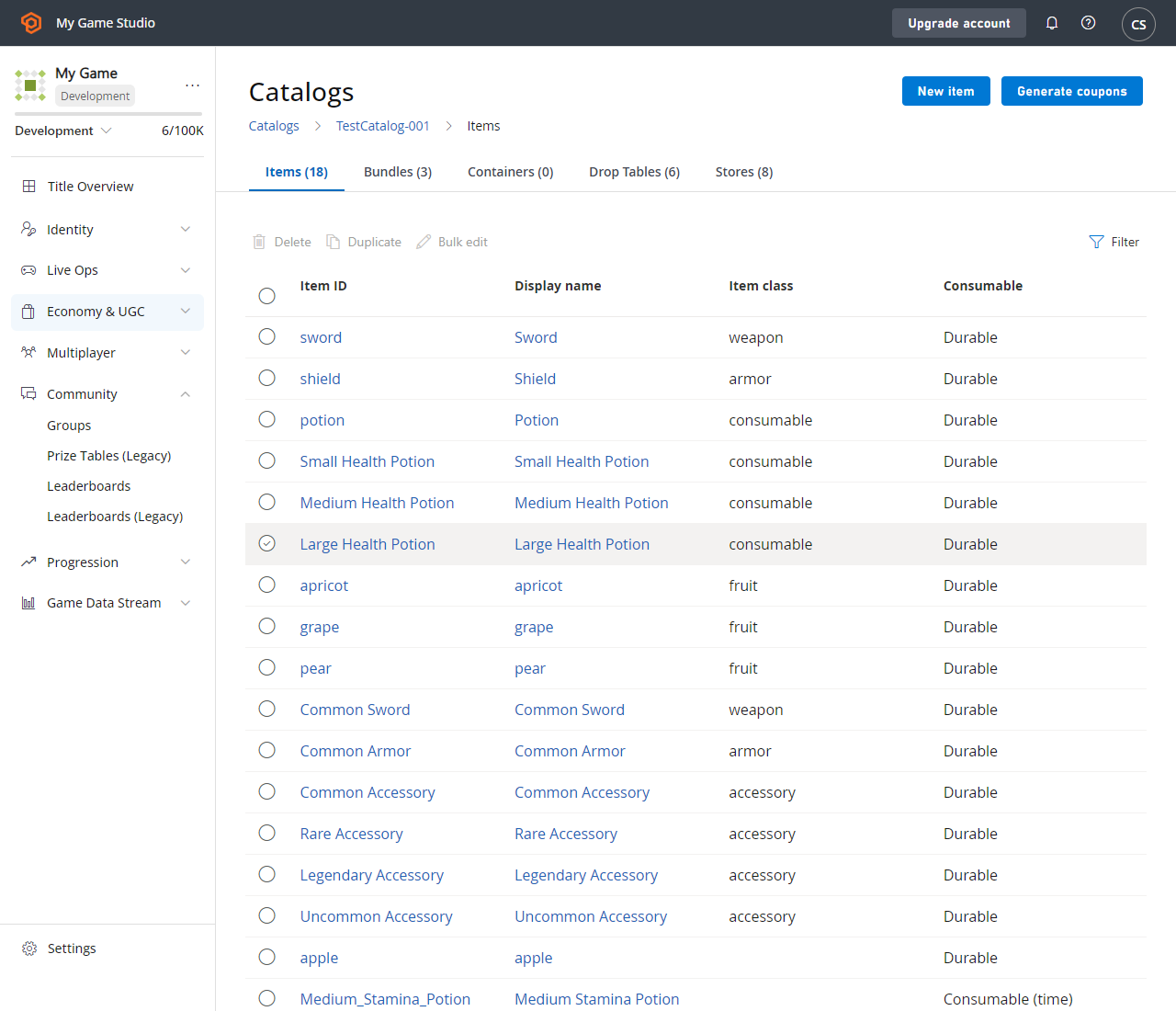
- Select New item in the top right corner.
-
Fill out the following fields:
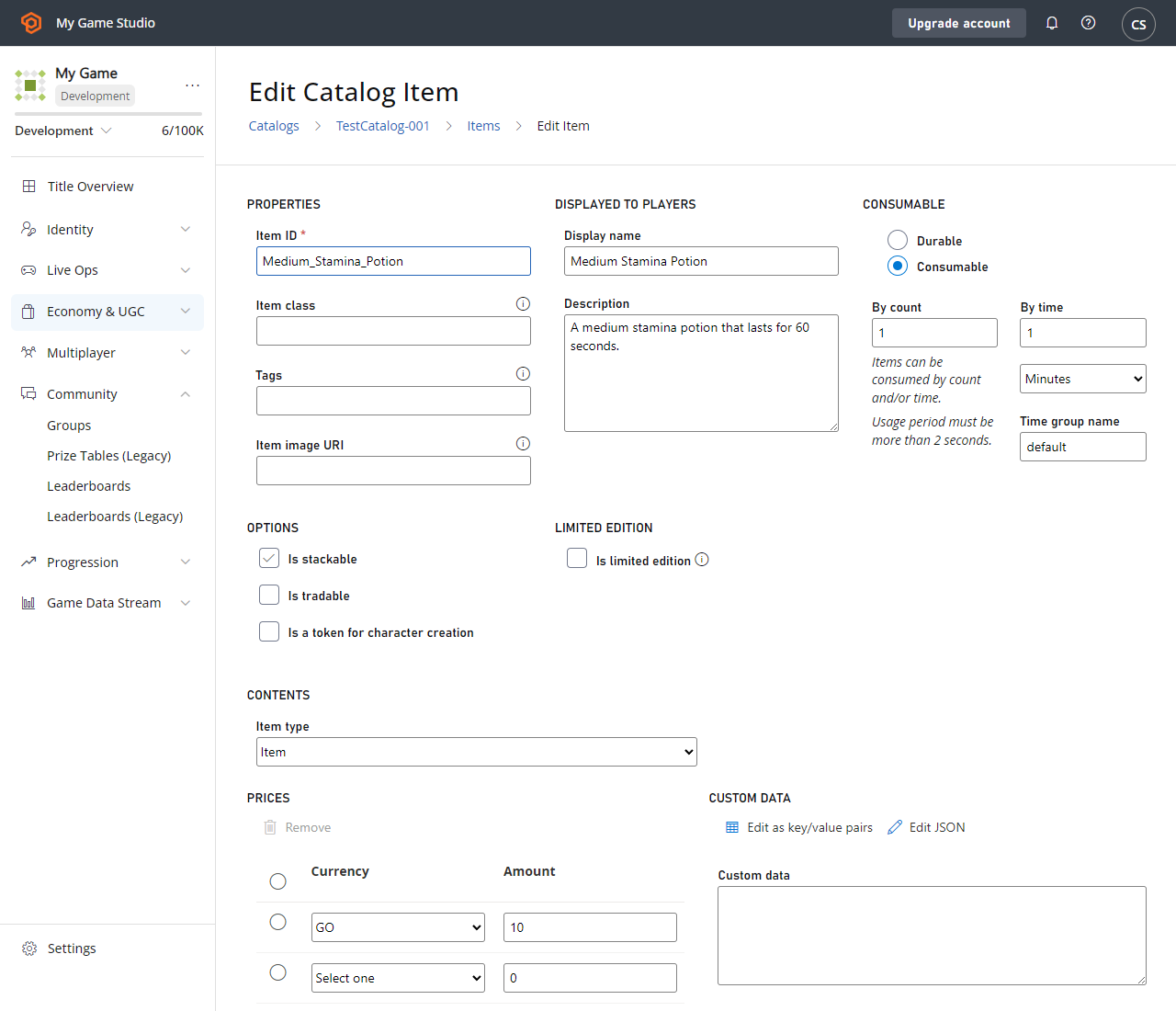
- Select Save item.
If you don’t specify a time group name for a non-stackable timed consumable, each instance will expire independently of one another. For example, in the scenario above, if I instead left the time group name blank, if I grant one medium stamina potion to a player at 1:00pm, the item will be consumed at 1:10pm. If I grant another medium stamina potion at 1:05pm, the first item will still be consumed at 1:10pm, and the second item will be consumed at 1:15pm.
Link Multiple Timed Consumables
Now that you have a Small Potion (stackable) and a Medium Potion (non-stackable), let’s link those two timers together. Let’s modify a few fields to allow your player’s stamina to get boosted when the small or medium stamina potions are granted, and increase the time range by an additional 5 or 10 minutes for each small or medium stamina potion, respectively. In Game Manager:- Navigate to your Title.
- Select Economy from the menu on the left.
- Go to the Catalogs tab and choose your primary catalog - your screen should look similar to this example:
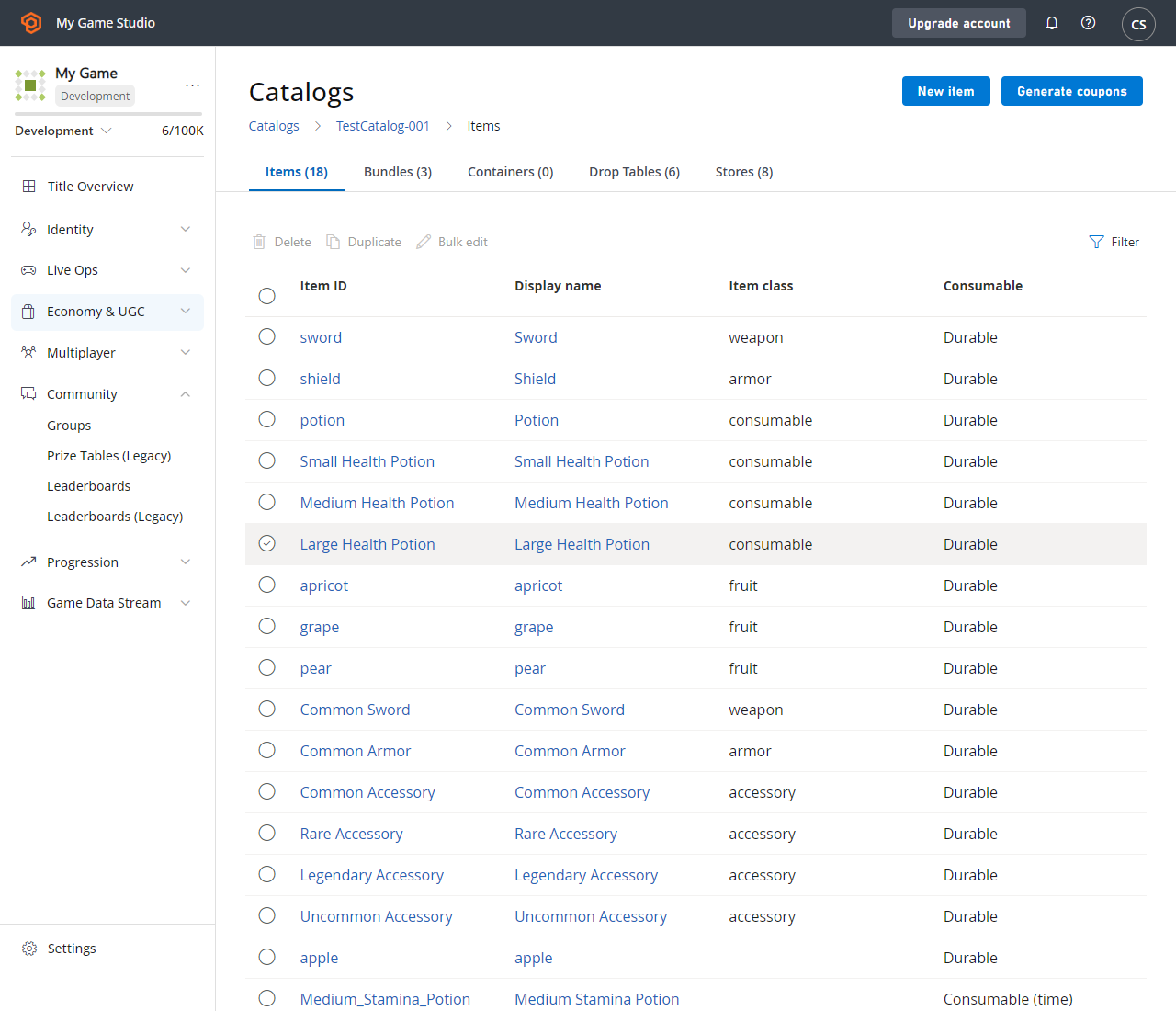
- Select Med_Stamina_Potion in the item list.
- Change the Time Group Name from
Med_Stamina_PotiontoStamina_Potion. - Select Save item.
- Select Small_Stamina_Potion in the item list.
- Change the Time Group Name from
Small_Stamina_PotiontoStamina_Potion. - Select Save item.