
SearchItems
Economy v2 is now Generally Available. For support and feedback, go to the PlayFab Forum.
SearchItems API executes a search against the public Catalog using the provided search parameters and returns a paged list of items.
At its most basic, the Search parameter is a plain-text fuzzy search against the Title, Description, Keywords, and Searchable String Display Properties fields. However Filter, OrderBy, and Select are OData Query additions that can be used to alter the search parameters. Search results can be filtered and ordered by any field in the search document (barring Title and Description).
More information on the OData Query Syntax can be found here
An example SearchItems request:
Continuation Tokens
TheContinuationToken field that is returned from a search response can be passed into a search request to paginate through multiple counts of results.
Display Properties
Searches, filters, and orderings can be also done on specificDisplayProperties fields that are configured for custom search. Titles can configure their custom search and filter properties in the Display Properties Mappings setting in Game Manager.
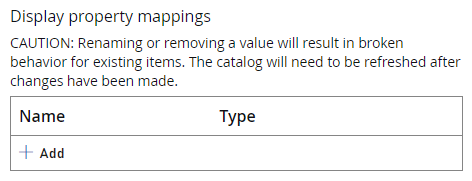
DisplayProperties, it creates a new index for you in the database. Only documents added or updated after index creation will be included. If you need the Display Property to apply to all items, you need to republish the entire catalog.
DateTime, Double, and Queryable String display properties are queryable, these properties can be used in Filter and OrderBy statements.
Searchable String display properties are searchable, these properties are queried with fuzzy search against the Search field. Searchable properties can’t be used in Filter and OrderBy statements.
Titles are limited to five display properties of each type.
Filter
The Filter parameter allows you to filter the collection of items returned by the search request. The expression specified with filter is evaluated against each Catalog Item in the results, and only items where the expression evaluates to “true” are included. Filter supports OData logical operators and precedence using parenthesis:- Equal: ‘eq’
- Not Equal: ‘ne’
- Greater Than: ‘gt’
- Greater than or Equal: ‘ge’
- Less than: ‘lt’
- Less than or Equal: ‘le’
- Logical And: ‘and’
- Logical Or: ‘or’
- Logical Negation ‘not’
Filtering by ContentType
Filtering with Conjunctions
Filtering with null values
OData supports anull type for filtering
Filtering by Creator ID
To filter by a specific creator, you should use the syntaxtitle_player_account!<ID>
Filtering by Array fields
Filter also supportsany() for filtering against arrays. For example: alternateIds/any(a: a/value eq 'StoreOfferId')
Filtering with Arrays and null checks
The filter below will check for any items that have a contents field with non-null valuesBy default, Search will NOT return contents for items unless specified with a Select statement. If the above query is run without a `“Select”: “contents”“ statement, it will correctly apply the filter but all returned Search results will have empty content fields
Filtering by Display Properties
Filtering can only be done with queryable Display PropertiesOrderBy
OrderBy is a comma-separated list used to sort search results.
OrderBy supports a handful of OData properties for ordering:
ascdesc
asc and last for desc. If no OrderBy value is passed, a default id asc value is used.
The following are OrderBy examples:
Sorting by Title
Use thetitle/<LANG> parameter combined with asc or desc to indicate order preference.
NEUTRAL to order by the neutral strings
Sorting by Display Properties
Sorting can only be done with queryable Display PropertiesSelect
By Default, Search returns a rich set of item metadata:IdTypeAlternateIdsTitle(NEUTRAL orLanguagelocale)Description(NEUTRAL orLanguagelocale)Keywords(NEUTRAL orLanguagelocale)ContentTypeImages(Thumbnail only)TagsCreationDateLastModifiedDateCreatorEntityKey(CreatorIdin earlier API versions)DisplayPropertiesItemReferences
Select more fields can optionally be returned within the paged search results, including content metadata (contents), images, StartDate, EndDate and the full set of localized strings in title and description. If the select field is left empty, the search results are a subset of the full document metadata, to facilitate faster load times.
This request would return the default item metadata in addition to the content and images:
title, description, and/or keywords will return the full set of localized string data:
Localization
A locale can be passed into theLanguage parameter. Passing a locale causes all Title, Description, Keywords fields to return the locale by default or NEUTRAL if the item doesn’t have that localization.
An example SearchItems request with a Language parameter can be found at the top of this page.
For more information about localization, see Localization.
Limits
The complexity of search filter queries is limited per request. Expensive queries can be rejected and titles should ensure that they aren’t attempting overly complicated queries. The following are examples of queries close to maximum complexity:"The filter provided in the request does not meet the complexity requirements for source".
Searching a Store
One of the properties you can pass in is theStore parameter. This allows you to search within the context of a store. In addition to being able to check if an item exists in a particular store, it also can be used to display the overridden prices of the store’s items/contents. You can also use the AlternateId of the store to search for it. Learn more about using stores here