
- GetPlayedTitleList - Call this API to get a list of TitleIds, which have data associated with the given player. This list is scoped by PublisherID and represents the set of titles that would be impacted if you were to delete or export this player’s data.
- DeleteMasterPlayerAccount - Call this API to delete the records of a given player.
- ExportMasterPlayerData - Call this API to export all of the associated data and records of a given player.
Make sure you find all the data
Before using theDeleteMasterPlayerAccount or ExportMasterPlayerData APIs, it’s important to keep in mind that your players might have created multiple Master Player accounts with your studio.
This situation can happen when a player uses different devices or different credentials to play your title(s). Because they’re providing different and unrelated credentials (for example, a different email address or social media account), we interpret them to be a unique player.
Another way a player may have multiple Master Player accounts is if you have configured your studio to use multiple Publisher IDs; however, having multiple Publisher IDs isn’t common.
You can check your title’s Publisher IDs in the PlayFab Game Manager, on each Title settings menu’s API Features tab.
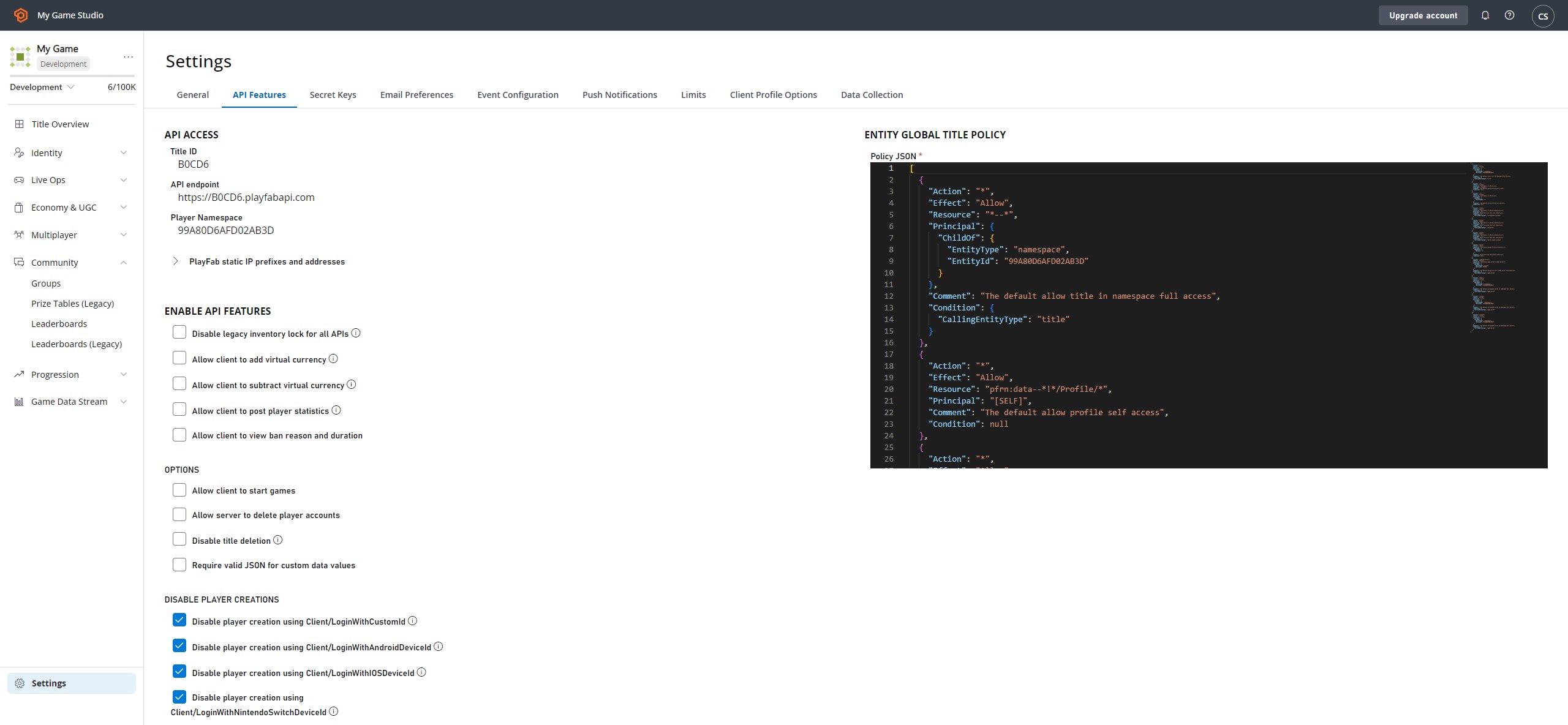
DeleteMasterPlayerAccount or ExportMasterPlayerData, make sure you collect the right set of device IDs and/or credentials from your players.
With these credentials, we can identify the PlayFabIds for each Master Player account.
The following APIs help you translate from credentials to PlayFabId:
- GetUserAccountInfo - This API helps you find players by email,
TitleDisplayName,PlayFabId, or aPlayFabUsername. - GetPlayerIdFromAuthToken - This API allows you to find a player from a specific
AuthTokenwhich is granted to the player when they log in. - GetPlayFabIDsFromFacebookIDs - This API derives the player’s
PlayFabIdfrom one or moreFacebookId(s). - GetPlayFabIDsFromSteamIDs - This API derives the player’s
PlayFabIdfrom one or moreSteamIds.
All of these APIs are title-specific. The first two are Admin APIs and the last two are Server APIs.
GetPlayedTitleList for each PlayFabId. You may wish to inform the player their request will affect the returned list of titles.
Additionally, GetPlayedTitleList returns TitleIds, not Title Names - consider converting these IDs to Title Names before displaying them in a confirmation page.
Here’s a little pseudo code to paint a better picture of what we mean…
PlayFabIds for this player (based on the credentials they’ve shared) and a list of titles for each PlayFabId. Now what?
Now you’re ready to delete or export!