
Enable PlayStream and Telemetry Event
To enable the statistic update event, go to the edit page of the statistic you want to modify or create a new statistic. When you are there, look for thePlayStream and telemetry events and select whether you want to have them sent via PlayStream, telemetry, or if you don’t want an event to be sent at all (none option).
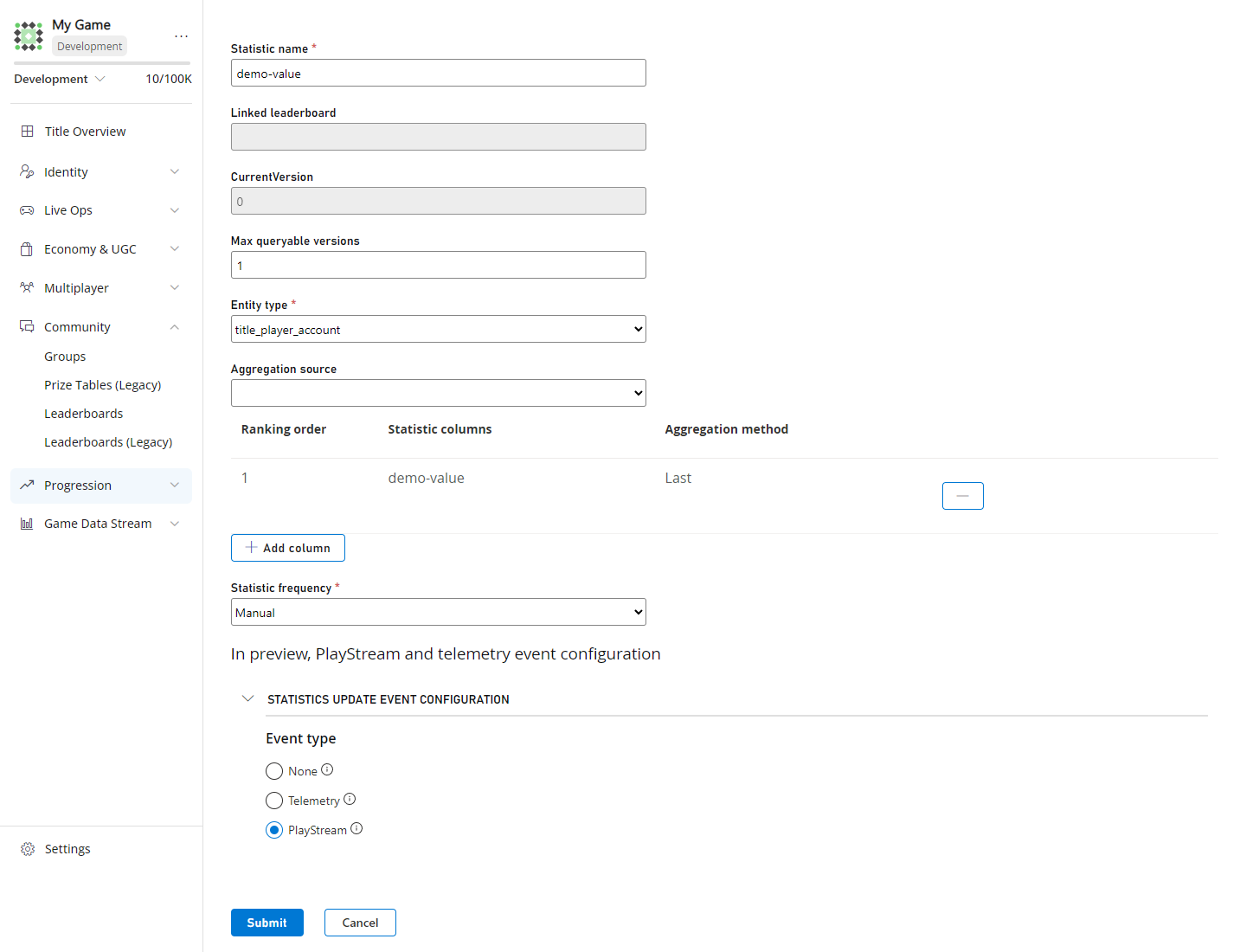
Note Preexisting statistics will have the statistic update set to none by default. If you want to enable this event, please go to the statistic you want to modify and enable that setting.Once you have enabled the event, you are now free to connect your events to whatever you want (i.e., Azure function, Kusto cluster, etc). To learn more about how you can leverage this event, here is a tutorial on how to route PlayStream and telemetry events to a Kusto cluster, here.
Restrictions
playfab.statistic.statistic_updated, will not work with statistics that use the entity typemaster_player_accountorexternal
See Also
playfab.statistic.statistic_updated- PlayStream Overview
- Leaderboards With PlayStream and Telemetry
- Telemetry Overview
- Pricing Meters
- PlayStream Event Capabilities
- Using CloudScript actions with PlayStream
- Quickstart: Writing a PlayFab CloudScript using Azure Functions
- CloudScript quickstart
- Limits on statistics