
- Date
- Status
- Title
- Body
- Language(s)
The Body element is a string which can contain raw text or JSON.
Requirements
This quickstart builds on information presented in other topics. Please refer to the topic links that follow if you have questions.- You should be familiar with the PlayFab Game Manager.
You must already have a title default language set to continue with localized title news.
- Title news can now be localized. For details on working with the default languages in your title and with the preferred languages for your players, please review the Setting Default Languages tutorial. Remember - to continue with localized title news, you must have title default language set accordingly.
Creating Title News entries
There are two ways to create Title News entries:- Via Game Manager.
- Using the Admin API method AddNews.
Creating title news with Game Manager
To create title news entries with Game Manager: Navigate to your title -> Content -> Title News -> New Title News as shown in the following image.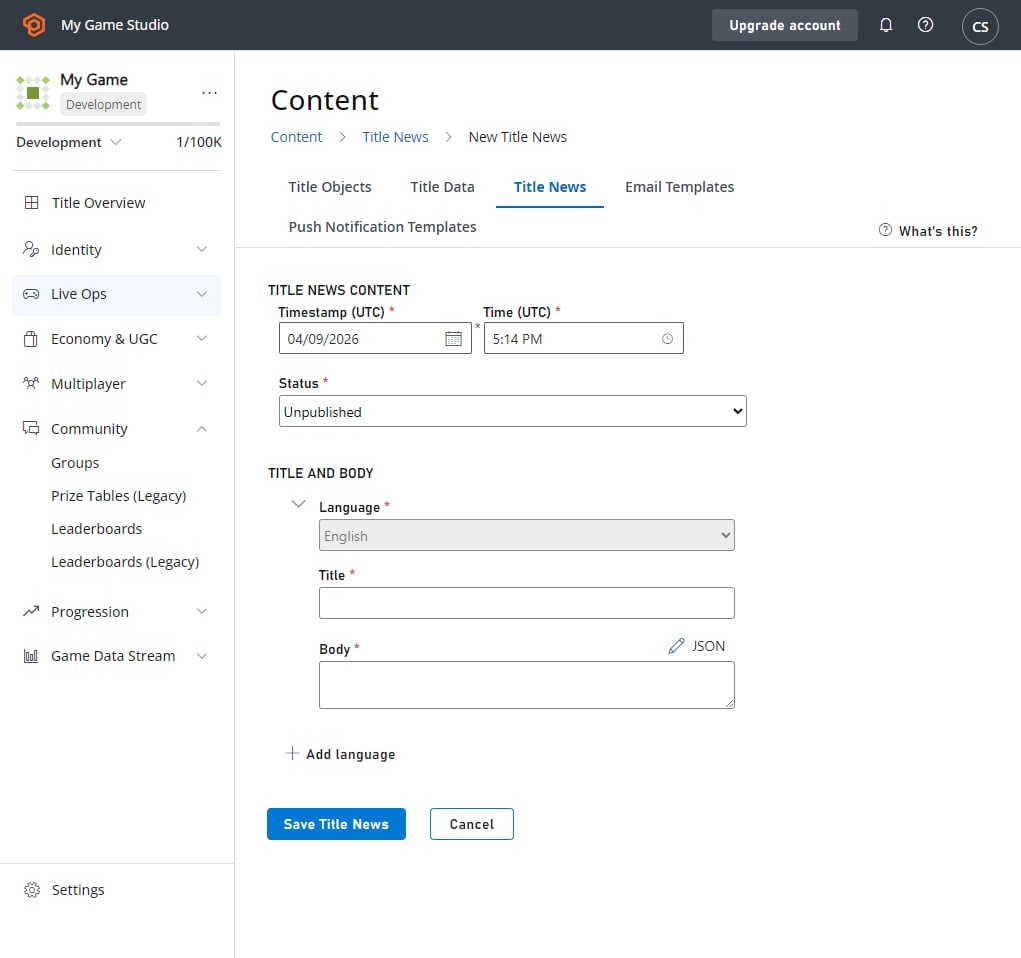
Creating title news using the PlayFab Admin API
You can create title news by calling AddNews method. Using this Admin API allows you to specify a custom timestamp. News added this way is immediately published. You can then add localized content to the item you just created by calling AddLocalizedNews, with the news ID returned from theAddNews method.
The code example that follows demonstrates this.
Reading title news
TheGetTitleNews method makes reading the title news very easy. The method returns all published title news entries and does not return archived and unpublished entries.
- Calling GetTitleNews from the client API will return the news entries in the preferred language of the player, if the title news item has added localized content in that language, or in the title default language.
- Calling GetTitleNews from the server API will return the news entries in the title default language.
Updating an existing title news entry
The content of a title news entry can only be modified in Game Manager. To locate and select the entry you wish to modify in Game Manager:- Go to the menu on the left and select Content.
- Go to your Title News tab.
- Select Existing Entry.
- Update the Title, Status, or Data for the entry.
- Select the Save Title News button.
- If you are updating a title news entry that only has a title and body in a single language, you can now add localized versions of this title news by selecting Add Language.
Deleting title news
Once an entry is no longer needed, you can delete it in the Game Manager. Find the entry you wish to modify, then:- Navigate to your Title.
- In your menu on the left, select Content.
- Go to Title News.
- Put a check in the checkbox for the Existing Entry.
- Select the Title News entries you wish to delete and choose X Delete Title News.