
PlayFab CDN is a legacy feature supported for accounts with at least one title that has previously configured CDN. For new PlayFab developers interested in a content management solution, we recommend using Azure CDN. To get started, see the Azure CDN documentation.
Android.
Android/Image.png.
When the user is fetching assets, their requests are automatically routed to the nearest edge location, so content is delivered with the best possible performance.
This, however, can introduce delays into file management actions, like those found in the following examples:
- File uploading: Your file is available immediately.
- File overwriting: The old file appears to users for up to 24 hours, until it’s overwritten with the new file.
- File deletion: The file continues to exist for up to 24 hours, while the delete command removes it from all edge locations.
Uploading assets
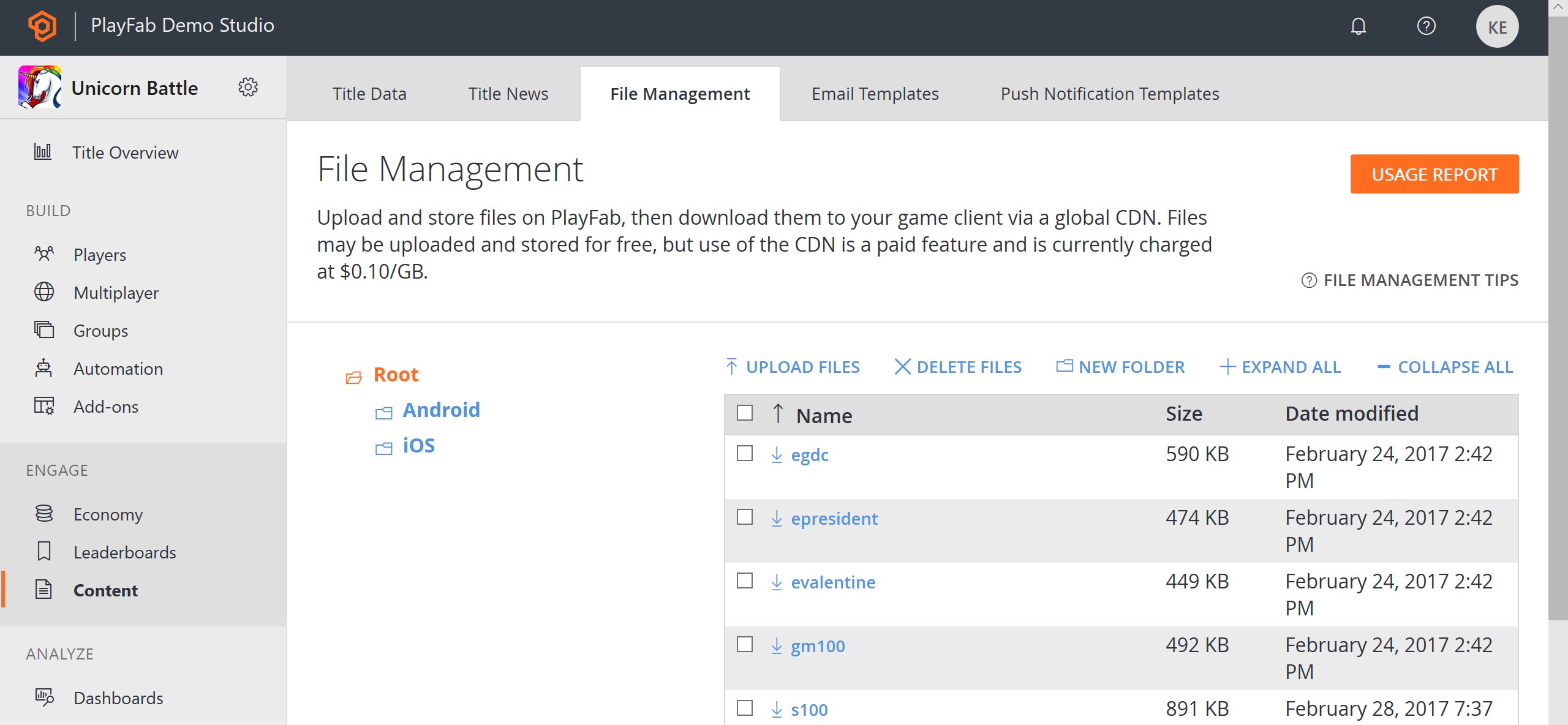
Before your users are able to fetch an asset, it must be uploaded to the CDN. This can be done in Game Manager:- Select Content from the menu on the left.
- Choose the File Management tab.
- Then select the Upload Files.
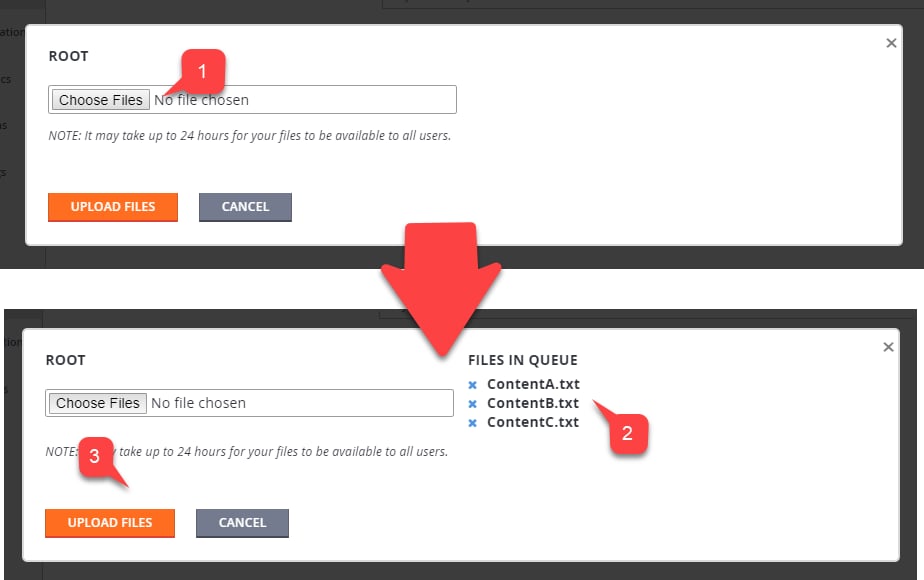
- Select multiple Files (1).
- Every file selected appears in the list (2).
- Submit your files by selecting the Upload Files button (3).
- Uploaded files appear in the list (1).
-
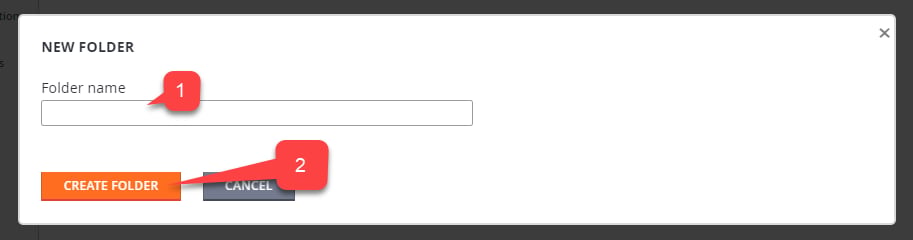
Keep in mind that you might also manage folders.
- To create a folder, select the New Folder button (2).
- Fill in the Folder name (1).
- Select the Create Folder button (2).
- First, call GetContentUploadUrl and obtain the presigned URL that authorizes your upload.
- Then, use the URL to make a
HTTP PUTrequest, provide your data, and (optionally) content type.
Fetching assets
Downloading the asset via code is identical to uploading the asset. As was mentioned earlier, it’s a two step process.- First, make a call to GetContentDownloadUrl and obtain a presigned URL that authorizes your download.
- You then use the presigned URL to make a
HTTP GETrequest, and fetch the data.
ThruCDN parameter to False. The URL returned points to noncached fresh files.
Your published game client should never use this option!