
Icon
Reference to an icon.Properties
type - string. “icon”
value - string. The name of the icon to be referenced.
label - string, optional. Must be one of “action” or “none”. This controls whether or not a small label is added that displays what gamepad action the control maps to. Using a value of “none” will hide this element. Defaults to “action”
opacity - number, optional. The opacity to be applied to the icon. Defaults to 1.0.
Icon Values
| Value | Icon | Minimum Layout Version |
|---|---|---|
placeholder |  | 1.0 |
ability |  | 1.0 |
ability2 |  | 1.0 |
ability3 |  | 3.5 |
abilityPowerPunch |  | 3.5 |
abilityPowerUp |  | 3.5 |
accept |  | 3.5 |
add |  | 1.0 |
aim |  | 1.0 |
armor |  | 1.0 |
arrow | 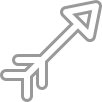 | 1.2 |
arrowReload | 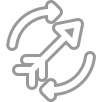 | 1.2 |
attackBehind | 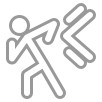 | 3.2 |
barrel |  | 3.5 |
block | 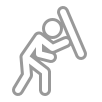 | 1.0 |
bomb | 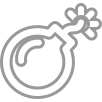 | 1.0 |
book |  | 3.5 |
bow | 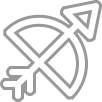 | 1.2 |
brakePedal |  | 1.0 |
brightness |  | 1.0 |
capture |  | 1.0 |
character |  | 1.0 |
characterSelect |  | 1.0 |
characterSelect2 |  | 1.0 |
chat |  | 1.0 |
climbStairs | 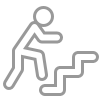 | 1.0 |
close |  | 1.0 |
compass |  | 3.5 |
cover |  | 1.0 |
crouch | 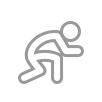 | 1.0 |
cursor |  | 3.5 |
dash | 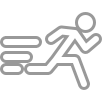 | 1.0 |
defendByShield | 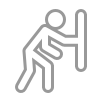 | 3.5 |
dodge | 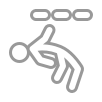 | 1.0 |
downArrow |  | 1.0 |
downArrow2 |  | 1.0 |
downChevron |  | 1.0 |
dPad |  | 1.0 |
emotes |  | 1.0 |
enterCar |  | 1.0 |
enterDoor |  | 1.0 |
exit |  | 1.0 |
exitCar |  | 1.0 |
exitDoor |  | 1.0 |
fastForward |  | 3.5 |
fire | 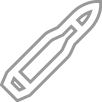 | 1.0 |
firePunch | 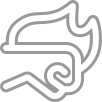 | 3.2 |
flag |  | 1.0 |
gasPedal |  | 1.0 |
glide |  | 3.5 |
golf | 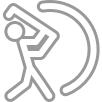 | 3.2 |
grab |  | 3.5 |
grenade |  | 1.0 |
gyroscope | 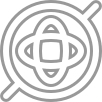 | 3.5 |
handbrake |  | 1.0 |
handbrake2 |  | 1.0 |
health |  | 3.5 |
heavyKick |  | 1.0 |
heavyKick2 | 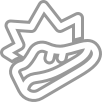 | 1.0 |
heavyKick3 | 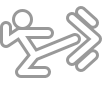 | 1.0 |
heavyKick4 | 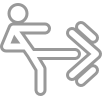 | 1.0 |
heavyPunch |  | 1.0 |
heavyPunch2 |  | 1.0 |
heavyPunch3 | 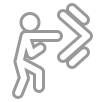 | 1.0 |
heavySword | 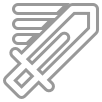 | 1.0 |
heavySword2 | 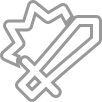 | 1.0 |
help |  | 3.5 |
horn | 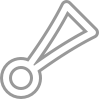 | 1.0 |
hourglass | 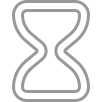 | 1.0 |
interact |  | 1.0 |
internet |  | 1.0 |
inventory |  | 1.0 |
jump | 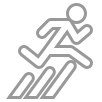 | 1.0 |
kick |  | 3.2 |
largeGridView |  | 1.0 |
leftArrow |  | 1.0 |
leftArrow2 |  | 1.0 |
leftChevron |  | 1.0 |
leftRightArrows |  | 1.0 |
lightKick |  | 1.0 |
lightKick2 |  | 1.0 |
lightKick3 |  | 1.0 |
lightKick4 |  | 1.0 |
lightPunch |  | 1.0 |
lightPunch2 |  | 1.0 |
lightPunch3 |  | 1.0 |
lightSword |  | 1.0 |
lightSword2 | 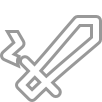 | 1.0 |
look |  | 1.0 |
lookBehind |  | 1.0 |
lookBehind2 |  | 1.0 |
lookByHand | 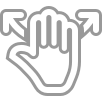 | 3.5 |
map |  | 1.0 |
map2 |  | 1.0 |
medical |  | 1.0 |
meditate | 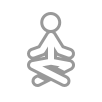 | 3.5 |
mediumKick |  | 1.0 |
mediumKick2 | 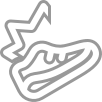 | 1.0 |
mediumKick3 | 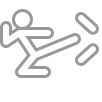 | 1.0 |
mediumKick4 | 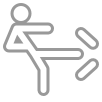 | 1.0 |
mediumPunch |  | 1.0 |
mediumPunch2 |  | 1.0 |
mediumPunch3 | 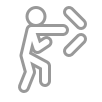 | 1.0 |
mediumSword | 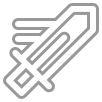 | 1.0 |
mediumSword2 | 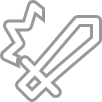 | 1.0 |
microphone |  | 3.5 |
mirror |  | 3.5 |
moreActions |  | 3.5 |
move |  | 1.0 |
move2 |  | 1.0 |
notebook |  | 3.5 |
parameters | 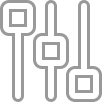 | 1.0 |
pause |  | 3.5 |
phone |  | 1.0 |
pickAxe | 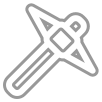 | 3.2 |
plane |  | 3.5 |
planeFast |  | 3.5 |
planeSlow | 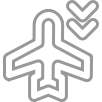 | 3.5 |
punch |  | 1.0 |
punch2 |  | 3.5 |
radialMenu |  | 3.2 |
radialMenu2 |  | 3.5 |
radio |  | 1.0 |
ram | 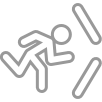 | 1.0 |
redo |  | 3.5 |
reload |  | 1.0 |
repeatRefresh |  | 1.0 |
reset | 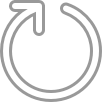 | 3.5 |
rewind |  | 1.0 |
rightArrow |  | 1.0 |
rightArrow2 |  | 1.0 |
rightChevron |  | 1.0 |
roll | 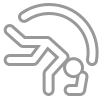 | 3.2 |
run |  | 1.0 |
select | 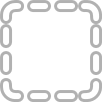 | 1.0 |
selectAll | 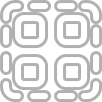 | 1.0 |
selectionWheel |  | 3.5 |
sit |  | 3.5 |
skateboard | 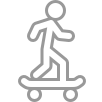 | 3.5 |
skateboardGrab |  | 3.5 |
skateboardGrind |  | 3.5 |
skateboardJump |  | 3.5 |
skateboardOllie |  | 3.5 |
skateboardRampOver | 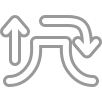 | 3.5 |
slide | 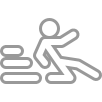 | 1.0 |
smallGridView |  | 1.0 |
speaker |  | 3.5 |
specialAbility |  | 1.0 |
sprint |  | 1.0 |
stealth |  | 1.0 |
steering |  | 1.0 |
stopwatch |  | 1.0 |
subtract |  | 1.0 |
surf |  | 3.5 |
switchCamera |  | 1.0 |
sword |  | 1.0 |
sword2 |  | 1.0 |
sync | 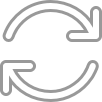 | 1.0 |
targetLock |  | 3.2 |
team | 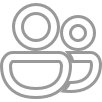 | 3.5 |
teamAttack | 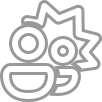 | 3.5 |
throw | 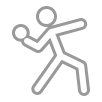 | 3.5 |
titleMenu |  | 1.0 |
touch |  | 1.0 |
undo |  | 3.5 |
upArrow |  | 1.0 |
upArrow2 |  | 1.0 |
upChevron |  | 1.0 |
walk |  | 1.0 |
waypoint |  | 1.0 |
weaponSelect |  | 1.0 |
zoomIn |  | 1.0 |
zoomOut |  | 1.0 |
Remarks
Icons provide a way to provide semantic meaning to the interaction that the player will be having that is consistent across many games that use touch controls.Sample
Related Controls
ButtonArcade Buttons
Directional Pad
Joystick
Throttle
Touchpad