
Layer (Experimental)
A child touch layout that can be overlayed on top of the base touch layout.Properties
The named layer object contains the following properties.center - object, optional. Wheel of controls that is displayed in the center of the screen.
left - object, optional. Wheel of controls that is by default displayed under the player’s left hand/thumb.
lower - object, optional. An object that lets you place controls in any of the three leftCenter, center, or rightCenter slots in the lower row of controls.
right - object, optional. Wheel of controls that is by default displayed under the player’s right hand/thumb.
upper - object, optional. An object that lets you place an array of controls in right slots in the upper row of controls.
Remarks
When alayer is utilized, in each of the slots where a control would be utilized in a normal layout (in the center, left, lower, right, upper locations), you can include a control to replace what was being displayed previously or utilize a blank control to hide what was previously being displayed in that slot.
To have a layer be displayed, you must have a button control with a layer action that will cause the layout to be displayed.
Sample
This sample starts with a simple platformer layout, with a button in the top right to toggle showing a layer with advanced abilities.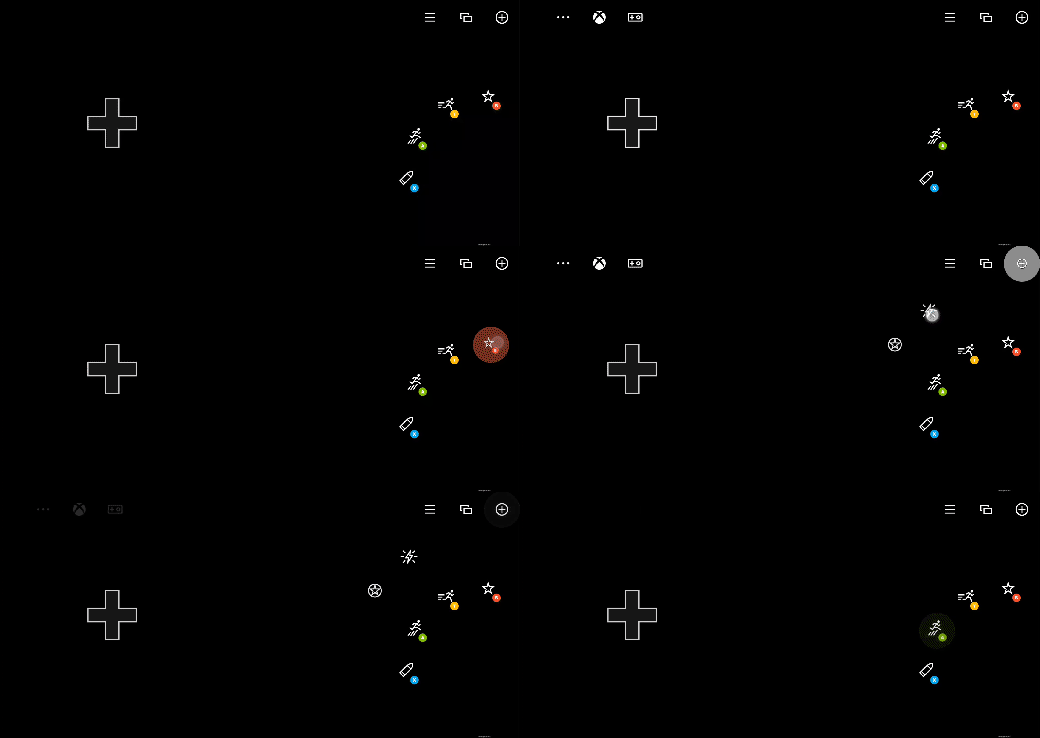
See also
Touch Adaptation Kit ReferenceBlank control
Layer action
Layout