> ## Documentation Index
> Fetch the complete documentation index at: https://devdocs.xbox.com/llms.txt
> Use this file to discover all available pages before exploring further.
# 處理 CloudScript 中的錯誤
> 使用 try/catch 區塊攔截並檢查 PlayFab CloudScript 錯誤、擷取 API 錯誤碼,並從 CloudScript 儀表板監視未處理的錯誤。
本教學課程說明如何在 CloudScript 處理常式中辨識和處理錯誤。
## 識別
第一步是識別錯誤。雖然每個未攔截的錯誤都會被記錄,並可從傳回給呼叫端 (用戶端) 的回應中取得,但您可以使用 `try/catch` 區塊及早攔截錯誤。
請考慮下列產生並攔截錯誤的 CloudScript 程式碼片段。
```javascript theme={null}
"use strict";
handlers.GenerateError = () => {
try {
server.GetPlayerStatistics({
PlayFabId : "non-existing-player-id"
});
} catch (ex) {
let error = ex.apiErrorInfo.apiError.error; // In this case - "InvalidParams"
let errorCode = ex.apiErrorInfo.apiError.errorCode; // In this case : 1000
}
}
```
注意到錯誤碼是如何在 catch 區塊中擷取的嗎?如需完整的錯誤清單,請參閱我們的[全域 API 方法錯誤碼文件](/zh-TW/services/playfab/api-references/global-api-method-error-codes)。
錯誤碼本身就足以識別錯誤。
## 記錄
任何未處理的錯誤都會新增至回應中,讓用戶端可以處理問題。
同時,它會建立一個 CloudScript 錯誤項目,並將其新增至 CloudScript 儀表板上提供的總統計資料中。
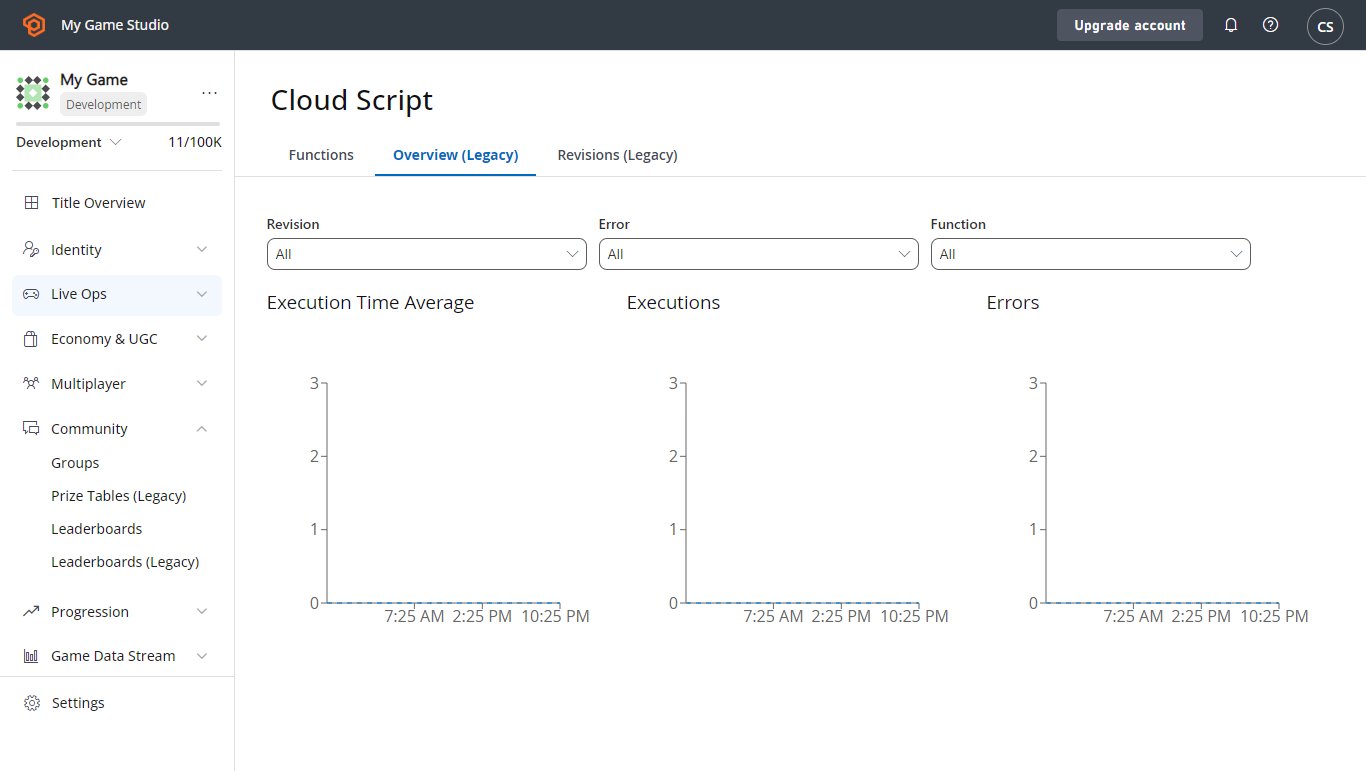 若要以 JSON 字串的形式強制記錄例外狀況,請透過 `log` 物件使用錯誤記錄。
```javascript theme={null}
"use strict";
handlers.GenerateError = () => {
try {
server.GetPlayerStatistics({
PlayFabId : "non-existing-player-id"
});
} catch (ex) {
log.error(ex);
}
}
```
最後,您可以寫入遊戲/玩家事件,以便稍後透過分析進行處理。
```javascript theme={null}
"use strict";
handlers.GenerateError = () => {
try {
server.GetPlayerStatistics({
PlayFabId : "non-existing-player-id"
});
} catch (ex) {
server.WriteTitleEvent({
EventName : 'cs_error',
Body : ex
});
}
}
```
## 復原
並非總是能從錯誤中復原。像 `InvalidArguments` 這類問題,除了將問題回報給玩家之外,您別無選擇。
有一部分錯誤可以套用重試策略。*可重試*的錯誤類型在[全域 API 方法錯誤碼](/zh-TW/services/playfab/api-references/global-api-method-error-codes)中有說明。
套用重試策略時,請您*務必*符合下列需求:
* 每次重試時,重試之間的延遲應以指數方式*增加*。這可以增加呼叫成功的機會,並防止您的遊戲對 PlayFab 伺服器發出大量垃圾要求 (這將導致*更多*呼叫被拒絕)。
* 您應*有選擇性地*套用此重試策略,只對值得重試的錯誤碼使用。
## CloudScript 逾時錯誤
CloudScript API 呼叫的執行時間限制為 4 秒。
如果執行時間超過 4 秒,就會引發 `InternalServerError`,且 PlayStream 事件會寫入類似下列的 Logs 物件:
```
"Logs":[
{
"Level":"Error",
"Message":"PlayFab API request failure",
"Data":{
"request":{
"PlayFabId":"9437A5ADDAE3012D"
},
"error":"Timeout",
"api":"/Server/GetPlayerSegments"
}
}
]
```
如果您遇到此錯誤,您可以:
* 將您的 CloudScript 分割成可在 4 秒內執行完畢的較小程式碼片段。
* 改用[使用 Azure Functions 的 CloudScript](/zh-TW/services/playfab/live-service-management/service-gateway/automation/cloudscript-af/quickstart),在某些情況下它有較長的逾時限制。您可以在[快速入門指南](/zh-TW/services/playfab/live-service-management/service-gateway/automation/cloudscript-af/quickstart#execution-limits)中檢視這些限制。
## Related topics
- [PlayFab 即時服務管理文件](/zh-TW/services/playfab/live-service-management/index.md)
- [CloudScript 中的 ES6 功能](/zh-TW/services/playfab/live-service-management/service-gateway/automation/cloudscript/es6-features-in-cloudscript.md)
- [SDK 錯誤處理最佳做法](/zh-TW/services/playfab/live-service-management/service-gateway/automation/cloudscript/sdk-error-handling-best-practices.md)
- [撰寫自訂 CloudScript](/zh-TW/services/playfab/live-service-management/service-gateway/automation/cloudscript/writing-custom-cloudscript.md)
- [Photon 快速入門](/zh-TW/services/playfab/live-service-management/service-gateway/add-ons/photon/quickstart.md)
若要以 JSON 字串的形式強制記錄例外狀況,請透過 `log` 物件使用錯誤記錄。
```javascript theme={null}
"use strict";
handlers.GenerateError = () => {
try {
server.GetPlayerStatistics({
PlayFabId : "non-existing-player-id"
});
} catch (ex) {
log.error(ex);
}
}
```
最後,您可以寫入遊戲/玩家事件,以便稍後透過分析進行處理。
```javascript theme={null}
"use strict";
handlers.GenerateError = () => {
try {
server.GetPlayerStatistics({
PlayFabId : "non-existing-player-id"
});
} catch (ex) {
server.WriteTitleEvent({
EventName : 'cs_error',
Body : ex
});
}
}
```
## 復原
並非總是能從錯誤中復原。像 `InvalidArguments` 這類問題,除了將問題回報給玩家之外,您別無選擇。
有一部分錯誤可以套用重試策略。*可重試*的錯誤類型在[全域 API 方法錯誤碼](/zh-TW/services/playfab/api-references/global-api-method-error-codes)中有說明。
套用重試策略時,請您*務必*符合下列需求:
* 每次重試時,重試之間的延遲應以指數方式*增加*。這可以增加呼叫成功的機會,並防止您的遊戲對 PlayFab 伺服器發出大量垃圾要求 (這將導致*更多*呼叫被拒絕)。
* 您應*有選擇性地*套用此重試策略,只對值得重試的錯誤碼使用。
## CloudScript 逾時錯誤
CloudScript API 呼叫的執行時間限制為 4 秒。
如果執行時間超過 4 秒,就會引發 `InternalServerError`,且 PlayStream 事件會寫入類似下列的 Logs 物件:
```
"Logs":[
{
"Level":"Error",
"Message":"PlayFab API request failure",
"Data":{
"request":{
"PlayFabId":"9437A5ADDAE3012D"
},
"error":"Timeout",
"api":"/Server/GetPlayerSegments"
}
}
]
```
如果您遇到此錯誤,您可以:
* 將您的 CloudScript 分割成可在 4 秒內執行完畢的較小程式碼片段。
* 改用[使用 Azure Functions 的 CloudScript](/zh-TW/services/playfab/live-service-management/service-gateway/automation/cloudscript-af/quickstart),在某些情況下它有較長的逾時限制。您可以在[快速入門指南](/zh-TW/services/playfab/live-service-management/service-gateway/automation/cloudscript-af/quickstart#execution-limits)中檢視這些限制。
## Related topics
- [PlayFab 即時服務管理文件](/zh-TW/services/playfab/live-service-management/index.md)
- [CloudScript 中的 ES6 功能](/zh-TW/services/playfab/live-service-management/service-gateway/automation/cloudscript/es6-features-in-cloudscript.md)
- [SDK 錯誤處理最佳做法](/zh-TW/services/playfab/live-service-management/service-gateway/automation/cloudscript/sdk-error-handling-best-practices.md)
- [撰寫自訂 CloudScript](/zh-TW/services/playfab/live-service-management/service-gateway/automation/cloudscript/writing-custom-cloudscript.md)
- [Photon 快速入門](/zh-TW/services/playfab/live-service-management/service-gateway/add-ons/photon/quickstart.md)