> ## Documentation Index
> Fetch the complete documentation index at: https://devdocs.xbox.com/llms.txt
> Use this file to discover all available pages before exploring further.
# 推播通知範本
> 在一個範本識別碼下建置包含多種語言字串的 PlayFab 推播通知範本,然後從規則或已排程的工作觸發它。
您的玩家群是否偏好不同的語言?PlayFab 允許針對單一範本識別碼儲存多種語言,藉此簡化當地語系化推播通知。您提供字串,我們則提供智慧功能,將*正確*的當地語系化版本傳送給您的玩家。
在我們新增推播通知範本支援之前,開發人員可以在觸發推播通知的規則或已排程的工作中明確定義推播通知。這些通知會繼續維持原有的行為,但若要新增其他語言,您必須使用範本。
本教學課程將逐步引導您完成建立基本當地語系化推播通知範本所需的步驟,然後討論如何設定 PlayFab,在您的玩家符合指定準則時自動傳送範本。
## 需求
這是進階教學課程。它著重於如何建立具有當地語系化字串的推播通知範本,然後設定邏輯以觸發將該範本傳送給您的玩家。
請確認已符合所有需求,否則您將無法完成本教學課程。本教學課程假設您的遊戲*已經設定*為傳送推播通知。
如需推播通知的簡介以及如何在遊戲上啟用推播通知的說明,請參閱[推播通知快速入門](/zh-TW/services/playfab/live-service-management/game-configuration/title-communications/push-notifications/quickstart)。其中包含 [iOS](/zh-TW/services/playfab/live-service-management/game-configuration/title-communications/push-notifications/push-notifications-for-ios) 和 [Android](/zh-TW/services/playfab/live-service-management/game-configuration/title-communications/push-notifications/push-notifications-for-android) 的指引 (包括設定進階承載),以及如何使用 Postman 驗證行為。
請在[設定預設語言](/zh-TW/services/playfab/live-service-management/game-configuration/title-communications/news/setting-default-languages)教學課程中熟悉如何運用我們的遊戲預設語言和玩家慣用語言支援。您必須設定遊戲預設語言,才能繼續使用推播通知範本。
## 建立推播通知範本
在本教學課程中,我們將建立一個基本的推播通知,傳送給流失的玩家,希望他們回到我們的遊戲。
在 PlayFab Game Manager 中:
1. 選取 Content 區段。
2. 選取 **Push Notifications Templates** 索引標籤。
3. 選取 **New Push Notification Template**。
4. 使用 **Language (Title default)** 欄位中的下拉式功能表新增語言。
5. 選擇要新增至範本的語言,然後輸入當地語系化字串,如下所示。
主旨:
```html theme={null}
어서 돌아오세요
```
訊息:
```html theme={null}
, 보고싶습니다. 다시돌아오시면 서프라이즈 선물을 받으실수있도록 준비했습니다. 다시한번 오셔서 들러보시겠습니까!
```
下列範例顯示其應有的外觀。
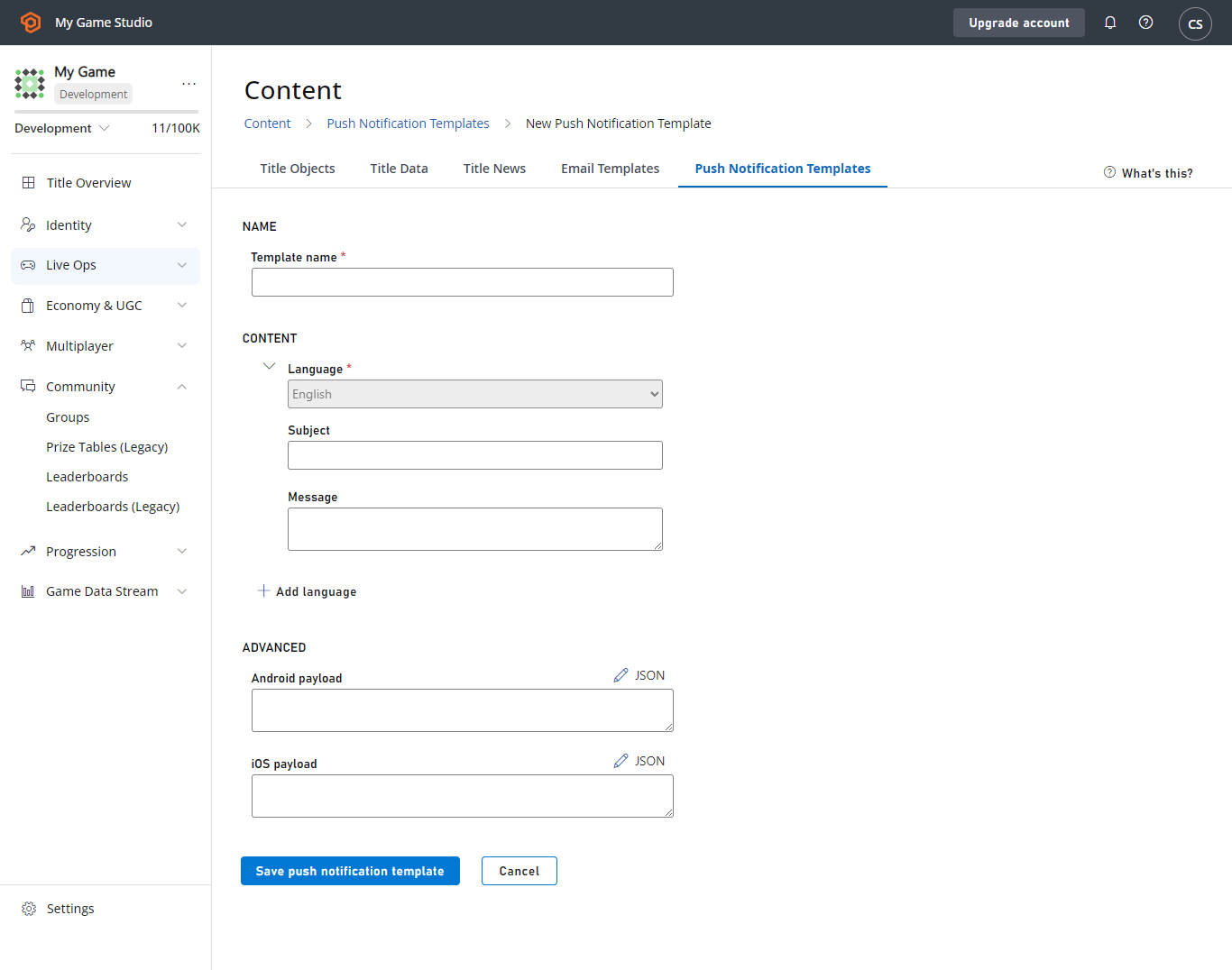 選取 **SAVE PUSH NOTIFICATION TEMPLATE** 按鈕,一切就準備就緒了!
將此範本傳送給偏好韓文的玩家時,他們會收到通知的當地語系化版本,所有其他玩家則會收到您以英文撰寫的預設語言訊息。
## 透過規則、工作和玩家區段觸發推播通知
我們情境的下一個步驟,是運用 PlayFab 觸發的動作,在玩家符合我們指定的準則時傳送推播通知。我們希望吸引超過 30 天未造訪遊戲的玩家回來。
這種準則讓玩家區段邏輯非常適合我們的流失玩家情境,但請注意,您也可以在規則和已排程的工作上觸發這些相同類型的動作。這兩者都位於 Game Manager 的 **Automation** 功能表下。您也可以使用 CloudScript 或我們的 API 傳送推播通知。
讓我們繼續玩家區段範例。首先,我們將為流失玩家設定玩家區段:
1. 選取 **Players** 區域。
2. 選擇 **Segments** 索引標籤,然後選擇 **New Segment**。
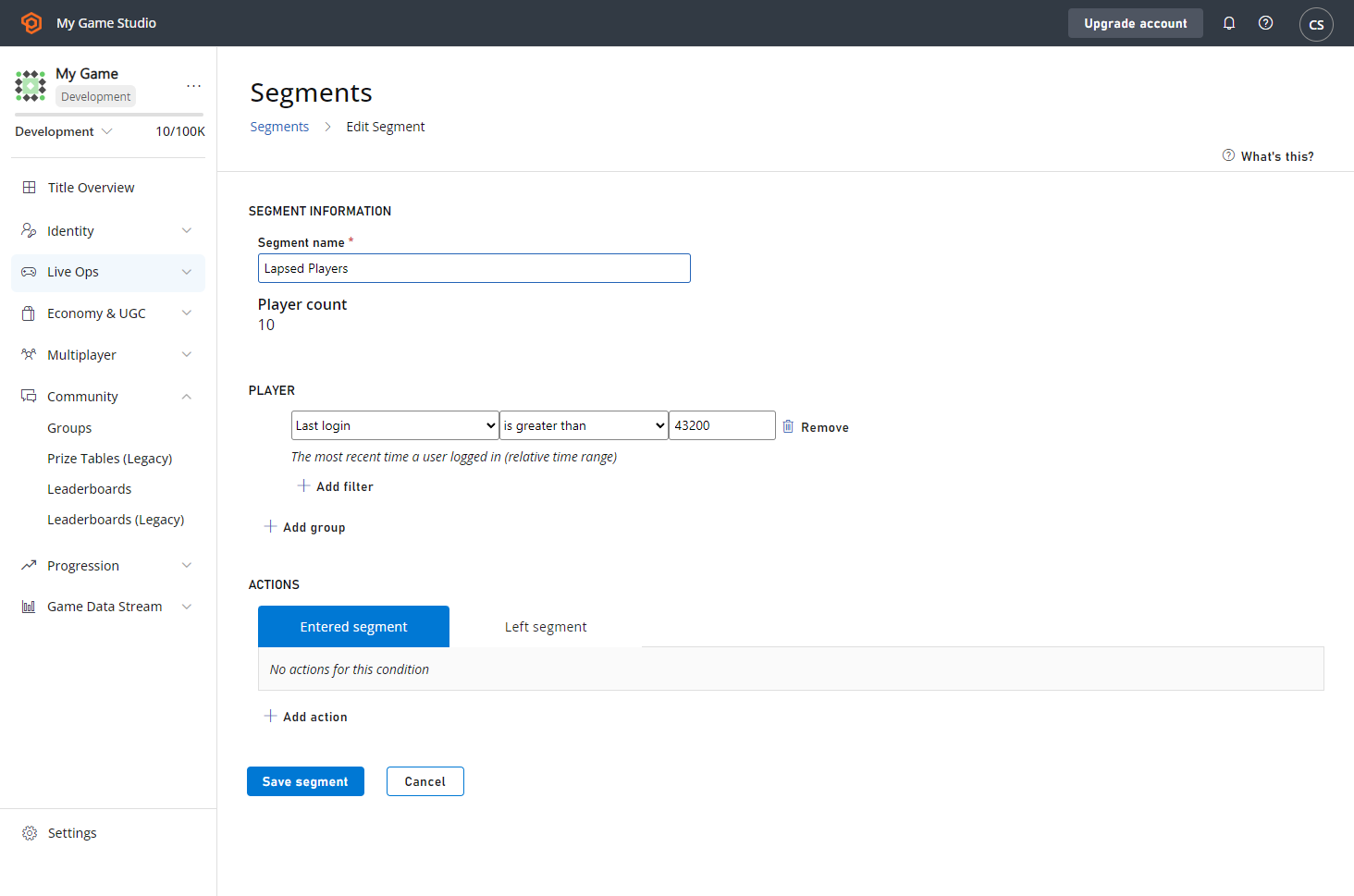
我們將「流失」定義為超過 30 天 (43200 分鐘) 未登入遊戲。
選取 **SAVE PUSH NOTIFICATION TEMPLATE** 按鈕,一切就準備就緒了!
將此範本傳送給偏好韓文的玩家時,他們會收到通知的當地語系化版本,所有其他玩家則會收到您以英文撰寫的預設語言訊息。
## 透過規則、工作和玩家區段觸發推播通知
我們情境的下一個步驟,是運用 PlayFab 觸發的動作,在玩家符合我們指定的準則時傳送推播通知。我們希望吸引超過 30 天未造訪遊戲的玩家回來。
這種準則讓玩家區段邏輯非常適合我們的流失玩家情境,但請注意,您也可以在規則和已排程的工作上觸發這些相同類型的動作。這兩者都位於 Game Manager 的 **Automation** 功能表下。您也可以使用 CloudScript 或我們的 API 傳送推播通知。
讓我們繼續玩家區段範例。首先,我們將為流失玩家設定玩家區段:
1. 選取 **Players** 區域。
2. 選擇 **Segments** 索引標籤,然後選擇 **New Segment**。
我們將「流失」定義為超過 30 天 (43200 分鐘) 未登入遊戲。
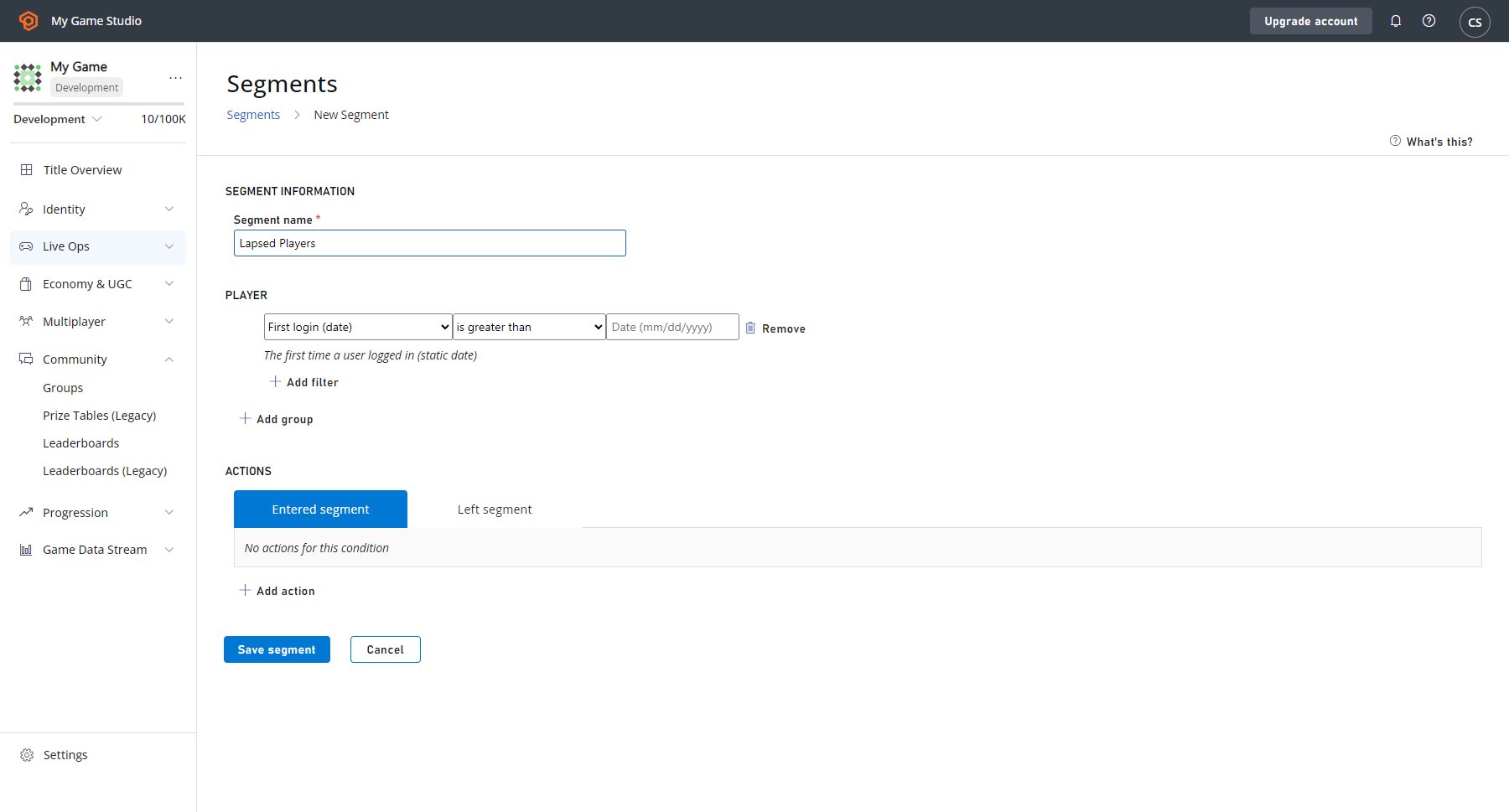 如果您此時選取 **SAVE SEGMENT** 按鈕,就可以使用此區段來識別和分析一段時間未造訪遊戲的玩家。當玩家從 29 天未登入變成 30 天時,PlayFab 會自動將該玩家新增至此 **Lapsed Players** 區段。
接著,如果流失玩家再次登入,PlayFab 會自動將其從此區段中移除。讓我們讓 PlayFab 在玩家進入此區段時傳送推播通知:
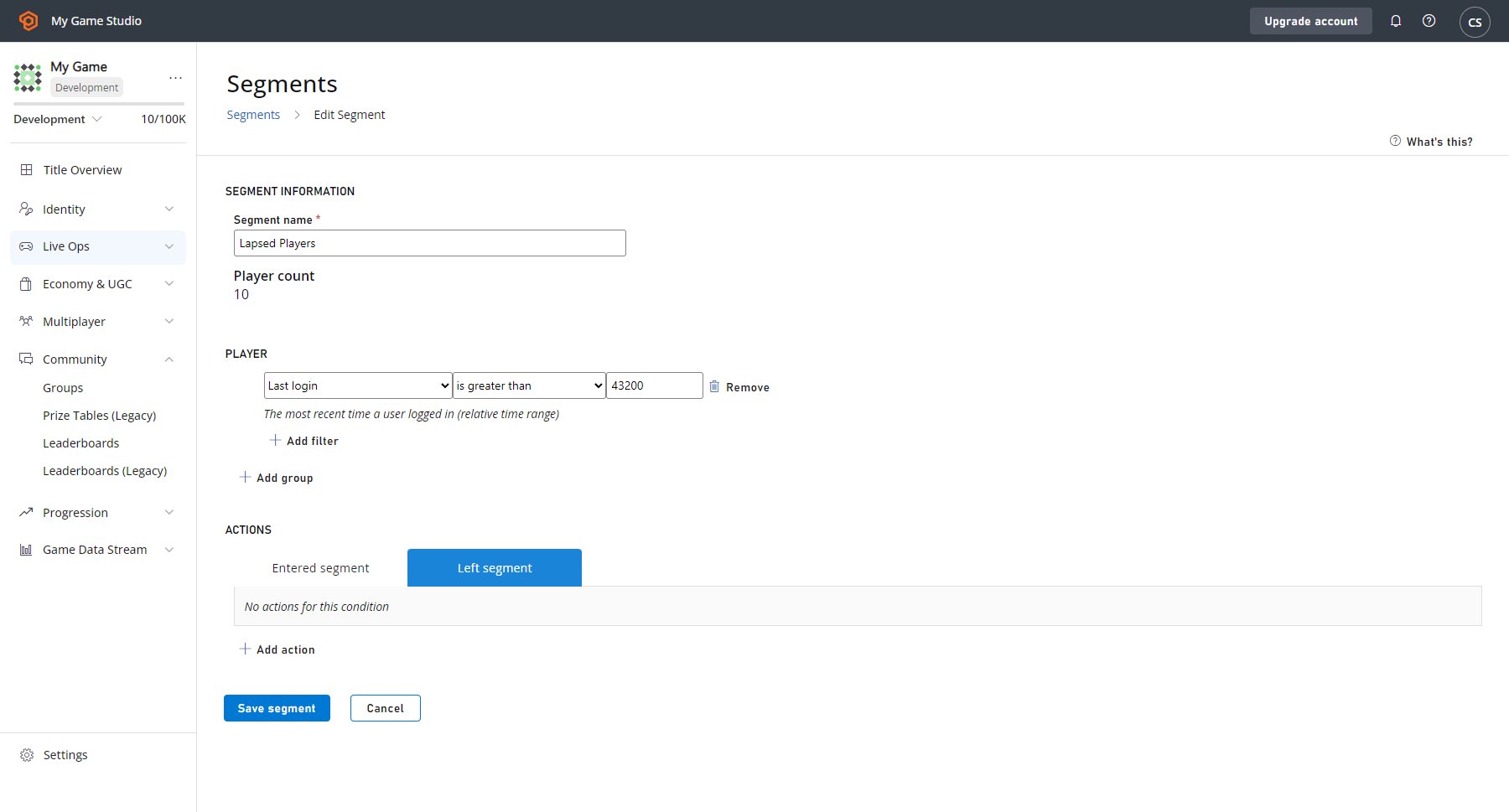
* 選取 entered **Segment** 索引標籤後,選取出現在 **Save Segment** 按鈕正上方的 **ADD ACTION**。
* 然後前往 **Type** 欄位,並使用下拉式功能表選取 **Send push notification**。
* 前往旁邊的 **Push notification template** 欄位,然後從第二個下拉式功能表選取 **Lapsed Players** 範本。
以下是您的畫面應有的外觀範例。
如果您此時選取 **SAVE SEGMENT** 按鈕,就可以使用此區段來識別和分析一段時間未造訪遊戲的玩家。當玩家從 29 天未登入變成 30 天時,PlayFab 會自動將該玩家新增至此 **Lapsed Players** 區段。
接著,如果流失玩家再次登入,PlayFab 會自動將其從此區段中移除。讓我們讓 PlayFab 在玩家進入此區段時傳送推播通知:
* 選取 entered **Segment** 索引標籤後,選取出現在 **Save Segment** 按鈕正上方的 **ADD ACTION**。
* 然後前往 **Type** 欄位,並使用下拉式功能表選取 **Send push notification**。
* 前往旁邊的 **Push notification template** 欄位,然後從第二個下拉式功能表選取 **Lapsed Players** 範本。
以下是您的畫面應有的外觀範例。
 現在,當玩家進入 **Lapsed Players** 區段時,PlayFab 會將您的當地語系化推播通知傳送給他們。設定推播通知傳送給玩家只需要這樣就夠了。
趁此機會,讓我們快速討論一下如何兌現通知中提到的「歡迎回來」好禮承諾。設定在玩家離開區段時觸發的動作,是確保玩家獲得您承諾之禮物的簡單方法 (但不是唯一的方法)。
在這款遊戲中,我們有一個 CloudScript 函式會觸發歡迎玩家回來的遊戲內體驗,因此我們想為玩家執行該函式,並從我們的目錄中授與他們一個特殊項目。
現在,當玩家進入 **Lapsed Players** 區段時,PlayFab 會將您的當地語系化推播通知傳送給他們。設定推播通知傳送給玩家只需要這樣就夠了。
趁此機會,讓我們快速討論一下如何兌現通知中提到的「歡迎回來」好禮承諾。設定在玩家離開區段時觸發的動作,是確保玩家獲得您承諾之禮物的簡單方法 (但不是唯一的方法)。
在這款遊戲中,我們有一個 CloudScript 函式會觸發歡迎玩家回來的遊戲內體驗,因此我們想為玩家執行該函式,並從我們的目錄中授與他們一個特殊項目。
 ## Related topics
- [刪除推播通知範本](/zh-TW/services/playfab/api-references/rest/server/account-management/delete-push-notification-template.md)
- [儲存推播通知範本](/zh-TW/services/playfab/api-references/rest/server/account-management/save-push-notification-template.md)
- [內容和設定寫入計量 API 描述](/zh-TW/services/playfab/pricing/meters/file-writes.md)
- [push_notification_sent](/zh-TW/services/playfab/api-references/events/TitleCommunications/push-notification-sent.md)
- [sent_push_notification](/zh-TW/services/playfab/api-references/events/TitleCommunications/sent-push-notification.md)
## Related topics
- [刪除推播通知範本](/zh-TW/services/playfab/api-references/rest/server/account-management/delete-push-notification-template.md)
- [儲存推播通知範本](/zh-TW/services/playfab/api-references/rest/server/account-management/save-push-notification-template.md)
- [內容和設定寫入計量 API 描述](/zh-TW/services/playfab/pricing/meters/file-writes.md)
- [push_notification_sent](/zh-TW/services/playfab/api-references/events/TitleCommunications/push-notification-sent.md)
- [sent_push_notification](/zh-TW/services/playfab/api-references/events/TitleCommunications/sent-push-notification.md)