> ## Documentation Index
> Fetch the complete documentation index at: https://devdocs.xbox.com/llms.txt
> Use this file to discover all available pages before exploring further.
# 搜尋
> 使用 SearchItems API,搭配 OData 篩選、排序、分頁及接續權杖來查詢 PlayFab Economy v2 公用目錄。
# SearchItems
Economy v2 現已正式推出。如需支援與意見反應,請前往 [PlayFab 論壇](https://community.playfab.com)。
`SearchItems` API 會使用提供的搜尋參數對公用目錄執行搜尋,並傳回分頁的項目清單。
最基本的情況下,`Search` 參數是針對 **Title**、**Description**、**Keywords** 和 **Searchable String Display Properties** 欄位的純文字模糊搜尋。不過,`Filter`、`OrderBy` 和 `Select` 是 OData 查詢的附加功能,可用來變更搜尋參數。搜尋結果可依搜尋文件中的任何欄位 (Title 和 Description 除外) 進行篩選和排序。
如需 OData 查詢語法的詳細資訊,請參閱[這裡](https://www.odata.org/getting-started/basic-tutorial/#queryData)
`SearchItems` 要求範例:
```csharp theme={null}
{
"Search": "Pirates",
"Filter": "Tags/any(t:t eq 'desert') and ContentType eq 'map'",
"OrderBy": "lastModifiedDate asc",
"ContinuationToken": "abc=",
"Count": 2,
"Language": "en-GB"
}
```
回應範例:
```csharp theme={null}
{
"code": 200,
"status": "OK",
"data": {
"Items": [
{
-
}
],
"ContinuationToken": "MTA="
}
}
```
## 接續權杖
搜尋回應所傳回的 `ContinuationToken` 欄位可傳入搜尋要求中,以分頁瀏覽多批結果。
## 顯示屬性
搜尋、篩選和排序也可以針對設定為自訂搜尋的特定 `DisplayProperties` 欄位進行。遊戲可以在 Game Manager 的 [Display Properties Mappings 設定](/zh-TW/services/playfab/economy-monetization/economy-v2/settings#display-property-mappings)中設定其自訂搜尋與篩選屬性。
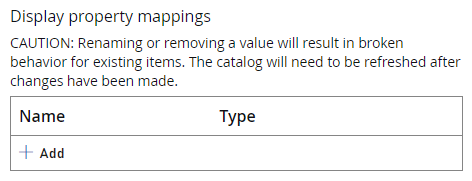 當您將欄位新增至 `DisplayProperties` 時,系統會在資料庫中為您建立新的索引。只有在索引建立後新增或更新的文件才會包含在內。如果您需要讓顯示屬性套用至所有項目,則必須重新發佈整個目錄。
`DateTime`、`Double` 和 `Queryable String` 顯示屬性是**可查詢的**,這些屬性可用於 Filter 和 OrderBy 陳述式。
`Searchable String` 顯示屬性是**可搜尋的**,這些屬性會透過 `Search` 欄位以模糊搜尋進行查詢。可搜尋的屬性無法用於 *Filter* 和 *OrderBy* 陳述式。
每種類型的顯示屬性,遊戲最多只能有五個。
顯示屬性對應會以索引的索引鍵/值組清單形式儲存。刪除現有的顯示屬性對應可能會移動索引,並破壞所有剩餘屬性的行為。建議新增額外的屬性,而非刪除或編輯現有的屬性,除非絕對必要,否則應避免刪除屬性對應
## Filter
Filter 參數可讓您篩選搜尋要求所傳回的項目集合。使用 filter 指定的運算式會針對結果中的每個目錄項目進行評估,只有運算式評估為 "true" 的項目才會包含在內。
Filter 支援 OData 邏輯運算子,以及使用括號的優先順序:
* 等於:'eq'
* 不等於:'ne'
* 大於:'gt'
* 大於或等於:'ge'
* 小於:'lt'
* 小於或等於:'le'
* 邏輯 And:'and'
* 邏輯 Or:'or'
* 邏輯否定 'not'
Filter 不支援算術運算子或字串函式。
以下是 Filter 範例:
### 依 ContentType 篩選
```json theme={null}
"Filter": "ContentType eq 'Sword'"
```
### 使用連接詞篩選
```json theme={null}
"Filter": "rating/average gt 1 and rating/average lt 4"
```
### 使用 null 值篩選
OData 支援用於篩選的 `null` 類型
```json theme={null}
"Filter": "rating eq null"
```
上述要求會傳回所有沒有評論的項目
### 依建立者 ID 篩選
若要依特定建立者篩選,您應該使用語法 `title_player_account!`
```json theme={null}
"Filter": "creatorId eq 'title_player_account!C88F55C6A734B1DC'"
```
### 依陣列欄位篩選
Filter 也支援使用 `any()` 針對陣列進行篩選。例如:`alternateIds/any(a: a/value eq 'StoreOfferId')`
```json theme={null}
"Filter": "tags/any(t: t eq 'featured')"
```
### 使用陣列和 null 檢查篩選
下列篩選會檢查任何具有非 null 值之 contents 欄位的項目
```json theme={null}
"Filter": "contents/any(content: content ne null)"
```
根據預設,除非使用 [Select](/zh-TW/services/playfab/economy-monetization/economy-v2/catalog/search#select) 陳述式指定,否則 Search **不會**傳回項目的內容。如果執行上述查詢時未使用 \`"Select": "contents"\`\` 陳述式,它會正確套用篩選,但所有傳回的 Search 結果都會有空白的內容欄位
### 依顯示屬性篩選
只能使用**可查詢的**顯示屬性進行篩選
```json theme={null}
"Filter": "DisplayProperties/DifficultyRating ge 5"
```
## OrderBy
`OrderBy` 是用來排序搜尋結果的逗號分隔清單。
```json theme={null}
"OrderBy": "rating/average asc"
```
您可以傳遞次要屬性來打破排序的「平手」情況:
```json theme={null}
"OrderBy": "rating/average asc, rating/totalCount desc"
```
沒有次要值的目錄項目具有用來打破平手的內部「score」屬性。該評分是根據基礎資料庫中的儲存順序,並會隨著項目的新增與移除而持續變更。
`OrderBy` 支援少數用於排序的 OData 屬性:
* `asc`
* `desc`
如果您未指定方向,預設為遞增。如果欄位中有 null 值,則在 `asc` 時會最先出現,在 `desc` 時會最後出現。如果未傳遞任何 `OrderBy` 值,則會使用預設的 `id asc` 值。
以下是 OrderBy 範例:
### 依標題排序
使用 `title/` 參數搭配 `asc` 或 `desc` 來指出排序偏好。
```json theme={null}
"OrderBy": "title/en-GB asc"
```
使用 `NEUTRAL` 依中性字串排序
```json theme={null}
"OrderBy": "description/NEUTRAL desc"
```
### 依顯示屬性排序
只能使用**可查詢的**顯示屬性進行排序
```json theme={null}
"OrderBy": "DisplayProperties/DifficultyRating desc"
```
## Select
根據預設,Search 會傳回一組豐富的項目中繼資料:
* `Id`
* `Type`
* `AlternateIds`
* `Title` **(NEUTRAL 或 `Language` 地區設定)**
* `Description` **(NEUTRAL 或 `Language` 地區設定)**
* `Keywords` **(NEUTRAL 或 `Language` 地區設定)**
* `ContentType`
* `Images` **(僅縮圖)**
* `Tags`
* `CreationDate`
* `LastModifiedDate`
* `CreatorEntityKey` (舊版 API 中為 `CreatorId`)
* `DisplayProperties`
* `ItemReferences`
根據預設,只會傳回 title 和 description 中使用的中性字串。如果有縮圖影像,預設會傳回該影像。每個項目僅限一個 "Thumbnail" 類型的影像。
透過 `Select`,可以選擇性地在分頁搜尋結果中傳回更多欄位,包括內容中繼資料 (contents)、影像、StartDate、EndDate,以及 title 和 description 中完整的當地語系化字串集。如果 select 欄位保留空白,搜尋結果會是完整文件中繼資料的子集,以加快載入時間。
此要求除了內容和影像**之外**,還會傳回預設的項目中繼資料:
```json theme={null}
"Select": "contents,images"
```
選取 `title`、`description` 和/或 `keywords` 會傳回完整的當地語系化字串資料集:
```json theme={null}
"Select": "title,description,keywords"
```
## 當地語系化
可以將地區設定傳入 `Language` 參數。傳遞地區設定會使所有 `Title`、`Description`、`Keywords` 欄位預設傳回該地區設定,如果項目沒有該當地語系化,則傳回 NEUTRAL。
包含 `Language` 參數的 `SearchItems` 要求範例,請參閱[本頁頂端](#searchitems)。
如需當地語系化的詳細資訊,請參閱[當地語系化](/zh-TW/services/playfab/economy-monetization/economy-v2/catalog/localization)。
## 限制
每個要求的搜尋篩選查詢複雜度都有限制。耗費資源的查詢可能會遭到拒絕,遊戲應確保不會嘗試過於複雜的查詢。以下是接近最大複雜度的查詢範例:
```json theme={null}
contentType eq 'testType' and tags/any(t: t eq 'blue' or t eq 'green' or t eq 'violet') and platforms/any(p: p eq 'square' or p eq 'circle' or p eq 'triangle') and displayProperties/isFavorite eq true
```
```json theme={null}
contents/any(c: c/minClientVersion gt '1.2.3' and c/maxClientVersion lt '4.5.6' and c/tags/any(t: t eq 'map')) and rating/totalRatingsCount ge 20 and rating/averageRating ge 4.0
```
高複雜度的篩選查詢會擲回 400 錯誤,並顯示訊息:`"The filter provided in the request does not meet the complexity requirements for source"`。
## 搜尋商店
您可以傳入的其中一個屬性是 `Store` 參數。這可讓您在商店的內容中進行搜尋。除了能夠檢查項目是否存在於特定商店之外,也可以用來顯示商店項目/內容的覆寫價格。您也可以使用商店的 `AlternateId` 來搜尋商店。若要深入了解如何使用商店,請參閱[這裡](/zh-TW/services/playfab/economy-monetization/economy-v2/catalog/stores)
```json theme={null}
{
"Search": "",
"Filter": "ContentType eq 'weapons'",
"Store": {
"Id": "{{StoreID}}"
},
}
```
## Related topics
- [搜尋項目](/zh-TW/services/playfab/api-references/rest/economy/catalog/search-items.md)
- [PFLobby 搜尋索引鍵](/zh-TW/services/playfab/multiplayer/lobby/playfabmultiplayerreference-cpp/pflobby/constants/pflobbysearchkeys.md)
- [建立可搜尋的大廳](/zh-TW/services/playfab/multiplayer/lobby/define-search-keywords.md)
- [多人遊戲工作階段瀏覽](/zh-TW/services/xbox-services/multiplayer/concepts/live-session-browse.md)
- [尋找大廳](/zh-TW/services/playfab/multiplayer/lobby/find-lobbies.md)
當您將欄位新增至 `DisplayProperties` 時,系統會在資料庫中為您建立新的索引。只有在索引建立後新增或更新的文件才會包含在內。如果您需要讓顯示屬性套用至所有項目,則必須重新發佈整個目錄。
`DateTime`、`Double` 和 `Queryable String` 顯示屬性是**可查詢的**,這些屬性可用於 Filter 和 OrderBy 陳述式。
`Searchable String` 顯示屬性是**可搜尋的**,這些屬性會透過 `Search` 欄位以模糊搜尋進行查詢。可搜尋的屬性無法用於 *Filter* 和 *OrderBy* 陳述式。
每種類型的顯示屬性,遊戲最多只能有五個。
顯示屬性對應會以索引的索引鍵/值組清單形式儲存。刪除現有的顯示屬性對應可能會移動索引,並破壞所有剩餘屬性的行為。建議新增額外的屬性,而非刪除或編輯現有的屬性,除非絕對必要,否則應避免刪除屬性對應
## Filter
Filter 參數可讓您篩選搜尋要求所傳回的項目集合。使用 filter 指定的運算式會針對結果中的每個目錄項目進行評估,只有運算式評估為 "true" 的項目才會包含在內。
Filter 支援 OData 邏輯運算子,以及使用括號的優先順序:
* 等於:'eq'
* 不等於:'ne'
* 大於:'gt'
* 大於或等於:'ge'
* 小於:'lt'
* 小於或等於:'le'
* 邏輯 And:'and'
* 邏輯 Or:'or'
* 邏輯否定 'not'
Filter 不支援算術運算子或字串函式。
以下是 Filter 範例:
### 依 ContentType 篩選
```json theme={null}
"Filter": "ContentType eq 'Sword'"
```
### 使用連接詞篩選
```json theme={null}
"Filter": "rating/average gt 1 and rating/average lt 4"
```
### 使用 null 值篩選
OData 支援用於篩選的 `null` 類型
```json theme={null}
"Filter": "rating eq null"
```
上述要求會傳回所有沒有評論的項目
### 依建立者 ID 篩選
若要依特定建立者篩選,您應該使用語法 `title_player_account!`
```json theme={null}
"Filter": "creatorId eq 'title_player_account!C88F55C6A734B1DC'"
```
### 依陣列欄位篩選
Filter 也支援使用 `any()` 針對陣列進行篩選。例如:`alternateIds/any(a: a/value eq 'StoreOfferId')`
```json theme={null}
"Filter": "tags/any(t: t eq 'featured')"
```
### 使用陣列和 null 檢查篩選
下列篩選會檢查任何具有非 null 值之 contents 欄位的項目
```json theme={null}
"Filter": "contents/any(content: content ne null)"
```
根據預設,除非使用 [Select](/zh-TW/services/playfab/economy-monetization/economy-v2/catalog/search#select) 陳述式指定,否則 Search **不會**傳回項目的內容。如果執行上述查詢時未使用 \`"Select": "contents"\`\` 陳述式,它會正確套用篩選,但所有傳回的 Search 結果都會有空白的內容欄位
### 依顯示屬性篩選
只能使用**可查詢的**顯示屬性進行篩選
```json theme={null}
"Filter": "DisplayProperties/DifficultyRating ge 5"
```
## OrderBy
`OrderBy` 是用來排序搜尋結果的逗號分隔清單。
```json theme={null}
"OrderBy": "rating/average asc"
```
您可以傳遞次要屬性來打破排序的「平手」情況:
```json theme={null}
"OrderBy": "rating/average asc, rating/totalCount desc"
```
沒有次要值的目錄項目具有用來打破平手的內部「score」屬性。該評分是根據基礎資料庫中的儲存順序,並會隨著項目的新增與移除而持續變更。
`OrderBy` 支援少數用於排序的 OData 屬性:
* `asc`
* `desc`
如果您未指定方向,預設為遞增。如果欄位中有 null 值,則在 `asc` 時會最先出現,在 `desc` 時會最後出現。如果未傳遞任何 `OrderBy` 值,則會使用預設的 `id asc` 值。
以下是 OrderBy 範例:
### 依標題排序
使用 `title/` 參數搭配 `asc` 或 `desc` 來指出排序偏好。
```json theme={null}
"OrderBy": "title/en-GB asc"
```
使用 `NEUTRAL` 依中性字串排序
```json theme={null}
"OrderBy": "description/NEUTRAL desc"
```
### 依顯示屬性排序
只能使用**可查詢的**顯示屬性進行排序
```json theme={null}
"OrderBy": "DisplayProperties/DifficultyRating desc"
```
## Select
根據預設,Search 會傳回一組豐富的項目中繼資料:
* `Id`
* `Type`
* `AlternateIds`
* `Title` **(NEUTRAL 或 `Language` 地區設定)**
* `Description` **(NEUTRAL 或 `Language` 地區設定)**
* `Keywords` **(NEUTRAL 或 `Language` 地區設定)**
* `ContentType`
* `Images` **(僅縮圖)**
* `Tags`
* `CreationDate`
* `LastModifiedDate`
* `CreatorEntityKey` (舊版 API 中為 `CreatorId`)
* `DisplayProperties`
* `ItemReferences`
根據預設,只會傳回 title 和 description 中使用的中性字串。如果有縮圖影像,預設會傳回該影像。每個項目僅限一個 "Thumbnail" 類型的影像。
透過 `Select`,可以選擇性地在分頁搜尋結果中傳回更多欄位,包括內容中繼資料 (contents)、影像、StartDate、EndDate,以及 title 和 description 中完整的當地語系化字串集。如果 select 欄位保留空白,搜尋結果會是完整文件中繼資料的子集,以加快載入時間。
此要求除了內容和影像**之外**,還會傳回預設的項目中繼資料:
```json theme={null}
"Select": "contents,images"
```
選取 `title`、`description` 和/或 `keywords` 會傳回完整的當地語系化字串資料集:
```json theme={null}
"Select": "title,description,keywords"
```
## 當地語系化
可以將地區設定傳入 `Language` 參數。傳遞地區設定會使所有 `Title`、`Description`、`Keywords` 欄位預設傳回該地區設定,如果項目沒有該當地語系化,則傳回 NEUTRAL。
包含 `Language` 參數的 `SearchItems` 要求範例,請參閱[本頁頂端](#searchitems)。
如需當地語系化的詳細資訊,請參閱[當地語系化](/zh-TW/services/playfab/economy-monetization/economy-v2/catalog/localization)。
## 限制
每個要求的搜尋篩選查詢複雜度都有限制。耗費資源的查詢可能會遭到拒絕,遊戲應確保不會嘗試過於複雜的查詢。以下是接近最大複雜度的查詢範例:
```json theme={null}
contentType eq 'testType' and tags/any(t: t eq 'blue' or t eq 'green' or t eq 'violet') and platforms/any(p: p eq 'square' or p eq 'circle' or p eq 'triangle') and displayProperties/isFavorite eq true
```
```json theme={null}
contents/any(c: c/minClientVersion gt '1.2.3' and c/maxClientVersion lt '4.5.6' and c/tags/any(t: t eq 'map')) and rating/totalRatingsCount ge 20 and rating/averageRating ge 4.0
```
高複雜度的篩選查詢會擲回 400 錯誤,並顯示訊息:`"The filter provided in the request does not meet the complexity requirements for source"`。
## 搜尋商店
您可以傳入的其中一個屬性是 `Store` 參數。這可讓您在商店的內容中進行搜尋。除了能夠檢查項目是否存在於特定商店之外,也可以用來顯示商店項目/內容的覆寫價格。您也可以使用商店的 `AlternateId` 來搜尋商店。若要深入了解如何使用商店,請參閱[這裡](/zh-TW/services/playfab/economy-monetization/economy-v2/catalog/stores)
```json theme={null}
{
"Search": "",
"Filter": "ContentType eq 'weapons'",
"Store": {
"Id": "{{StoreID}}"
},
}
```
## Related topics
- [搜尋項目](/zh-TW/services/playfab/api-references/rest/economy/catalog/search-items.md)
- [PFLobby 搜尋索引鍵](/zh-TW/services/playfab/multiplayer/lobby/playfabmultiplayerreference-cpp/pflobby/constants/pflobbysearchkeys.md)
- [建立可搜尋的大廳](/zh-TW/services/playfab/multiplayer/lobby/define-search-keywords.md)
- [多人遊戲工作階段瀏覽](/zh-TW/services/xbox-services/multiplayer/concepts/live-session-browse.md)
- [尋找大廳](/zh-TW/services/playfab/multiplayer/lobby/find-lobbies.md)