> ## Documentation Index
> Fetch the complete documentation index at: https://devdocs.xbox.com/llms.txt
> Use this file to discover all available pages before exploring further.
# 為您的遊戲實作試用版
> Microsoft Store 中適用於 GDK 遊戲的試用版選項:在 Partner Center 中設定使用限制免費試用版,以及在遊戲中實作試用版檢查。
您可以為遊戲設定數種不同類型的免費試用版:
* *時間限制免費試用版* - 這類試用版會在經過一定的\_日曆\_時間後到期 (例如,使用者下載試用版七天後到期,無論他們使用了多久)。
* *使用限制免費試用版* - 可設定讓使用者執行遊戲一定的\_遊戲執行時間\_,之後使用者必須購買遊戲才能繼續使用。
* *策劃試用版* - 這類試用版沒有到期或遊戲執行時間限制,但遊戲可以限制可遊玩的內容。類似於示範版,但需要下載完整的遊戲。
時間型和使用型試用版的設計是每位使用者對每個遊戲只提供一次,且不得與其他試用版優惠混用。已到期或已用盡的試用版權利會保留在使用者帳戶上,並使該使用者無法取得同一遊戲的任何額外試用版優惠。客戶取得試用版之後,就無法變更或重設試用版類型。
有些試用版是免費的,但僅限擁有特定訂閱的使用者使用。
本文也適用於這些試用版。
以 **Free Play Days** 優惠形式執行的遊戲並非以實際試用版的形式執行,而是只能透過暫時性的完整授權啟動。
試用版設定和相關結構並不適用。
## 在 Partner Center 中設定使用限制試用版
只有在您具有適當權限,且遊戲使用[限制性授權](/zh-TW/publishing/xstore-commerce/xstore-open-restrictive-licensing)時,才能存取此功能。
如需詳細資料,請連絡您的 Microsoft 客戶經理。
您可以在 Partner Center 中設定使用限制免費試用版,而不需要變更遊戲的程式碼。不過,在下列情況下,您必須新增程式碼:
* 將試用版存取權限制為僅限在市集中取得試用版的使用者。
* 在遊戲工作階段之間儲存遊戲狀態,並在購買之後將使用者的進度從試用版延續至完整遊戲。
1. 從 **Submission overview** 頁面,前往 **Pricing and availability** 頁面。
2. 在 **Free trial** 下,開啟下拉式功能表,然後選取 **Usage-limited**。
3. 在出現的第二個下拉式功能表中,選取使用者可以使用您應用程式的最長時間。
4. 選取 **Save**。
將遊戲發佈至 Microsoft Store 之後,您會在遊戲的產品頁面上看到試用版資訊。
## 將存取權限制為僅限取得試用版的使用者
在某些情況下,您可能只想讓試用版擁有者執行遊戲。此限制對於使用限制試用版很重要,因為您不希望其他人耗盡另一個帳戶的試用時間。您可以檢查 [XStoreGameLicense](/zh-TW/reference/system/xstore/xstore_members)`.isTrialOwnedByThisUser` 屬性來實作此功能。如果其值為 `false`,請阻止目前玩家繼續進行,並通知使用者取得自己的試用版授權。
啟動試用版遊戲時,會在訊息中顯示擁有作用中試用版授權的使用者:
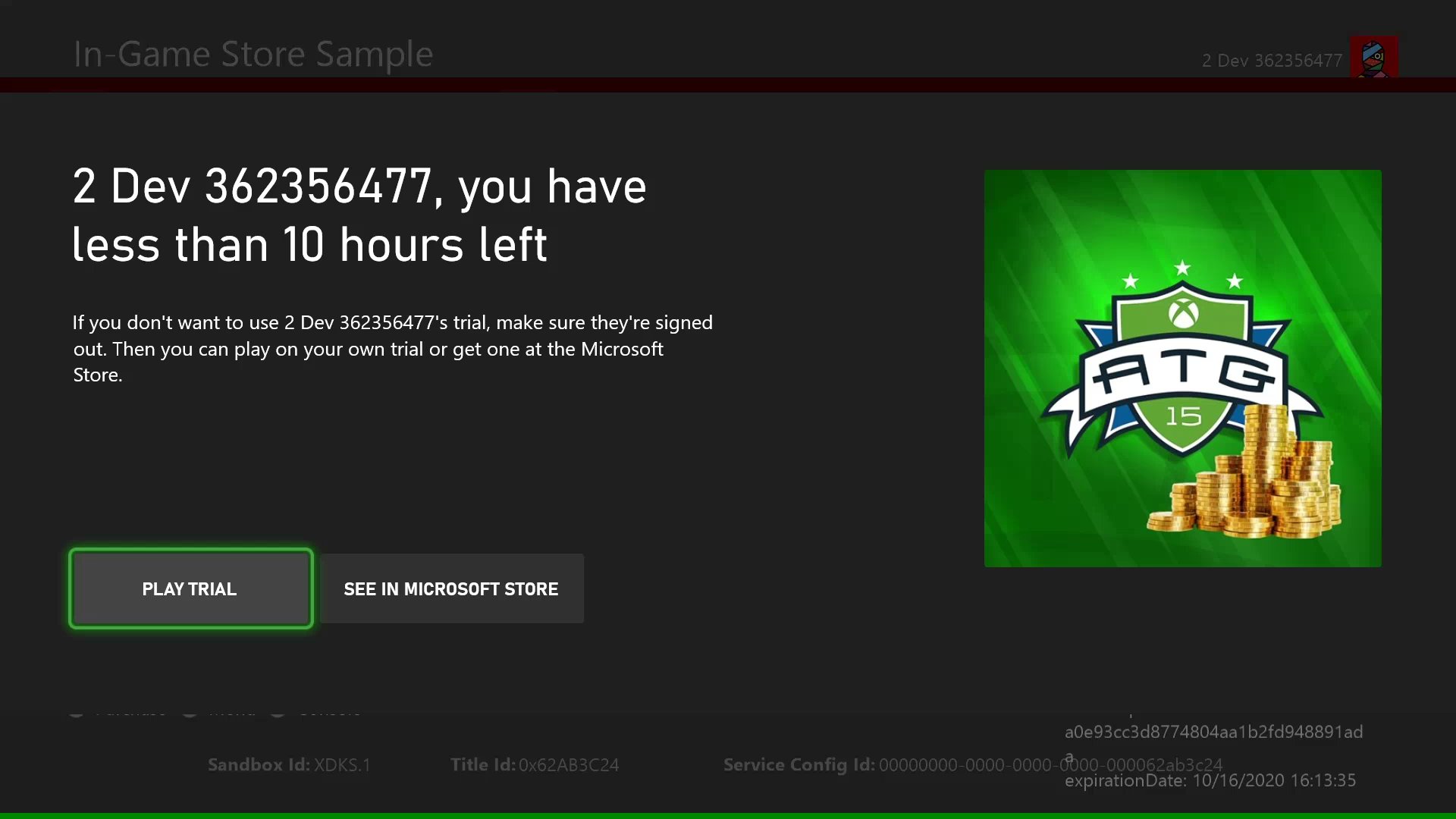 下列程式碼範例示範如何檢查 `isTrialOwnedByThisUser`。
```cpp theme={null}
void CALLBACK GameLicenseTrialCheck(XAsyncBlock* asyncBlock)
{
XStoreGameLicense result{};
HRESULT hr = XStoreQueryGameLicenseResult(
asyncBlock,
&result);
// Is this a trial?
if (result.isActive && result.isTrial)
{
// Is this trial owned by this user?
if (!result.isTrialOwnedByThisUser)
{
// The user can't use another user's trial time. Show an error message.
}
}
}
void QueryGameLicense(XStoreContextHandle storeContextHandle, XTaskQueueHandle taskQueueHandle)
{
auto async = new XAsyncBlock{};
asyncBlock->queue = m_asyncQueue;
asyncBlock->callback = GameLicenseTrialCheck;
HRESULT hr = XStoreQueryGameLicenseAsync(
storeContextHandle,
async);
}
```
## 為原始試用版使用者儲存遊戲狀態
具有單人戰役或其他會在工作階段之間追蹤進度之遊戲模式的 XBOX services 遊戲,會使用 Connected Storage 來儲存遊戲狀態。然而,在限制試用版中,PC 使用者可以建立多個 Microsoft 帳戶,並在儲存進度的同時 (使用相同的 XBOX 帳戶) 持續遊玩超過時間限制。如需此情況的詳細資訊,請參閱[處理 PC 上市集帳戶不相符的情況](/zh-TW/publishing/xstore-commerce/xstore-mismatched-accounts)。
您可以在儲存遊戲進度時儲存 [XStoreGameLicense](/zh-TW/reference/system/xstore/xstore_members)`.trialUniqueId` 值,以防止此漏洞。之後,當使用者再次開始遊玩試用版時,您可以檢查 `trialUniqueId` 值是否與第一次執行時的值相符。
此程式碼假設遊戲會將 `trialUniqueId` 儲存為遊戲存檔的一部分,並具有傳回此值的 `GetSavedTrialUniqueId` 函式。
```cpp theme={null}
void CALLBACK GameLicenseTrialCheck(XAsyncBlock* asyncBlock)
{
XStoreGameLicense result{};
HRESULT hr = XStoreQueryGameLicenseResult(
asyncBlock,
&result);
// Is this a trial?
if (result.isActive && result.isTrial)
{
// Is this trial owned by this user?
if (!result.isTrialOwnedByThisUser)
{
// The user can't use another user's trial time. Show an error message.
}
else
{
// Read the trialUniqueId that was saved with the game on the first run.
char trialUniqueId = GetSavedTrialUniqueId();
if (trialUniqueId != result.trialUniqueId)
{
// Because the IDs don't match, start the game from the beginning.
}
}
}
}
```
## 在開發中測試試用版
若要使用試用版授權測試遊戲,必須先在 Partner Center 中為遊戲設定試用版授權。
### XBOX
對於本機組建,需要實際的授權。對於鬆散組建和封裝組建,需要在 MicrosoftGameConfig 中套用內容識別碼和 EKBID 覆寫。如需詳細資訊,請參閱[啟用授權測試](/zh-TW/publishing/xstore-commerce/xstore-licensing-setup)。
請注意,此處必須使用試用版組建的實際 EKBID。若要取得 EKBID,您需要使用具有試用版授權的帳戶,從 Microsoft Store 下載遊戲組建。
下列程式碼範例示範如何檢查 `isTrialOwnedByThisUser`。
```cpp theme={null}
void CALLBACK GameLicenseTrialCheck(XAsyncBlock* asyncBlock)
{
XStoreGameLicense result{};
HRESULT hr = XStoreQueryGameLicenseResult(
asyncBlock,
&result);
// Is this a trial?
if (result.isActive && result.isTrial)
{
// Is this trial owned by this user?
if (!result.isTrialOwnedByThisUser)
{
// The user can't use another user's trial time. Show an error message.
}
}
}
void QueryGameLicense(XStoreContextHandle storeContextHandle, XTaskQueueHandle taskQueueHandle)
{
auto async = new XAsyncBlock{};
asyncBlock->queue = m_asyncQueue;
asyncBlock->callback = GameLicenseTrialCheck;
HRESULT hr = XStoreQueryGameLicenseAsync(
storeContextHandle,
async);
}
```
## 為原始試用版使用者儲存遊戲狀態
具有單人戰役或其他會在工作階段之間追蹤進度之遊戲模式的 XBOX services 遊戲,會使用 Connected Storage 來儲存遊戲狀態。然而,在限制試用版中,PC 使用者可以建立多個 Microsoft 帳戶,並在儲存進度的同時 (使用相同的 XBOX 帳戶) 持續遊玩超過時間限制。如需此情況的詳細資訊,請參閱[處理 PC 上市集帳戶不相符的情況](/zh-TW/publishing/xstore-commerce/xstore-mismatched-accounts)。
您可以在儲存遊戲進度時儲存 [XStoreGameLicense](/zh-TW/reference/system/xstore/xstore_members)`.trialUniqueId` 值,以防止此漏洞。之後,當使用者再次開始遊玩試用版時,您可以檢查 `trialUniqueId` 值是否與第一次執行時的值相符。
此程式碼假設遊戲會將 `trialUniqueId` 儲存為遊戲存檔的一部分,並具有傳回此值的 `GetSavedTrialUniqueId` 函式。
```cpp theme={null}
void CALLBACK GameLicenseTrialCheck(XAsyncBlock* asyncBlock)
{
XStoreGameLicense result{};
HRESULT hr = XStoreQueryGameLicenseResult(
asyncBlock,
&result);
// Is this a trial?
if (result.isActive && result.isTrial)
{
// Is this trial owned by this user?
if (!result.isTrialOwnedByThisUser)
{
// The user can't use another user's trial time. Show an error message.
}
else
{
// Read the trialUniqueId that was saved with the game on the first run.
char trialUniqueId = GetSavedTrialUniqueId();
if (trialUniqueId != result.trialUniqueId)
{
// Because the IDs don't match, start the game from the beginning.
}
}
}
}
```
## 在開發中測試試用版
若要使用試用版授權測試遊戲,必須先在 Partner Center 中為遊戲設定試用版授權。
### XBOX
對於本機組建,需要實際的授權。對於鬆散組建和封裝組建,需要在 MicrosoftGameConfig 中套用內容識別碼和 EKBID 覆寫。如需詳細資訊,請參閱[啟用授權測試](/zh-TW/publishing/xstore-commerce/xstore-licensing-setup)。
請注意,此處必須使用試用版組建的實際 EKBID。若要取得 EKBID,您需要使用具有試用版授權的帳戶,從 Microsoft Store 下載遊戲組建。
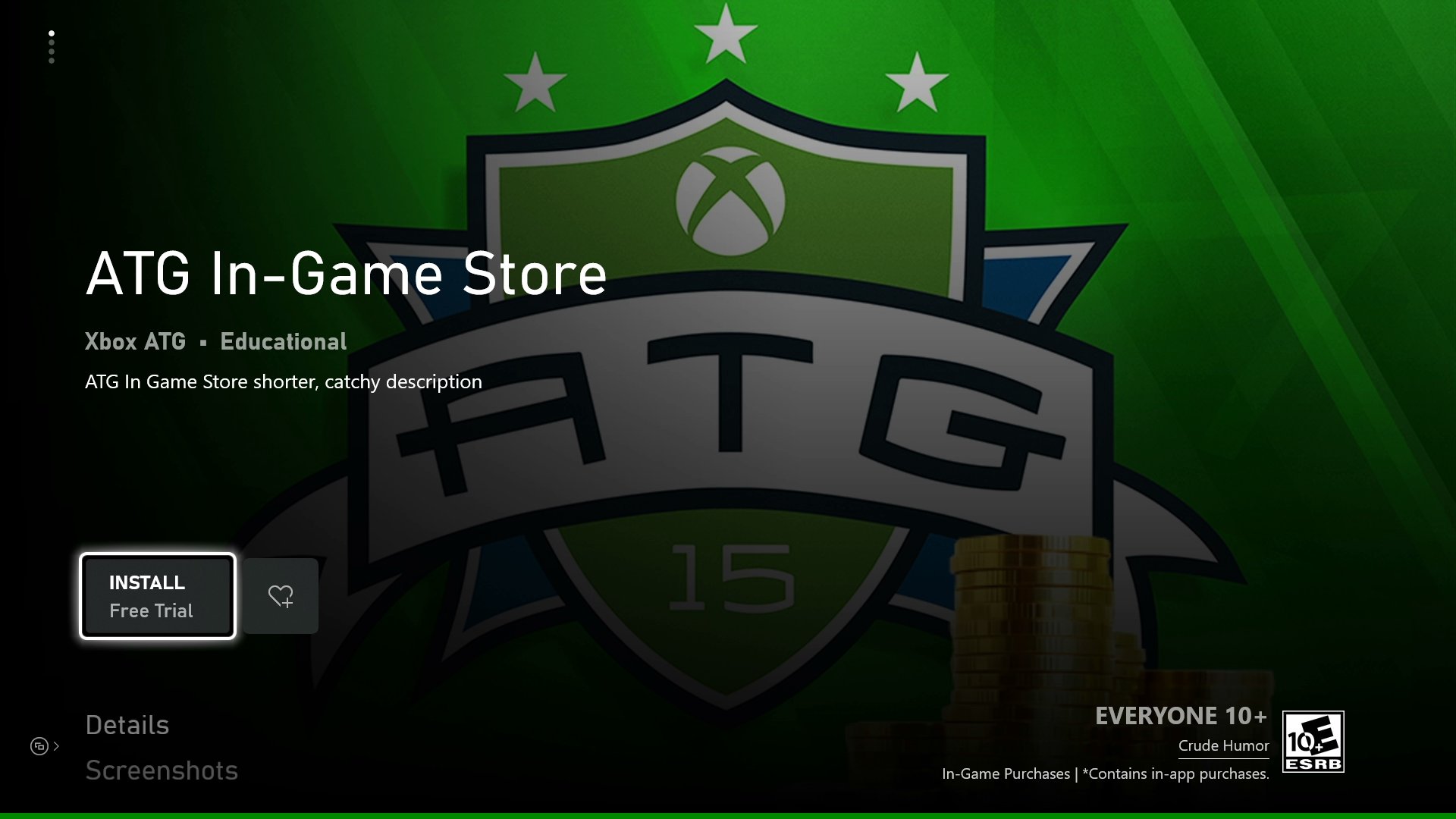 設定完成後,使用從市集取得試用版授權的測試帳戶啟動時,`XStoreGameLicense` 會顯示正確的試用版屬性。啟動組建時應該會顯示試用版通知 UI。
### PC
與啟用具有完整授權之組建的方式相同:在 MicrosoftGame.config 中使用正確的應用程式身分識別,並確保登錄位置中有正確的內容識別碼,組建就會遵循 Microsoft Store 應用程式登入帳戶的授權,無論是試用版或其他授權。
## 參考 API 文件
* [XStore (API 內容)](/zh-TW/reference/system/xstore/xstore_members)
* 結構
* [XStoreGameLicense](/zh-TW/reference/system/xstore/xstore_members)
## 另請參閱
[商務概觀](/zh-TW/publishing/xstore-commerce/xstore-commerce-overview)
[啟用 XStore 開發和測試](/zh-TW/publishing/xstore-commerce/xstore-product-testing-setup)
[啟用授權測試](/zh-TW/publishing/xstore-commerce/xstore-licensing-setup)
[XStore API 參考](/zh-TW/reference/system/xstore/xstore_members)
## Related topics
- [Advanced Shader Delivery](/zh-TW/build/gdk-and-engines/guides/advanced-shader-delivery.md)
- [XR-045 XBOX 網路與帳戶權限](/zh-TW/publishing/certification/xr/xr-045.md)
- [XR-003 提交的遊戲品質](/zh-TW/publishing/certification/xr/xr-003.md)
- [試用版の概要](/ja-jp/publishing/game-publishing/concepts/availability/trials.md)
- [XR-064 可加入的遊戲工作階段與線上遊戲](/zh-TW/publishing/certification/xr/xr-064.md)
設定完成後,使用從市集取得試用版授權的測試帳戶啟動時,`XStoreGameLicense` 會顯示正確的試用版屬性。啟動組建時應該會顯示試用版通知 UI。
### PC
與啟用具有完整授權之組建的方式相同:在 MicrosoftGame.config 中使用正確的應用程式身分識別,並確保登錄位置中有正確的內容識別碼,組建就會遵循 Microsoft Store 應用程式登入帳戶的授權,無論是試用版或其他授權。
## 參考 API 文件
* [XStore (API 內容)](/zh-TW/reference/system/xstore/xstore_members)
* 結構
* [XStoreGameLicense](/zh-TW/reference/system/xstore/xstore_members)
## 另請參閱
[商務概觀](/zh-TW/publishing/xstore-commerce/xstore-commerce-overview)
[啟用 XStore 開發和測試](/zh-TW/publishing/xstore-commerce/xstore-product-testing-setup)
[啟用授權測試](/zh-TW/publishing/xstore-commerce/xstore-licensing-setup)
[XStore API 參考](/zh-TW/reference/system/xstore/xstore_members)
## Related topics
- [Advanced Shader Delivery](/zh-TW/build/gdk-and-engines/guides/advanced-shader-delivery.md)
- [XR-045 XBOX 網路與帳戶權限](/zh-TW/publishing/certification/xr/xr-045.md)
- [XR-003 提交的遊戲品質](/zh-TW/publishing/certification/xr/xr-003.md)
- [試用版の概要](/ja-jp/publishing/game-publishing/concepts/availability/trials.md)
- [XR-064 可加入的遊戲工作階段與線上遊戲](/zh-TW/publishing/certification/xr/xr-064.md)