> ## Documentation Index
> Fetch the complete documentation index at: https://devdocs.xbox.com/llms.txt
> Use this file to discover all available pages before exploring further.
# 基本商店作業
> 使用 XStore API 實作遊戲內商店,包括判斷使用者可購買的項目、檢查權利,以及完成購買。
遊戲內商店通常包含三項基本作業:
1. [判斷使用者可購買的項目](#1-determining-what-users-can-purchase)
2. [評估使用者擁有或有權使用的產品](#2-evaluating-what-products-the-user-owns-or-is-entitled-to)
3. [購買符合資格的產品](#3-purchasing-eligible-products)
本文針對每項作業提供範例程式碼,這些程式碼衍生自 InGameStore 範例,該範例會持續更新以反映最佳做法。
## 準備呼叫 XStore API
所有 `XStore` API 都會在使用 [XStoreCreateContext](/zh-TW/reference/system/xstore/xstore_members) 建立的 `XStoreContextHandle` 上運作。
此內容可讓您在主機上以指定使用者的內容,以及在 PC 上以可用的預設使用者內容執行商店作業。在主機上,暫停或 Quick Resume 事件會使此內容失效。若要安全地處理這些情況,請在遊戲從暫停狀態繼續時,關閉 `XStoreContextHandle` 並重新建立。
## 1. 判斷使用者可購買的項目
遊戲通常提供購買的是其附加元件。下列程式碼示範遊戲得知有哪些可用產品所需的基本 [XStoreQueryAssociatedProductsAsync](/zh-TW/reference/system/xstore/xstore_members) API 呼叫。
此查詢只會自動傳回與遊戲相關聯的**可購買**附加元件。與同一發行者相關聯 (亦即使用同一個 Partner Center 帳戶設定) 的不相關產品也可以在此呼叫中傳回,只要遊戲在 Partner Center 的 **Product relationship setup** 區段中,設定了與此產品的「可銷售」關係即可。
若要深入了解如何設定產品關係,請參閱[設定遊戲的產品關係](/zh-TW/publishing/game-publishing/tutorial-xbox-managed/how-to-create-product-relationships)。
```cpp theme={null}
bool CALLBACK ProductEnumerationCallback(const XStoreProduct* product, void* context)
{
// Handle adding the product to the game
printf("%s %s %u\n", product->title, product->storeId, product->productKind);
return true;
}
void QueryCatalog()
{
auto async = new XAsyncBlock{};
async->queue = m_asyncQueue;
async->callback = [](XAsyncBlock* async)
{
XStoreProductQueryHandle queryHandle = nullptr;
HRESULT hr = XStoreQueryAssociatedProductsResult(async, &queryHandle);
if (SUCCEEDED(hr))
{
hr = XStoreEnumerateProductsQuery(queryHandle, async->context, ProductEnumerationCallback);
if (SUCCEEDED(hr))
{
// TODO: Check for more pages to process
printf("Enumeration complete\n");
}
XStoreCloseProductsQueryHandle(queryHandle);
delete async;
}
};
XStoreProductKind typeFilter =
XStoreProductKind::Consumable |
XStoreProductKind::Durable |
XStoreProductKind::Game;
HRESULT hr = XStoreQueryAssociatedProductsAsync(
m_xStoreContext,
typeFilter,
UINT8_MAX, // placeholder maximum, see Paging
async)
if (FAILED(hr))
{
delete async;
}
}
```
### 注意事項
* `XStoreQueryAssociatedProductsAsync` 只會傳回可購買的產品;僅在組合包中授與,或未設定為可單獨購買的產品不會傳回。對於後者,請使用 `XStoreQueryProductsAsync`。
* 事先無法得知會傳回的產品數量,因此必須累計計數。
### 分頁
查詢相關聯的產品或權利時,處理分頁並非選擇性的。服務傳回的頁數,以及每頁傳回的項目數,可能會因環境和服務負載而異。如需如何處理分頁的範例,請參閱 [XStoreQueryAssociatedProductsAsync](/zh-TW/reference/system/xstore/xstore_members)。
### 其他選項
如果已知 `storeId`,或需要其他 `actionFilters`,可以使用 [XStoreQueryProductsAsync](/zh-TW/reference/system/xstore/xstore_members) 查詢特定產品。「動作」是套用至產品的使用案例,包括 `Purchase`、`License`、`Gift` 和 `Redeem` 等動詞。
[XStoreQueryAssociatedProductsForStoreIdAsync](/zh-TW/reference/system/xstore/xstore_members) 可用來查詢其他遊戲的相關聯產品,這有助於交叉銷售其他遊戲的附加元件。
[XStoreQueryProductForCurrentGameAsync](/zh-TW/reference/system/xstore/xstore_members) 用於僅查詢目前執行中遊戲的產品。
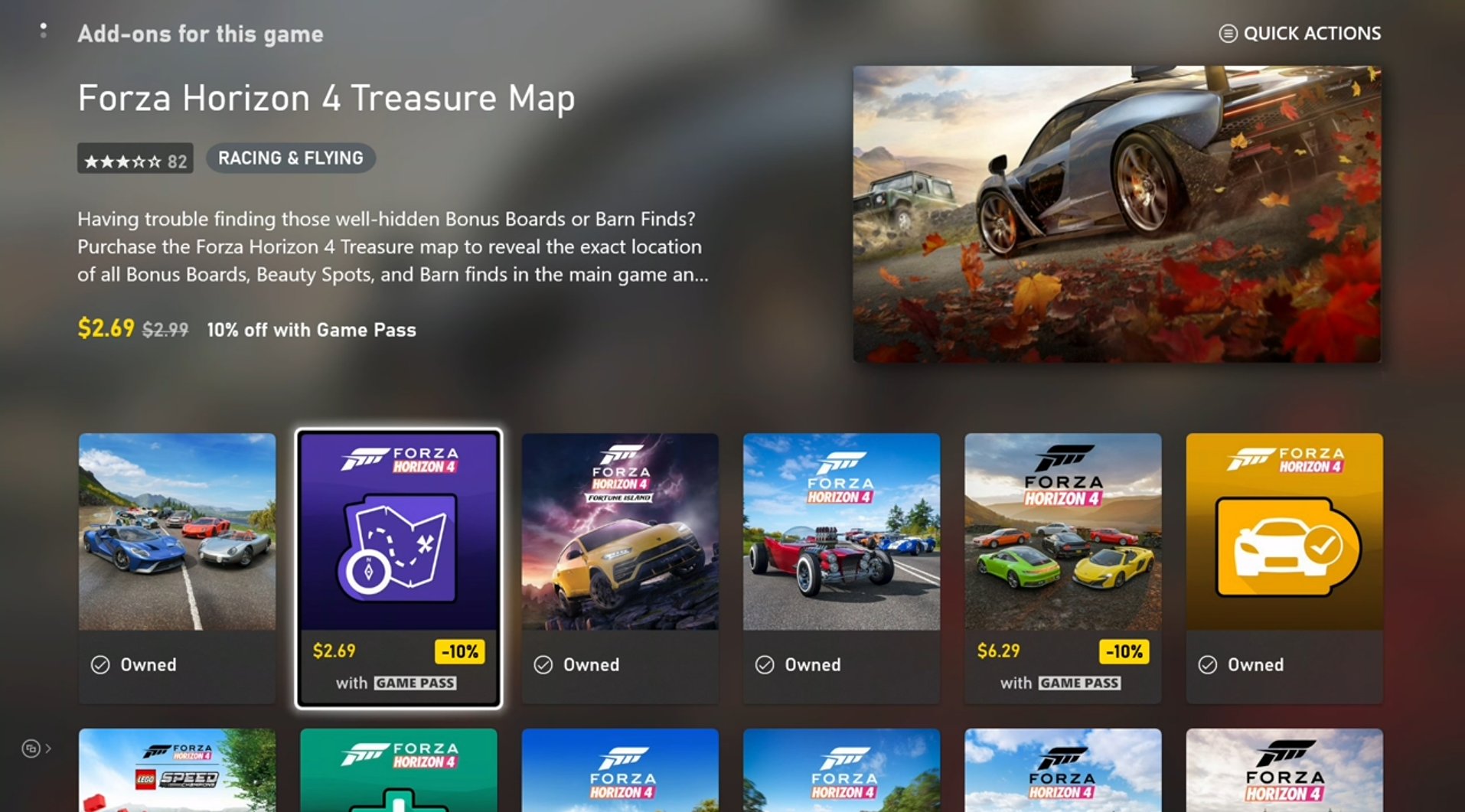
[XStoreShowAssociatedProductsUIAsync](/zh-TW/reference/system/xstore/xstore_members) 會將使用者轉換至 Microsoft Store 應用程式中依產品種類篩選的相關聯產品檢視。此 API 可取代列舉可用產品並在遊戲內介面中呈現的做法。
 ## 2. 評估使用者擁有或有權使用的產品
此步驟使用的程式碼大多與前面所示相同,但有下列替換:
* [XStoreQueryAssociatedProductsAsync](/zh-TW/reference/system/xstore/xstore_members) → [XStoreQueryEntitledProductsAsync](/zh-TW/reference/system/xstore/xstore_members)
* [XStoreQueryAssociatedProductsResult](/zh-TW/reference/system/xstore/xstore_members) → [XStoreQueryEntitledProductsResult](/zh-TW/reference/system/xstore/xstore_members)
`QueryEntitledProducts` API 會傳回使用者有權使用的產品。有權使用表示使用者直接擁有該產品、透過其他產品 (例如組合包和訂閱) 滿足權利,或透過其他使用者的共用權利取得權利。
此外,[XStoreQueryAssociatedProductsAsync](/zh-TW/reference/system/xstore/xstore_members) (及相關函式) 的結果也會判斷權利。[XStoreProduct](/zh-TW/reference/system/xstore/xstore_members) 結構包含 `isInUserCollection` 欄位,當使用者擁有權利時,此欄位會設為 true。
### 消耗性產品擁有權
消耗性產品的數量記載於 `XStoreProduct.skus[i].collectionData.quantity`。一般而言,消耗性產品只有一個 SKU。
您也可以使用 [XStoreQueryConsumableBalanceRemainingAsync](/zh-TW/reference/system/xstore/xstore_members) 查詢數量,但請避免對大量消耗性產品個別使用此 API,因為每次呼叫都會產生一次服務呼叫。
若要維護以消耗性產品為基礎之生態系統的完整性,請使用服務端的消耗性產品驗證與兌換。如需詳細資訊,請參閱[以消耗性產品為基礎的生態系統](/zh-TW/publishing/xstore-commerce/xstore-consumables)。
### 耐久性產品擁有權
僅檢查帳戶是否擁有產品,不足以判斷其是否有權在遊戲中使用該產品。耐久性產品必須遵守[遊戲的產品共用模型](/zh-TW/publishing/xstore-commerce/xstore-product-sharing)中所述的內容共用原則。
對於**含套件的耐久性產品**,請使用 [XStoreAcquireLicenseForPackageAsync](/zh-TW/reference/system/xstore/xstore_members) 判斷其是否可根據內容共用規則取得授權。
對於**不含套件的耐久性產品**,請使用 [XStoreAcquireLicenseForDurablesAsync](/zh-TW/reference/system/xstore/xstore_members) 執行相同的作業。
對於**數位**授權的遊戲,請使用 [XStoreQueryAddOnLicensesAsync](/zh-TW/reference/system/xstore/xstore_members) 傳回可授權的不含套件耐久性產品清單。
如需詳細資訊,請參閱[管理可下載內容並授權](/zh-TW/publishing/xstore-commerce/xstore-dlc)和[如何使用不含套件的耐久性產品](/zh-TW/publishing/xstore-commerce/xstore-dwob)。
## 3. 購買符合資格的產品
若要顯示可購買產品的購買流程,請將 `storeId` 傳入 [XStoreShowPurchaseUIAsync](/zh-TW/reference/system/xstore/xstore_members) API:
```cpp theme={null}
void MakePurchase(const char* storeId)
{
auto async = new XAsyncBlock{};
async->context = &storeId;
async->queue = m_asyncQueue;
async->callback = [](XAsyncBlock *async)
{
const char* = reinterpret_cast(async->context);
HRESULT hr = XStoreShowPurchaseUIResult(async);
if (SUCCEEDED(hr))
{
printf("Purchase succeeded (%s)\n", storeId);
// Refresh ownership and update game
}
else
{
printf("Purchase failed (%s) 0x%x\n", storeId, hr);
if (hr == E_GAMESTORE_ALREADY_PURCHASED)
{
printf("Already own this\n");
}
}
delete async;
};
HRESULT hr = XStoreShowPurchaseUIAsync(
m_xStoreContext,
storeId,
nullptr, // Can be used to override the title bar text
nullptr, // Can be used to provide extra details to purchase
async);
if (FAILED(hr))
{
delete async;
printf("Error calling XStoreShowPurchaseUIAsync : 0x%x\n", hr);
return;
}
}
```
玩家也可以在遊戲外購買,例如明確切換至 Microsoft Store,或透過 Xbox.com、PC、行動應用程式或其他管道購買。因此,請在遊戲中提供一個可依需求可靠地重新整理產品擁有權的位置。初始登入流程是很理想的位置,但也請在轉換至遊戲內商店時或設定中的某處加入重新整理功能。
## 參考 API 文件
* [XStore (API 內容)](/zh-TW/reference/system/xstore/xstore_members)
* 函式
* [XStoreCreateContext](/zh-TW/reference/system/xstore/xstore_members)
* [XStoreQueryAssociatedProductsAsync](/zh-TW/reference/system/xstore/xstore_members)
* [XStoreQueryProductsAsync](/zh-TW/reference/system/xstore/xstore_members)
* [XStoreQueryAssociatedProductsForStoreIdAsync](/zh-TW/reference/system/xstore/xstore_members)
* [XStoreQueryProductForCurrentGameAsync](/zh-TW/reference/system/xstore/xstore_members)
* [XStoreShowAssociatedProductsUIAsync](/zh-TW/reference/system/xstore/xstore_members)
* [XStoreQueryEntitledProductsAsync](/zh-TW/reference/system/xstore/xstore_members)
* [XStoreQueryAssociatedProductsResult](/zh-TW/reference/system/xstore/xstore_members)
* [XStoreQueryEntitledProductsResult](/zh-TW/reference/system/xstore/xstore_members)
* [XStoreQueryConsumableBalanceRemainingAsync](/zh-TW/reference/system/xstore/xstore_members)
* [XStoreAcquireLicenseForPackageAsync](/zh-TW/reference/system/xstore/xstore_members)
* [XStoreAcquireLicenseForDurablesAsync](/zh-TW/reference/system/xstore/xstore_members)
* [XStoreQueryAddOnLicensesAsync](/zh-TW/reference/system/xstore/xstore_members)
* [XStoreShowPurchaseUIAsync](/zh-TW/reference/system/xstore/xstore_members)
* 結構
* [XStoreProduct](/zh-TW/reference/system/xstore/xstore_members)
## 另請參閱
[商務概觀](/zh-TW/publishing/xstore-commerce/xstore-commerce-overview)
[啟用 XStore 開發與測試](/zh-TW/publishing/xstore-commerce/xstore-product-testing-setup)
[XStore API 參考](/zh-TW/reference/system/xstore/xstore_members)
## Related topics
- [XStore](/zh-CN/reference/system/xstore/xstore_members.md)
- [XStoreShowAssociatedProductsUIAsync](/zh-CN/reference/system/xstore/functions/xstoreshowassociatedproductsuiasync.md)
- [XStoreQueryProductForCurrentGameAsync](/zh-CN/reference/system/xstore/functions/xstorequeryproductforcurrentgameasync.md)
- [XStoreAcquireLicenseForPackageAsync](/zh-CN/reference/system/xstore/functions/xstoreacquirelicenseforpackageasync.md)
- [XStoreQueryProductsAsync](/zh-CN/reference/system/xstore/functions/xstorequeryproductsasync.md)
## 2. 評估使用者擁有或有權使用的產品
此步驟使用的程式碼大多與前面所示相同,但有下列替換:
* [XStoreQueryAssociatedProductsAsync](/zh-TW/reference/system/xstore/xstore_members) → [XStoreQueryEntitledProductsAsync](/zh-TW/reference/system/xstore/xstore_members)
* [XStoreQueryAssociatedProductsResult](/zh-TW/reference/system/xstore/xstore_members) → [XStoreQueryEntitledProductsResult](/zh-TW/reference/system/xstore/xstore_members)
`QueryEntitledProducts` API 會傳回使用者有權使用的產品。有權使用表示使用者直接擁有該產品、透過其他產品 (例如組合包和訂閱) 滿足權利,或透過其他使用者的共用權利取得權利。
此外,[XStoreQueryAssociatedProductsAsync](/zh-TW/reference/system/xstore/xstore_members) (及相關函式) 的結果也會判斷權利。[XStoreProduct](/zh-TW/reference/system/xstore/xstore_members) 結構包含 `isInUserCollection` 欄位,當使用者擁有權利時,此欄位會設為 true。
### 消耗性產品擁有權
消耗性產品的數量記載於 `XStoreProduct.skus[i].collectionData.quantity`。一般而言,消耗性產品只有一個 SKU。
您也可以使用 [XStoreQueryConsumableBalanceRemainingAsync](/zh-TW/reference/system/xstore/xstore_members) 查詢數量,但請避免對大量消耗性產品個別使用此 API,因為每次呼叫都會產生一次服務呼叫。
若要維護以消耗性產品為基礎之生態系統的完整性,請使用服務端的消耗性產品驗證與兌換。如需詳細資訊,請參閱[以消耗性產品為基礎的生態系統](/zh-TW/publishing/xstore-commerce/xstore-consumables)。
### 耐久性產品擁有權
僅檢查帳戶是否擁有產品,不足以判斷其是否有權在遊戲中使用該產品。耐久性產品必須遵守[遊戲的產品共用模型](/zh-TW/publishing/xstore-commerce/xstore-product-sharing)中所述的內容共用原則。
對於**含套件的耐久性產品**,請使用 [XStoreAcquireLicenseForPackageAsync](/zh-TW/reference/system/xstore/xstore_members) 判斷其是否可根據內容共用規則取得授權。
對於**不含套件的耐久性產品**,請使用 [XStoreAcquireLicenseForDurablesAsync](/zh-TW/reference/system/xstore/xstore_members) 執行相同的作業。
對於**數位**授權的遊戲,請使用 [XStoreQueryAddOnLicensesAsync](/zh-TW/reference/system/xstore/xstore_members) 傳回可授權的不含套件耐久性產品清單。
如需詳細資訊,請參閱[管理可下載內容並授權](/zh-TW/publishing/xstore-commerce/xstore-dlc)和[如何使用不含套件的耐久性產品](/zh-TW/publishing/xstore-commerce/xstore-dwob)。
## 3. 購買符合資格的產品
若要顯示可購買產品的購買流程,請將 `storeId` 傳入 [XStoreShowPurchaseUIAsync](/zh-TW/reference/system/xstore/xstore_members) API:
```cpp theme={null}
void MakePurchase(const char* storeId)
{
auto async = new XAsyncBlock{};
async->context = &storeId;
async->queue = m_asyncQueue;
async->callback = [](XAsyncBlock *async)
{
const char* = reinterpret_cast(async->context);
HRESULT hr = XStoreShowPurchaseUIResult(async);
if (SUCCEEDED(hr))
{
printf("Purchase succeeded (%s)\n", storeId);
// Refresh ownership and update game
}
else
{
printf("Purchase failed (%s) 0x%x\n", storeId, hr);
if (hr == E_GAMESTORE_ALREADY_PURCHASED)
{
printf("Already own this\n");
}
}
delete async;
};
HRESULT hr = XStoreShowPurchaseUIAsync(
m_xStoreContext,
storeId,
nullptr, // Can be used to override the title bar text
nullptr, // Can be used to provide extra details to purchase
async);
if (FAILED(hr))
{
delete async;
printf("Error calling XStoreShowPurchaseUIAsync : 0x%x\n", hr);
return;
}
}
```
玩家也可以在遊戲外購買,例如明確切換至 Microsoft Store,或透過 Xbox.com、PC、行動應用程式或其他管道購買。因此,請在遊戲中提供一個可依需求可靠地重新整理產品擁有權的位置。初始登入流程是很理想的位置,但也請在轉換至遊戲內商店時或設定中的某處加入重新整理功能。
## 參考 API 文件
* [XStore (API 內容)](/zh-TW/reference/system/xstore/xstore_members)
* 函式
* [XStoreCreateContext](/zh-TW/reference/system/xstore/xstore_members)
* [XStoreQueryAssociatedProductsAsync](/zh-TW/reference/system/xstore/xstore_members)
* [XStoreQueryProductsAsync](/zh-TW/reference/system/xstore/xstore_members)
* [XStoreQueryAssociatedProductsForStoreIdAsync](/zh-TW/reference/system/xstore/xstore_members)
* [XStoreQueryProductForCurrentGameAsync](/zh-TW/reference/system/xstore/xstore_members)
* [XStoreShowAssociatedProductsUIAsync](/zh-TW/reference/system/xstore/xstore_members)
* [XStoreQueryEntitledProductsAsync](/zh-TW/reference/system/xstore/xstore_members)
* [XStoreQueryAssociatedProductsResult](/zh-TW/reference/system/xstore/xstore_members)
* [XStoreQueryEntitledProductsResult](/zh-TW/reference/system/xstore/xstore_members)
* [XStoreQueryConsumableBalanceRemainingAsync](/zh-TW/reference/system/xstore/xstore_members)
* [XStoreAcquireLicenseForPackageAsync](/zh-TW/reference/system/xstore/xstore_members)
* [XStoreAcquireLicenseForDurablesAsync](/zh-TW/reference/system/xstore/xstore_members)
* [XStoreQueryAddOnLicensesAsync](/zh-TW/reference/system/xstore/xstore_members)
* [XStoreShowPurchaseUIAsync](/zh-TW/reference/system/xstore/xstore_members)
* 結構
* [XStoreProduct](/zh-TW/reference/system/xstore/xstore_members)
## 另請參閱
[商務概觀](/zh-TW/publishing/xstore-commerce/xstore-commerce-overview)
[啟用 XStore 開發與測試](/zh-TW/publishing/xstore-commerce/xstore-product-testing-setup)
[XStore API 參考](/zh-TW/reference/system/xstore/xstore_members)
## Related topics
- [XStore](/zh-CN/reference/system/xstore/xstore_members.md)
- [XStoreShowAssociatedProductsUIAsync](/zh-CN/reference/system/xstore/functions/xstoreshowassociatedproductsuiasync.md)
- [XStoreQueryProductForCurrentGameAsync](/zh-CN/reference/system/xstore/functions/xstorequeryproductforcurrentgameasync.md)
- [XStoreAcquireLicenseForPackageAsync](/zh-CN/reference/system/xstore/functions/xstoreacquirelicenseforpackageasync.md)
- [XStoreQueryProductsAsync](/zh-CN/reference/system/xstore/functions/xstorequeryproductsasync.md)