> ## Documentation Index
> Fetch the complete documentation index at: https://devdocs.xbox.com/llms.txt
> Use this file to discover all available pages before exploring further.
# 範本
> 範本
以下是可搭配 TAK CLI 使用的範本。這些範本可以在[建立新的未封裝組合](/zh-TW/build/core-features/common/game-streaming/tak-command-line-tool/game-streaming-tak-command-line-create-command#create-bundle)或[在現有的未封裝組合中建立配置](/zh-TW/build/core-features/common/game-streaming/tak-command-line-tool/game-streaming-tak-command-line-create-command#create-layout)時使用。
在命令列工具中參考各範本時,請使用其命令列工具名稱。
| 範本 | 命令列工具名稱 |
| - | - |
| [空白 (Blank)](#blank) | `Blank` |
| [選單 (Menu)](#menu) | `Menu` |
| [過場動畫 (Cinematic)](#cinematic) | `Cinematic` |
| [平台遊戲 (基本)](#platformer-basic) | `PlatformerBasic` |
| [平台遊戲 (進階)](#platformer-advanced) | `PlatformerAdvanced ` |
| [賽車 (基本)](#racing-basic) | `RacingBasic` |
| [賽車 (進階)](#racing-advanced) | `RacingAdvanced` |
| [格鬥 (Fighting)](#fighting) | `Fighting` |
| [射擊 (Shooter)](#shooter) | `Shooter` |
## 空白 (Blank)
這是沒有任何內容的空白配置。它已設定為使用最新的 TAK 結構描述。這是建立符合遊戲需求之自訂觸控控制配置的良好起點。
## 選單 (Menu)
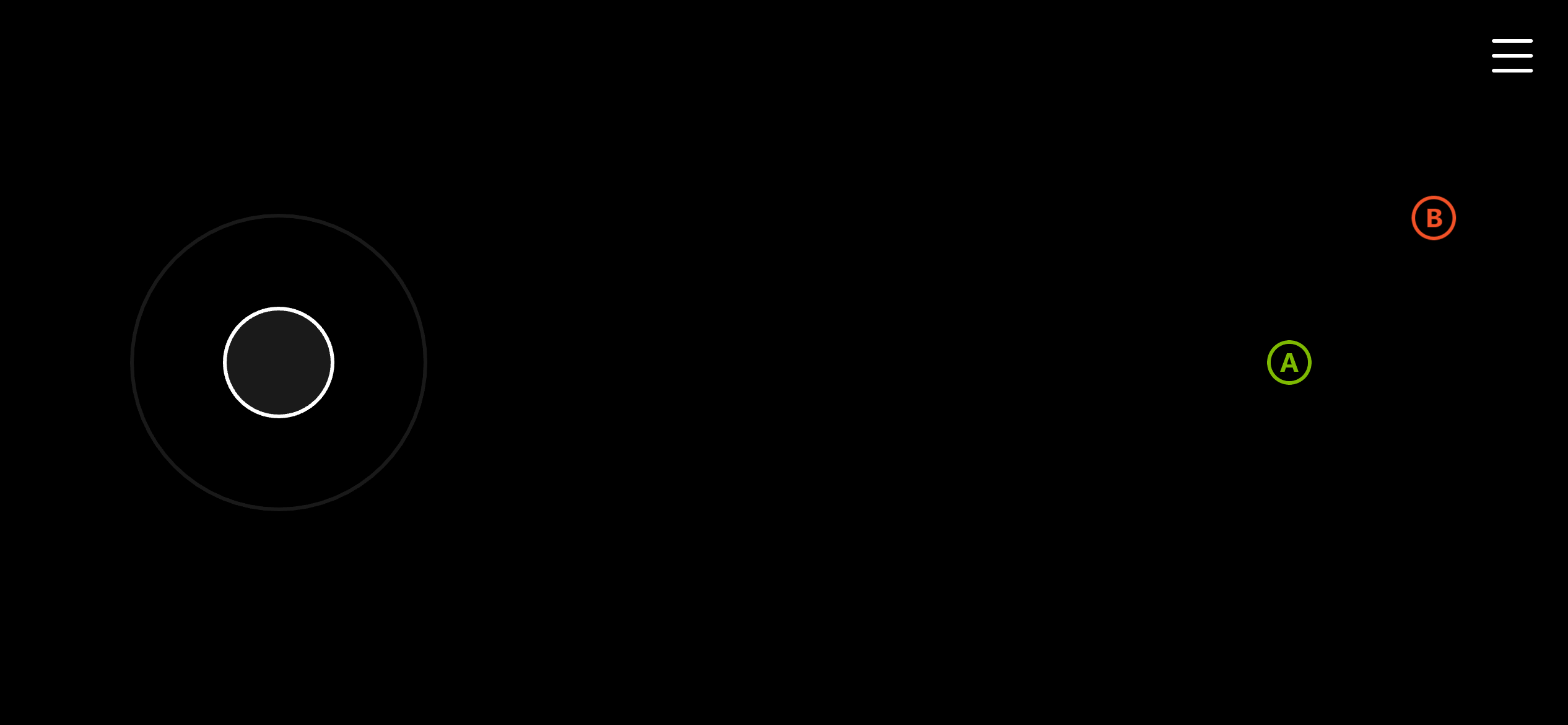
選單畫面的範本。包含用於選單瀏覽的左搖桿,以及 A 和 B 按鈕。
 ## 過場動畫 (Cinematic)
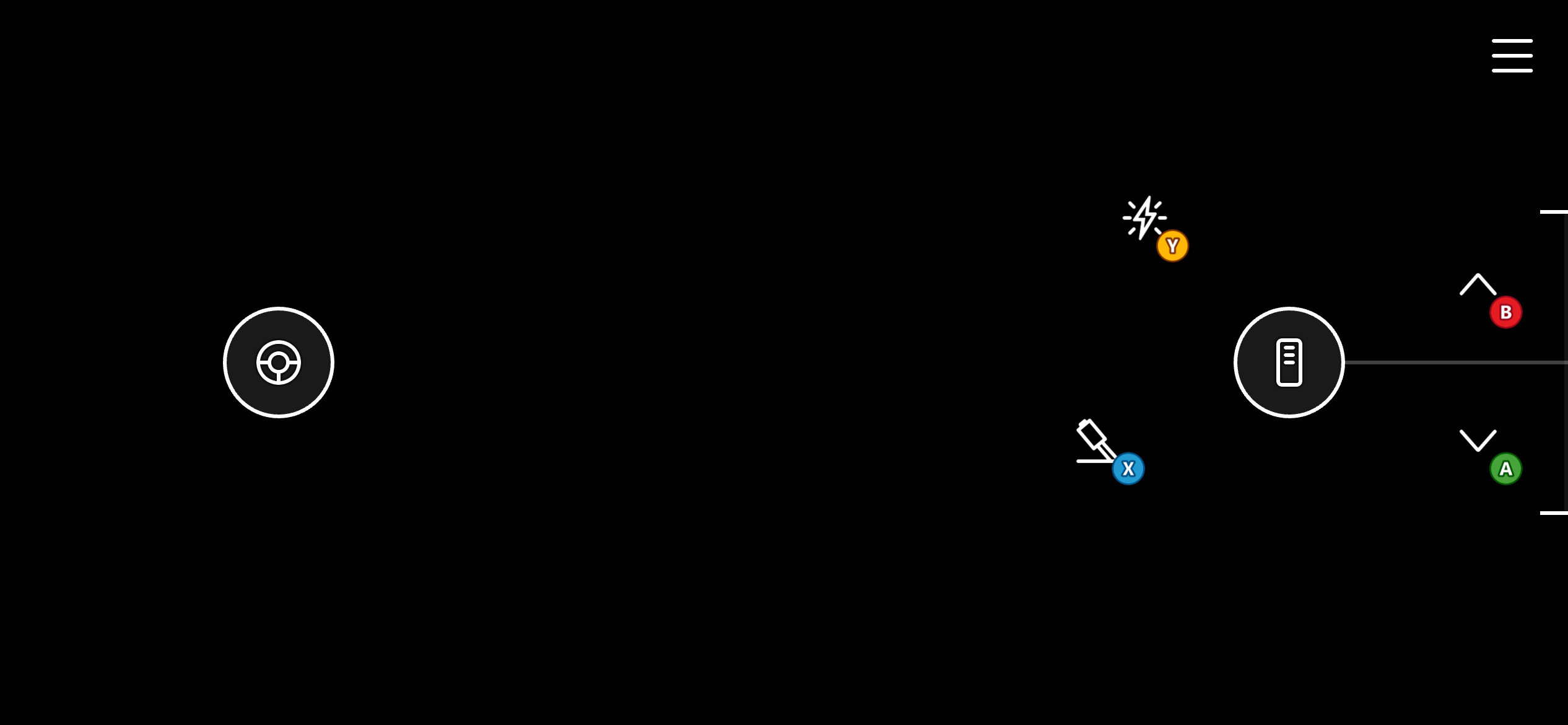
過場動畫畫面的精簡範本。只在畫面右上角包含一個 B 按鈕,以盡可能保留過場動畫可用的畫面空間。
## 過場動畫 (Cinematic)
過場動畫畫面的精簡範本。只在畫面右上角包含一個 B 按鈕,以盡可能保留過場動畫可用的畫面空間。
 ## 平台遊戲 (基本)
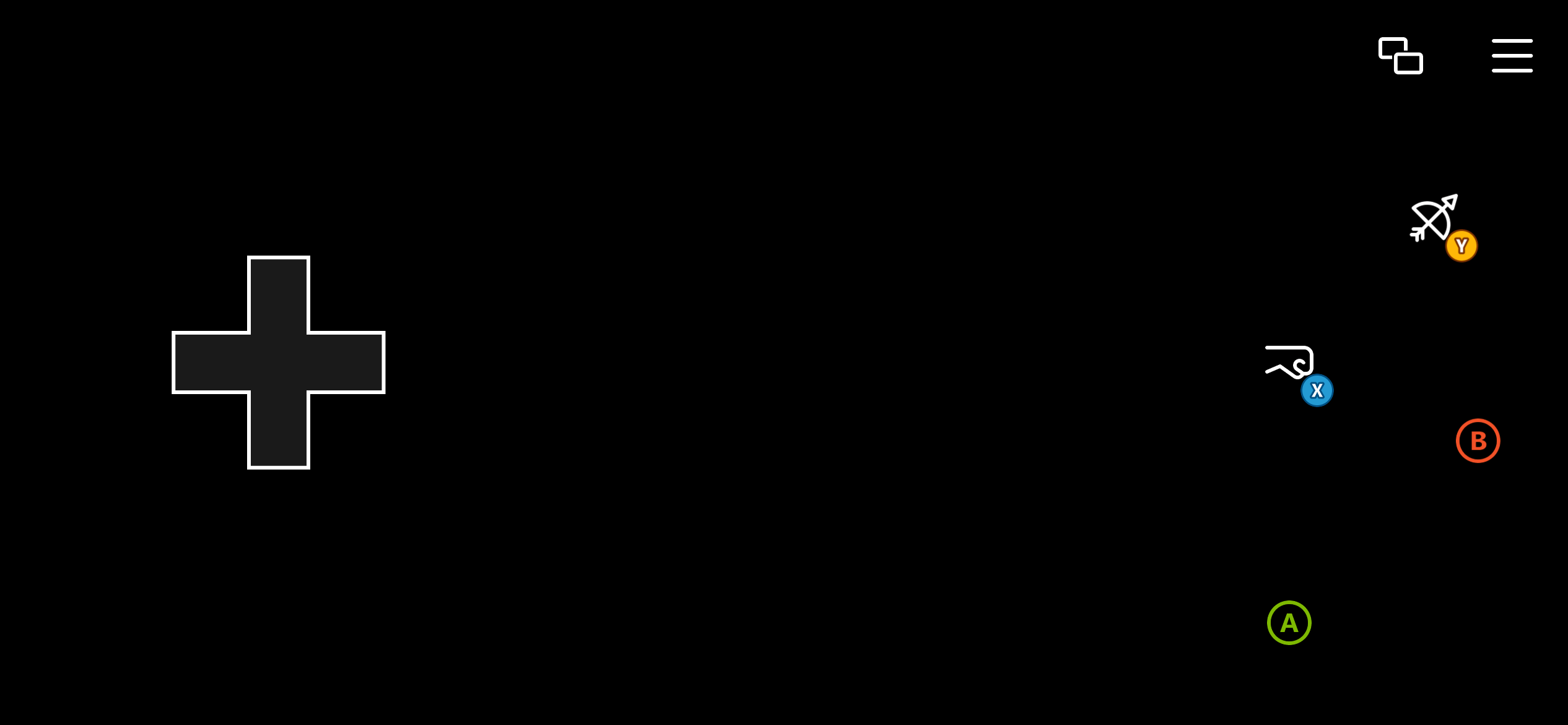
平台遊戲的基本範本。使用方向鍵進行移動,並提供風格化的 A、B、X、Y 按鈕。
## 平台遊戲 (基本)
平台遊戲的基本範本。使用方向鍵進行移動,並提供風格化的 A、B、X、Y 按鈕。
 ## 平台遊戲 (進階)
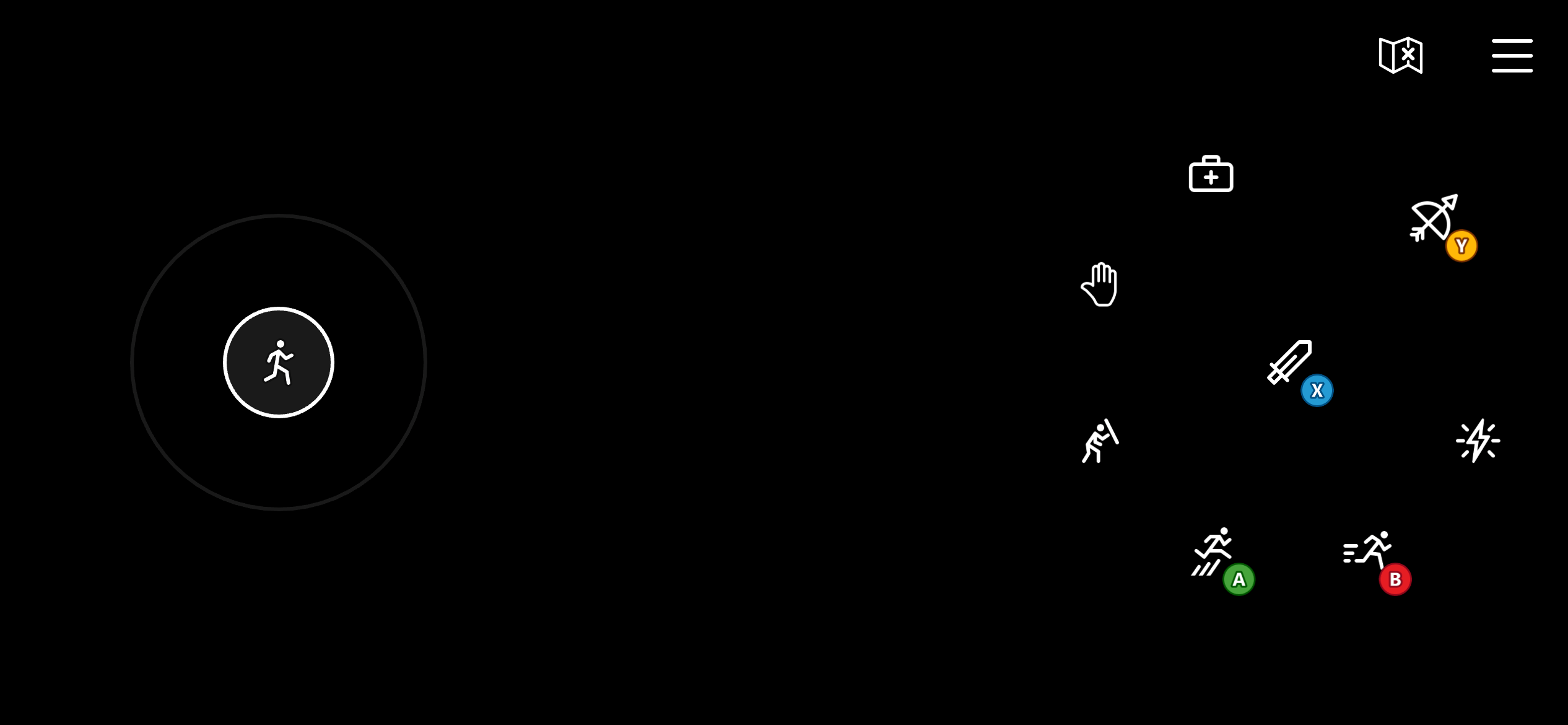
平台遊戲的進階範本。使用左搖桿進行移動,提供更精確的移動控制。包含風格化的 A、B、X、Y 按鈕。它也在右側轉盤上使用四個額外按鈕,對應至左緩衝鈕、右緩衝鈕和扳機鍵,用於格擋、治療、技能和互動等各種動作。
## 平台遊戲 (進階)
平台遊戲的進階範本。使用左搖桿進行移動,提供更精確的移動控制。包含風格化的 A、B、X、Y 按鈕。它也在右側轉盤上使用四個額外按鈕,對應至左緩衝鈕、右緩衝鈕和扳機鍵,用於格擋、治療、技能和互動等各種動作。
 ## 賽車 (基本)
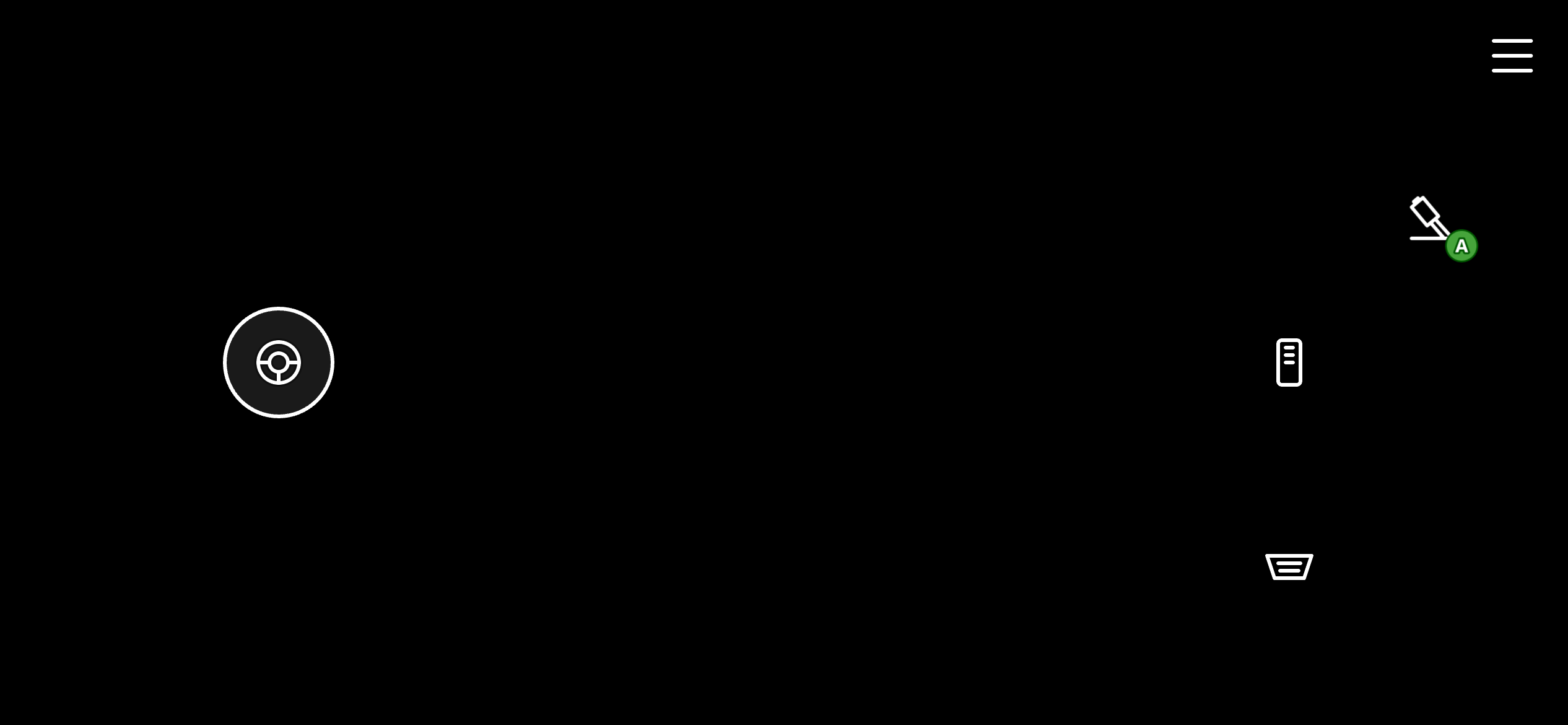
賽車遊戲的基本範本。它使用一維 (水平) 左搖桿來轉向。它也在右側轉盤上使用 3 個樣式化按鈕,分別對應至左扳機鍵 (煞車)、右扳機鍵 (加速) 和 A (手煞車)。
## 賽車 (基本)
賽車遊戲的基本範本。它使用一維 (水平) 左搖桿來轉向。它也在右側轉盤上使用 3 個樣式化按鈕,分別對應至左扳機鍵 (煞車)、右扳機鍵 (加速) 和 A (手煞車)。
 ## 賽車 (進階)
賽車遊戲的進階範本。與基本版本類似,它使用一維 (水平) 左搖桿來轉向。它不使用按鈕做為左右扳機鍵,而是使用油門控制項,可更精確地控制扳機鍵值,並能將油門「固定」在某個位置以進行定速巡航。它也在右側轉盤上使用樣式化的 A、B、X、Y 按鈕,以提供更多控制。
## 賽車 (進階)
賽車遊戲的進階範本。與基本版本類似,它使用一維 (水平) 左搖桿來轉向。它不使用按鈕做為左右扳機鍵,而是使用油門控制項,可更精確地控制扳機鍵值,並能將油門「固定」在某個位置以進行定速巡航。它也在右側轉盤上使用樣式化的 A、B、X、Y 按鈕,以提供更多控制。
 ## 格鬥 (Fighting)
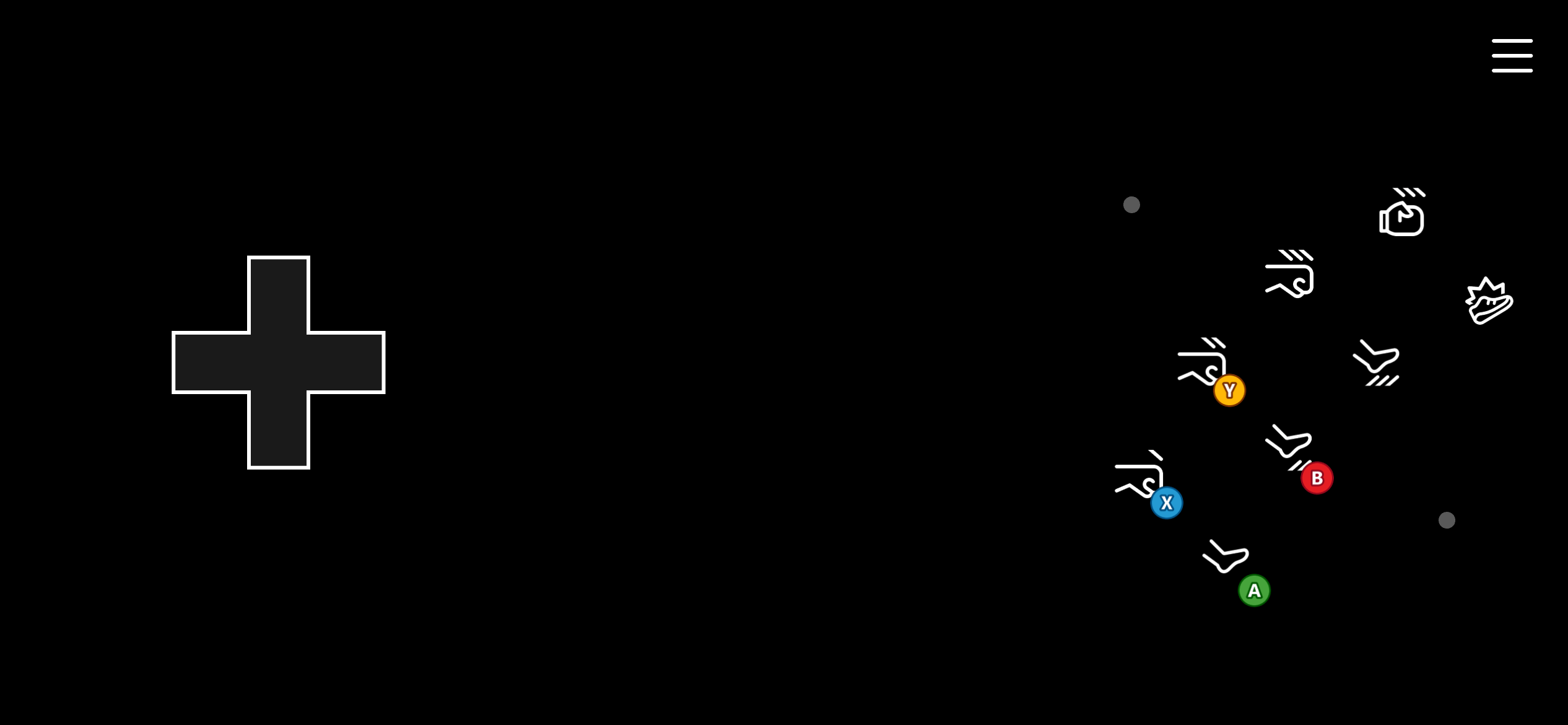
格鬥遊戲的範本。它在左側轉盤上使用方向鍵進行移動,並在右側轉盤上以「大型電玩」方式排列一系列 8 個按鈕,用於格鬥連段。這些按鈕對應至 A、B、X、Y、左緩衝鈕、右緩衝鈕和扳機鍵。
## 格鬥 (Fighting)
格鬥遊戲的範本。它在左側轉盤上使用方向鍵進行移動,並在右側轉盤上以「大型電玩」方式排列一系列 8 個按鈕,用於格鬥連段。這些按鈕對應至 A、B、X、Y、左緩衝鈕、右緩衝鈕和扳機鍵。
 ## 射擊 (Shooter)
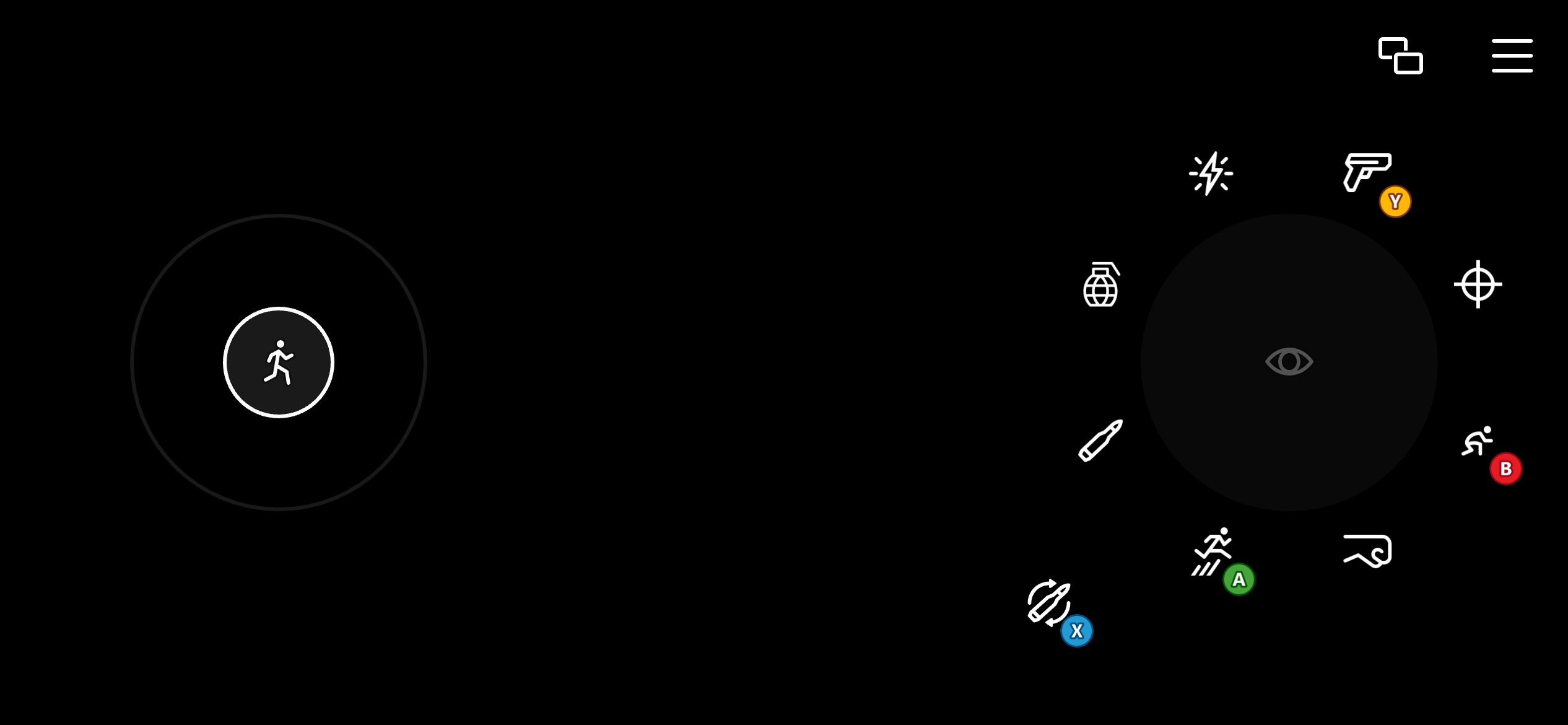
射擊遊戲的範本。使用雙向左搖桿進行移動,並使用對應至相對滑鼠移動的觸控板,以進行更精確的瞄準。右側轉盤上的數個控制項設定為以按鈕形式呈現,同時也可做為觸控板使用。這可讓玩家在使用按鈕執行射擊、重新裝填、跳躍和切換武器等動作時,持續進行瞄準。
## 射擊 (Shooter)
射擊遊戲的範本。使用雙向左搖桿進行移動,並使用對應至相對滑鼠移動的觸控板,以進行更精確的瞄準。右側轉盤上的數個控制項設定為以按鈕形式呈現,同時也可做為觸控板使用。這可讓玩家在使用按鈕執行射擊、重新裝填、跳躍和切換武器等動作時,持續進行瞄準。
 ## Related topics
- [使用 GDKX 建置並執行你的第一個主機遊戲](/zh-TW/home/build-first-title/first-console-title-walkthrough.md)
- [開發新的 GDK 遊戲](/zh-TW/home/build-first-title/developing-new-titles.md)
- [PFPushNotificationsSendPushNotificationFromTemplateRequest](/zh-TW/services/playfab/api-references/c/pfpushnotificationstypes/structs/pfpushnotificationssendpushnotificationfromtemplaterequest.md)
- [設定並安裝 GDK](/zh-TW/home/setup-install/get-started.md)
- [PFPushNotificationsServerSendPushNotificationFromTemplateAsync](/zh-TW/services/playfab/api-references/c/pfpushnotifications/functions/pfpushnotificationsserversendpushnotificationfromtemplateasync.md)
## Related topics
- [使用 GDKX 建置並執行你的第一個主機遊戲](/zh-TW/home/build-first-title/first-console-title-walkthrough.md)
- [開發新的 GDK 遊戲](/zh-TW/home/build-first-title/developing-new-titles.md)
- [PFPushNotificationsSendPushNotificationFromTemplateRequest](/zh-TW/services/playfab/api-references/c/pfpushnotificationstypes/structs/pfpushnotificationssendpushnotificationfromtemplaterequest.md)
- [設定並安裝 GDK](/zh-TW/home/setup-install/get-started.md)
- [PFPushNotificationsServerSendPushNotificationFromTemplateAsync](/zh-TW/services/playfab/api-references/c/pfpushnotifications/functions/pfpushnotificationsserversendpushnotificationfromtemplateasync.md)