> ## Documentation Index
> Fetch the complete documentation index at: https://devdocs.xbox.com/llms.txt
> Use this file to discover all available pages before exploring further.
# 觸控調整套件 (TAK) 參考
> 觸控調整套件 (TAK) 參考,說明如何建置觸控配置與組合,以及如何使用 tak.exe 在串流的 XBOX 遊戲中啟用觸控控制項。
## 組合與工具
| 主題 | 描述 |
| :- | :- |
| [觸控調整組合 (TAB)](/zh-TW/build/core-features/common/game-streaming/game-streaming-touch-touch-adaptation-bundle) | 一組獨立的配置、資產和設定,可讓您以觸控方式遊玩遊戲。 |
| [觸控調整套件命令列工具 (tak.exe)](/zh-TW/build/core-features/common/game-streaming/tak-command-line-tool/game-streaming-tak-command-line) | 建立及驗證觸控控制配置。讓串流裝置能夠從您的 PC 取得配置。 |
## 配置設定
觸控配置的基本配置元件。
| 主題 | 描述 |
| :- | :- |
| [配置](/zh-TW/reference/system/touchadaptationkit/layout/game-streaming-touch-layout) | 遊戲完整觸控配置的表示法。 |
| [控制項叢集](/zh-TW/reference/system/touchadaptationkit/layout/game-streaming-touch-control-cluster-outer) | 最多四個控制項的陣列,可用來佔用滾輪外圍部分的兩個位置。 |
| [內滾輪](/zh-TW/reference/system/touchadaptationkit/layout/game-streaming-touch-inner-wheel) | 最多四個控制項的陣列,用來分割滾輪的內側部分。 |
| [圖層](/zh-TW/reference/system/touchadaptationkit/layout/game-streaming-touch-layer) | ***實驗性***子觸控配置,可重疊顯示在基礎觸控配置之上。 |
| [圖層動作](/zh-TW/reference/system/touchadaptationkit/layout/game-streaming-touch-layer-action) | 按鈕可用來顯示圖層的***實驗性***動作。 |
| [配置方向](/zh-TW/reference/system/touchadaptationkit/layout/game-streaming-touch-layout-orientation) | (***已淘汰***) 觸控配置的顯示方向。 |
| [滾輪](/zh-TW/reference/system/touchadaptationkit/layout/game-streaming-touch-wheel) | 排列在內側和外側圓形區域中的一組觸控控制項。 |
## 觸控控制項
可用於觸控配置的一組視覺控制項。
| 控制項 | 描述 | 範例 |
| :- | :- | :- |
| [大型機台按鈕](/zh-TW/reference/system/touchadaptationkit/controls/game-streaming-touch-arcadebuttons) | 以弧形排列的 6 或 8 個按鈕集合,風格類似大型遊戲機台。 | 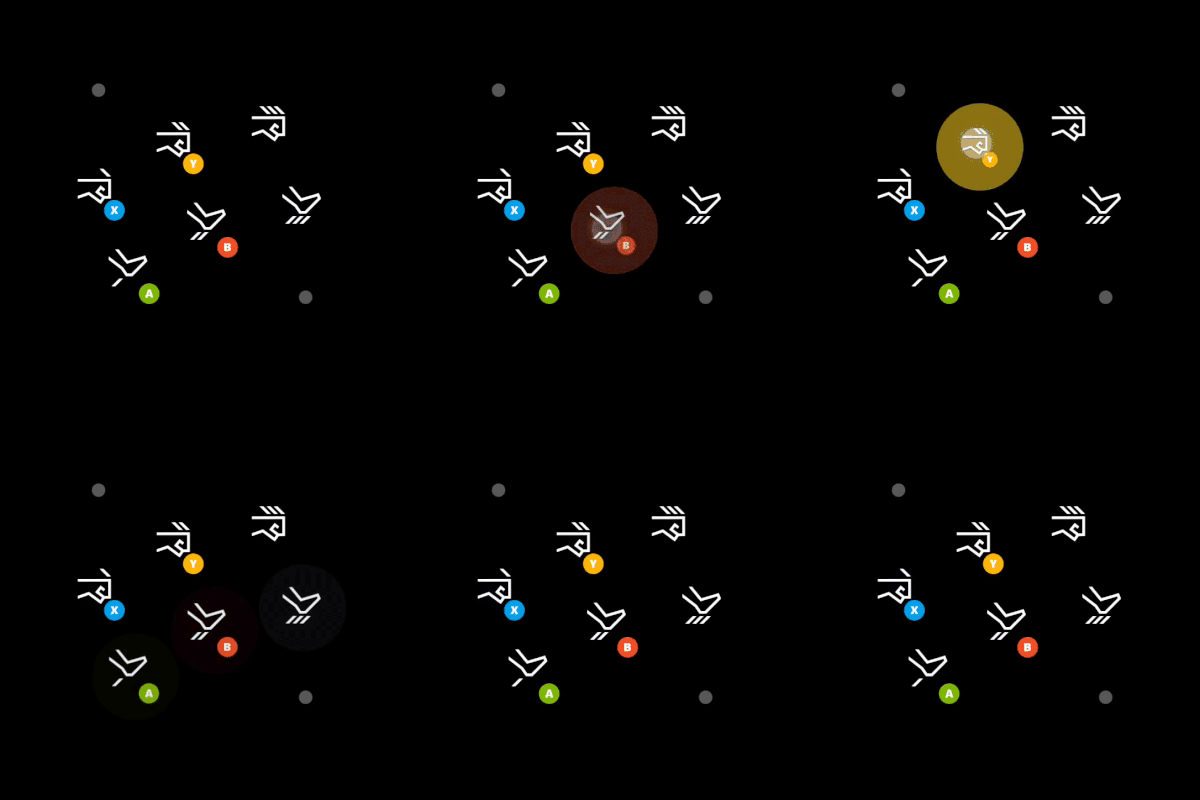 |
| [空白](/zh-TW/reference/system/touchadaptationkit/controls/game-streaming-touch-blank) | 在 `layer` 中使用的***實驗性***控制項,用來隱藏該位置中原本顯示的控制項。 | |
| [按鈕](/zh-TW/reference/system/touchadaptationkit/controls/game-streaming-touch-button) | 可回應玩家觸控輸入的基本控制項。 |
|
| [空白](/zh-TW/reference/system/touchadaptationkit/controls/game-streaming-touch-blank) | 在 `layer` 中使用的***實驗性***控制項,用來隱藏該位置中原本顯示的控制項。 | |
| [按鈕](/zh-TW/reference/system/touchadaptationkit/controls/game-streaming-touch-button) | 可回應玩家觸控輸入的基本控制項。 | 
 |
| [方向鍵](/zh-TW/reference/system/touchadaptationkit/controls/game-streaming-touch-directionalpad) | 一律對應至遊戲手把方向鍵的方向鍵控制項。 |
|
| [方向鍵](/zh-TW/reference/system/touchadaptationkit/controls/game-streaming-touch-directionalpad) | 一律對應至遊戲手把方向鍵的方向鍵控制項。 |  |
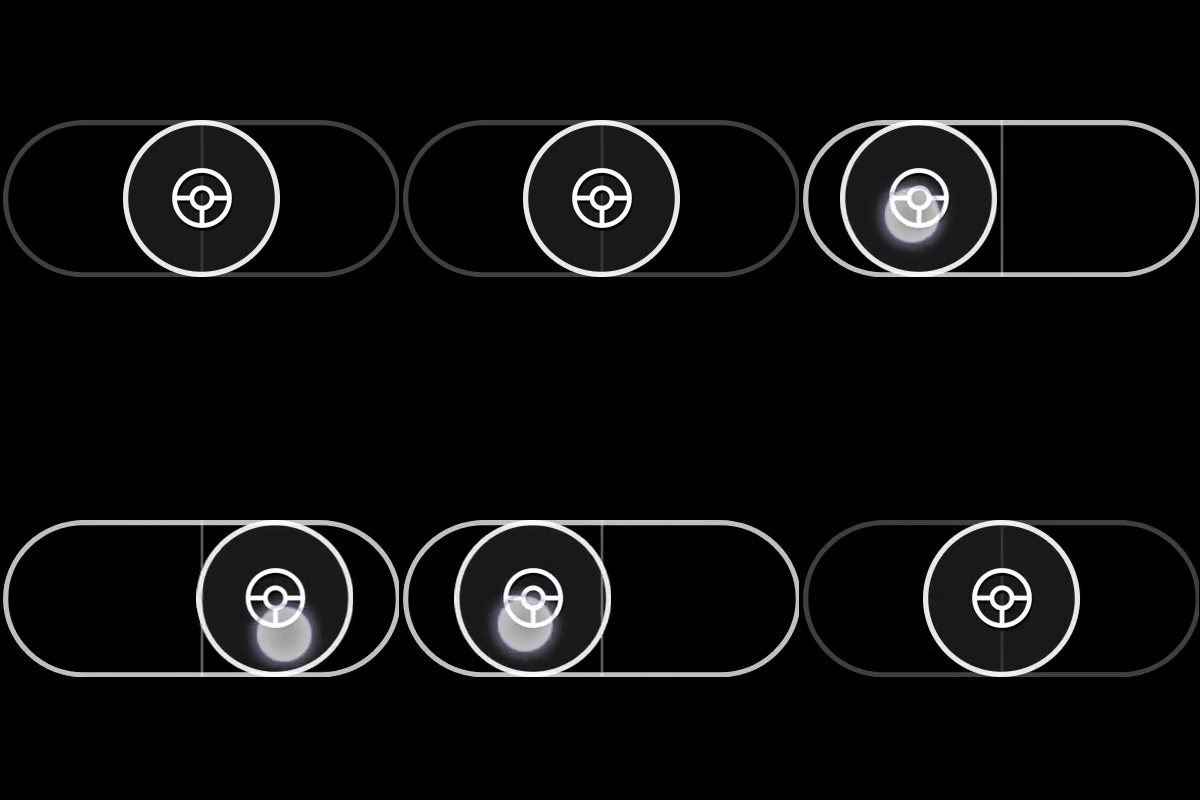
| [搖桿](/zh-TW/reference/system/touchadaptationkit/controls/game-streaming-touch-joystick) | 行為類似搖桿的類比控制項。 |
|
| [搖桿](/zh-TW/reference/system/touchadaptationkit/controls/game-streaming-touch-joystick) | 行為類似搖桿的類比控制項。 | 
 |
| [油門](/zh-TW/reference/system/touchadaptationkit/controls/game-streaming-touch-throttle) | 僅限 Y 軸之搖桿的特殊版本,對應至扳機鍵。專為駕駛遊戲設計。 |
|
| [油門](/zh-TW/reference/system/touchadaptationkit/controls/game-streaming-touch-throttle) | 僅限 Y 軸之搖桿的特殊版本,對應至扳機鍵。專為駕駛遊戲設計。 | 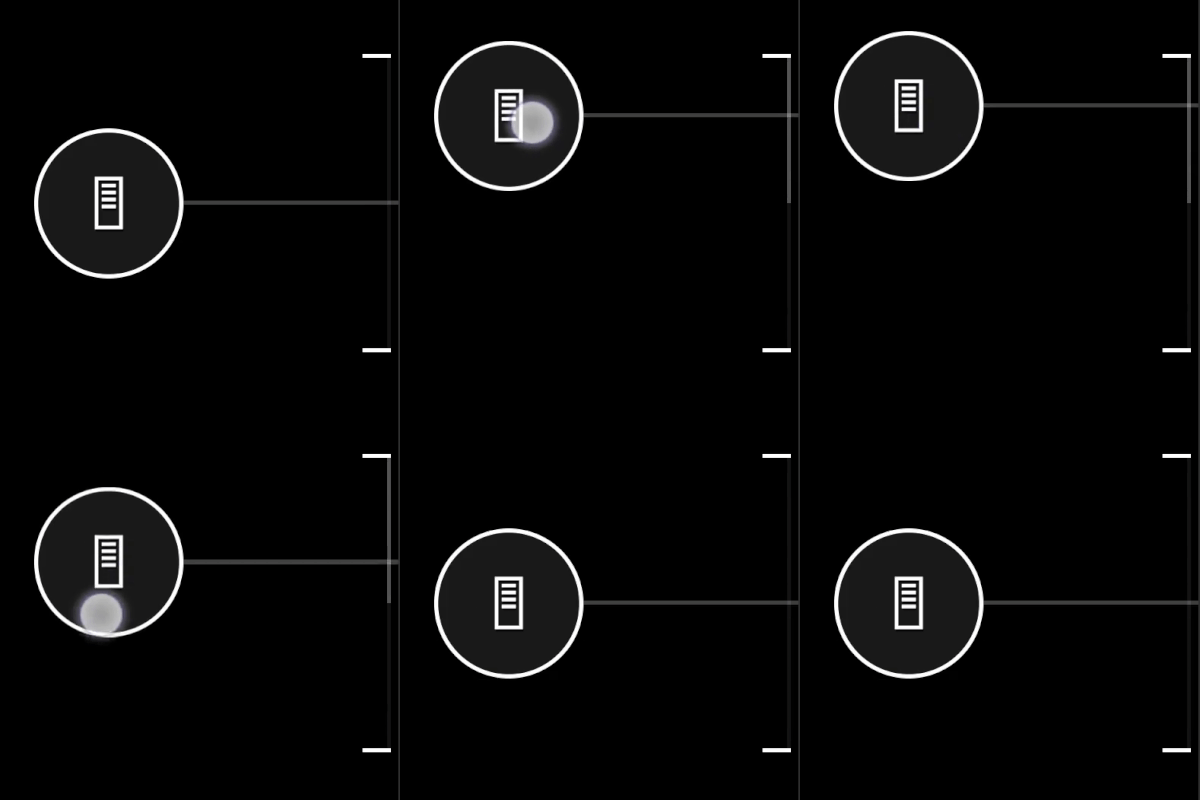 |
| [觸控板](/zh-TW/reference/system/touchadaptationkit/controls/game-streaming-touch-touchpad) | 讓玩家能以類似筆記型電腦觸控板方式互動的類比控制項。 |
|
| [觸控板](/zh-TW/reference/system/touchadaptationkit/controls/game-streaming-touch-touchpad) | 讓玩家能以類似筆記型電腦觸控板方式互動的類比控制項。 |  |
## 控制項樣式與元件
| 元件 | 描述 |
| :- | :- |
| [動作](/zh-TW/reference/system/touchadaptationkit/types/game-streaming-touch-action) | 可參考的實體控制器動作。 |
| [資產](/zh-TW/reference/system/touchadaptationkit/types/game-streaming-touch-asset) | 對觸控調整套件中所包含之自訂影像的參考。 |
| [軸](/zh-TW/reference/system/touchadaptationkit/types/game-streaming-touch-axis) | 觸控控制項與對等實體類比控制項之間對應的定義。 |
| [色彩](/zh-TW/reference/system/touchadaptationkit/types/game-streaming-touch-color) | 對色彩的參考。 |
| [死區](/zh-TW/reference/system/touchadaptationkit/types/game-streaming-touch-deadzone) | 不應登錄為輸入之玩家互動量的定義。 |
| [十六進位色彩](/zh-TW/reference/system/touchadaptationkit/types/game-streaming-touch-hexcolor) | 包含要參考之 RGBA 色彩值十六進位表示法的字串。 |
| [圖示](/zh-TW/reference/system/touchadaptationkit/types/game-streaming-touch-icon) | 對圖示的參考。 |
| [搖桿外框和指示器](/zh-TW/reference/system/touchadaptationkit/types/game-streaming-touch-joystick-outline) | 搖桿控制項外環的樣式屬性。 |
| [旋鈕](/zh-TW/reference/system/touchadaptationkit/types/game-streaming-touch-knob) | 玩家可與之互動之類似按鈕元件的樣式屬性。 |
| [回應曲線](/zh-TW/reference/system/touchadaptationkit/types/game-streaming-touch-responsecurve) | 將輸入對應至輸出的曲線範圍定義。 |
| [筆觸](/zh-TW/reference/system/touchadaptationkit/types/game-streaming-touch-stroke) | 所參考物件外框的樣式屬性。 |
| [油門軸](/zh-TW/reference/system/touchadaptationkit/types/game-streaming-touch-throttle-axis) | 油門控制項之軸的樣式屬性。 |
## 感應器控制項
感應器控制項可將玩家裝置上的實體感應器對應至實體控制器輸入。
| 控制項 | 描述 |
| :- | :- |
| [加速計](/zh-TW/reference/system/touchadaptationkit/sensor-controls/game-streaming-touch-accelerometer) | ***實驗性***感應器控制項,可將用戶端裝置的加速計 (如果有的話) 對應至指定的一組軸。 |
| [陀螺儀](/zh-TW/reference/system/touchadaptationkit/sensor-controls/game-streaming-touch-gyroscope) | 將裝置實體移動對應至指定之一組軸的感應器控制項。 |
## Related topics
- [XBOX Accessibility Guidelines (XAG)](/zh-TW/build/game-principles/accessibility/xbox-accessibility-guidelines.md)
- [使用 GDKX 建置並執行你的第一個主機遊戲](/zh-TW/home/build-first-title/first-console-title-walkthrough.md)
- [Touch Adaptation Kit (TAK) 命令行工具参考](/zh-CN/build/core-features/common/game-streaming/tak-command-line-tool/index.md)
- [适用于 Visual Studio Code 的 Touch Adaptation Kit (TAK) 编辑器](/zh-CN/build/core-features/common/game-streaming/tak-editor/index.md)
- [PlayFab Services C API 參考](/zh-TW/services/playfab/api-references/c/index.md)
|
## 控制項樣式與元件
| 元件 | 描述 |
| :- | :- |
| [動作](/zh-TW/reference/system/touchadaptationkit/types/game-streaming-touch-action) | 可參考的實體控制器動作。 |
| [資產](/zh-TW/reference/system/touchadaptationkit/types/game-streaming-touch-asset) | 對觸控調整套件中所包含之自訂影像的參考。 |
| [軸](/zh-TW/reference/system/touchadaptationkit/types/game-streaming-touch-axis) | 觸控控制項與對等實體類比控制項之間對應的定義。 |
| [色彩](/zh-TW/reference/system/touchadaptationkit/types/game-streaming-touch-color) | 對色彩的參考。 |
| [死區](/zh-TW/reference/system/touchadaptationkit/types/game-streaming-touch-deadzone) | 不應登錄為輸入之玩家互動量的定義。 |
| [十六進位色彩](/zh-TW/reference/system/touchadaptationkit/types/game-streaming-touch-hexcolor) | 包含要參考之 RGBA 色彩值十六進位表示法的字串。 |
| [圖示](/zh-TW/reference/system/touchadaptationkit/types/game-streaming-touch-icon) | 對圖示的參考。 |
| [搖桿外框和指示器](/zh-TW/reference/system/touchadaptationkit/types/game-streaming-touch-joystick-outline) | 搖桿控制項外環的樣式屬性。 |
| [旋鈕](/zh-TW/reference/system/touchadaptationkit/types/game-streaming-touch-knob) | 玩家可與之互動之類似按鈕元件的樣式屬性。 |
| [回應曲線](/zh-TW/reference/system/touchadaptationkit/types/game-streaming-touch-responsecurve) | 將輸入對應至輸出的曲線範圍定義。 |
| [筆觸](/zh-TW/reference/system/touchadaptationkit/types/game-streaming-touch-stroke) | 所參考物件外框的樣式屬性。 |
| [油門軸](/zh-TW/reference/system/touchadaptationkit/types/game-streaming-touch-throttle-axis) | 油門控制項之軸的樣式屬性。 |
## 感應器控制項
感應器控制項可將玩家裝置上的實體感應器對應至實體控制器輸入。
| 控制項 | 描述 |
| :- | :- |
| [加速計](/zh-TW/reference/system/touchadaptationkit/sensor-controls/game-streaming-touch-accelerometer) | ***實驗性***感應器控制項,可將用戶端裝置的加速計 (如果有的話) 對應至指定的一組軸。 |
| [陀螺儀](/zh-TW/reference/system/touchadaptationkit/sensor-controls/game-streaming-touch-gyroscope) | 將裝置實體移動對應至指定之一組軸的感應器控制項。 |
## Related topics
- [XBOX Accessibility Guidelines (XAG)](/zh-TW/build/game-principles/accessibility/xbox-accessibility-guidelines.md)
- [使用 GDKX 建置並執行你的第一個主機遊戲](/zh-TW/home/build-first-title/first-console-title-walkthrough.md)
- [Touch Adaptation Kit (TAK) 命令行工具参考](/zh-CN/build/core-features/common/game-streaming/tak-command-line-tool/index.md)
- [适用于 Visual Studio Code 的 Touch Adaptation Kit (TAK) 编辑器](/zh-CN/build/core-features/common/game-streaming/tak-editor/index.md)
- [PlayFab Services C API 參考](/zh-TW/services/playfab/api-references/c/index.md)