> ## Documentation Index
> Fetch the complete documentation index at: https://devdocs.xbox.com/llms.txt
> Use this file to discover all available pages before exploring further.
# 推送通知模板
> 构建 PlayFab 推送通知模板,在一个模板 ID 下存储多种语言的字符串,然后从规则或计划任务中触发它。
你的玩家群体是否偏好不同的语言?PlayFab 通过允许将多种语言存储在单个模板 ID 下来简化本地化推送通知。你提供字符串——我们将提供智能,向你的玩家发送*正确的*本地化版本。
在我们添加对推送通知模板的支持之前,开发者能够在触发它们的规则或计划任务中显式定义其推送通知。这些将继续像以前一样运行——但要添加其他语言,你必须使用模板。
本教程将引导你完成创建基本本地化推送通知模板所需的步骤,然后讨论当你的某个玩家满足指定条件时如何配置 PlayFab 自动发送该模板。
## 要求
这是一个高级教程。它侧重于如何创建带有本地化字符串的推送通知模板,然后配置逻辑以触发向你的玩家发送该模板。
请确保满足所有要求,否则你将无法完成本教程。本教程假设你的 title *已配置*为发送推送通知。
有关推送通知的介绍以及如何在你的 title 上启用它们的说明,请参阅[推送通知快速入门](/services/playfab/live-service-management/game-configuration/title-communications/push-notifications/quickstart)。它包括针对 [iOS](/services/playfab/live-service-management/game-configuration/title-communications/push-notifications/push-notifications-for-ios) 和 [Android](/services/playfab/live-service-management/game-configuration/title-communications/push-notifications/push-notifications-for-android)(包括配置高级 payload)的指导,以及如何使用 Postman 验证行为。
请在[设置默认语言](/services/playfab/live-service-management/game-configuration/title-communications/news/setting-default-languages)教程中熟悉如何利用我们的 title 默认语言和首选玩家语言支持。你必须设置了 title 默认语言才能继续使用推送通知模板。
## 创建推送通知模板
为了本教程的目的,我们将创建一个基本的推送通知,发送给已流失的玩家,希望他们能重新回到我们的 title。
在 PlayFab Game Manager 中:
1. 选择 Content 部分。
2. 选择 **Push Notifications Templates** 选项卡。
3. 选择 **New Push Notification Template**。
4. 在 **Language (Title default)** 字段中使用下拉菜单添加新语言。
5. 选择你要添加到模板的语言,然后键入本地化的字符串,如下所示。
主题:
```html theme={null}
어서 돌아오세요
```
消息:
```html theme={null}
, 보고싶습니다. 다시돌아오시면 서프라이즈 선물을 받으실수있도록 준비했습니다. 다시한번 오셔서 들러보시겠습니까!
```
下面的示例显示了应有的样子。
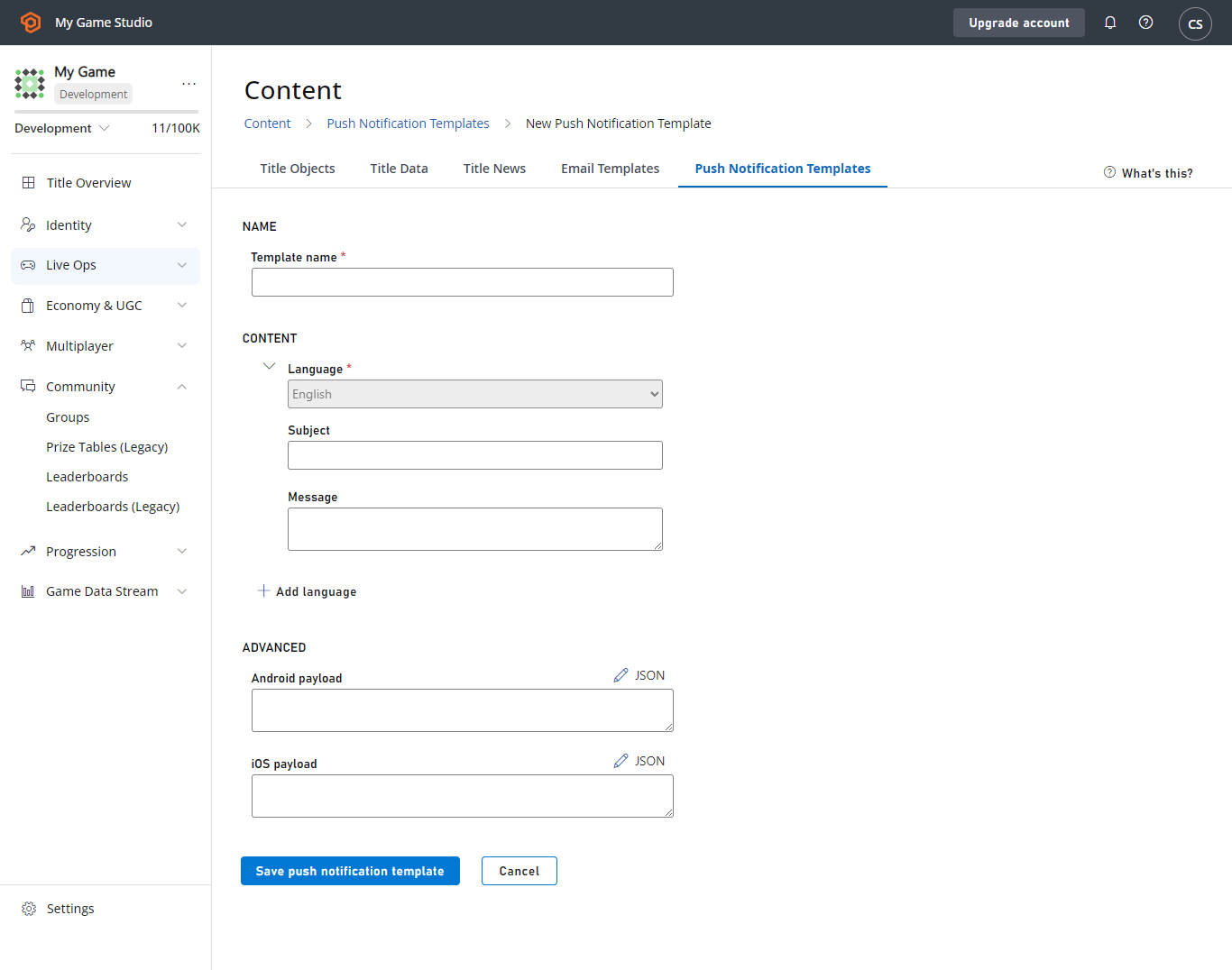 选择 **SAVE PUSH NOTIFICATION TEMPLATE** 按钮,你就准备好了!
将此模板发送给偏好韩语的玩家将获得通知的本地化版本,所有其他玩家将收到你的默认语言(英语)的消息。
## 通过规则、任务和玩家分段触发推送通知
我们场景的下一步是利用 PlayFab 触发操作,在玩家满足我们指定的条件时发送推送通知。我们希望在玩家超过 30 天没有访问我们的游戏时吸引他们回来。
这种条件使使用玩家分段逻辑与我们的流失玩家场景自然契合,但请注意,你可以在规则和计划任务上触发相同类型的操作。这两者都在 Game Manager 的 **Automation** 菜单下。你还可以使用 CloudScript 或我们的 API 发送推送通知。
让我们继续玩家分段示例。首先,我们将为流失玩家设置一个玩家分段:
1. 选择 **Players** 区域。
2. 选择 **Segments** 选项卡,然后选择 **New Segment**。
我们将"流失"定义为超过 30 天(43200 分钟)未登录游戏。
选择 **SAVE PUSH NOTIFICATION TEMPLATE** 按钮,你就准备好了!
将此模板发送给偏好韩语的玩家将获得通知的本地化版本,所有其他玩家将收到你的默认语言(英语)的消息。
## 通过规则、任务和玩家分段触发推送通知
我们场景的下一步是利用 PlayFab 触发操作,在玩家满足我们指定的条件时发送推送通知。我们希望在玩家超过 30 天没有访问我们的游戏时吸引他们回来。
这种条件使使用玩家分段逻辑与我们的流失玩家场景自然契合,但请注意,你可以在规则和计划任务上触发相同类型的操作。这两者都在 Game Manager 的 **Automation** 菜单下。你还可以使用 CloudScript 或我们的 API 发送推送通知。
让我们继续玩家分段示例。首先,我们将为流失玩家设置一个玩家分段:
1. 选择 **Players** 区域。
2. 选择 **Segments** 选项卡,然后选择 **New Segment**。
我们将"流失"定义为超过 30 天(43200 分钟)未登录游戏。
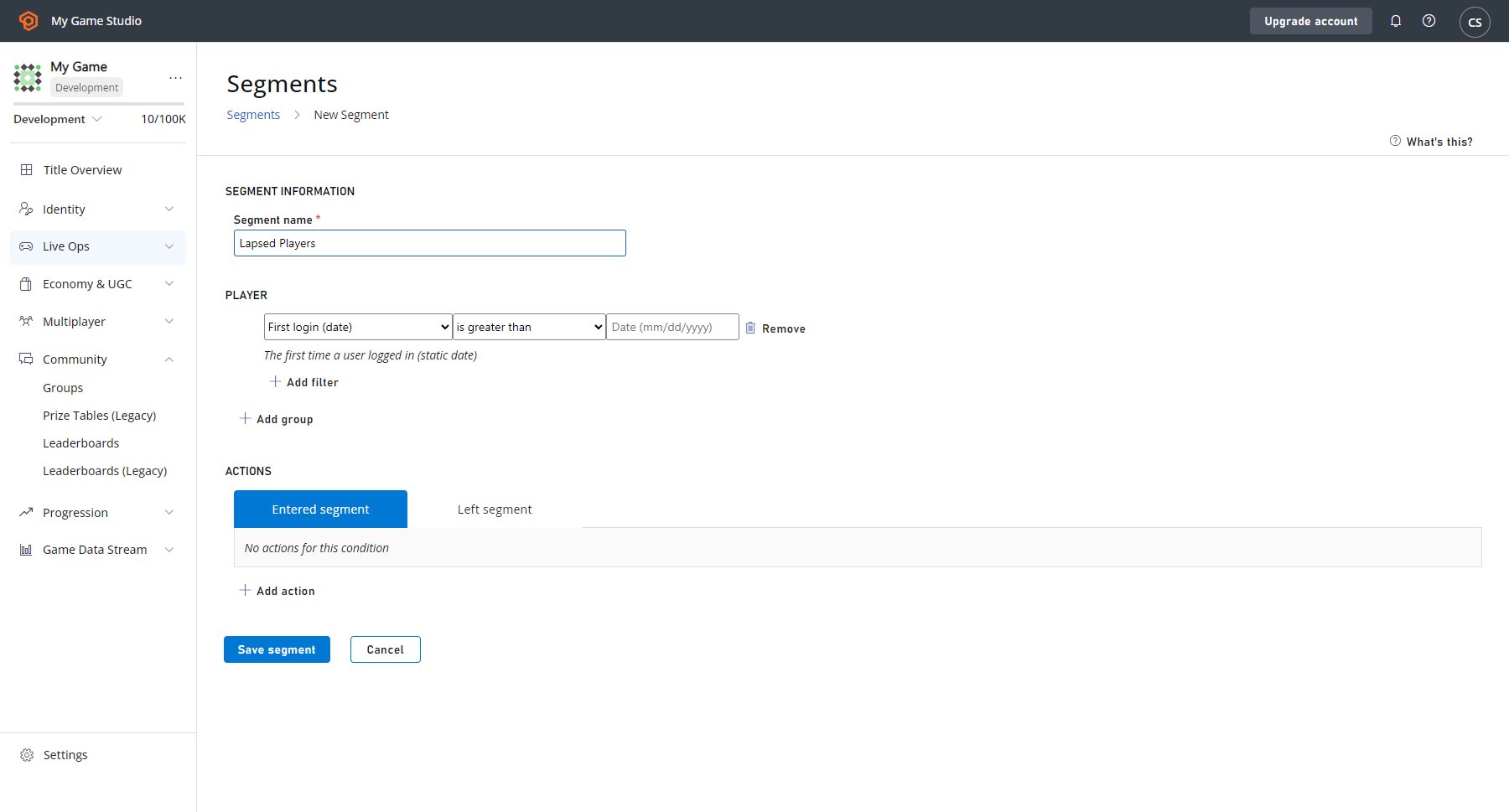 如果你此时选择 **SAVE SEGMENT** 按钮,你将能够使用此分段来识别和分析已有一段时间未访问你的 title 的玩家。当玩家从 29 天未登录变为 30 天时,PlayFab 会自动将该玩家添加到此 **Lapsed Players** 分段。
然后,如果流失的玩家再次登录,PlayFab 会自动将他们从此分段中删除。让 PlayFab 在玩家进入此分段时发送我们的推送通知:
* 选中输入的 **Segment** 选项卡后,选择出现在 **Save Segment** 按钮上方的 **ADD ACTION**。
* 然后转到 **Type** 字段,并使用下拉菜单选择 **Send push notification**。
* 转到其旁边的 **Push notification template** 字段,从第二个下拉菜单中选择 **Lapsed Players** 模板。
下面是屏幕应显示的示例。
如果你此时选择 **SAVE SEGMENT** 按钮,你将能够使用此分段来识别和分析已有一段时间未访问你的 title 的玩家。当玩家从 29 天未登录变为 30 天时,PlayFab 会自动将该玩家添加到此 **Lapsed Players** 分段。
然后,如果流失的玩家再次登录,PlayFab 会自动将他们从此分段中删除。让 PlayFab 在玩家进入此分段时发送我们的推送通知:
* 选中输入的 **Segment** 选项卡后,选择出现在 **Save Segment** 按钮上方的 **ADD ACTION**。
* 然后转到 **Type** 字段,并使用下拉菜单选择 **Send push notification**。
* 转到其旁边的 **Push notification template** 字段,从第二个下拉菜单中选择 **Lapsed Players** 模板。
下面是屏幕应显示的示例。
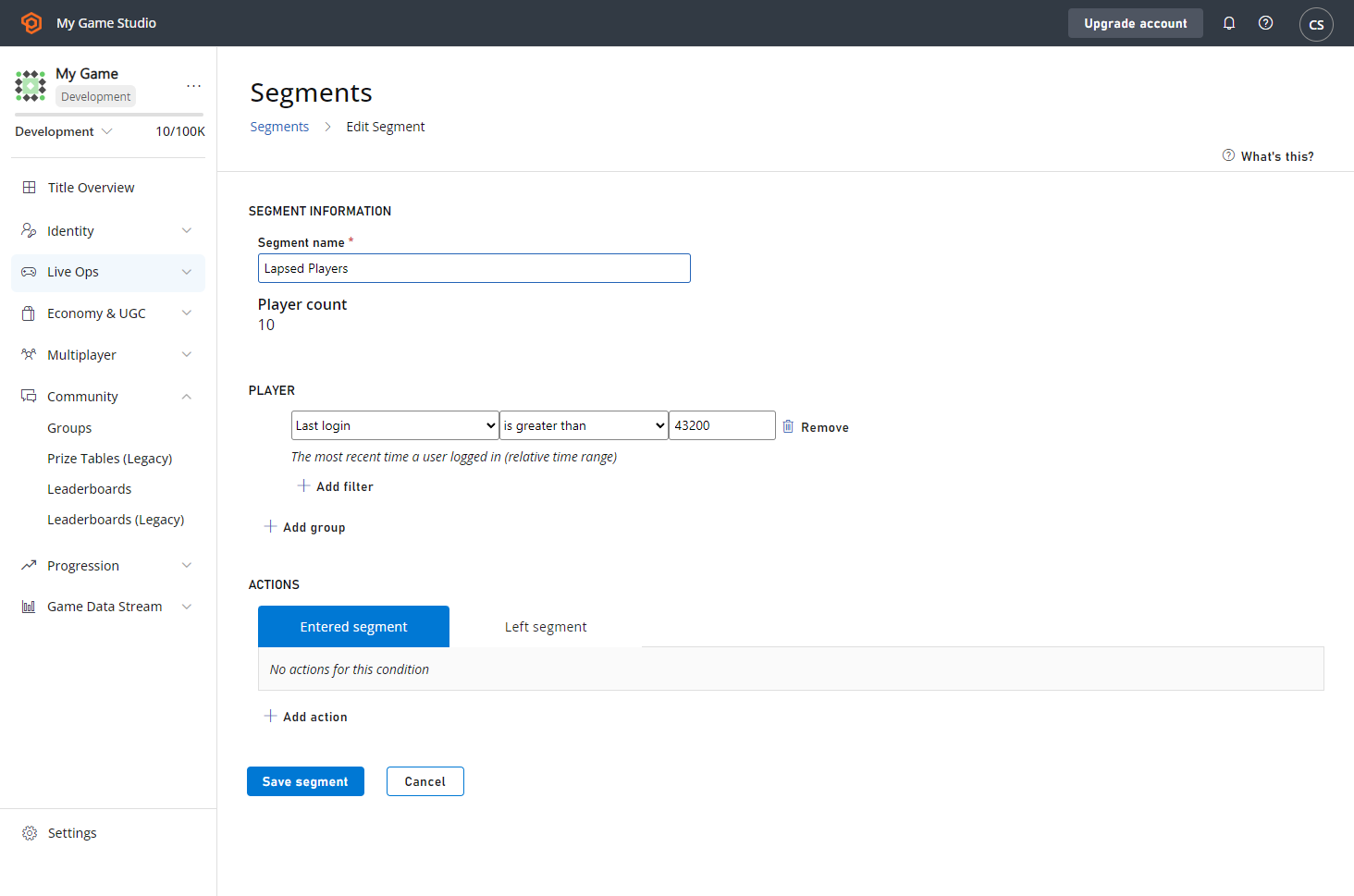 现在,当玩家进入 **Lapsed Players** 分段时,PlayFab 会向他们发送你的本地化推送通知。这就是配置向玩家发送的推送通知的全部内容。
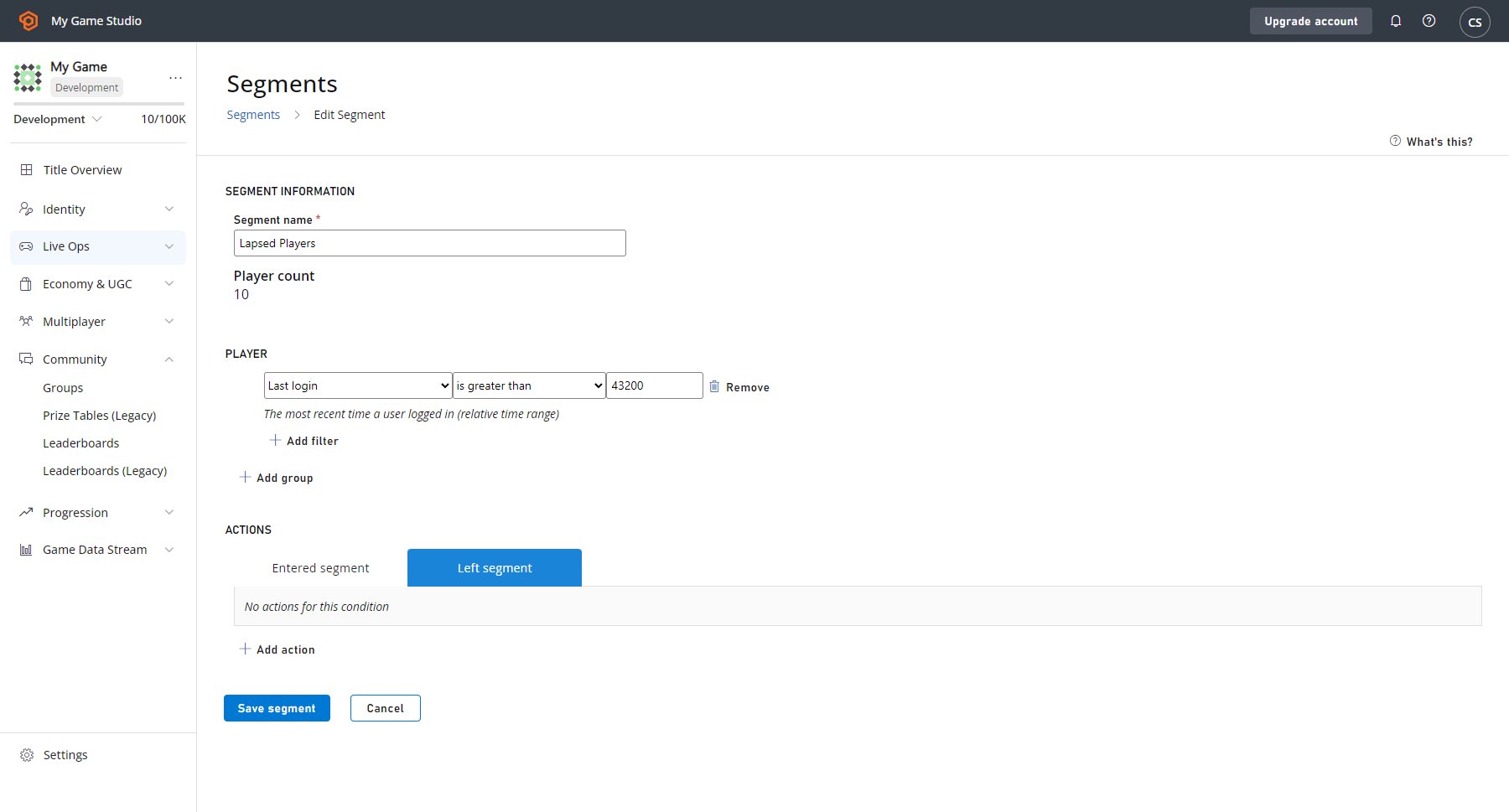
我们在这里,让我们快速讨论一下如何兑现我们在通知本身中提到的"Welcome Back"礼品的承诺。配置在玩家离开分段时触发的操作是确保玩家获得你承诺的礼物的一种简单方法(但不是唯一方法)。
对于这个游戏,我们有一个 CloudScript 函数,它会触发一个游戏内体验来欢迎玩家回来,因此我们希望为该玩家执行该函数并从我们的目录中授予他们一个特殊道具。
现在,当玩家进入 **Lapsed Players** 分段时,PlayFab 会向他们发送你的本地化推送通知。这就是配置向玩家发送的推送通知的全部内容。
我们在这里,让我们快速讨论一下如何兑现我们在通知本身中提到的"Welcome Back"礼品的承诺。配置在玩家离开分段时触发的操作是确保玩家获得你承诺的礼物的一种简单方法(但不是唯一方法)。
对于这个游戏,我们有一个 CloudScript 函数,它会触发一个游戏内体验来欢迎玩家回来,因此我们希望为该玩家执行该函数并从我们的目录中授予他们一个特殊道具。
 ## Related topics
- [push_notification_sent](/zh-CN/services/playfab/api-references/events/TitleCommunications/push-notification-sent.md)
- [内容与配置写入计量 API 说明](/zh-CN/services/playfab/pricing/meters/file-writes.md)
- [sent_push_notification](/zh-CN/services/playfab/api-references/events/TitleCommunications/sent-push-notification.md)
- [PlayFab 2019 版本发布说明](/zh-CN/services/playfab/release-notes/2019.md)
- [PFPushNotificationsServerSendPushNotificationFromTemplateAsync](/zh-CN/services/playfab/api-references/c/pfpushnotifications/functions/pfpushnotificationsserversendpushnotificationfromtemplateasync.md)
## Related topics
- [push_notification_sent](/zh-CN/services/playfab/api-references/events/TitleCommunications/push-notification-sent.md)
- [内容与配置写入计量 API 说明](/zh-CN/services/playfab/pricing/meters/file-writes.md)
- [sent_push_notification](/zh-CN/services/playfab/api-references/events/TitleCommunications/sent-push-notification.md)
- [PlayFab 2019 版本发布说明](/zh-CN/services/playfab/release-notes/2019.md)
- [PFPushNotificationsServerSendPushNotificationFromTemplateAsync](/zh-CN/services/playfab/api-references/c/pfpushnotifications/functions/pfpushnotificationsserversendpushnotificationfromtemplateasync.md)