> ## Documentation Index
> Fetch the complete documentation index at: https://devdocs.xbox.com/llms.txt
> Use this file to discover all available pages before exploring further.
# 使用附加组件设置 SMTP 服务器
> 在 PlayFab Game Manager 中使用你的主机、端口和凭据安装并配置 SMTP 附加组件,以向玩家发送自定义账户和营销电子邮件。
本教程将引导你完成如何设置 SMTP 附加组件,以支持通过 PlayFab 发送自定义电子邮件。
## 要求
需要使用 Game Manager,因为 title 的 SMTP 服务器是通过附加组件设置的。如果你不熟悉,请阅读我们的 [Game Manager 快速入门](/services/playfab/live-service-management/gamemanager/quickstart)。
## 转到附加组件页面并安装 SMTP
在 **Game Manager** 中:
1. 转到 **Add-ons**。
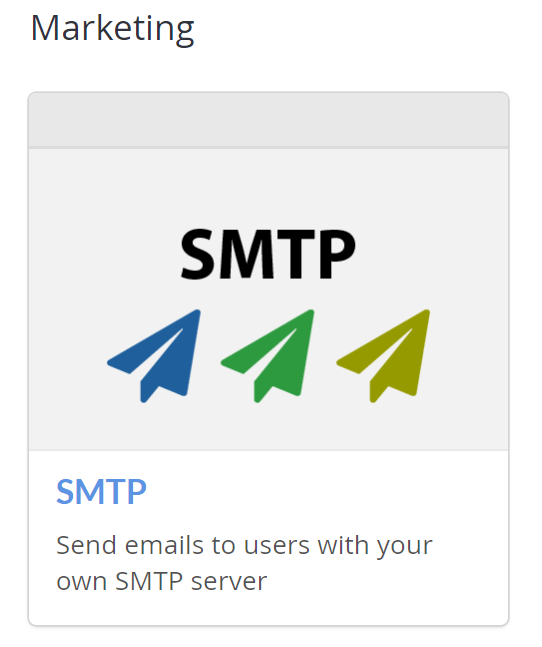
2. 在 **Marketing** 部分下,选择 **SMTP** 附加组件。这将重定向你到 **Add-on** 页面。
 3. 选择 **INSTALL SMTP** 按钮。
## 配置 SMTP
将会出现一个包含 **Host name**、**Port number**、**Username** 和 **Password** 字段的表单。
3. 选择 **INSTALL SMTP** 按钮。
## 配置 SMTP
将会出现一个包含 **Host name**、**Port number**、**Username** 和 **Password** 字段的表单。
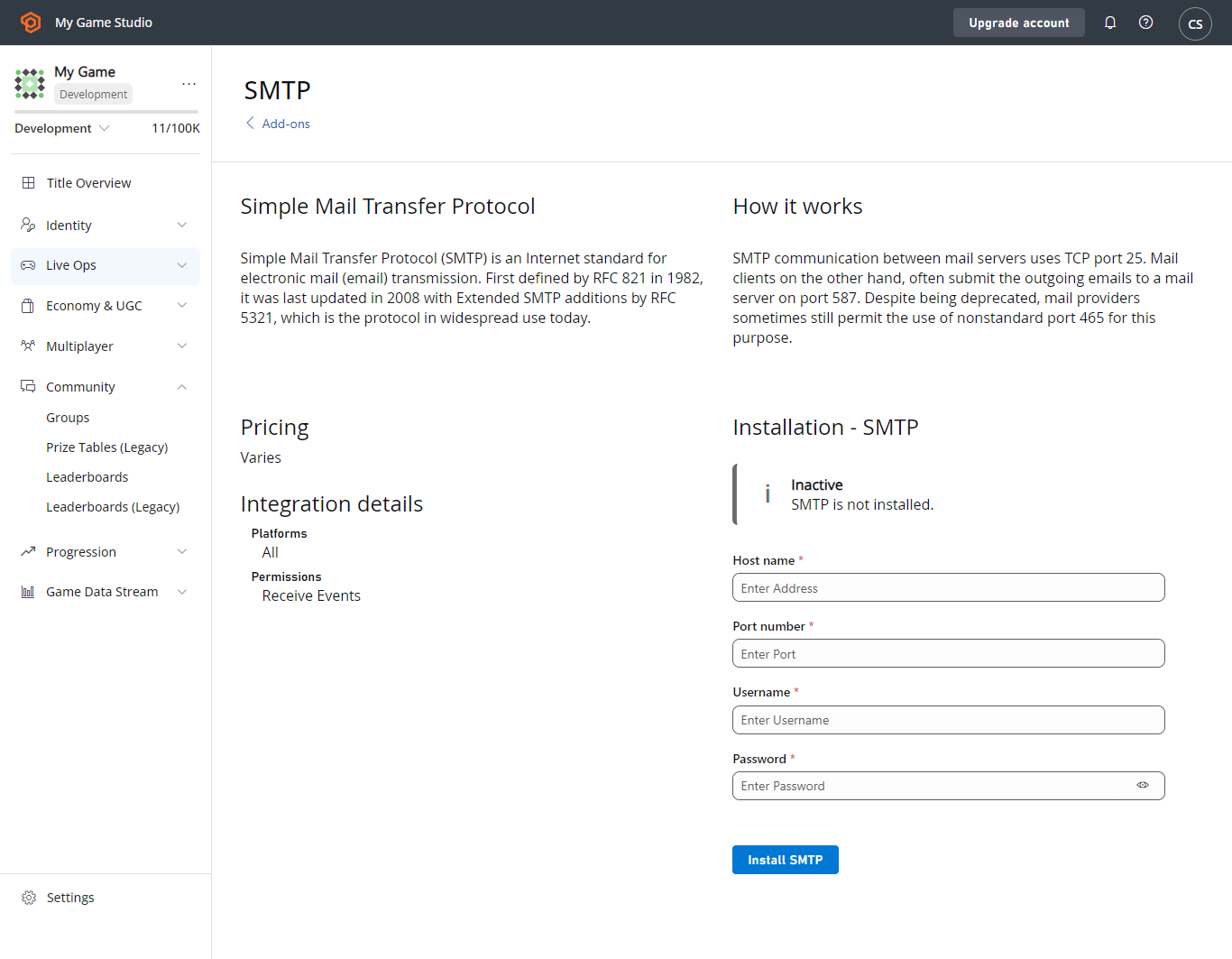 * 使用 SMTP 服务器的 **Host name**、**Port number**、**Username** 和 **Password** 填写表单。
* 选择 **SAVE SETTINGS** 按钮,附加组件现在应已安装。
如果你的 SMTP 服务器需要 **SSL/TLS**,请使用**端口 587**。
## 测试
要测试此功能,你可以使用 Gmail SMTP 服务器(前提是你有 Gmail 账户)。要使用 Gmail,请按如下方式填写字段:
* Host name:**smtp.gmail.com**
* Port number:**587**
* Username:(**你的 gmail 地址** - 例如 "[support@playfab.com](mailto:support@playfab.com)")
* Password:(**你的密码**)
如果你启用了双重身份验证,你需要创建一个应用密码。有关详细信息,请参阅[使用应用密码登录](https://support.google.com/accounts/answer/185833?hl=en)。
SMTP 附加组件现已安装,并会显示绿色对勾和成功消息。
* 使用 SMTP 服务器的 **Host name**、**Port number**、**Username** 和 **Password** 填写表单。
* 选择 **SAVE SETTINGS** 按钮,附加组件现在应已安装。
如果你的 SMTP 服务器需要 **SSL/TLS**,请使用**端口 587**。
## 测试
要测试此功能,你可以使用 Gmail SMTP 服务器(前提是你有 Gmail 账户)。要使用 Gmail,请按如下方式填写字段:
* Host name:**smtp.gmail.com**
* Port number:**587**
* Username:(**你的 gmail 地址** - 例如 "[support@playfab.com](mailto:support@playfab.com)")
* Password:(**你的密码**)
如果你启用了双重身份验证,你需要创建一个应用密码。有关详细信息,请参阅[使用应用密码登录](https://support.google.com/accounts/answer/185833?hl=en)。
SMTP 附加组件现已安装,并会显示绿色对勾和成功消息。
 ## Related topics
- [电子邮件消息快速入门](/zh-CN/services/playfab/live-service-management/game-configuration/title-communications/emails/quickstart.md)
- [PlayFab 附加组件](/zh-CN/services/playfab/live-service-management/service-gateway/add-ons/add-ons.md)
- [在 Unity 中使用 GDK](/zh-CN/build/gdk-and-engines/unity/unity.md)
- [适用于 XBOX 服务标题的 PlayFab 集成](/zh-CN/services/xbox-services/playfab-integration.md)
- [XBOX Live Title 关联](/zh-CN/services/playfab/identity/player-identity/platform-specific-authentication/xbox-live-add-on.md)
## Related topics
- [电子邮件消息快速入门](/zh-CN/services/playfab/live-service-management/game-configuration/title-communications/emails/quickstart.md)
- [PlayFab 附加组件](/zh-CN/services/playfab/live-service-management/service-gateway/add-ons/add-ons.md)
- [在 Unity 中使用 GDK](/zh-CN/build/gdk-and-engines/unity/unity.md)
- [适用于 XBOX 服务标题的 PlayFab 集成](/zh-CN/services/xbox-services/playfab-integration.md)
- [XBOX Live Title 关联](/zh-CN/services/playfab/identity/player-identity/platform-specific-authentication/xbox-live-add-on.md)