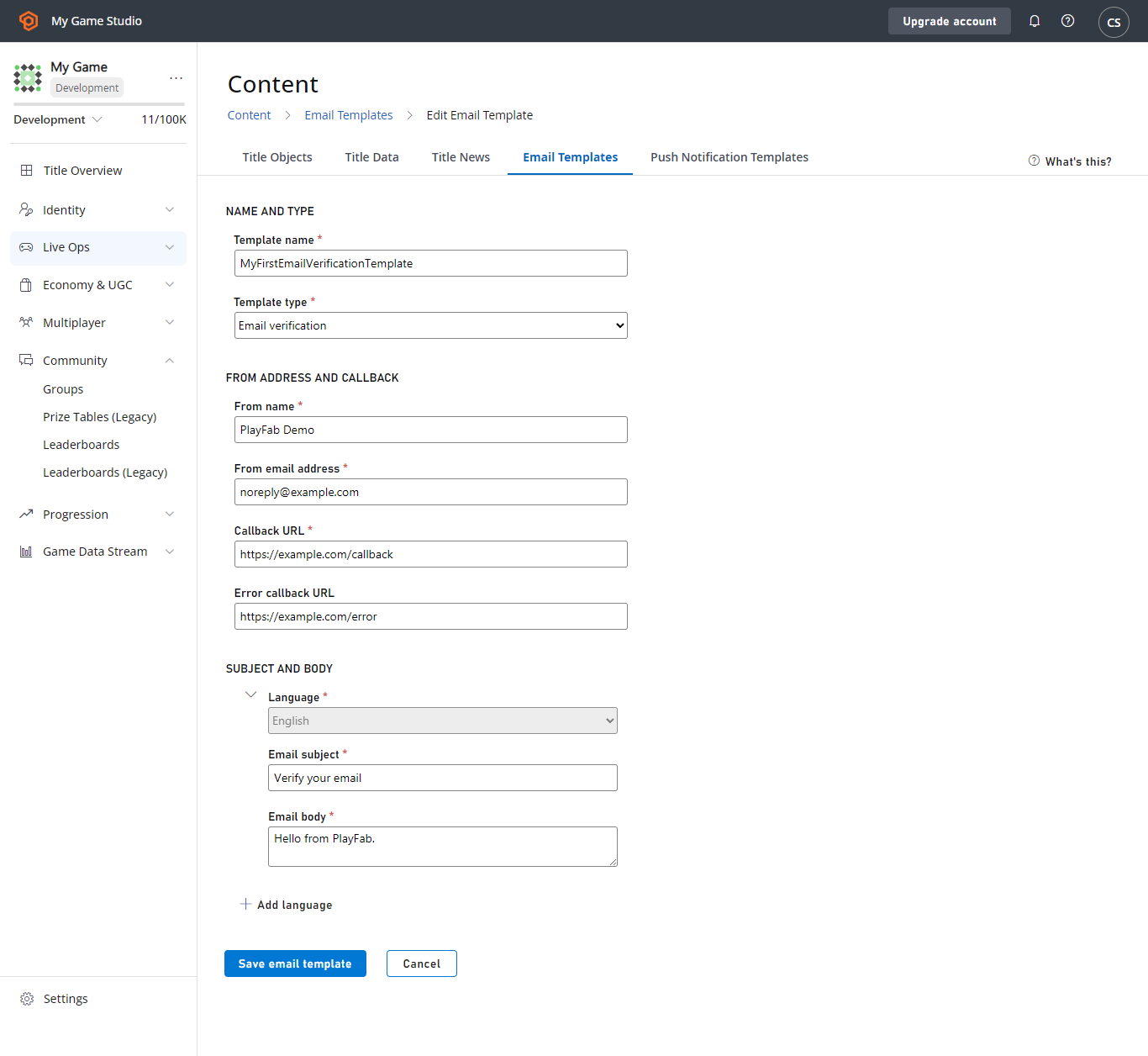
 在本教程中,我们将假设你的 title 默认语言是英语。你会看到你现有的模板版本显示为默认语言版本。
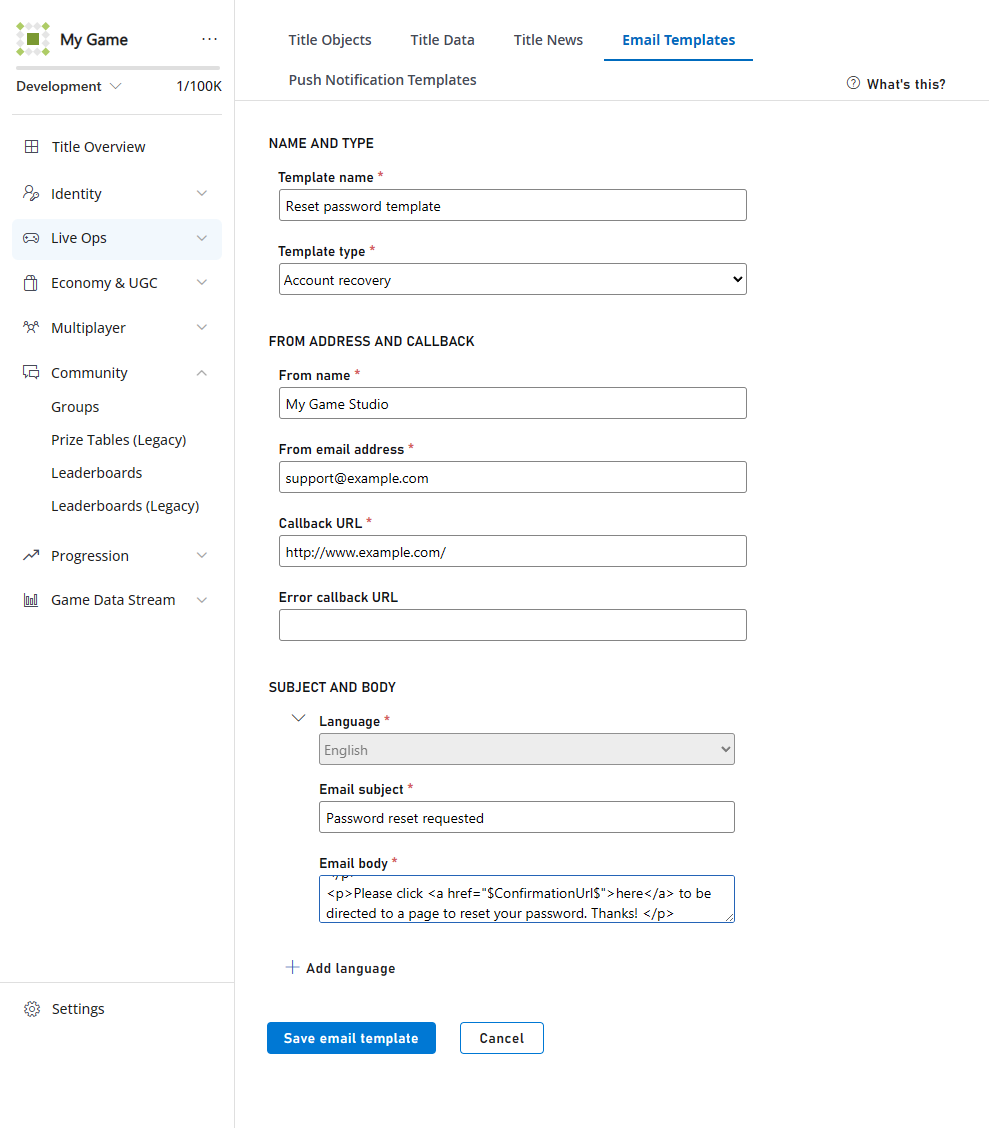 添加更多语言就像选择提供的 **+ ADD LANGUAGE** 链接一样简单,然后选择你要添加到模板的语言,并键入本地化字符串。
在此示例中,我们将向现有模板添加以下法语字符串。
法语邮件主题:
```html theme={null}
Réinitialisation du mot de passe demandée
```
法语邮件正文:
```html theme={null}
添加更多语言就像选择提供的 **+ ADD LANGUAGE** 链接一样简单,然后选择你要添加到模板的语言,并键入本地化字符串。
在此示例中,我们将向现有模板添加以下法语字符串。
法语邮件主题:
```html theme={null}
Réinitialisation du mot de passe demandée
```
法语邮件正文:
```html theme={null}
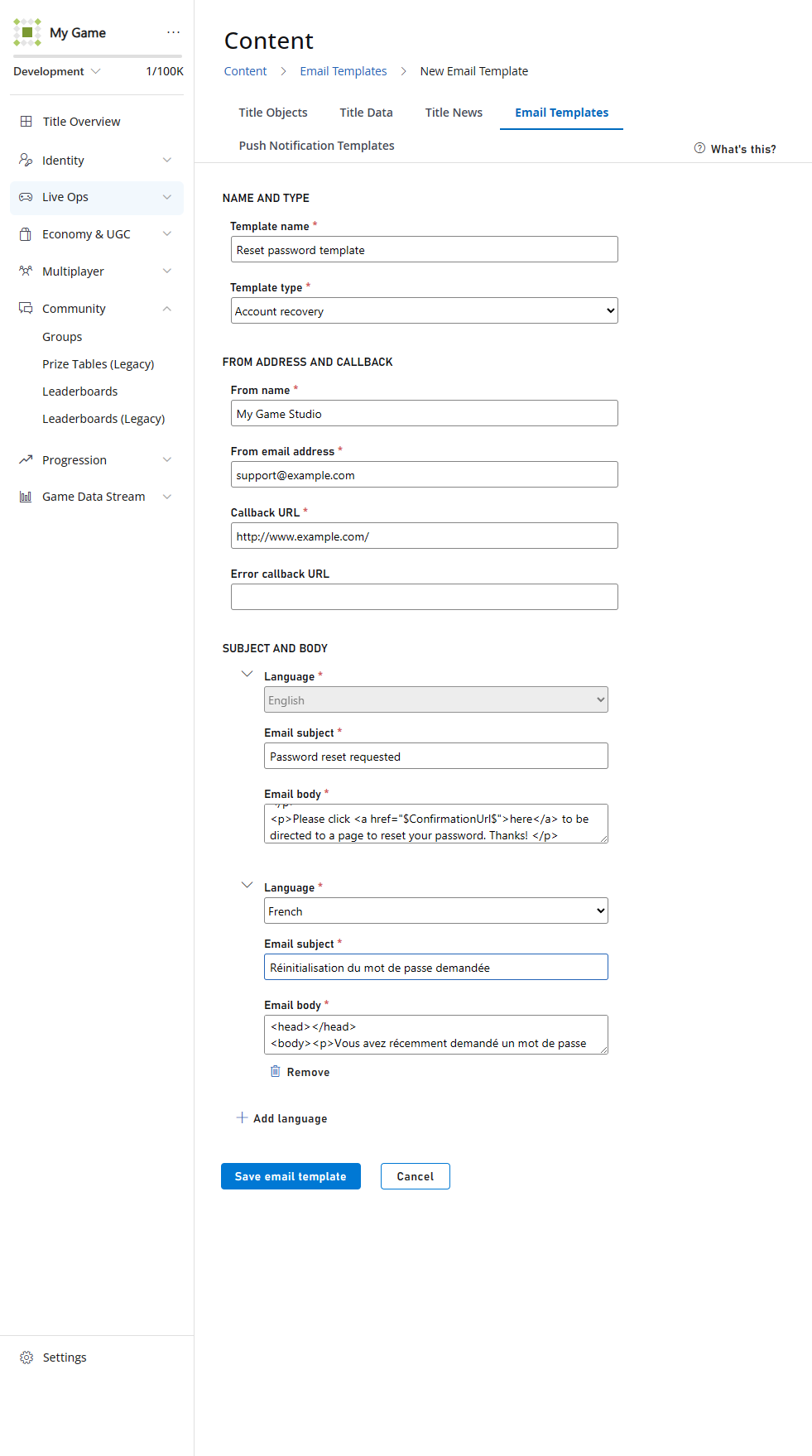 当你选择 **SAVE EMAIL TEMPLATE** 按钮时,你将被重定向回包含电子邮件模板列表的页面。
如你所见,添加了一个新的语言版本,但*没有*添加新模板,因为所有语言版本都存储在同一个模板 ID 下。
## 发送本地化电子邮件
接下来,我们将发送电子邮件的新本地化版本。正如[设置默认语言](/services/playfab/live-service-management/game-configuration/title-communications/news/setting-default-languages)教程中所述,PlayFab 会做繁重的工作来匹配你 title 的支持语言与玩家的首选语言。你需要做的只是告诉我们发送电子邮件。
要验证此行为,请创建两个测试玩家。
将其中一位新玩家保留为没有首选语言。这将演示当未指定语言或 title 的语言与玩家的语言之间没有匹配时,PlayFab 如何回退到 title 的默认语言。
使用 Game Manager 或使用 [SetProfileLanguage](xref:titleid.playfabapi.com.profiles.accountmanagement.setprofilelanguage) API 设置*另一位*新玩家的语言。在此示例中,我们使用了法语。
当你选择 **SAVE EMAIL TEMPLATE** 按钮时,你将被重定向回包含电子邮件模板列表的页面。
如你所见,添加了一个新的语言版本,但*没有*添加新模板,因为所有语言版本都存储在同一个模板 ID 下。
## 发送本地化电子邮件
接下来,我们将发送电子邮件的新本地化版本。正如[设置默认语言](/services/playfab/live-service-management/game-configuration/title-communications/news/setting-default-languages)教程中所述,PlayFab 会做繁重的工作来匹配你 title 的支持语言与玩家的首选语言。你需要做的只是告诉我们发送电子邮件。
要验证此行为,请创建两个测试玩家。
将其中一位新玩家保留为没有首选语言。这将演示当未指定语言或 title 的语言与玩家的语言之间没有匹配时,PlayFab 如何回退到 title 的默认语言。
使用 Game Manager 或使用 [SetProfileLanguage](xref:titleid.playfabapi.com.profiles.accountmanagement.setprofilelanguage) API 设置*另一位*新玩家的语言。在此示例中,我们使用了法语。
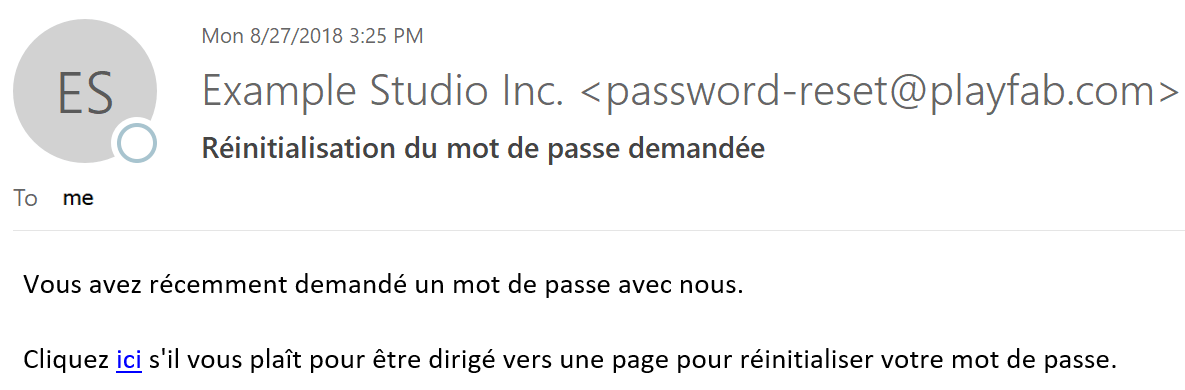
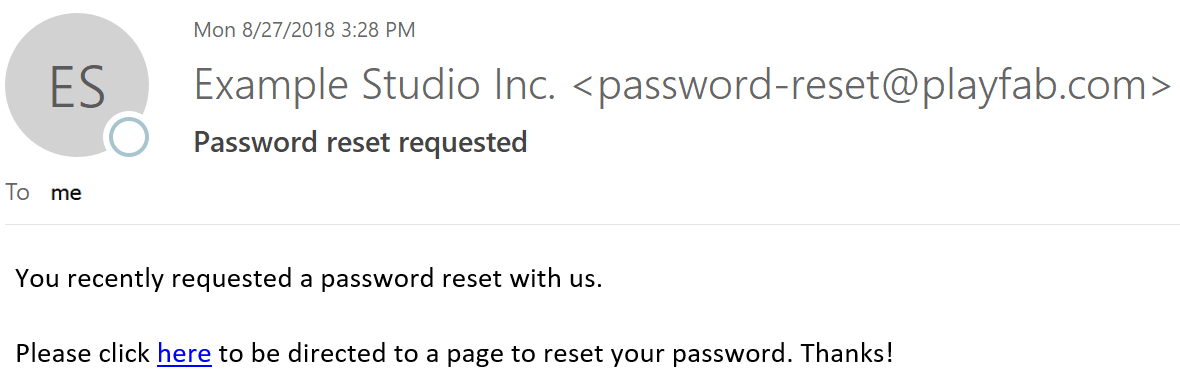 下面显示向*首选语言为法语*的玩家发送的示例电子邮件。
 ## 总结
如你所见,PlayFab 注意到你的模板对法语的支持与玩家的语言偏好之间存在匹配。
在*没有*匹配或*没有*首选语言的情况下,玩家会收到你 title 的默认语言字符串。
如果你对本教程有任何问题或反馈,请通过我们的[论坛](https://community.playfab.com/questions/ask.html)或 Slack 频道联系我们。
## Related topics
- [电子邮件消息快速入门](/zh-CN/services/playfab/live-service-management/game-configuration/title-communications/emails/quickstart.md)
- [PFAccountManagementSendEmailFromTemplateRequest](/zh-CN/services/playfab/api-references/c/pfaccountmanagementtypes/structs/pfaccountmanagementsendemailfromtemplaterequest.md)
- [电子邮件](/zh-CN/services/playfab/live-service-management/game-configuration/title-communications/emails/index.md)
- [PFAccountManagementClientSendAccountRecoveryEmailAsync](/zh-CN/services/playfab/api-references/c/pfaccountmanagement/functions/pfaccountmanagementclientsendaccountrecoveryemailasync.md)
- [sent_email](/zh-CN/services/playfab/api-references/events/TitleCommunications/sent-email.md)
## 总结
如你所见,PlayFab 注意到你的模板对法语的支持与玩家的语言偏好之间存在匹配。
在*没有*匹配或*没有*首选语言的情况下,玩家会收到你 title 的默认语言字符串。
如果你对本教程有任何问题或反馈,请通过我们的[论坛](https://community.playfab.com/questions/ask.html)或 Slack 频道联系我们。
## Related topics
- [电子邮件消息快速入门](/zh-CN/services/playfab/live-service-management/game-configuration/title-communications/emails/quickstart.md)
- [PFAccountManagementSendEmailFromTemplateRequest](/zh-CN/services/playfab/api-references/c/pfaccountmanagementtypes/structs/pfaccountmanagementsendemailfromtemplaterequest.md)
- [电子邮件](/zh-CN/services/playfab/live-service-management/game-configuration/title-communications/emails/index.md)
- [PFAccountManagementClientSendAccountRecoveryEmailAsync](/zh-CN/services/playfab/api-references/c/pfaccountmanagement/functions/pfaccountmanagementclientsendaccountrecoveryemailasync.md)
- [sent_email](/zh-CN/services/playfab/api-references/events/TitleCommunications/sent-email.md)