> ## Documentation Index
> Fetch the complete documentation index at: https://devdocs.xbox.com/llms.txt
> Use this file to discover all available pages before exploring further.
# 导出分段中玩家的教程
> 使用 ExportPlayersInSegment 和 GetSegmentExport API(GetPlayersInSegment 的新替代方案)从分段中导出 PlayFab 玩家配置文件。
# 导出分段中的玩家
本教程将引导你完成使用 ExportPlayersInSegment API 和 GetSegmentExport API 导出某个分段中玩家配置文件所需的步骤。这些 API 是 GetPlayersInSegment API 的更新更好的版本。
### 步骤 1
向 ExportPlayersInSegment API 发送 POST 请求,将 Segment Id 作为 payload。响应中的 "ExportId" 是该导出操作的唯一标识符。
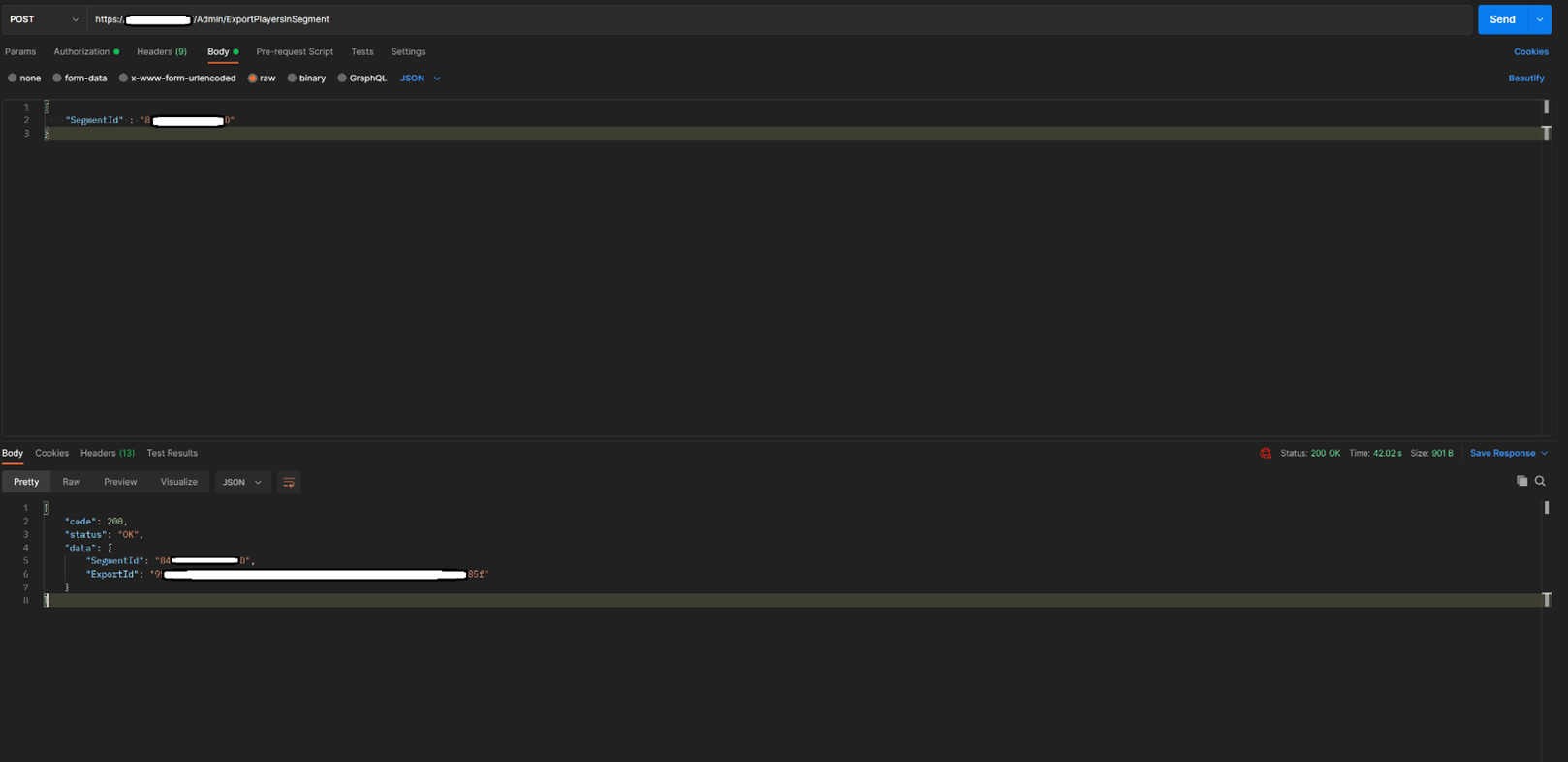 该 API 要求 "X-SecretKey" 标头,其值为 Title Secret key。"Content-Type" 标头应设置为 "application/json"。
### 步骤 2
向 GetSegmentExport API 发送 POST 请求,将上面 API 调用中收到的 ExportId 作为 payload。响应包含导出操作的 "State"。如果导出的状态为 "Complete",则响应包含 "IndexUrl",可从中下载 Index 文件。
该 API 要求 "X-SecretKey" 标头,其值为 Title Secret key。"Content-Type" 标头应设置为 "application/json"。
### 步骤 2
向 GetSegmentExport API 发送 POST 请求,将上面 API 调用中收到的 ExportId 作为 payload。响应包含导出操作的 "State"。如果导出的状态为 "Complete",则响应包含 "IndexUrl",可从中下载 Index 文件。
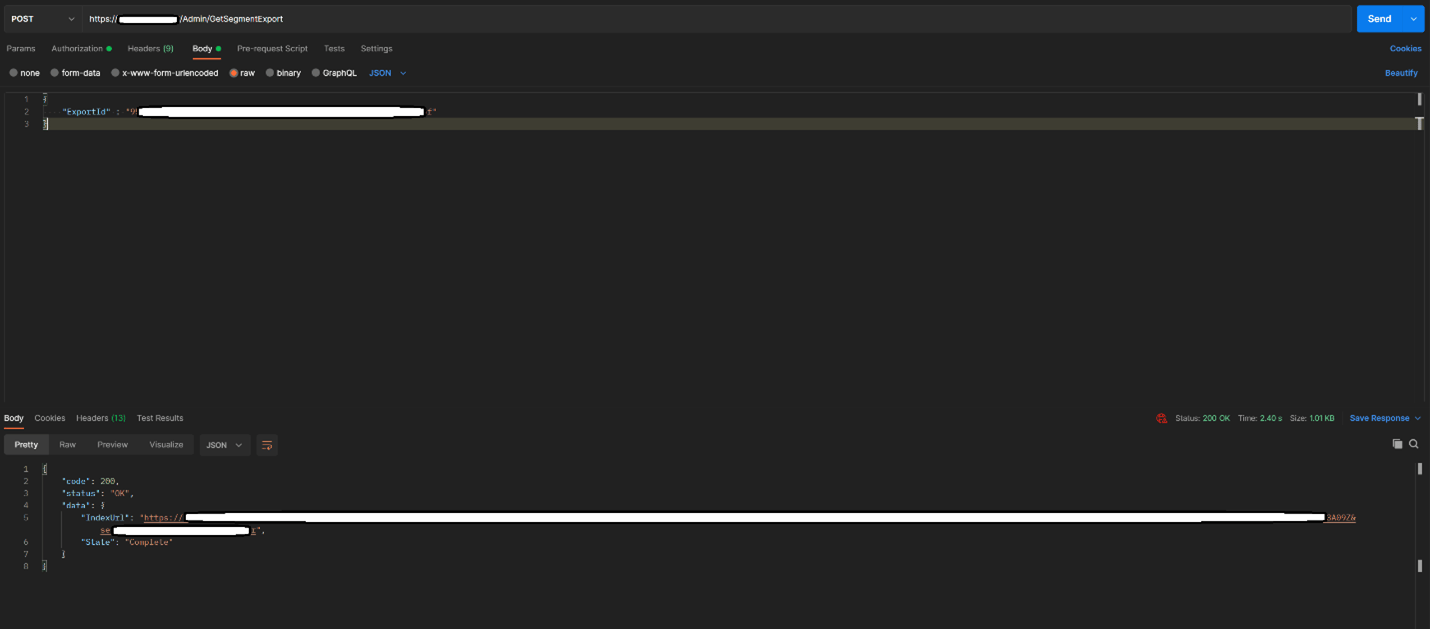 该 API 要求 "X-SecretKey" 标头,其值为 Title Secret key。"Content-Type" 标头应设置为 "application/json"。
### 步骤 3
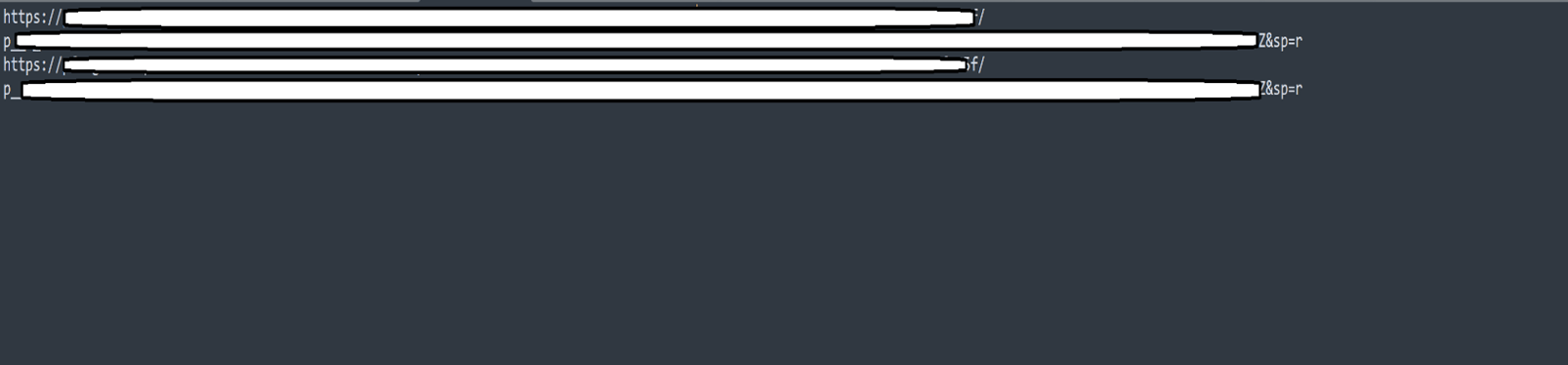
从 IndexUrl 下载 Index 文件。Index 文件中的每一行都是一个 URL,可以从该 URL 下载该分段中玩家配置文件的一个片段。下面是一个 Index 文件的示例。该 Index 文件中包含 2 个 URL(导出片段)。
该 API 要求 "X-SecretKey" 标头,其值为 Title Secret key。"Content-Type" 标头应设置为 "application/json"。
### 步骤 3
从 IndexUrl 下载 Index 文件。Index 文件中的每一行都是一个 URL,可以从该 URL 下载该分段中玩家配置文件的一个片段。下面是一个 Index 文件的示例。该 Index 文件中包含 2 个 URL(导出片段)。
 ### 步骤 4:
通过遍历 Index 文件中的行,从每个 URL 下载玩家配置文件。玩家配置文件使用 tsv 格式。例如,从上述 Index 文件中第一个 URL 下载的玩家配置文件如下所示:
### 步骤 4:
通过遍历 Index 文件中的行,从每个 URL 下载玩家配置文件。玩家配置文件使用 tsv 格式。例如,从上述 Index 文件中第一个 URL 下载的玩家配置文件如下所示:
 ## Related topics
- [分段玩家计数教程](/zh-CN/services/playfab/live-service-management/game-configuration/segmentation/segmentation-player-count.md)
- [针对整个玩家分段的批量操作](/zh-CN/services/playfab/data-analytics/acting-data/action-rules-bulk-actions-for-an-entire-player-segment.md)
- [根据统计信息为玩家排名](/zh-CN/services/playfab/community/leaderboards/leaderboards-linked-to-stats.md)
- [使用 Azure Functions 的 PlayFab CloudScript 上下文模型](/zh-CN/services/playfab/live-service-management/service-gateway/automation/cloudscript-af/CloudScript-af-context.md)
- [分段配置](/zh-CN/services/playfab/live-service-management/game-configuration/segmentation/segmentation-configuration.md)
## Related topics
- [分段玩家计数教程](/zh-CN/services/playfab/live-service-management/game-configuration/segmentation/segmentation-player-count.md)
- [针对整个玩家分段的批量操作](/zh-CN/services/playfab/data-analytics/acting-data/action-rules-bulk-actions-for-an-entire-player-segment.md)
- [根据统计信息为玩家排名](/zh-CN/services/playfab/community/leaderboards/leaderboards-linked-to-stats.md)
- [使用 Azure Functions 的 PlayFab CloudScript 上下文模型](/zh-CN/services/playfab/live-service-management/service-gateway/automation/cloudscript-af/CloudScript-af-context.md)
- [分段配置](/zh-CN/services/playfab/live-service-management/game-configuration/segmentation/segmentation-configuration.md)