> ## Documentation Index
> Fetch the complete documentation index at: https://devdocs.xbox.com/llms.txt
> Use this file to discover all available pages before exploring further.
# 玩家自定义属性快速入门
> 在 Game Manager 中以及通过 UpdatePlayerCustomProperties API 在 title_player_account 实体上创建、修改和删除 PlayFab 玩家自定义属性。
玩家自定义属性功能处于公共预览阶段。虽然核心功能已就绪,但我们正根据反馈和使用模式改进体验。
要开始使用玩家自定义属性,请按此处的指南操作。
## 在 Game Manager 中创建、修改、删除玩家自定义属性
登录到 [Game Manager](https://developer.playfab.com)。
* 前往 **Players** 页面并选择一名玩家。
* 选择 **Player Data** 选项卡。
* 选择 **Custom** 子选项卡。
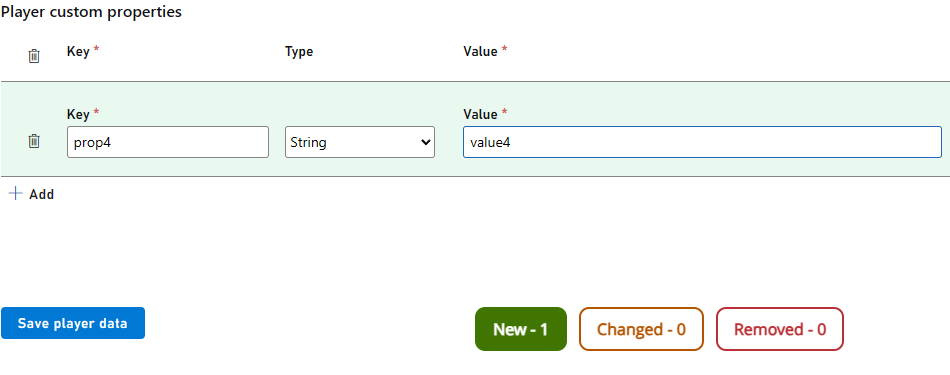
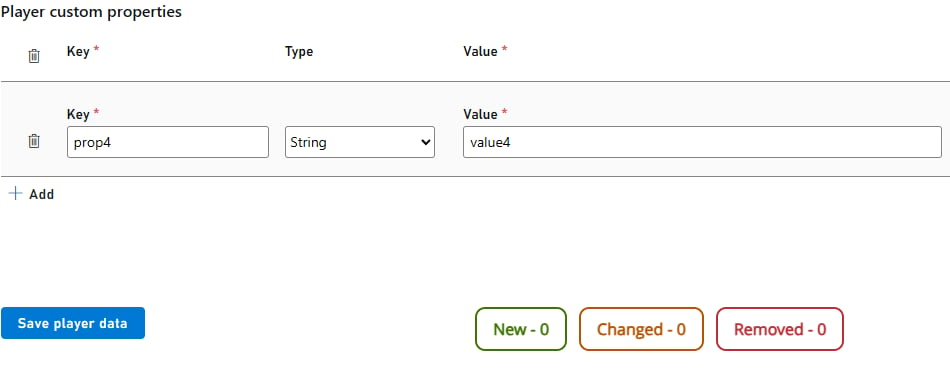
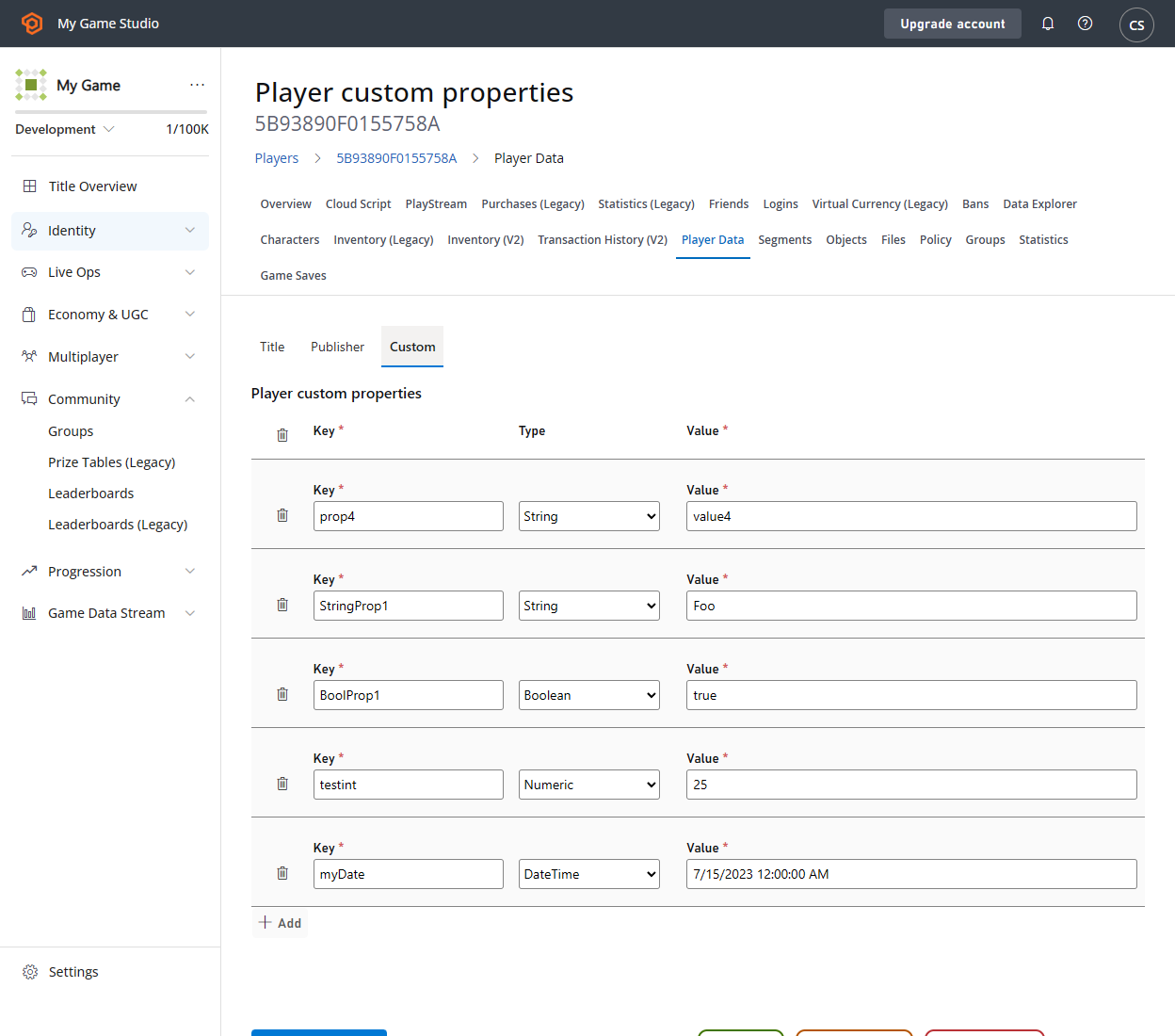 ### 创建新的自定义属性:
* 选择 **Add**。
* 填写 **Key** 和 **Value** 字段。
* 从下拉列表中选择自定义属性 **Type**。
* 注意底部的 **New** 标签会随你添加的自定义属性数量而增加。
* 选择 **Save player data**
### 创建新的自定义属性:
* 选择 **Add**。
* 填写 **Key** 和 **Value** 字段。
* 从下拉列表中选择自定义属性 **Type**。
* 注意底部的 **New** 标签会随你添加的自定义属性数量而增加。
* 选择 **Save player data**
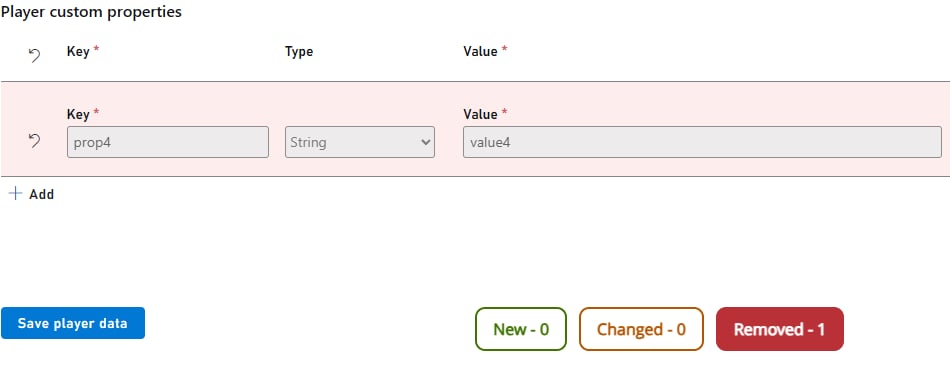
 ### 删除自定义属性:
* 选择自定义属性左侧的**垃圾桶**图标。
* 注意底部的 **Removed** 标签会随你删除的自定义属性数量而增加。
* 选择 **Save player data**。
### 删除自定义属性:
* 选择自定义属性左侧的**垃圾桶**图标。
* 注意底部的 **Removed** 标签会随你删除的自定义属性数量而增加。
* 选择 **Save player data**。
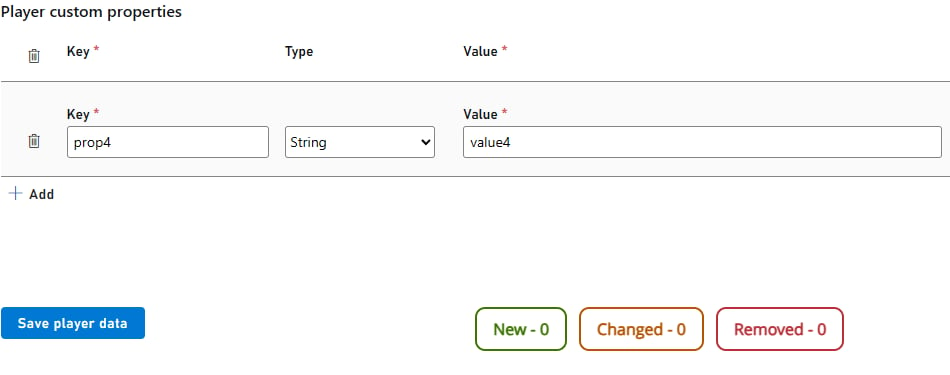
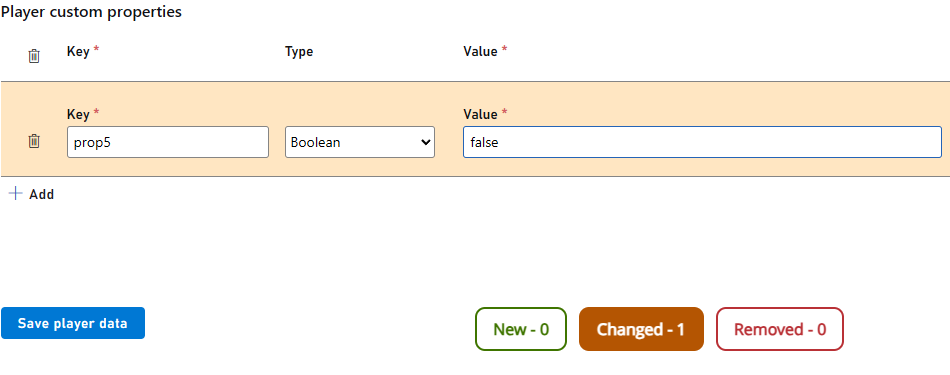
 要修改自定义属性:
* 选择 **Key** 和 **Value** 字段并更改其中的值。
* 注意底部的 **Changed** 标签会随你修改的自定义属性数量而增加。
* 选择 **Save player data**。
要修改自定义属性:
* 选择 **Key** 和 **Value** 字段并更改其中的值。
* 注意底部的 **Changed** 标签会随你修改的自定义属性数量而增加。
* 选择 **Save player data**。
 ## 通过 PlayStream Rules 在玩家上创建和修改自定义属性
V1 和 V2 PlayStream 事件都可用于设置或更新自定义属性。
* 登录到 [Game Manager](https://developer.playfab.com)。
* 前往 **Automation** 页面并选择 **Rules** 选项卡。
* 选择页面右上角的 **New rule** 按钮。
* 填写 **Name** 和 **Event** type 文本框。V1 事件的前缀为 **com.playfab.** 或 **title.**,而 V2 事件的前缀为 **playfab.** 或 **custom.**
* 如果需要,可基于事件的内容设置任何触发此规则的 **Conditions**。
* 要创建自定义属性,在 **Actions** 下选择 **Adding custom property** 并填写字段。
* 要修改自定义属性,在 **Actions** 下选择 **Update player custom properties**。该操作接受可展开的属性列表,如下所示。
* 选择 **Save action**。
## 通过 PlayStream Rules 在玩家上创建和修改自定义属性
V1 和 V2 PlayStream 事件都可用于设置或更新自定义属性。
* 登录到 [Game Manager](https://developer.playfab.com)。
* 前往 **Automation** 页面并选择 **Rules** 选项卡。
* 选择页面右上角的 **New rule** 按钮。
* 填写 **Name** 和 **Event** type 文本框。V1 事件的前缀为 **com.playfab.** 或 **title.**,而 V2 事件的前缀为 **playfab.** 或 **custom.**
* 如果需要,可基于事件的内容设置任何触发此规则的 **Conditions**。
* 要创建自定义属性,在 **Actions** 下选择 **Adding custom property** 并填写字段。
* 要修改自定义属性,在 **Actions** 下选择 **Update player custom properties**。该操作接受可展开的属性列表,如下所示。
* 选择 **Save action**。
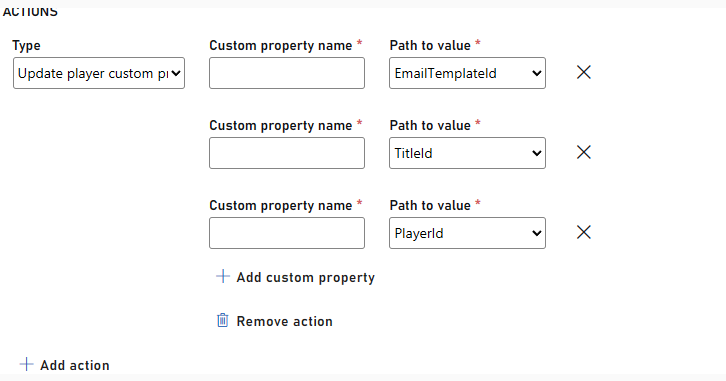 如果为规则选择的事件是标准事件,你将有一个可供选择的可用属性列表。如果事件是自定义事件,则输入框将是开放的文本字段。
## Related topics
- [玩家自定义属性](/zh-CN/services/playfab/live-service-management/game-configuration/segmentation/player-custom-properties.md)
- [使用玩家自定义属性进行高级分段](/zh-CN/services/playfab/live-service-management/game-configuration/segmentation/advanced-segmentation.md)
- [PlayFab 数据与分析文档](/zh-CN/services/playfab/data-analytics/index.md)
- [Photon 快速入门](/zh-CN/services/playfab/live-service-management/service-gateway/add-ons/photon/quickstart.md)
- [Economy(旧版)快速入门](/zh-CN/services/playfab/economy-monetization/economy/quickstart.md)
如果为规则选择的事件是标准事件,你将有一个可供选择的可用属性列表。如果事件是自定义事件,则输入框将是开放的文本字段。
## Related topics
- [玩家自定义属性](/zh-CN/services/playfab/live-service-management/game-configuration/segmentation/player-custom-properties.md)
- [使用玩家自定义属性进行高级分段](/zh-CN/services/playfab/live-service-management/game-configuration/segmentation/advanced-segmentation.md)
- [PlayFab 数据与分析文档](/zh-CN/services/playfab/data-analytics/index.md)
- [Photon 快速入门](/zh-CN/services/playfab/live-service-management/service-gateway/add-ons/photon/quickstart.md)
- [Economy(旧版)快速入门](/zh-CN/services/playfab/economy-monetization/economy/quickstart.md)