> ## Documentation Index
> Fetch the complete documentation index at: https://devdocs.xbox.com/llms.txt
> Use this file to discover all available pages before exploring further.
# 创建 PlayFab 账户
> 创建 PlayFab 开发者账户的分步指南,以便你可以访问 Game Manager、注册 title 并开始调用 PlayFab API。
在你可以调用任何 PlayFab API 之前,你必须有一个 [PlayFab 开发者账户](https://developer.playfab.com)。如果你已经有 PlayFab 账户,可以跳过此步骤。
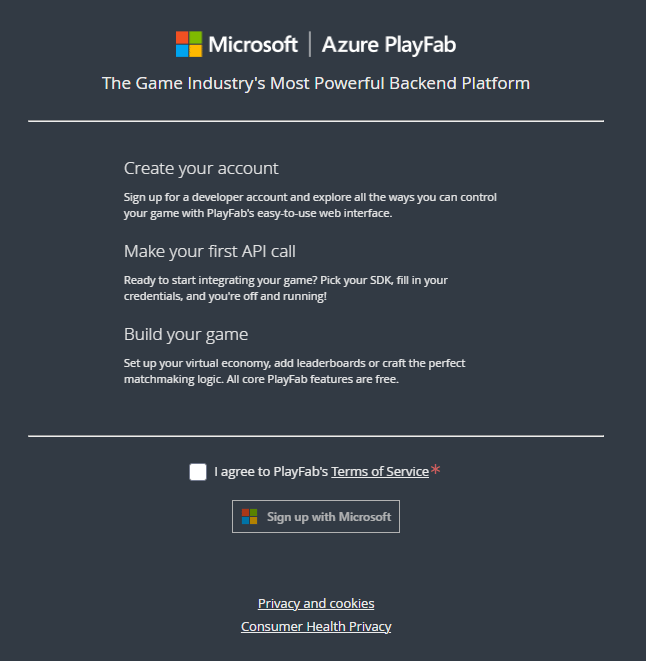 拥有 PlayFab 账户后,导航到 PlayFab 主页 [https://developer.playfab.com](https://developer.playfab.com) 并登录。
由于 PlayFab 不知道你的游戏工作室名称或你游戏的 title,当你创建工作室时,会为你创建一个名为 **My Game** 的占位符 title。你可以随时在 **Create Title** 屏幕中编辑你的 title 信息。
**Title ID** 对你的游戏是唯一的,我们称游戏为 title。你在调用 PlayFab API 时将使用此值(你的 **Title ID** *不会*是 **BCFE**)。
拥有 PlayFab 账户后,导航到 PlayFab 主页 [https://developer.playfab.com](https://developer.playfab.com) 并登录。
由于 PlayFab 不知道你的游戏工作室名称或你游戏的 title,当你创建工作室时,会为你创建一个名为 **My Game** 的占位符 title。你可以随时在 **Create Title** 屏幕中编辑你的 title 信息。
**Title ID** 对你的游戏是唯一的,我们称游戏为 title。你在调用 PlayFab API 时将使用此值(你的 **Title ID** *不会*是 **BCFE**)。
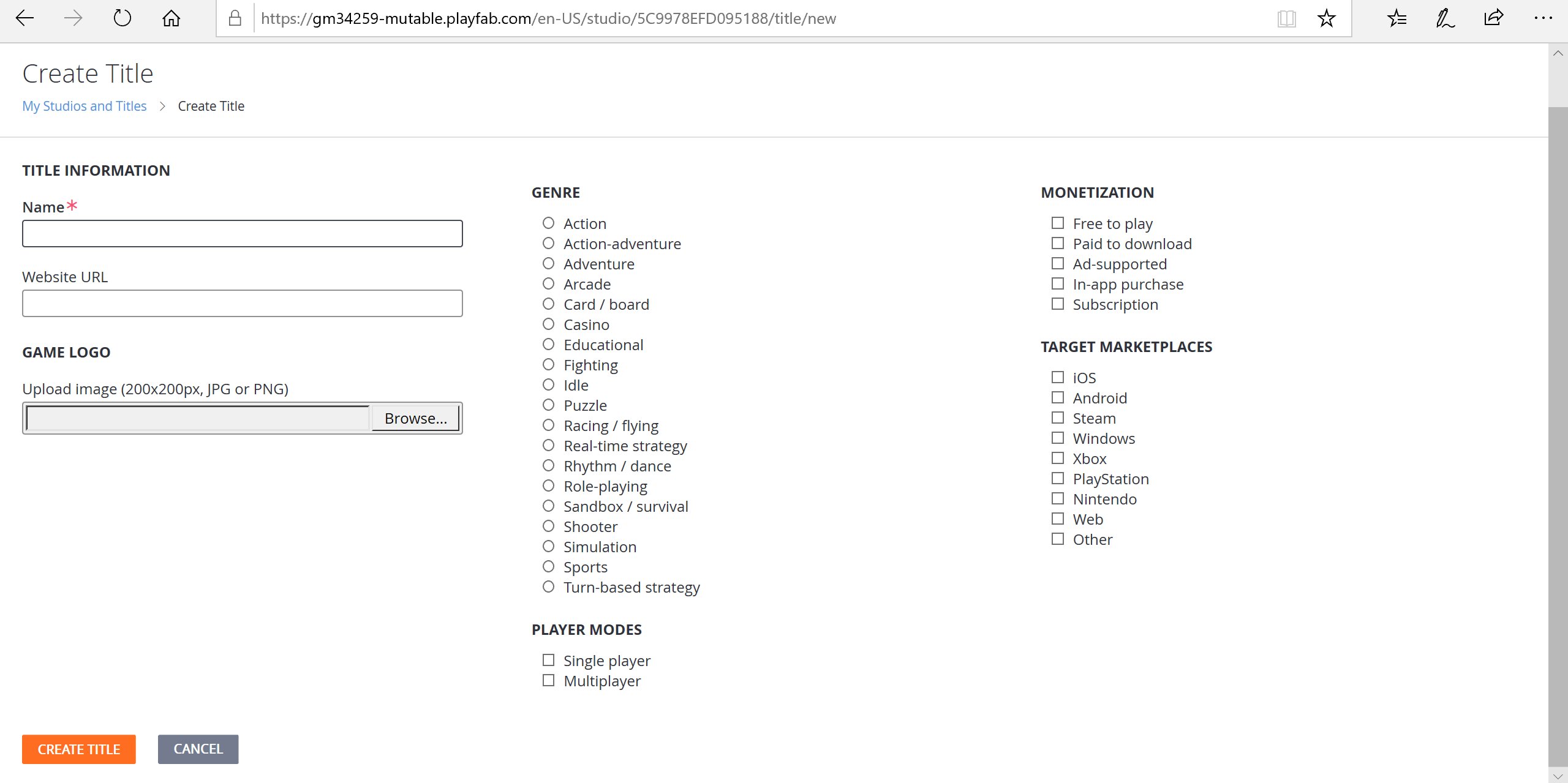 PlayFab 会自动创建你的第一个 title。要创建另一个新 title,请从省略号菜单中选择 **New title**。
## 打开你的 title 的 Game Manager
在安装任何 SDK 之前,选择一个游戏 title 以进入 Game Manager。花时间熟悉 Game Manager 仪表板中的各个部分。
有关更详细的概述,请访问 [Game Manager 快速入门](/services/playfab/live-service-management/gamemanager/quickstart)。
PlayFab Game Manager 允许你对你的游戏 title 做任何需要做的事情。一旦你掌握了 Game Manager 的各个方面,就安装 SDK 以便开始使用 API。有关如何安装 SDK 的更多信息,请参阅 [SDK 概览](/services/playfab/sdks/sdk-overview)。
## Related topics
- [Game Manager 快速入门](/zh-CN/services/playfab/live-service-management/gamemanager/quickstart.md)
- [适用于 XBOX 服务标题的 PlayFab 集成](/zh-CN/services/xbox-services/playfab-integration.md)
- [PlayFab 概念](/zh-CN/services/playfab/get-started/concepts.md)
- [为 PlayFab Insights 创建 Microsoft Entra ID 应用](/zh-CN/services/playfab/data-analytics/legacy/connectivity/creating-AAD-app-for-insights.md)
- [为 PlayFab 设置 Sign In with Battle.net](/zh-CN/services/playfab/identity/player-identity/platform-specific-authentication/battlenet-login.md)
PlayFab 会自动创建你的第一个 title。要创建另一个新 title,请从省略号菜单中选择 **New title**。
## 打开你的 title 的 Game Manager
在安装任何 SDK 之前,选择一个游戏 title 以进入 Game Manager。花时间熟悉 Game Manager 仪表板中的各个部分。
有关更详细的概述,请访问 [Game Manager 快速入门](/services/playfab/live-service-management/gamemanager/quickstart)。
PlayFab Game Manager 允许你对你的游戏 title 做任何需要做的事情。一旦你掌握了 Game Manager 的各个方面,就安装 SDK 以便开始使用 API。有关如何安装 SDK 的更多信息,请参阅 [SDK 概览](/services/playfab/sdks/sdk-overview)。
## Related topics
- [Game Manager 快速入门](/zh-CN/services/playfab/live-service-management/gamemanager/quickstart.md)
- [适用于 XBOX 服务标题的 PlayFab 集成](/zh-CN/services/xbox-services/playfab-integration.md)
- [PlayFab 概念](/zh-CN/services/playfab/get-started/concepts.md)
- [为 PlayFab Insights 创建 Microsoft Entra ID 应用](/zh-CN/services/playfab/data-analytics/legacy/connectivity/creating-AAD-app-for-insights.md)
- [为 PlayFab 设置 Sign In with Battle.net](/zh-CN/services/playfab/identity/player-identity/platform-specific-authentication/battlenet-login.md)