> ## Documentation Index
> Fetch the complete documentation index at: https://devdocs.xbox.com/llms.txt
> Use this file to discover all available pages before exploring further.
# 使用采样管理事件
> 使用 PlayFab 事件管理和采样,通过仅引入一定百分比的 PlayStream 和遥测事件来降低存储成本并提高查询性能。
## 概览
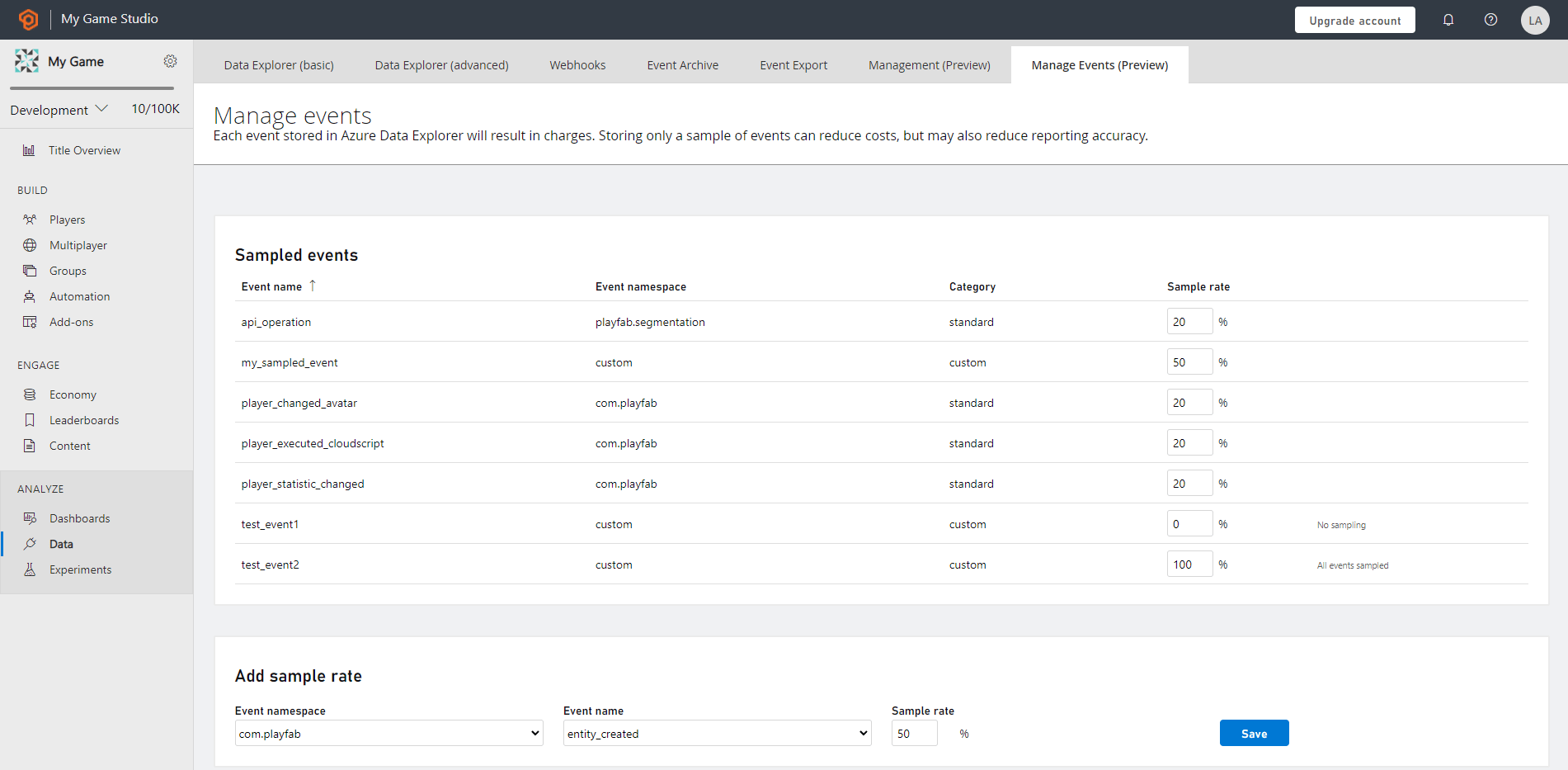
PlayFab **Manage Events** 功能可帮助你配置要在 title 租户数据库中接收的事件数据的百分比。
默认情况下,所有 PlayStream 和遥测(自定义)事件都会被存储。但是,在某些情况下,你可能只想检索事件的采样集。为了实现这一点,请使用带采样率的 Manage Events。
### Manage Events 的优势
采样会减少事件的总量,特别是以受控和灵活的方式为你带来以下好处:
* 降低你的 title 租户数据库上的存储成本
* 提高事件搜索性能
* 便于数据探索以确定大型数据集的特征
* 在不损失数据保真度的情况下无损验证数据格式、统计计算和其他分析
### 采样比率
采样比率是任何事件被包含在采样结果集中的概率百分比。它的范围从 0% 到 100%。默认情况下,事件采样未激活,这意味着采样率设置为 100%,并且 title 的每个事件都被引入并存储到 title 租户数据库中。
 ### 采样数据的数据分析
为了进行统计上真实的数据分析,通过确保与事件采样率相关的规模来检查数据。
当你使用事件的采样集来计算统计信息时,统计值不会准确。要获得最准确的统计值近似值,你必须将值缩放到相关的采样比率。因为当你使用采样时,返回的集合不是所有事件的完整集合。
当使用事件采样时,统计计算命令可能难以解释,例如 count、summarize、max、min 等。
## Related topics
- [事件采样快速入门](/zh-CN/services/playfab/data-analytics/export-data/event-sampling-quickstart.md)
- [为什么使用采样器反馈?](/zh-CN/build/core-features/graphics/newfeatures/sfs/why-sf.md)
- [PlayFab 数据与分析文档](/zh-CN/services/playfab/data-analytics/index.md)
- [事件分区快速入门(预览)](/zh-CN/services/playfab/data-analytics/export-data/event-partitioning-quickstart.md)
- [XBOX Series X|S 上的 Sampler Feedback 与 SFS](/zh-CN/build/core-features/graphics/newfeatures/sfs/index.md)
### 采样数据的数据分析
为了进行统计上真实的数据分析,通过确保与事件采样率相关的规模来检查数据。
当你使用事件的采样集来计算统计信息时,统计值不会准确。要获得最准确的统计值近似值,你必须将值缩放到相关的采样比率。因为当你使用采样时,返回的集合不是所有事件的完整集合。
当使用事件采样时,统计计算命令可能难以解释,例如 count、summarize、max、min 等。
## Related topics
- [事件采样快速入门](/zh-CN/services/playfab/data-analytics/export-data/event-sampling-quickstart.md)
- [为什么使用采样器反馈?](/zh-CN/build/core-features/graphics/newfeatures/sfs/why-sf.md)
- [PlayFab 数据与分析文档](/zh-CN/services/playfab/data-analytics/index.md)
- [事件分区快速入门(预览)](/zh-CN/services/playfab/data-analytics/export-data/event-partitioning-quickstart.md)
- [XBOX Series X|S 上的 Sampler Feedback 与 SFS](/zh-CN/build/core-features/graphics/newfeatures/sfs/index.md)