> ## Documentation Index
> Fetch the complete documentation index at: https://devdocs.xbox.com/llms.txt
> Use this file to discover all available pages before exploring further.
# 模板
> 模板
以下是可用于 TAK CLI 的模板。它们既可在[创建新的未打包适配包](/build/core-features/common/game-streaming/tak-command-line-tool/game-streaming-tak-command-line-create-command#create-bundle)时使用,也可在[在现有未打包适配包中创建布局](/build/core-features/common/game-streaming/tak-command-line-tool/game-streaming-tak-command-line-create-command#create-layout)时使用。
在命令行工具中引用每个模板时,使用其命令行工具名称。
| 模板 | 命令行工具名称 |
| --------------------------------------------- | --------------------- |
| [Blank](#blank) | `Blank` |
| [Menu](#menu) | `Menu` |
| [Cinematic](#cinematic) | `Cinematic` |
| [Platformer (Basic)](#platformer-basic) | `PlatformerBasic` |
| [Platformer (Advanced)](#platformer-advanced) | `PlatformerAdvanced ` |
| [Racing (Basic)](#racing-basic) | `RacingBasic` |
| [Racing (Advanced)](#racing-advanced) | `RacingAdvanced` |
| [Fighting](#fighting) | `Fighting` |
| [Shooter](#shooter) | `Shooter` |
## Blank
这是一个没有内容的空布局。配置为使用最新的 TAK 架构。这是创建适合游戏需求的自定义触控控件布局的良好起点。
## Menu
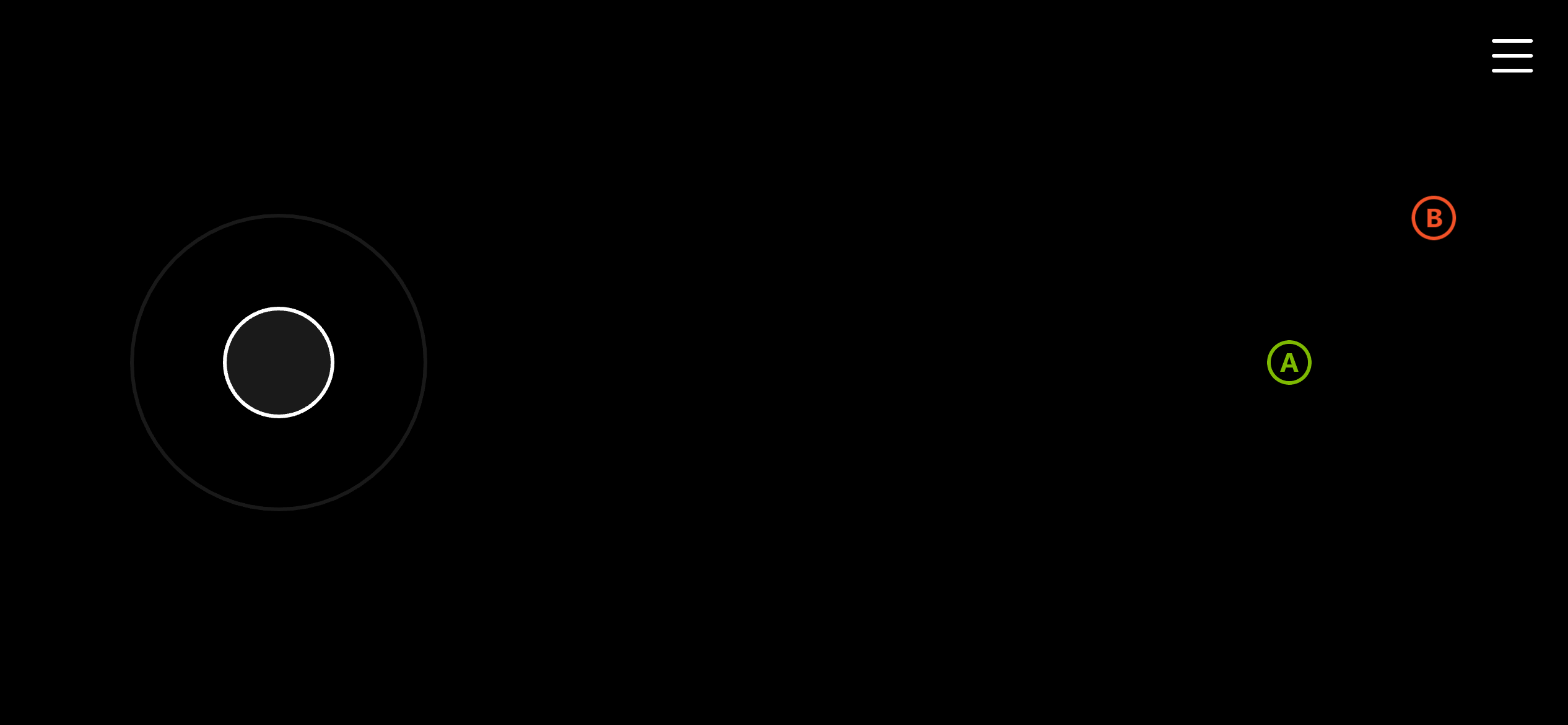
菜单屏幕的模板。包含用于菜单导航的左侧摇杆,以及 A 和 B 按钮。
 ## Cinematic
过场动画屏幕的极简模板。仅在屏幕右上角包含一个 B 按钮,以最大化可用于过场动画的屏幕空间。
## Cinematic
过场动画屏幕的极简模板。仅在屏幕右上角包含一个 B 按钮,以最大化可用于过场动画的屏幕空间。
 ## Platformer (Basic)
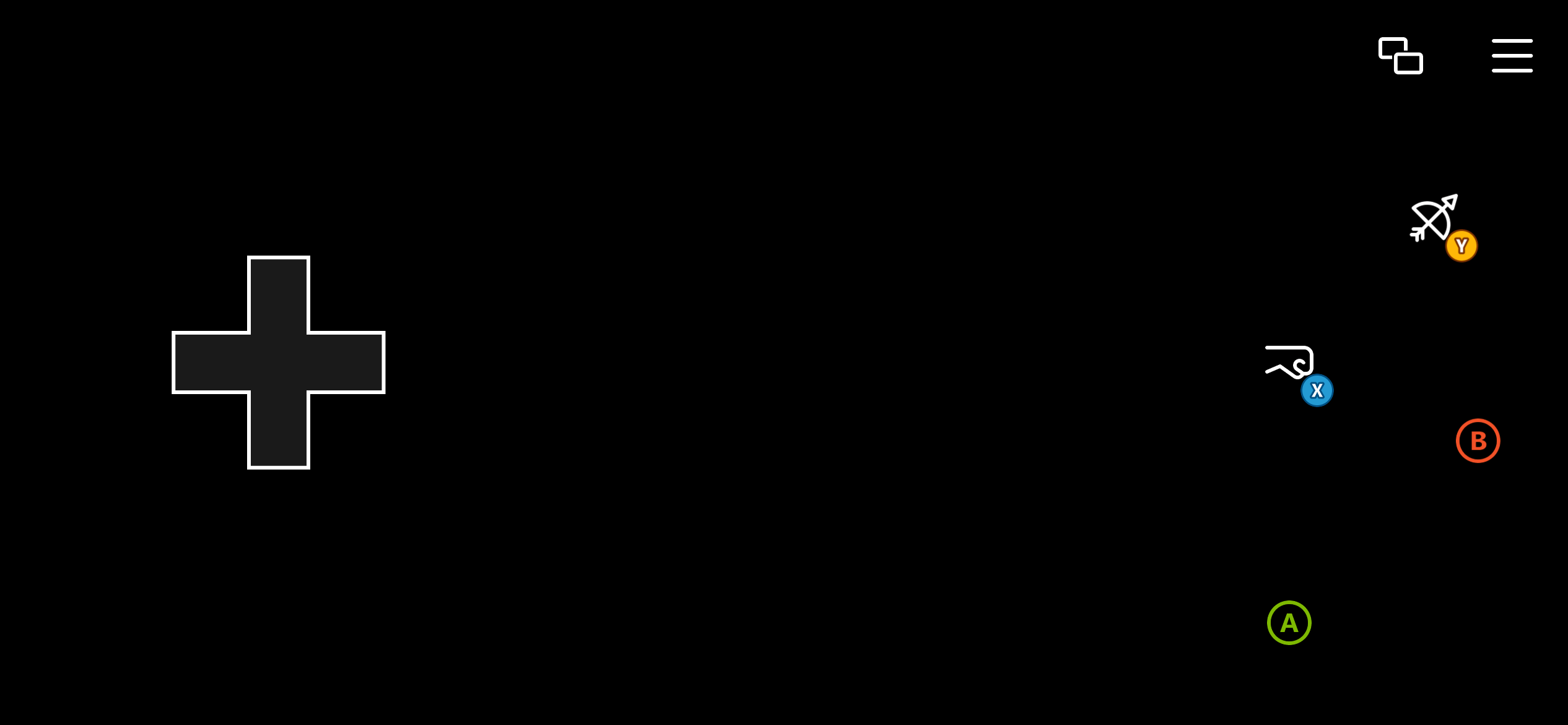
平台跳跃游戏的基本模板。使用方向键进行移动并提供风格化的 A、B、X、Y 按钮。
## Platformer (Basic)
平台跳跃游戏的基本模板。使用方向键进行移动并提供风格化的 A、B、X、Y 按钮。
 ## Platformer (Advanced)
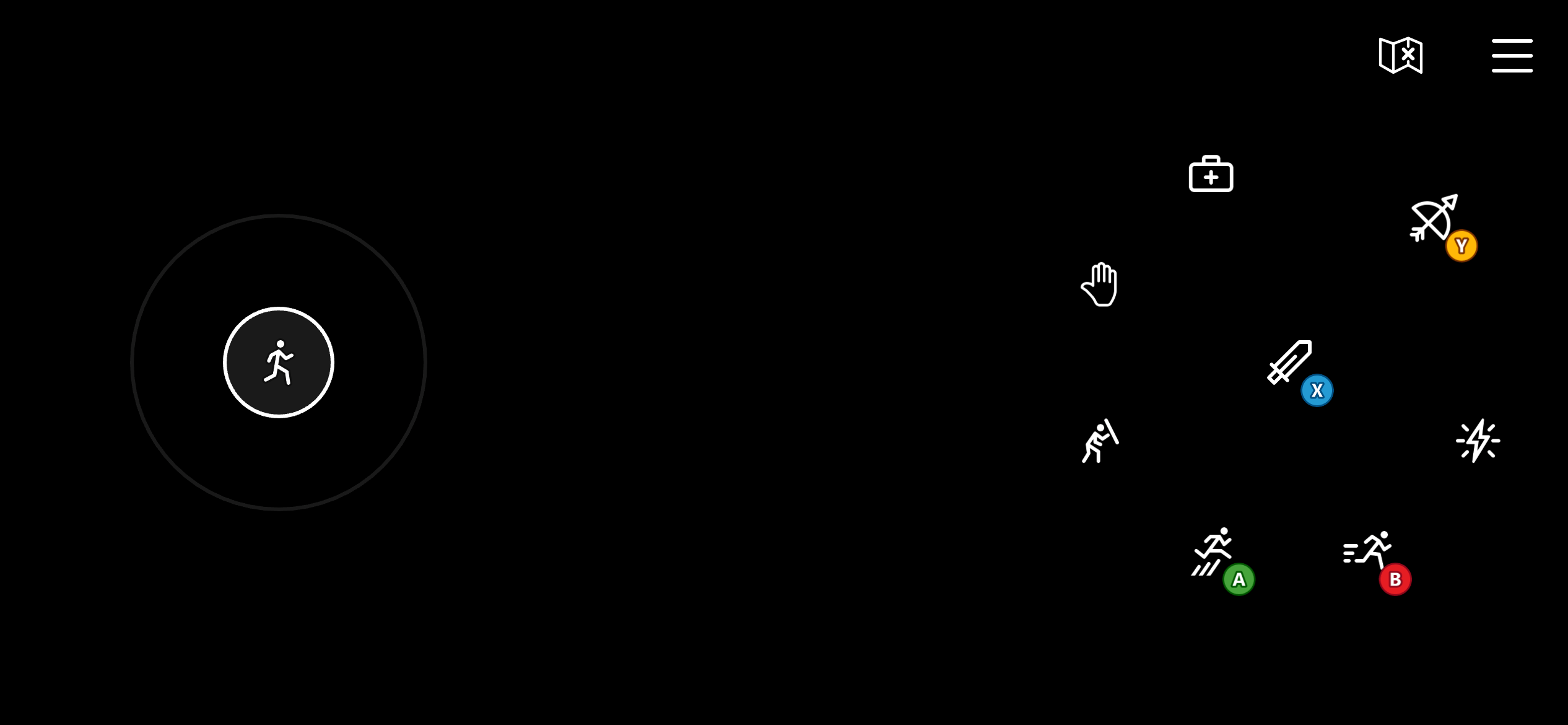
平台跳跃游戏的高级模板。使用左侧摇杆进行移动,提供更精确的移动控制。包括风格化的 A、B、X、Y 按钮。它还在右侧转轮上使用另外四个按钮,映射到左侧缓冲键、右侧缓冲键和扳机,用于其他动作,如格挡、治愈、技能和交互。
## Platformer (Advanced)
平台跳跃游戏的高级模板。使用左侧摇杆进行移动,提供更精确的移动控制。包括风格化的 A、B、X、Y 按钮。它还在右侧转轮上使用另外四个按钮,映射到左侧缓冲键、右侧缓冲键和扳机,用于其他动作,如格挡、治愈、技能和交互。
 ## Racing (Basic)
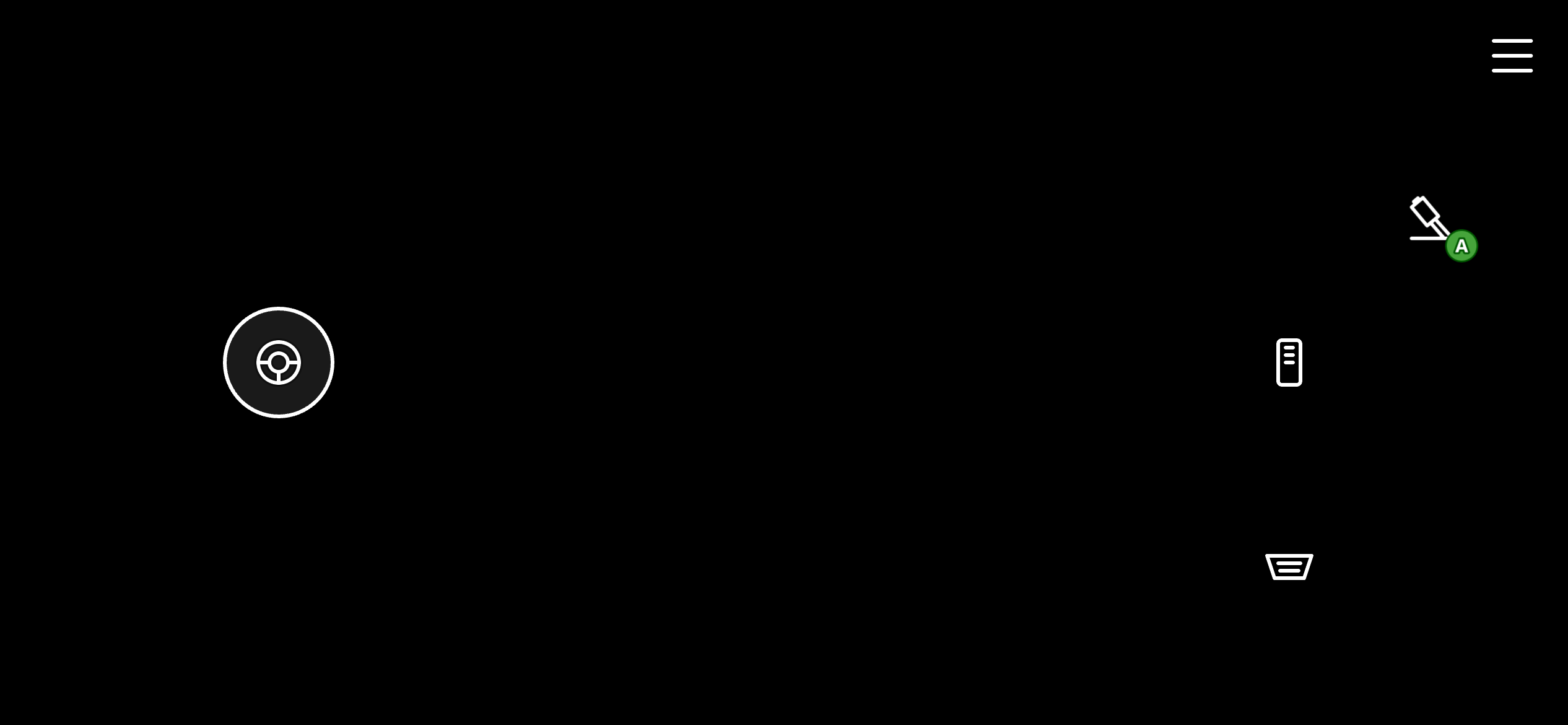
赛车游戏的基本模板。它使用一维(水平)左侧摇杆进行方向控制。它还在右侧转轮上使用 3 个风格化按钮,映射到左扳机(刹车)、右扳机(加速)和 A(手刹)。
## Racing (Basic)
赛车游戏的基本模板。它使用一维(水平)左侧摇杆进行方向控制。它还在右侧转轮上使用 3 个风格化按钮,映射到左扳机(刹车)、右扳机(加速)和 A(手刹)。
 ## Racing (Advanced)
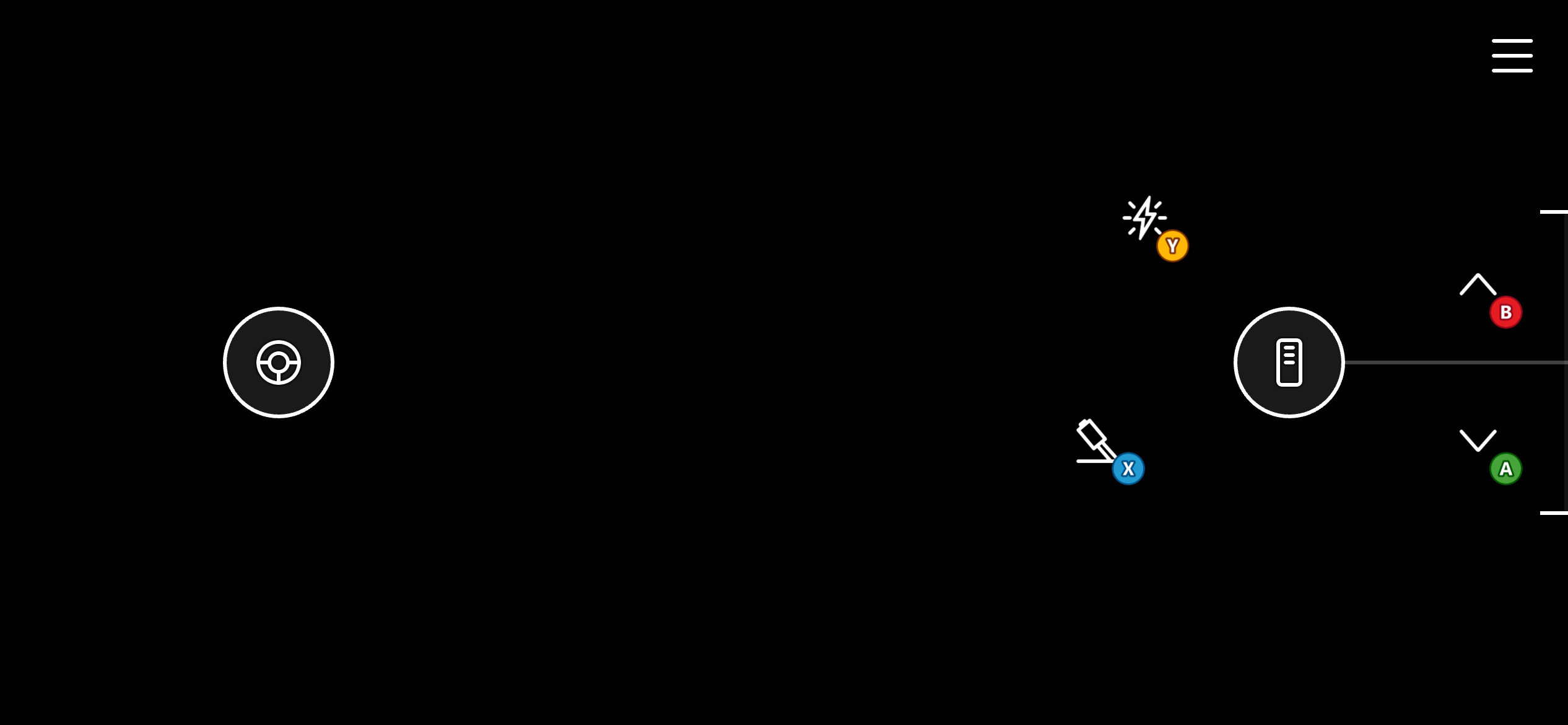
赛车游戏的高级模板。与基本版本类似,它使用一维(水平)左侧摇杆进行方向控制。它不使用左右扳机的按钮,而使用油门控件,允许对扳机值进行更精确的控制以及将油门 "定" 在某个位置以实现巡航控制。它还在右侧转轮上使用风格化的 A、B、X、Y 按钮以提供更多控制。
## Racing (Advanced)
赛车游戏的高级模板。与基本版本类似,它使用一维(水平)左侧摇杆进行方向控制。它不使用左右扳机的按钮,而使用油门控件,允许对扳机值进行更精确的控制以及将油门 "定" 在某个位置以实现巡航控制。它还在右侧转轮上使用风格化的 A、B、X、Y 按钮以提供更多控制。
 ## Fighting
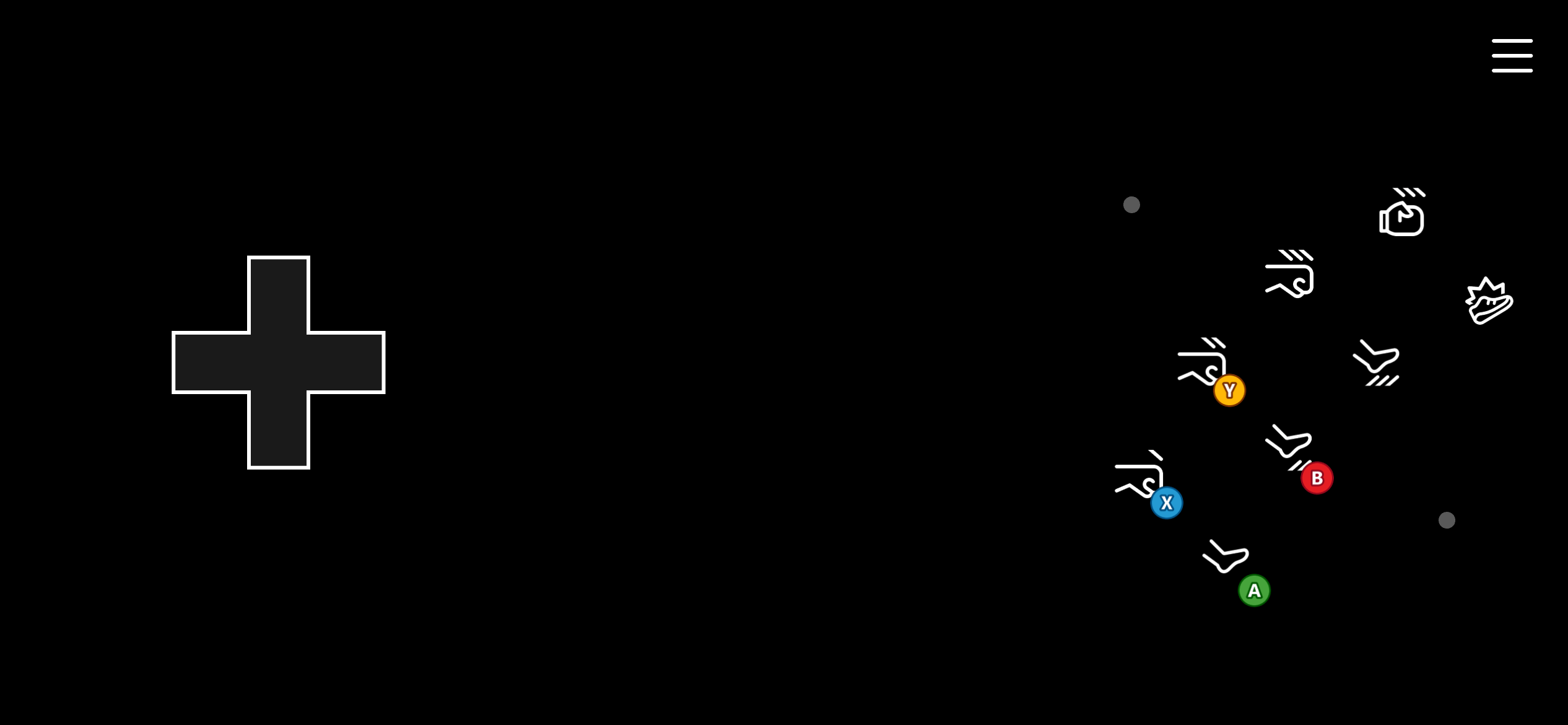
格斗游戏的模板。它在左侧转轮上使用方向键进行移动,在右侧转轮上以 "街机" 方式排列一系列 8 个按钮用于格斗连击。这些按钮映射到 A、B、X、Y、左缓冲键、右缓冲键和扳机。
## Fighting
格斗游戏的模板。它在左侧转轮上使用方向键进行移动,在右侧转轮上以 "街机" 方式排列一系列 8 个按钮用于格斗连击。这些按钮映射到 A、B、X、Y、左缓冲键、右缓冲键和扳机。
 ## Shooter
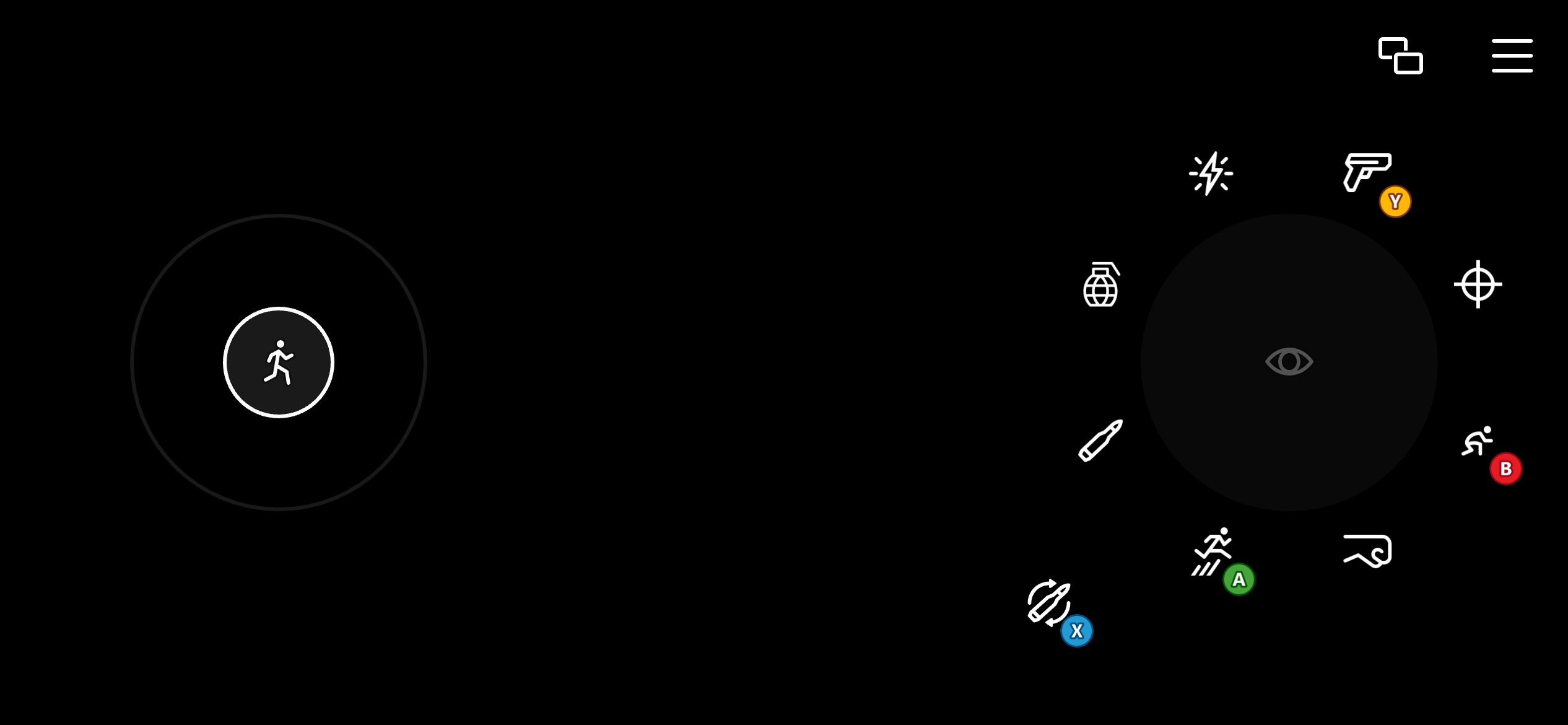
射击游戏的模板。使用二维左侧摇杆进行移动,并使用映射到相对鼠标移动的触控板以获得更精确的瞄准。右侧转轮上的多个控件被配置为渲染为按钮,同时也充当触控板。这使玩家能够在使用按钮进行动作时(如射击、装填、跳跃和切换武器)继续瞄准。
## Shooter
射击游戏的模板。使用二维左侧摇杆进行移动,并使用映射到相对鼠标移动的触控板以获得更精确的瞄准。右侧转轮上的多个控件被配置为渲染为按钮,同时也充当触控板。这使玩家能够在使用按钮进行动作时(如射击、装填、跳跃和切换武器)继续瞄准。
 ## Related topics
- [推送通知模板](/zh-CN/services/playfab/live-service-management/game-configuration/title-communications/push-notifications/push-notification-templates.md)
- [会话模板常量](/zh-CN/services/xbox-services/multiplayer/mpsd/concepts/live-session-template-constants.md)
- [多人游戏会话模板](/zh-CN/services/xbox-services/multiplayer/mpsd/concepts/live-session-templates.md)
- [本地化电子邮件模板](/zh-CN/services/playfab/live-service-management/game-configuration/title-communications/emails/localized-email-templates.md)
- [面向 XBOX 开发的 Visual Studio 项目模板](/zh-CN/tools/tools-console/visualstudio/durango-visual-studio-templates.md)
## Related topics
- [推送通知模板](/zh-CN/services/playfab/live-service-management/game-configuration/title-communications/push-notifications/push-notification-templates.md)
- [会话模板常量](/zh-CN/services/xbox-services/multiplayer/mpsd/concepts/live-session-template-constants.md)
- [多人游戏会话模板](/zh-CN/services/xbox-services/multiplayer/mpsd/concepts/live-session-templates.md)
- [本地化电子邮件模板](/zh-CN/services/playfab/live-service-management/game-configuration/title-communications/emails/localized-email-templates.md)
- [面向 XBOX 开发的 Visual Studio 项目模板](/zh-CN/tools/tools-console/visualstudio/durango-visual-studio-templates.md)