> ## Documentation Index
> Fetch the complete documentation index at: https://devdocs.xbox.com/llms.txt
> Use this file to discover all available pages before exploring further.
# Touch Adaptation Kit (TAK) 参考
> Touch Adaptation Kit (TAK) 参考,用于构建触控布局、包,以及使用 tak.exe 为串流的 XBOX 游戏启用触控操作。
## 包与工具
| 主题 | 说明 |
| :--------------------------------------------------------------------------------------------------------------------------------------- | :------------------------------ |
| [触控适配包 (TAB)](/build/core-features/common/game-streaming/game-streaming-touch-touch-adaptation-bundle) | 一个自包含的布局、资源和配置集,用于使游戏能够通过触控游玩。 |
| [Touch Adaptation Kit 命令行工具 (tak.exe)](/build/core-features/common/game-streaming/tak-command-line-tool/game-streaming-tak-command-line) | 创建和验证触控控件布局。让串流设备能够从您的 PC 获取布局。 |
## 布局配置
触控布局的基本布局组件。
| 主题 | 说明 |
| :-------------------------------------------------------------------------------------------------------- | :------------------------------ |
| [Layout](/reference/system/touchadaptationkit/layout/game-streaming-touch-layout) | 游戏完整触控布局的表示形式。 |
| [Control cluster](/reference/system/touchadaptationkit/layout/game-streaming-touch-control-cluster-outer) | 最多包含四个控件的数组,可用于占据转轮外部部分的两个插槽。 |
| [Inner wheel](/reference/system/touchadaptationkit/layout/game-streaming-touch-inner-wheel) | 最多包含四个控件的数组,用于分割转轮的内部部分。 |
| [Layer](/reference/system/touchadaptationkit/layout/game-streaming-touch-layer) | ***实验性*** 的子触控布局,可以叠加在基础触控布局之上。 |
| [Layer action](/reference/system/touchadaptationkit/layout/game-streaming-touch-layer-action) | ***实验性*** 的动作,按钮可用它来显示层。 |
| [Layout orientation](/reference/system/touchadaptationkit/layout/game-streaming-touch-layout-orientation) | (***已弃用***)触控布局将显示的方向。 |
| [Wheel](/reference/system/touchadaptationkit/layout/game-streaming-touch-wheel) | 一组按内圈和外圈圆形区域排列的触控控件。 |
## 触控控件
可用于触控布局的一组可视控件。
| 控件 | 说明 | 示例 |
| :--------------------------------------------------------------------------------------------------- | :----------------------------------------- | :------------------------------------------------------------------------------------------------------------------------------------------------------------------------------------------------------------------------------------------------------------------------------------------------------------------------------------------------------------------------------------------------------------------------------------------------------------------------------------------------------------------------------------------------------------------------------------------------------------------------------------------------------------------------------------------------------------------------------------------------------------------------------------------------------------------------------------------ |
| [Arcade Buttons](/reference/system/touchadaptationkit/controls/game-streaming-touch-arcadebuttons) | 6 个或 8 个按钮按弧形排列的集合,采用街机柜的样式。 | 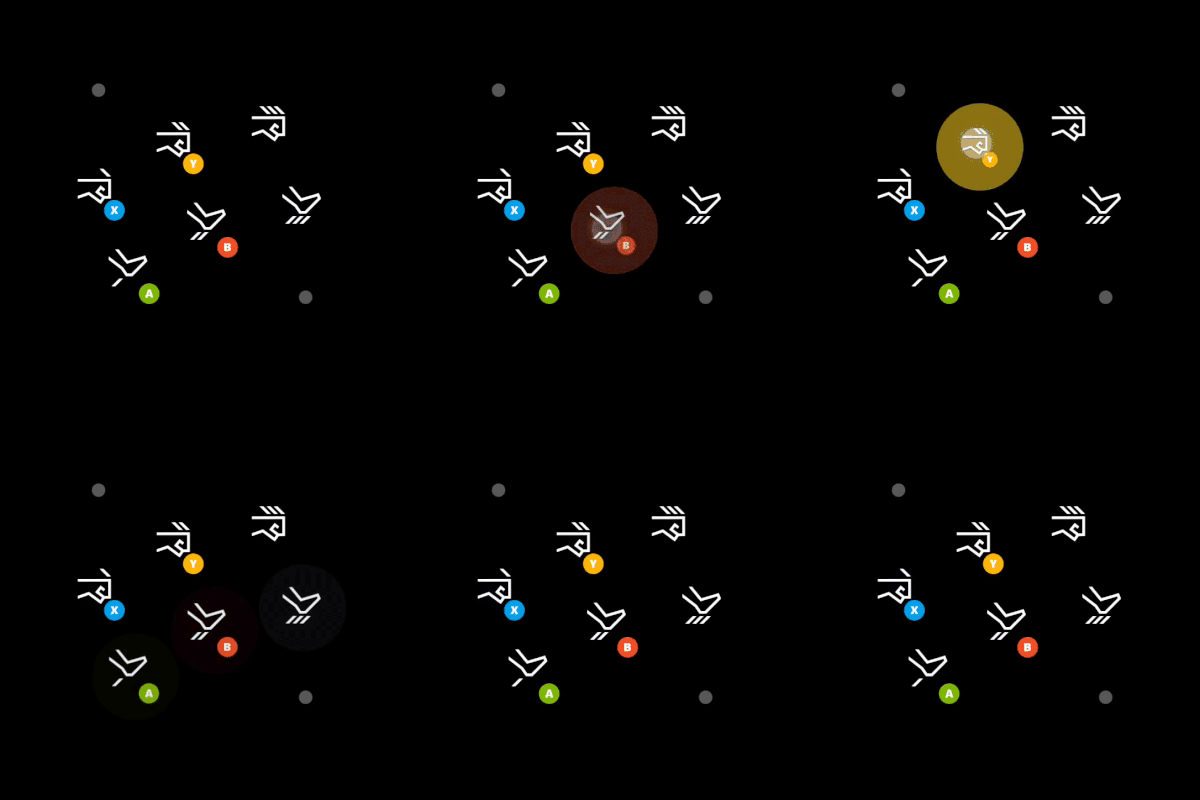 |
| [Blank](/reference/system/touchadaptationkit/controls/game-streaming-touch-blank) | 在 `layer` 中使用的 ***实验性*** 控件,用于隐藏该插槽中显示的控件。 | |
| [Button](/reference/system/touchadaptationkit/controls/game-streaming-touch-button) | 可响应玩家触控输入的基本控件。 |
|
| [Blank](/reference/system/touchadaptationkit/controls/game-streaming-touch-blank) | 在 `layer` 中使用的 ***实验性*** 控件,用于隐藏该插槽中显示的控件。 | |
| [Button](/reference/system/touchadaptationkit/controls/game-streaming-touch-button) | 可响应玩家触控输入的基本控件。 | 
 |
| [Directional Pad](/reference/system/touchadaptationkit/controls/game-streaming-touch-directionalpad) | 始终映射游戏手柄方向键的方向键控件。 |
|
| [Directional Pad](/reference/system/touchadaptationkit/controls/game-streaming-touch-directionalpad) | 始终映射游戏手柄方向键的方向键控件。 |  |
| [Joystick](/reference/system/touchadaptationkit/controls/game-streaming-touch-joystick) | 像摇杆一样运作的模拟控件。 |
|
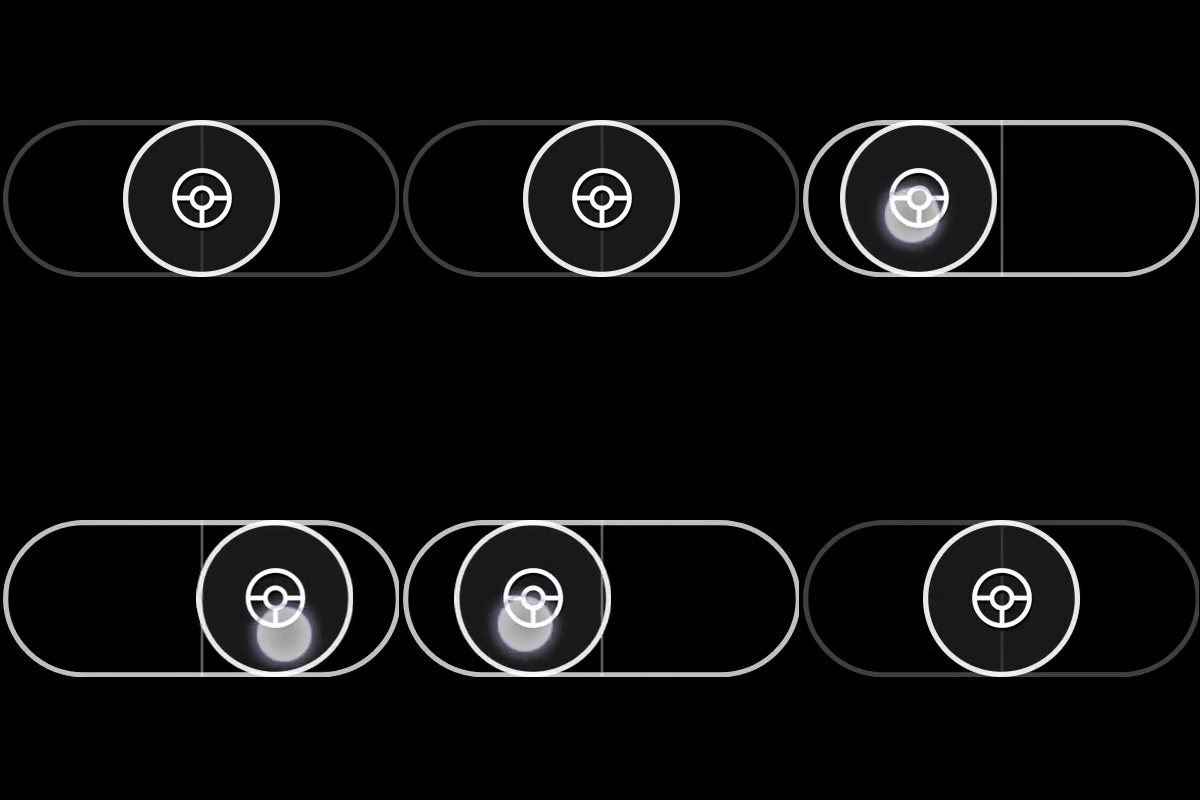
| [Joystick](/reference/system/touchadaptationkit/controls/game-streaming-touch-joystick) | 像摇杆一样运作的模拟控件。 | 
 |
| [Throttle](/reference/system/touchadaptationkit/controls/game-streaming-touch-throttle) | 一种专门的仅 Y 轴摇杆版本,映射到扳机。为驾驶游戏设计。 |
|
| [Throttle](/reference/system/touchadaptationkit/controls/game-streaming-touch-throttle) | 一种专门的仅 Y 轴摇杆版本,映射到扳机。为驾驶游戏设计。 | 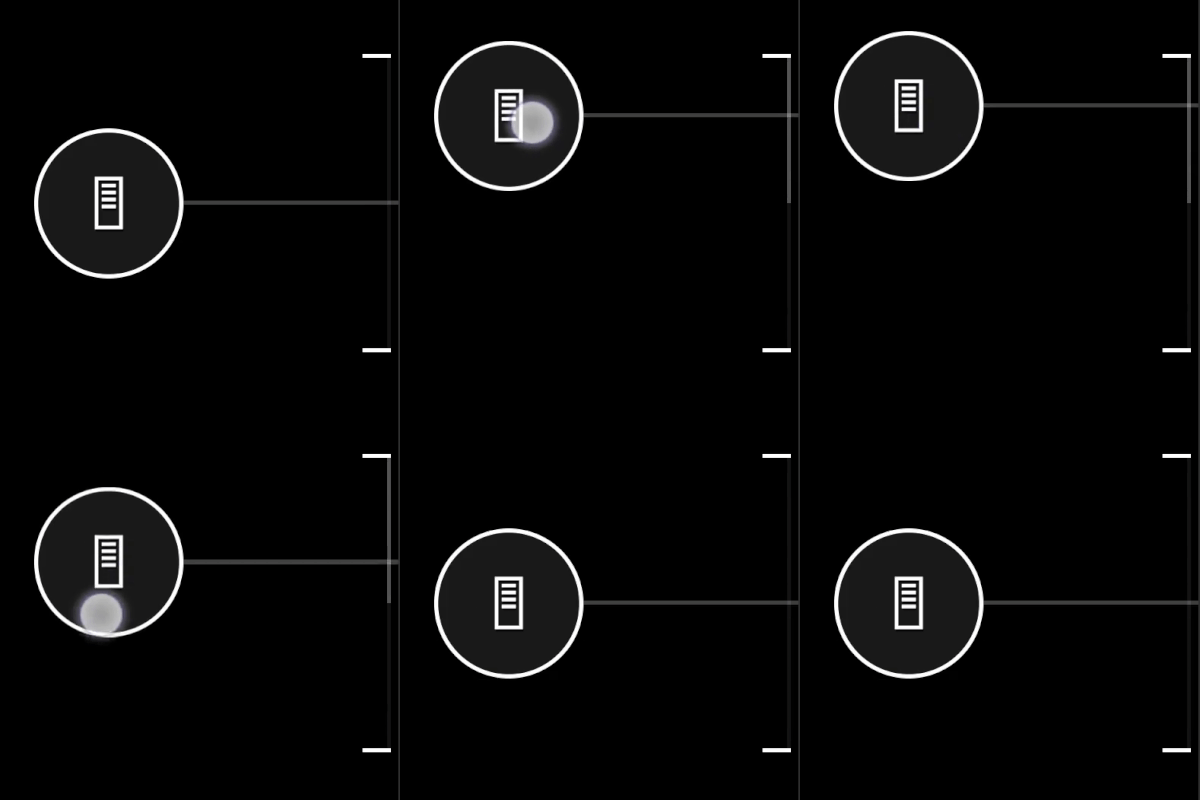 |
| [Touchpad](/reference/system/touchadaptationkit/controls/game-streaming-touch-touchpad) | 使玩家能够以类似笔记本电脑触控板的方式进行交互的模拟控件。 |
|
| [Touchpad](/reference/system/touchadaptationkit/controls/game-streaming-touch-touchpad) | 使玩家能够以类似笔记本电脑触控板的方式进行交互的模拟控件。 |  |
## 控件样式与组件
| 组件 | 说明 |
| :----------------------------------------------------------------------------------------------------------------- | :-------------------------- |
| [Action](/reference/system/touchadaptationkit/types/game-streaming-touch-action) | 可以引用的物理控制器动作。 |
| [Asset](/reference/system/touchadaptationkit/types/game-streaming-touch-asset) | 对已包含在触控适配包中的自定义图像的引用。 |
| [Axis](/reference/system/touchadaptationkit/types/game-streaming-touch-axis) | 触控控件到等效物理模拟控件映射的定义。 |
| [Color](/reference/system/touchadaptationkit/types/game-streaming-touch-color) | 对颜色的引用。 |
| [Deadzone](/reference/system/touchadaptationkit/types/game-streaming-touch-deadzone) | 不应注册为输入的玩家交互量的定义。 |
| [Hexcolor](/reference/system/touchadaptationkit/types/game-streaming-touch-hexcolor) | 包含要引用的 RGBA 颜色值的十六进制表示的字符串。 |
| [Icon](/reference/system/touchadaptationkit/types/game-streaming-touch-icon) | 对图标的引用。 |
| [Joystick outline and indicator](/reference/system/touchadaptationkit/types/game-streaming-touch-joystick-outline) | 摇杆控件外环的样式属性。 |
| [Knob](/reference/system/touchadaptationkit/types/game-streaming-touch-knob) | 玩家可以与其交互的类按钮组件的样式属性。 |
| [Response curve](/reference/system/touchadaptationkit/types/game-streaming-touch-responsecurve) | 输入到输出映射的曲线范围的定义。 |
| [Stroke](/reference/system/touchadaptationkit/types/game-streaming-touch-stroke) | 被引用对象轮廓的样式属性。 |
| [Throttle axis](/reference/system/touchadaptationkit/types/game-streaming-touch-throttle-axis) | 油门控件轴的样式属性。 |
## 传感器控件
传感器控件允许将玩家设备上的物理传感器映射到物理控制器输入。
| 控件 | 说明 |
| :------------------------------------------------------------------------------------------------------- | :------------------------------------------- |
| [Accelerometer](/reference/system/touchadaptationkit/sensor-controls/game-streaming-touch-accelerometer) | 一种 ***实验性*** 传感器控件,将客户端设备的加速计(如可用)映射到一组指定的轴。 |
| [Gyroscope](/reference/system/touchadaptationkit/sensor-controls/game-streaming-touch-gyroscope) | 一种传感器控件,将设备的物理运动映射到指定的一组轴。 |
## Related topics
- [Touch Adaptation Kit (TAK) 命令行工具参考](/zh-CN/build/core-features/common/game-streaming/tak-command-line-tool/index.md)
- [Touch Adaptation Kit](/zh-CN/reference/system/touchadaptationkit/touchadaptationkit-reference.md)
- [Touch Adaptation Kit 命令行工具 (tak.exe)](/zh-CN/build/core-features/common/game-streaming/tak-command-line-tool/game-streaming-tak-command-line.md)
- [适用于 Visual Studio Code 的 Touch Adaptation Kit (TAK) 编辑器](/zh-CN/build/core-features/common/game-streaming/tak-editor/index.md)
- [什么是 Touch Adaptation Kit 编辑器?](/zh-CN/build/core-features/common/game-streaming/tak-editor/game-streaming-tak-editor.md)
|
## 控件样式与组件
| 组件 | 说明 |
| :----------------------------------------------------------------------------------------------------------------- | :-------------------------- |
| [Action](/reference/system/touchadaptationkit/types/game-streaming-touch-action) | 可以引用的物理控制器动作。 |
| [Asset](/reference/system/touchadaptationkit/types/game-streaming-touch-asset) | 对已包含在触控适配包中的自定义图像的引用。 |
| [Axis](/reference/system/touchadaptationkit/types/game-streaming-touch-axis) | 触控控件到等效物理模拟控件映射的定义。 |
| [Color](/reference/system/touchadaptationkit/types/game-streaming-touch-color) | 对颜色的引用。 |
| [Deadzone](/reference/system/touchadaptationkit/types/game-streaming-touch-deadzone) | 不应注册为输入的玩家交互量的定义。 |
| [Hexcolor](/reference/system/touchadaptationkit/types/game-streaming-touch-hexcolor) | 包含要引用的 RGBA 颜色值的十六进制表示的字符串。 |
| [Icon](/reference/system/touchadaptationkit/types/game-streaming-touch-icon) | 对图标的引用。 |
| [Joystick outline and indicator](/reference/system/touchadaptationkit/types/game-streaming-touch-joystick-outline) | 摇杆控件外环的样式属性。 |
| [Knob](/reference/system/touchadaptationkit/types/game-streaming-touch-knob) | 玩家可以与其交互的类按钮组件的样式属性。 |
| [Response curve](/reference/system/touchadaptationkit/types/game-streaming-touch-responsecurve) | 输入到输出映射的曲线范围的定义。 |
| [Stroke](/reference/system/touchadaptationkit/types/game-streaming-touch-stroke) | 被引用对象轮廓的样式属性。 |
| [Throttle axis](/reference/system/touchadaptationkit/types/game-streaming-touch-throttle-axis) | 油门控件轴的样式属性。 |
## 传感器控件
传感器控件允许将玩家设备上的物理传感器映射到物理控制器输入。
| 控件 | 说明 |
| :------------------------------------------------------------------------------------------------------- | :------------------------------------------- |
| [Accelerometer](/reference/system/touchadaptationkit/sensor-controls/game-streaming-touch-accelerometer) | 一种 ***实验性*** 传感器控件,将客户端设备的加速计(如可用)映射到一组指定的轴。 |
| [Gyroscope](/reference/system/touchadaptationkit/sensor-controls/game-streaming-touch-gyroscope) | 一种传感器控件,将设备的物理运动映射到指定的一组轴。 |
## Related topics
- [Touch Adaptation Kit (TAK) 命令行工具参考](/zh-CN/build/core-features/common/game-streaming/tak-command-line-tool/index.md)
- [Touch Adaptation Kit](/zh-CN/reference/system/touchadaptationkit/touchadaptationkit-reference.md)
- [Touch Adaptation Kit 命令行工具 (tak.exe)](/zh-CN/build/core-features/common/game-streaming/tak-command-line-tool/game-streaming-tak-command-line.md)
- [适用于 Visual Studio Code 的 Touch Adaptation Kit (TAK) 编辑器](/zh-CN/build/core-features/common/game-streaming/tak-editor/index.md)
- [什么是 Touch Adaptation Kit 编辑器?](/zh-CN/build/core-features/common/game-streaming/tak-editor/game-streaming-tak-editor.md)