> ## Documentation Index
> Fetch the complete documentation index at: https://devdocs.xbox.com/llms.txt
> Use this file to discover all available pages before exploring further.
# XBOX Live page
> XBOX Live page
Use the XBOX Live page to view and configure XBOX Live settings as shown in the following screenshot.
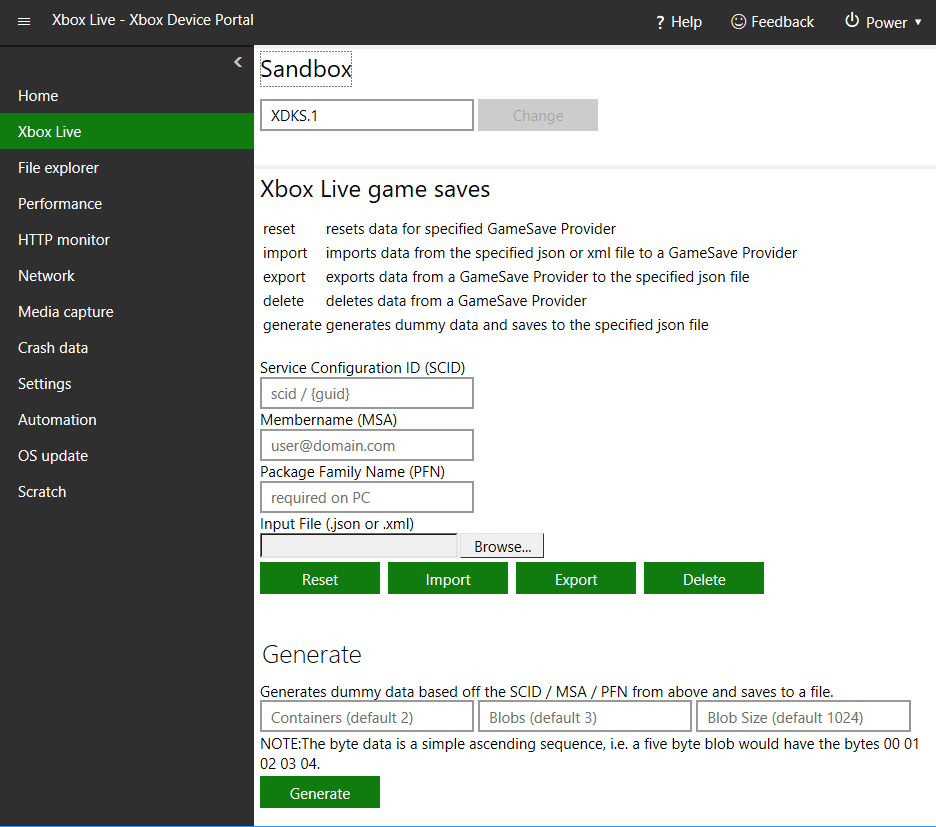 The XBOX Live page has the following panes.
## Sandbox pane
Use the Sandbox pane to set the sandbox that your console should use.
## XBOX Live game saves pane
Use the XBOX Live game saves pane to configure GameSave Providers. You can do the following:
* **Reset:** Resets data for the specified GameSave Provider
* **Import:** Imports data from the specified .json or .xml file to a GameSave Provider
* **Export:** Exports data from a GameSave Provider to the specified .json file
* **Delete:** Deletes data from a GameSave Provider
* **Generate:** Generates dummy data and saves it to the specified .json file
## Related topics
- [XBOX Live page for Dev Home](/tools/tools-console/devhome/devhome-live.md)
- [XBOX Device Portal (Windows Device Portal on XBOX)](/tools/tools-console/wdp/index.md)
- [Developer Home (DevHome) on XBOX dev kits](/tools/tools-console/devhome/index.md)
- [Developer Home on the console (Dev Home)](/tools/tools-console/devhome/devhome.md)
- [XBOX Live Title Association](/services/playfab/identity/player-identity/platform-specific-authentication/xbox-live-add-on.md)
The XBOX Live page has the following panes.
## Sandbox pane
Use the Sandbox pane to set the sandbox that your console should use.
## XBOX Live game saves pane
Use the XBOX Live game saves pane to configure GameSave Providers. You can do the following:
* **Reset:** Resets data for the specified GameSave Provider
* **Import:** Imports data from the specified .json or .xml file to a GameSave Provider
* **Export:** Exports data from a GameSave Provider to the specified .json file
* **Delete:** Deletes data from a GameSave Provider
* **Generate:** Generates dummy data and saves it to the specified .json file
## Related topics
- [XBOX Live page for Dev Home](/tools/tools-console/devhome/devhome-live.md)
- [XBOX Device Portal (Windows Device Portal on XBOX)](/tools/tools-console/wdp/index.md)
- [Developer Home (DevHome) on XBOX dev kits](/tools/tools-console/devhome/index.md)
- [Developer Home on the console (Dev Home)](/tools/tools-console/devhome/devhome.md)
- [XBOX Live Title Association](/services/playfab/identity/player-identity/platform-specific-authentication/xbox-live-add-on.md)